1. Introduction and Overview
Thank you for choosing the Clean Air Optima CA-503T Compact Smart Air Purifier. This device is designed to significantly improve indoor air quality by effectively removing pollutants and allergens. Its compact design and advanced filtration system make it ideal for various living and working spaces.
Key features of your Clean Air Optima CA-503T:
- Advanced Filtration System: Equipped with a pre-filter, TRUE HEPA (H13) filter, Tio2 photocatalytic filter, activated carbon filter, UV-C LED lamp, and ionizer for comprehensive air purification.
- High CADR: Delivers 140 m³ of particle-free air per hour, suitable for rooms up to 30 m² (75 m³).
- Ultra-Quiet Operation: Operates as low as 10 dB(A) in sleep mode, ensuring minimal disturbance.
- Smart Control: Easily manage settings and monitor air quality via the Clean Air Optima mobile application.
- 360° Airflow: Ensures efficient distribution of clean air throughout the room.

Image 1.1: The Clean Air Optima CA-503T Compact Smart Air Purifier, showcasing its sleek design and smart app connectivity.
2. Setup
Follow these steps to set up your air purifier for first use:
- Unpack the Device: Carefully remove the air purifier from its packaging. Retain the packaging for future storage or transport.
- Install the Filter: The composite filter is typically pre-installed but may be wrapped in plastic for protection. Twist the bottom cover counter-clockwise to open the filter compartment. Remove the plastic packaging from the filter, then reinsert the filter and secure the bottom cover by twisting clockwise.
- Position the Purifier: Place the air purifier on a flat, stable surface, ensuring there is at least 20 cm (8 inches) of clear space around all sides for optimal airflow.
- Connect to Power: Plug the power adapter into the air purifier and then into a suitable electrical outlet.
- Download the App (Optional): For smart control features, download the Clean Air Optima app from your device's app store. Follow the in-app instructions to connect your air purifier to your Wi-Fi network.

Image 2.1: Illustration of the easy filter replacement process for the CA-503T.
3. Operating Instructions
The Clean Air Optima CA-503T features an intuitive touch control panel on the top of the unit and can also be controlled via the mobile app.

Image 3.1: The control panel on top of the CA-503T, featuring touch-sensitive buttons for various functions.
Control Panel Functions:
- Power Button: Press to turn the unit On or Off.
- Fan Speed: Cycle through different fan speeds: Sleep (10 dB(A)), Low (15 dB(A)), Medium (25 dB(A)), High (50 dB(A)).
- Auto Mode: Activates automatic fan speed adjustment based on detected air quality (PM2.5 sensor).
- UV-C LED Lamp: Toggles the UV-C sterilization function.
- Ionizer: Activates or deactivates the ionizer function.
- Timer: Sets the operating time before automatic shut-off.
- Display Light: Turns the display lights On or Off for undisturbed sleep.
Smart App Control:
The Clean Air Optima app provides enhanced control and monitoring capabilities:
- Remote control of all functions.
- Real-time air quality monitoring (PM2.5 levels).
- Scheduling and custom operating modes.
- Filter lifetime tracking and replacement reminders.
Aroma Function:
The CA-503T includes an aroma tray for essential oils. To use, pull out the small tray located near the top of the unit (refer to Image 3.2). Add a few drops of your preferred essential oil to the aroma pad. Reinsert the tray. The fan will diffuse the aroma into the air.
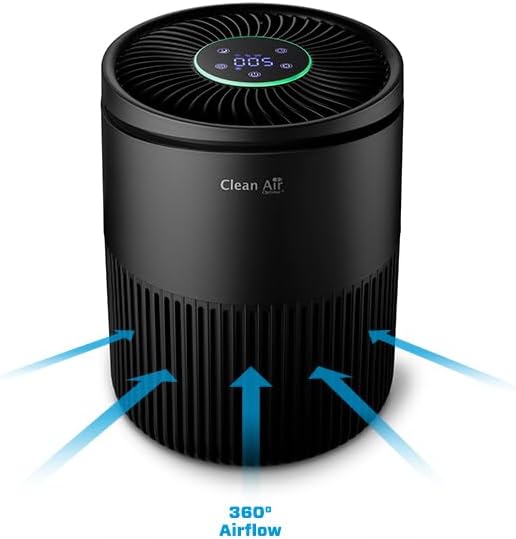
Image 3.2: The aroma tray, allowing for the addition of essential oils for a pleasant scent.
4. Maintenance
Regular maintenance ensures optimal performance and extends the lifespan of your air purifier.
Filter Replacement:
The composite filter (pre-filter, True HEPA (H13), activated carbon, and Tio2 photocatalytic filter) should be replaced every 6 to 8 months, depending on usage and air quality. The app will provide a reminder when replacement is due.
- Turn off and unplug the air purifier.
- Twist the bottom cover counter-clockwise to open the filter compartment.
- Remove the old filter and dispose of it properly.
- Insert a new Clean Air Optima replacement filter (ensure plastic packaging is removed).
- Secure the bottom cover by twisting clockwise until it clicks into place.
- Reset the filter lifetime indicator via the control panel or the app.
Cleaning the Unit:
- Wipe the exterior of the unit with a soft, damp cloth. Do not use abrasive cleaners or solvents.
- Clean the air inlet and outlet vents regularly with a soft brush or vacuum cleaner to prevent dust buildup.
- The PM2.5 sensor opening should also be kept clean. Refer to the app for sensor cleaning instructions if available.
5. Troubleshooting
If you encounter issues with your Clean Air Optima CA-503T, refer to the table below for common problems and solutions.
| Problem | Possible Cause | Solution |
|---|---|---|
| Unit does not turn on | No power supply; Power adapter not connected properly | Check if the power cord is securely plugged into the unit and the wall outlet. Try a different outlet. |
| Weak airflow | Filter is dirty or clogged; Air inlets/outlets blocked | Check and replace the filter if necessary. Ensure no obstructions around the air inlets and outlets. |
| Unusual noise | Unit not on a flat surface; Foreign object inside; Filter not installed correctly | Place the unit on a stable, flat surface. Turn off and unplug the unit, then check for any foreign objects or ensure the filter is properly seated. |
| Poor air purification | Filter needs replacement; Room size too large; Doors/windows open | Replace the filter. Ensure the unit is used in a room within its recommended size. Close doors and windows for effective purification. |
| App connection issues | Incorrect Wi-Fi password; Router issues; Unit too far from router | Ensure correct Wi-Fi password. Restart your router and the air purifier. Move the unit closer to the router. The unit supports 2.4GHz Wi-Fi only. |
6. Specifications
Detailed technical specifications for the Clean Air Optima CA-503T Compact Smart Air Purifier:
| Feature | Specification |
|---|---|
| Brand | Clean Air Optima |
| Model Number | CA-503T Compact Smart |
| Color | Black |
| Product Dimensions (L x W x H) | 20.6 x 20.6 x 27.4 cm |
| Weight | 1.89 Kilograms |
| Power | 1 Watts |
| Noise Level | 10 dB (Sleep Mode) / 15 dB (Low) / 25 dB (Medium) / 50 dB (High) |
| CADR (Clean Air Delivery Rate) | 140 m³/hour |
| Applicable Area | Up to 30 m² / 75 m³ |
| Filter Type | Composite (Pre-filter, True HEPA H13, Activated Carbon, Tio2 Photocatalytic) |
| Control Method | Touch Panel, Mobile Application |
| Automatic Shut-off Function | Yes |
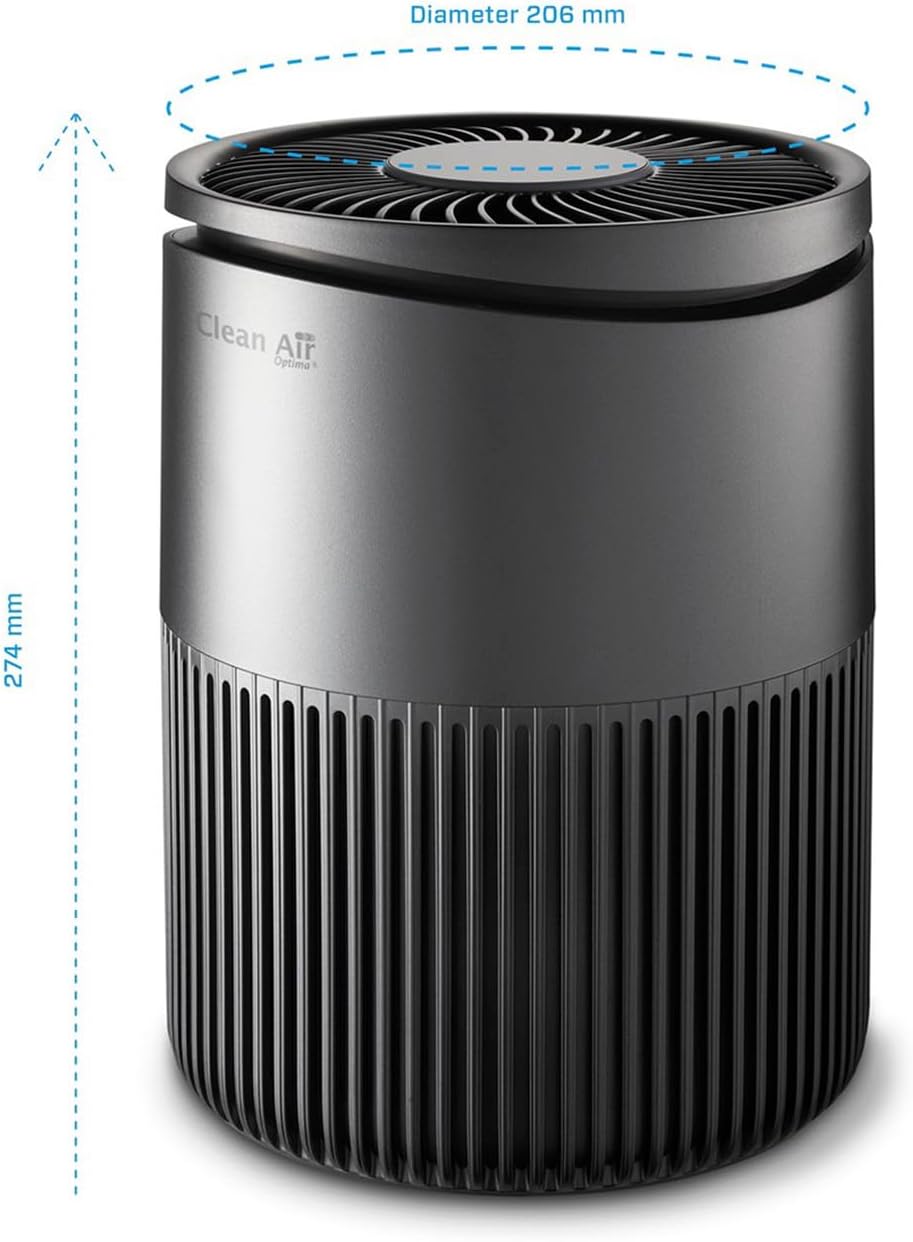
Image 6.1: Dimensions of the Clean Air Optima CA-503T Compact Smart Air Purifier.
7. Warranty and Support
For warranty information, please refer to the documentation included with your product or visit the official Clean Air Optima website. Warranty terms and conditions may vary by region.
For technical support, replacement parts, or further assistance, please contact Clean Air Optima customer service or visit their official brand store: