1. Introduction
The HOMEPILOT RolloTron Premium Smart Belt Winder is an advanced electric belt winder designed to automate the control of your roller blinds. This device offers convenient manual operation, smart app control, and various automatic functions to enhance your home comfort and security. It is designed for flush-mount installation, replacing existing manual strap winders, and is compatible with common strap cases from 36mm width.

Figure 1: Overview of the HOMEPILOT RolloTron Premium Smart Belt Winder, highlighting its display, controls, and key features like 45 kg load capacity, 23 mm strap compatibility, automatic functions, and connectivity.
2. Safety Instructions
- Read all instructions carefully before installation and operation.
- Ensure the power supply is disconnected before performing any installation or maintenance work.
- This device operates on 230V mains power. Installation should only be performed by qualified personnel if you are unsure.
- Do not expose the device to moisture, extreme temperatures, or direct sunlight.
- Keep children away from the operating roller blinds and the device controls. A key lock function is available to prevent unintentional use.
- Do not attempt to repair or modify the device yourself. Contact customer support for assistance.
- Ensure the roller blind system is in good working condition and moves freely before installing the winder.
3. Package Contents
Verify that all components are present in the package:
- HOMEPILOT RolloTron Premium Smart Belt Winder
- Power cable with European plug
- Mounting screws and anchors (if applicable)
- User Manual (this document)
4. Setup and Installation
The RolloTron Premium Smart Belt Winder is designed for flush-mount installation, replacing your existing manual belt winder. Follow these steps for a successful installation:
- Prepare the Installation Area: Ensure the power to the area is off. Carefully remove your old manual belt winder from its recess in the wall.

Figure 2: Step 1 - Carefully remove the existing manual belt winder from the wall recess.
- Insert the New Winder: Guide the roller blind strap through the opening of the new RolloTron Premium Smart Belt Winder. Carefully insert the winder into the wall recess.

Figure 3: Step 2 - Thread the roller blind strap and gently place the new winder into the prepared wall opening.
- Secure the Winder: Push the winder fully into the recess until it sits flush with the wall. Secure it using the provided mounting screws.

Figure 4: Step 3 - Ensure the winder is flush with the wall and secure it using the appropriate fasteners.
- Connect Power: Plug the power cable into the winder and then into a standard 230V electrical outlet. The device will power on.
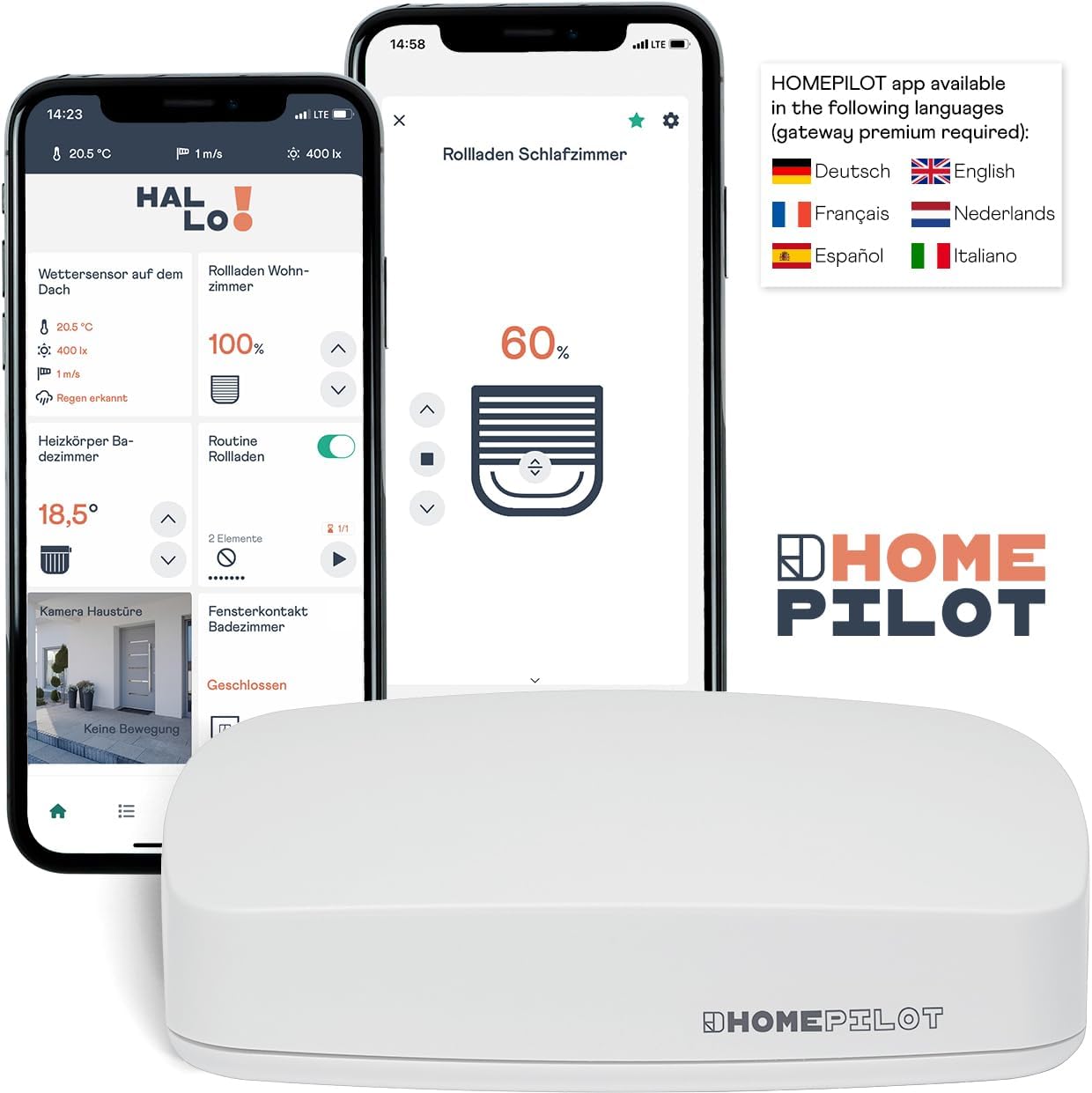
Figure 5: Step 4 - Connect the power cable to the winder and then to a 230V power outlet.
- Initial Configuration: Follow the on-screen prompts on the device's display to set the current time, date, and calibrate the upper and lower end positions of your roller blind. Refer to the detailed instructions in the included quick start guide for specific menu navigation.
5. Operating Instructions
The RolloTron Premium Smart Belt Winder offers both manual and automatic control options, as well as smart app integration.
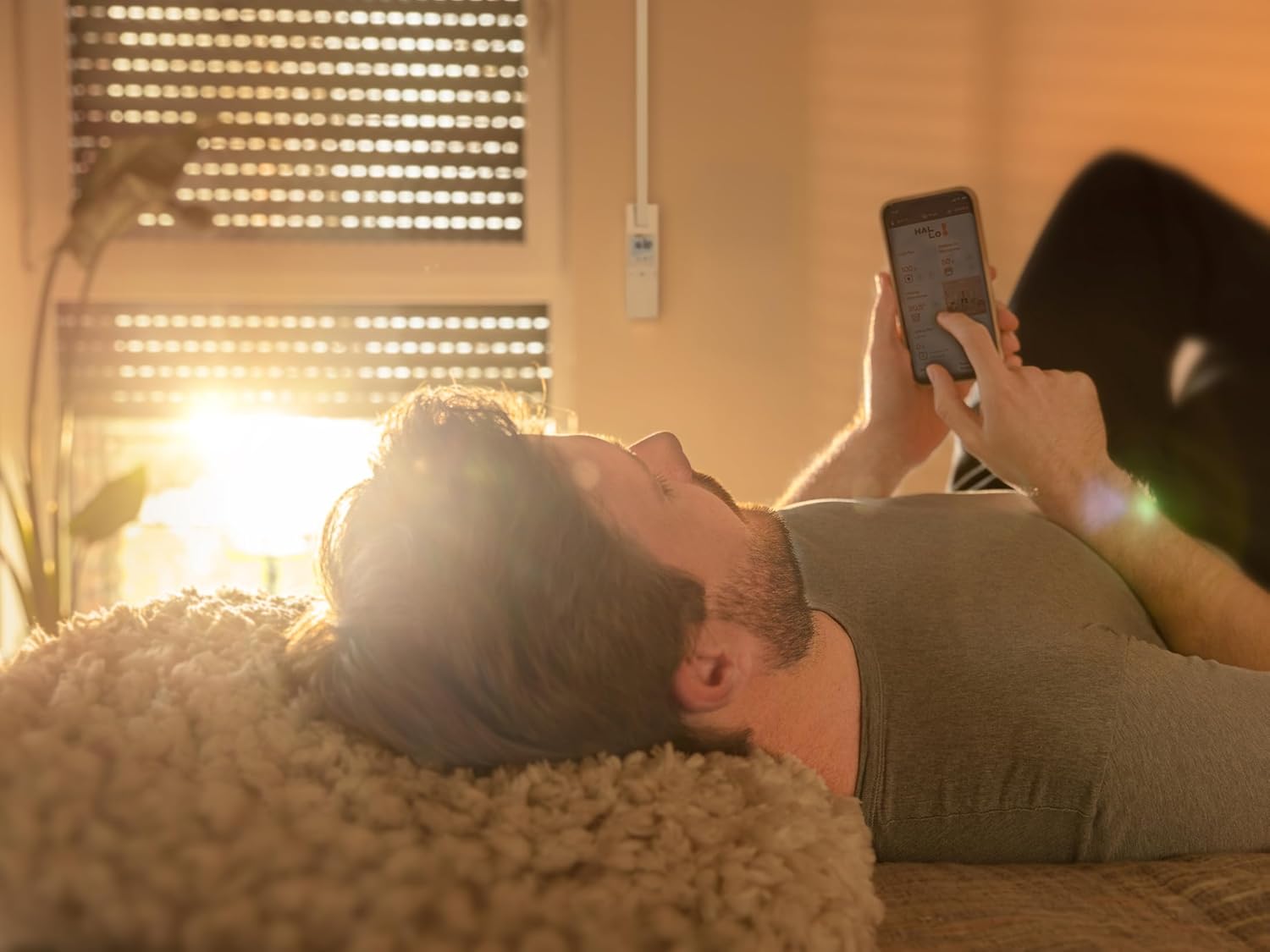
Figure 6: The RolloTron Premium Smart Belt Winder seamlessly integrated into a window frame, demonstrating its discreet and functional design in a home environment.
5.1 Manual Control
The device features intuitive buttons for direct manual operation:
- Up Button (▲): Press to raise the roller blind.
- Down Button (▼): Press to lower the roller blind.
- OK Button: Used to confirm selections in the menu.
- Menu Button (M): Accesses the device's settings menu.
- Soft-Start/Soft-Stop: The device automatically applies a gentle start and stop to reduce wear and noise.
5.2 Automatic Functions
The device supports various automatic programs for enhanced convenience:
- Daily Program: Set specific times for the roller blind to open and close each day.
- Weekly Program: Customize opening and closing times for different days of the week (e.g., weekdays vs. weekends).
- Astronomical Program: Automatically adjusts opening and closing times based on sunrise and sunset in your location. This feature requires initial setup of your geographical coordinates.
- Random Function: Simulates presence by varying opening and closing times slightly, enhancing security when you are away.
- Ventilation/Sunlight Position: Freely choose and save intermediate positions for ventilation or to manage sunlight exposure.
5.3 App Control (Requires HOMEPILOT Gateway Premium)
For advanced control and integration into your smart home system, connect the RolloTron Premium Smart Belt Winder to the HOMEPILOT Gateway Premium. This enables control via the HOMEPILOT app.

Figure 7: The HOMEPILOT app interface, showing control options for roller blinds and integration with other smart home devices. The app allows for remote control and advanced scheduling.
- Download the HOMEPILOT app from your device's app store.
- Follow the app's instructions to pair your RolloTron Premium Smart Belt Winder with the Gateway.
- Through the app, you can:
- Control roller blinds remotely from anywhere.
- Create custom schedules and scenes.
- Integrate with weather or sun sensors (optional accessories).
- Receive status updates.
6. Maintenance
The HOMEPILOT RolloTron Premium Smart Belt Winder requires minimal maintenance.
- Cleaning: Wipe the surface of the device with a soft, dry cloth. Do not use abrasive cleaners or solvents. Ensure no liquid enters the device.
- Strap Inspection: Periodically check the roller blind strap for any signs of wear or damage. A worn strap can affect the winder's performance and safety.
- Software Updates: If connected to the HOMEPILOT Gateway, ensure the device firmware and app are kept up-to-date for optimal performance and new features.
7. Troubleshooting
If you encounter issues with your RolloTron Premium Smart Belt Winder, refer to the following common problems and solutions:
| Problem | Possible Cause | Solution |
|---|---|---|
| Device does not power on. | No power supply; loose connection. | Check if the power cable is securely plugged into the device and the wall outlet. Ensure the outlet has power. |
| Roller blind does not move. | Strap jammed; motor overload; end positions not set. | Check for obstructions in the roller blind path. Ensure the strap is not jammed. Recalibrate the end positions if necessary. |
| Automatic functions not working. | Incorrect time/date; program not activated; gateway connection issue. | Verify the device's time and date settings. Ensure the desired automatic program is activated. Check connection to HOMEPILOT Gateway if applicable. |
| Device is noisy during operation. | Roller blind mechanism issue; strap friction. | Ensure the roller blind runs smoothly in its guides. Check if the strap is rubbing against anything. The device has a Soft-Start/Soft-Stop function to minimize noise. |
| App control not responding. | Gateway offline; network issue; app not updated. | Check the status of your HOMEPILOT Gateway and home network. Restart the app. Ensure both the app and gateway firmware are up to date. |
If the problem persists after trying these solutions, please contact HOMEPILOT customer support.
8. Specifications
| Feature | Detail |
|---|---|
| Model Number | 10182345 |
| Manufacturer | DELTA DORE RADEMACHER GmbH |
| Item Weight | 1.07 Kilograms |
| Product Dimensions (L x W x H) | 21.08 x 6.06 x 16.6 cm |
| Strap Width Compatibility | 23 mm (max. 45 kg load capacity) |
| Color | Ultra White |
| Material | Plastic |
| Power Source Type | AC/DC |
| Voltage | 230 Volts |
| Wattage | 70 watts |
| Current Rating | 0.3 Amps |
| Switch Type | RolloTron |
| Operation Mode | ON-OFF |
| Connectivity | Compatible with HOMEPILOT Gateway Premium for app control |
| Included Components | HOMEPILOT RolloTron Wall Mount Strap Reel with Premium Connector |
9. Warranty Information
HOMEPILOT products are manufactured to high-quality standards. For specific warranty terms and conditions, please refer to the warranty card included with your product or visit the official HOMEPILOT website. Keep your proof of purchase for warranty claims.
10. Customer Support
For technical assistance, troubleshooting, or general inquiries, please contact HOMEPILOT customer support. You can find contact information on the official HOMEPILOT website or in the documentation provided with your product.
Online Resources: Visit the HOMEPILOT website for FAQs, updated manuals, and support forums.


