
Introduction
The FEELWORLD S55V2 is a compact 5.5-inch Full HD on-camera field monitor designed to enhance your video production workflow. It features a high-resolution IPS display, 4K HDMI input and loop output, and a suite of professional software functions to assist with accurate monitoring and color calibration during shooting.
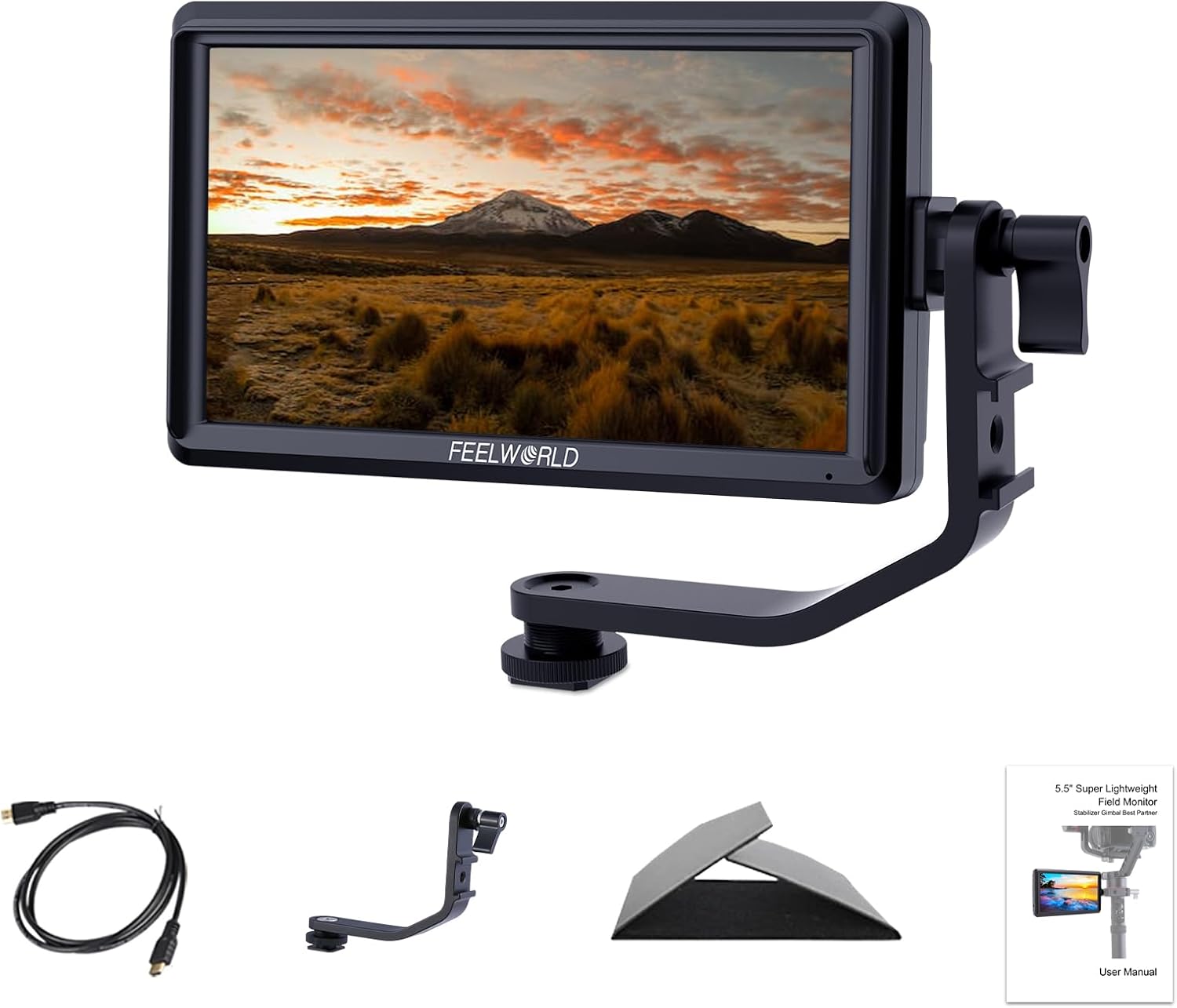
Image: The FEELWORLD S55V2 monitor shown with its included accessories, including an HDMI cable, sunshade, tilt arm, and user manual.
Package Contents
Verify that all items listed below are included in your package:
- 1x FEELWORLD S55V2 5.5-inch Field Monitor
- 1x Micro HDMI Cable
- 1x Sunshade
- 1x Tilt Arm
- 1x User Manual
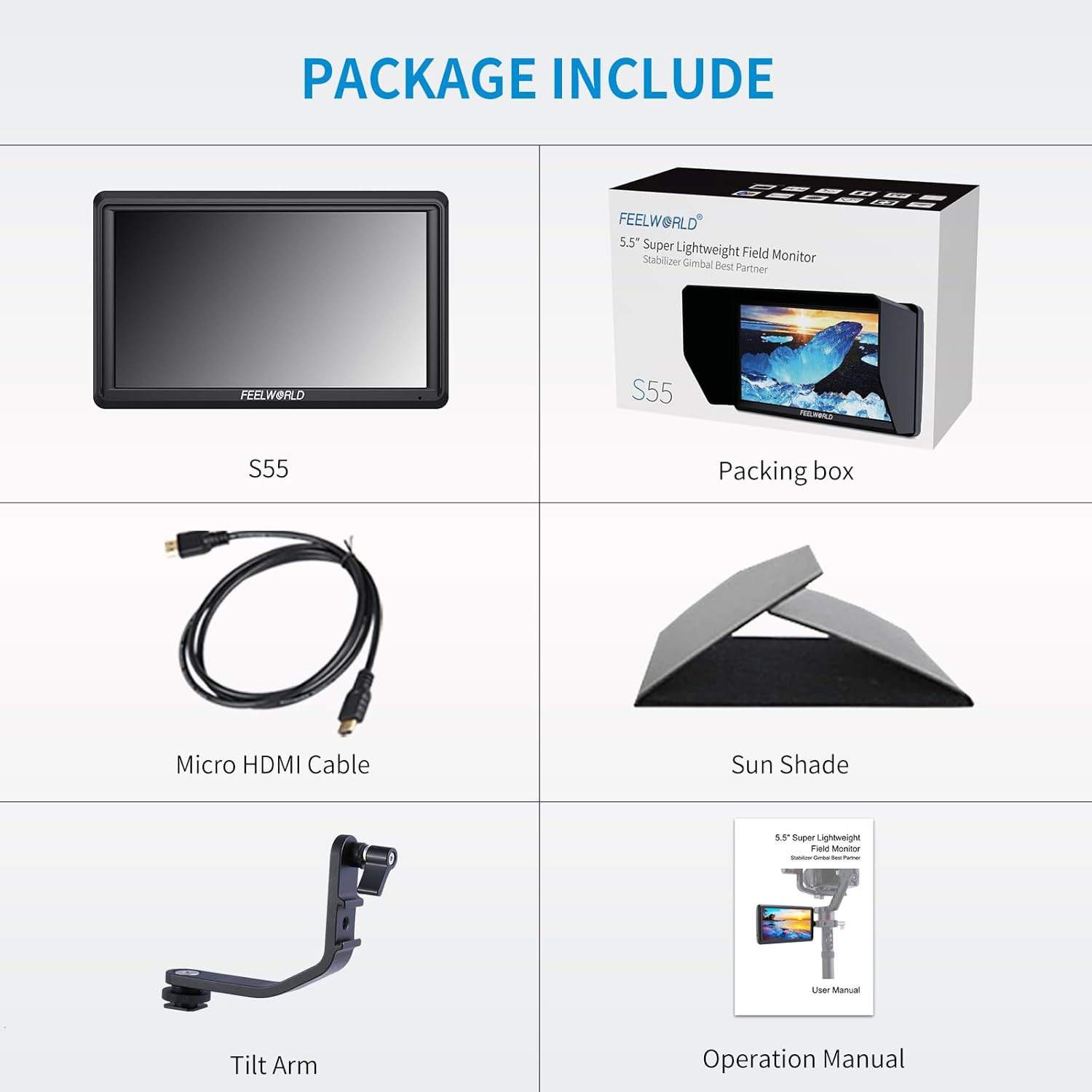
Image: A visual representation of the FEELWORLD S55V2 monitor and all its included accessories as listed in the package contents.
Key Features
- 4K HDMI Input and Loop Output: Supports 4K HDMI input and loop output without transmission delay, ensuring compatibility with various cameras and devices.
- Sharp and Detailed Image: Features a 1920x1152 Full HD resolution, 500 cd/m² brightness, and a 1000:1 contrast ratio for clear and realistic image display.
- Professional Software Functions: Equipped with 3D LUTs, Waveform, Vector Scope, Histogram, Peaking Filter, False Colors, Exposure, Zoom-in, Image Flip, Embedded Audio, and Nine Grid for enhanced monitoring and workflow optimization.
- Flexible Power Options: Compatible with Sony F970 and Canon LP-E6 lithium batteries (battery not included) via a dual-purpose battery plate, and can also be powered by an optional AC adapter.
- Intuitive Controls: User-friendly menu controls with three customizable function buttons. Volume can be adjusted directly using dedicated buttons. Settings are automatically saved for convenience.
- Ultra-Thin Aluminum Housing: Small, lightweight (175g), and rugged design with efficient heat dissipation.
- Large Viewing Angles: IPS panel provides 160-degree vertical and horizontal viewing angles for consistent image clarity.

Image: An overview of the advanced features of the FEELWORLD S55V2 monitor, including Histogram, Peaking Filter, Anamorphic Mode, False Colors, Exposure, Zoom-in, Image Flip, Embedded Audio, and Nine Grid.
Setup
1. Mounting the Monitor
- Attach the included Tilt Arm to the 1/4-inch screw mount located at the bottom of the monitor.
- Secure the Tilt Arm to your camera's hot shoe or a camera rig using the appropriate mounting point on the arm.
2. Powering the Monitor
- Battery Installation: Insert a compatible Sony F970 or Canon LP-E6 battery into the dual-purpose battery plate on the back of the monitor. Ensure it clicks securely into place.
- AC Power (Optional): Connect an optional AC adapter to the DC IN 12V port for continuous power.
3. Connecting to a Camera
- Connect one end of the Micro HDMI Cable to the HDMI OUT port on your camera.
- Connect the other end of the Micro HDMI Cable to the HDMI IN port on the FEELWORLD S55V2 monitor.
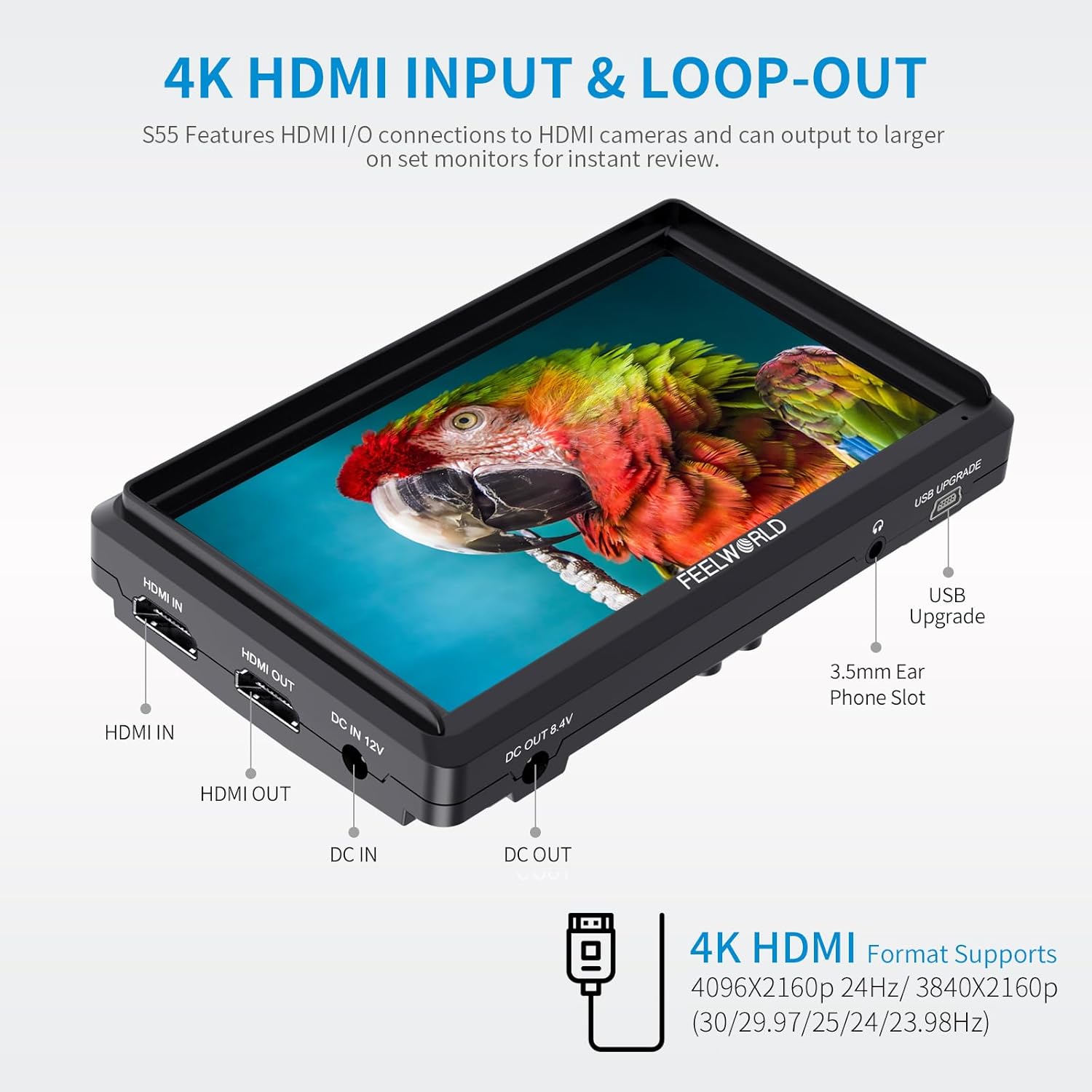
Image: A close-up view of the FEELWORLD S55V2 monitor's side, highlighting the HDMI IN, HDMI OUT, DC IN 12V, DC OUT 8.4V, USB Upgrade, and 3.5mm Ear Phone Slot ports.
Operating the Monitor
1. Basic Controls
- Power Button: Press and hold to turn the monitor ON/OFF.
- Menu Button: Press to access the main menu.
- Function Buttons (F1/V, F2/Λ, F3): These are customizable buttons. Refer to the menu settings to assign frequently used functions.
- Volume Control: Press “<” to decrease volume; press “>” to increase volume.
2. Menu Navigation
Use the Menu button and arrow keys to navigate through the monitor's settings. Press the Menu button to enter a sub-menu or confirm a selection.
3. Professional Functions
The S55V2 offers a variety of professional tools accessible through the menu:
- 3D LUTs: Load custom 3D LUTs via the USB port for real-time color grading preview.
- Waveform/Vector Scope/Histogram: Visual aids for analyzing video signals and ensuring proper exposure and color balance.
- Focus Assist (Peaking): Highlights in-focus areas to aid precise manual focusing.
- False Colors/Exposure: Helps identify overexposed or underexposed areas in your image.
- Anamorphic Mode: De-squeezes anamorphic footage for proper viewing.
- Zoom-in: Magnifies a portion of the image for critical focus checking.
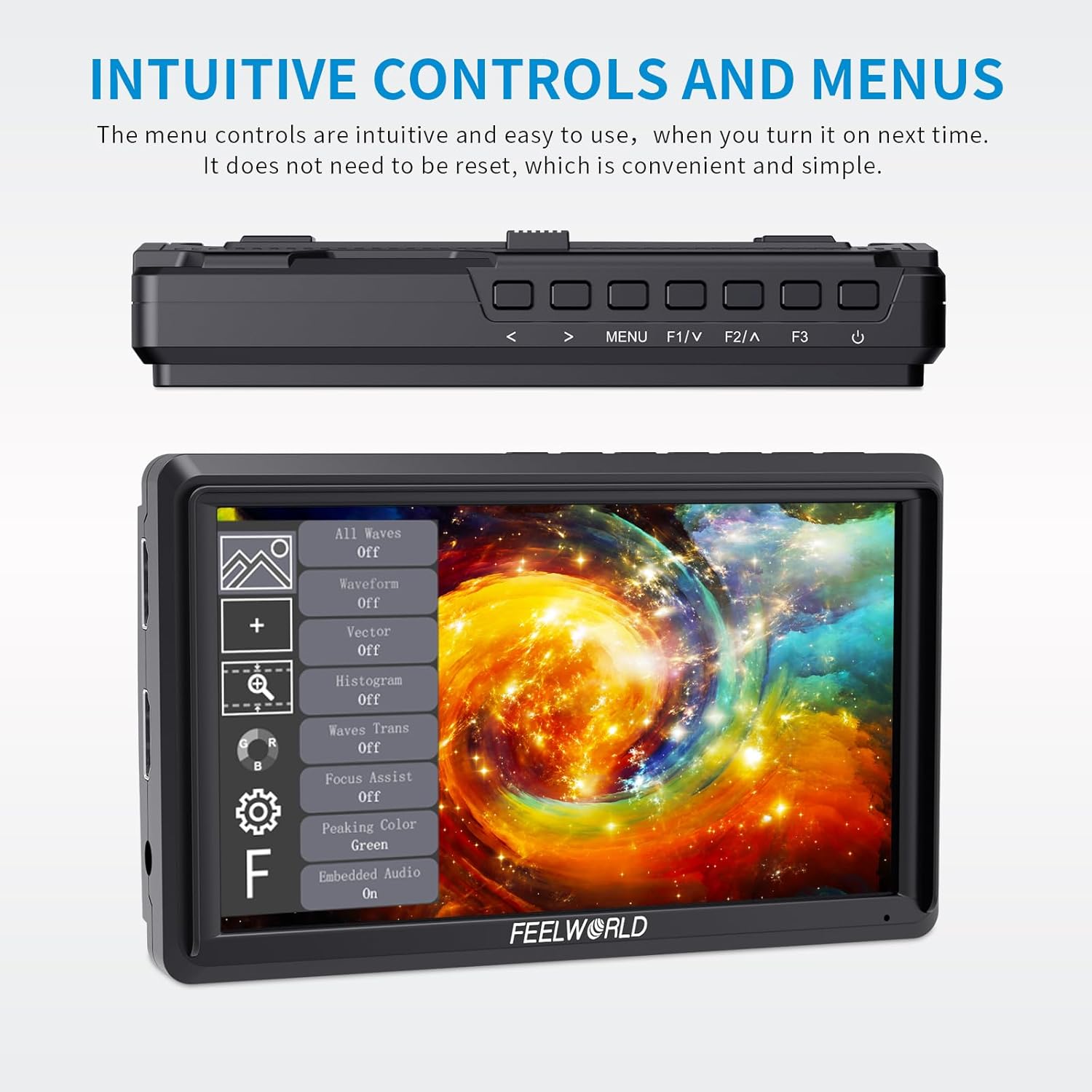
Image: The top panel of the FEELWORLD S55V2 monitor showing the control buttons, and the on-screen display of the main menu with various settings and functions.
Specifications
| Specification | Value |
|---|---|
| Screen Size | 5.5 Inches |
| Resolution | 1920x1152 |
| Aspect Ratio | 16:9 |
| Image Brightness | 500 cd/m² |
| Image Contrast Ratio | 1000:1 |
| Viewing Angle | 160° (H/V) |
| Input Voltage | DC 7-24V |
| Power Consumption | ≤10W |
| Item Weight | 1.26 pounds (approx. 175g for monitor only) |
| Dimensions | 7.4 x 4.96 x 3.43 inches (Package) |

Image: The FEELWORLD S55V2 monitor showcasing its ultra-thin aluminum housing and compact dimensions, highlighting its lightweight design.
Troubleshooting
- No Signal: Ensure the HDMI cable is securely connected to both the camera and the monitor. Verify the camera's HDMI output settings are correct.
- Power Issues: Check battery charge level or AC adapter connection. Ensure the power button is pressed and held correctly.
- Display Problems: If the image appears distorted or incorrect, try resetting the monitor to factory settings via the menu.
Warranty and Support
The FEELWORLD S55V2 monitor comes with a one-year warranty service. For any issues or support inquiries, please contact FEELWORLD customer service directly.