
Introduction
This manual provides instructions for the proper installation, operation, and maintenance of your Bingfu 20-1300MHz Police Scanner Antenna. This antenna is designed for broad frequency reception, compatible with various public radio scanners, ham radios, and two-way radio systems. Please read this manual thoroughly before use to ensure optimal performance and longevity of the product.

Image: Two Bingfu 20-1300MHz Police Scanner Antennas. Each antenna features a flexible whip, a magnetic base, and a coaxial cable terminating in a BNC male connector.
Product Features
- Wide Frequency Range: Operates across 20MHz to 1300MHz, covering HF, VHF, and UHF bands.
- Magnetic Base Mounting: Provides secure and flexible placement on metallic surfaces.
- BNC Male Connector: Ensures compatibility with a wide range of radio equipment.
- Omni-directional: Designed to receive signals from all directions.
- Durable Construction: Built for reliable performance in various environments.
Package Contents
Verify that all items are present in your package:
- 2 x Bingfu 20-1300MHz Police Scanner Antennas (each with magnetic base and BNC male connector cable)
Specifications
| Frequency Range | 20MHz - 1300MHz |
| Gain | 7dBi |
| VSWR | <2.0 |
| Impedance | 50 Ohm |
| Direction | Omni-directional |
| Cable Length | 3m / 10 feet |
| Antenna Connector | BNC Male |
| Mounting Base Diameter | 45mm / 1.8 inches |
| Antenna Height | 33cm / 13 inches |
| Operating Temperature | -20°C ~ +80°C |
| Storage Temperature | -30°C ~ +85°C |
| Model Number | BFN00866 |

Image: Detailed dimensions of the antenna, including its height, base diameter, and cable length.
Setup
- Choose a Mounting Location: Select a flat, metallic surface for the magnetic base. For optimal reception, a high, unobstructed location is recommended, such as a vehicle roof or a metal filing cabinet. Ensure the surface is clean and dry to maximize magnetic adhesion.
- Secure the Antenna: Place the magnetic base firmly onto the chosen metallic surface. The strong magnet will hold the antenna in place.
- Route the Cable: Carefully route the 3-meter (10-foot) coaxial cable to your radio device, avoiding sharp bends or pinching that could damage the cable.
- Connect to Device: Attach the BNC male connector at the end of the cable to the BNC female antenna input port on your compatible radio scanner or ham radio. Ensure a secure connection by twisting the connector until it locks into place.
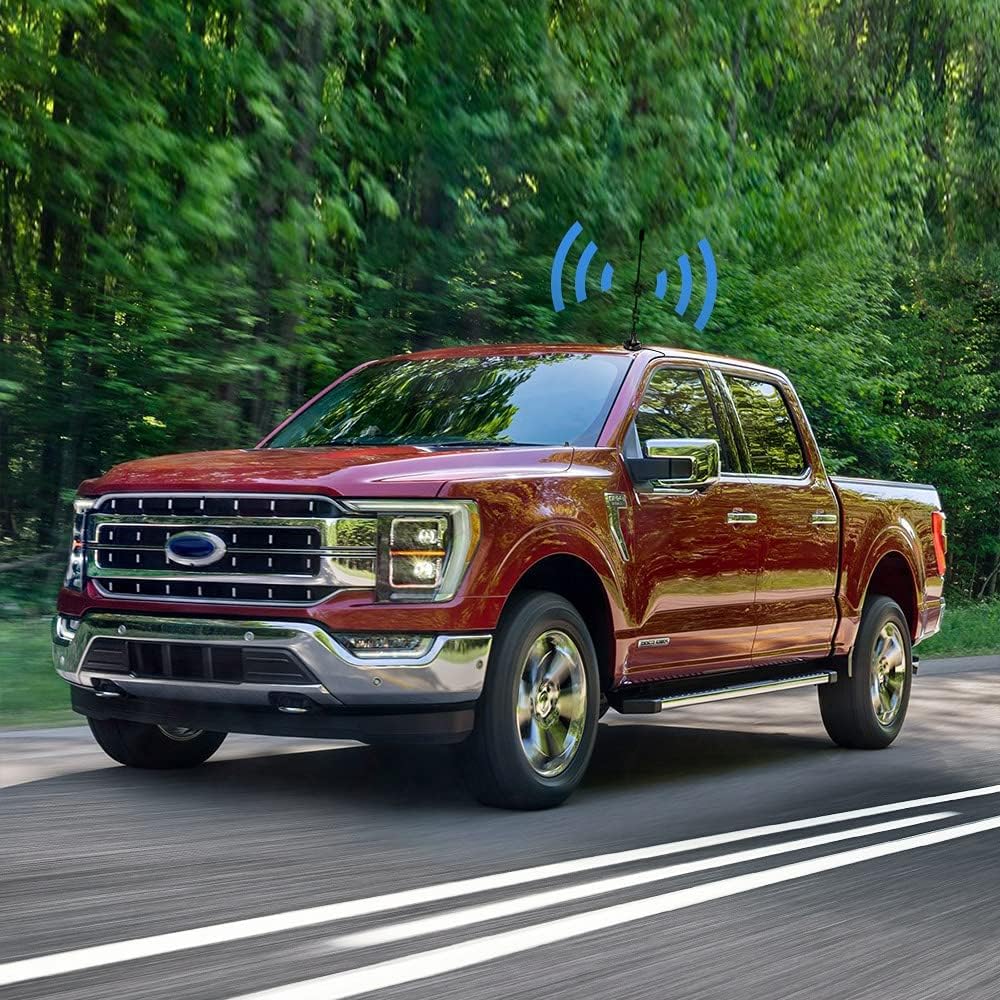
Image: Antenna mounted on a vehicle roof, illustrating a typical outdoor installation.

Image: Illustration of connecting the BNC male connector to a radio device.
Operating Instructions
Once the antenna is securely installed and connected to your radio device, power on your device and begin scanning or tuning to desired frequencies within the 20MHz to 1300MHz range. The omni-directional design allows for reception from various directions without needing to reorient the antenna.

Image: Antenna in use with a car radio, demonstrating enhanced channel reception.
Compatible Devices
This antenna is compatible with a wide range of radio scanners and ham radios, including but not limited to:
- Uniden Radio Scanners: SR30C, BC125AT, BCD436HP, BC75XLT, BCD325P2, BC355N, BCD996P2, BC365CRS, BCT15X, BCD536HP, BC345CRS, BCD996XT, BC278CLT, BC350A, BC350C, BC355C, BC340CRS, BC370CRS, BC700A, BC780XLT, BC785D, BC796D, BC860XLT, BC895XLT, BC898T, BCT7, BCT8, BC75XLT, BC55, BC60XLT, BC80XLT, BC72XLT, BC92XLT, BC95XLT, BC100, SC230, BC200, SC200, SC150, SC180, SC235, BC120, BC72, BC80, BC246, BR330.
- Whistler Radio Scanners: WS1040, WS1088, WS1010, WS1080, WS1025, WS1065, TRX1, TRX2.
- Radio Shack Radio Scanners: PRO-2018, PRO-197, PRO-650, PRO-163, PRO-405, PRO-528, PRO-668, PRO-94, PRO-404, PRO-95, PRO-62, PRO-83.
- Ham Radios:
- TK100, TK200, TK210, TK220, TK300, TK310, TK320
- Icom: IC-V8, IC-V80, IC-V82, IC-U82, IC-W32
- Motorola: HT440, HT90
- Maxon: HR, CP500, CP520, 1015
- Vertex Standard: 734, 834, HR146, HX300, HX320, HX400, CU32, CP/CS 5015, 0420
- Uniden: HH979
- Wilson: HH152, HH154, HH156, HH462, HH464
Maintenance
To ensure the longevity and optimal performance of your antenna, follow these maintenance guidelines:
- Regular Cleaning: Periodically wipe the antenna whip and magnetic base with a soft, damp cloth to remove dust, dirt, and debris. Avoid abrasive cleaners.
- Inspect Connections: Regularly check the BNC connector and cable for any signs of wear, corrosion, or damage. Ensure the connection remains secure.
- Cable Care: Avoid kinking, twisting, or sharply bending the coaxial cable. Do not pinch the cable in doors or windows, as this can damage the internal wiring and affect signal quality.
- Magnetic Base Integrity: Ensure the magnetic base remains clean and free of metallic particles that could scratch mounting surfaces or reduce magnetic adhesion.
- Environmental Exposure: While designed for outdoor use, prolonged exposure to extreme weather conditions (e.g., heavy rain, snow, direct saltwater spray) may accelerate wear. Consider removing the antenna during severe weather if possible.
Troubleshooting
If you experience issues with your antenna, consider the following troubleshooting steps:
- Poor Reception:
- Ensure the antenna is mounted on a metallic surface for proper grounding, which is crucial for magnetic base antennas.
- Relocate the antenna to a higher or more open area, away from obstructions like buildings, trees, or other electronic devices that may cause interference.
- Verify that the BNC connector is securely attached to your radio device.
- Check the coaxial cable for any visible damage or sharp bends.
- Confirm your radio device is correctly tuned to the desired frequency and is compatible with the antenna's frequency range.
- Antenna Not Sticking:
- Ensure the mounting surface is clean, flat, and made of a ferromagnetic metal.
- Remove any debris or rust from both the magnetic base and the mounting surface.
- Intermittent Signal:
- Check all connections for looseness.
- Inspect the cable for internal breaks by gently flexing it while monitoring signal strength.

Image: Demonstrating consistent signal reception for mobile radio users.
Warranty and Support
Specific warranty details are not provided in this manual. For information regarding warranty coverage, returns, or technical support, please contact the seller or manufacturer directly through their official channels. You may also visit the BINGFU Store on Amazon for additional product information and contact options.