
K&F Concept 4K 48MP Trail Camera
Contents
K&F Concept 4K 48MP Trail Camera User Manual
Model: 4K 48MP Trail Camera
Brand: K&F Concept
Product Overview
The K&F Concept 4K 48MP Trail Camera is designed for capturing high-quality photos and videos of wildlife, suitable for monitoring, hunting, and security purposes. It features advanced motion detection, no-glow night vision, and a durable waterproof design for reliable outdoor use.
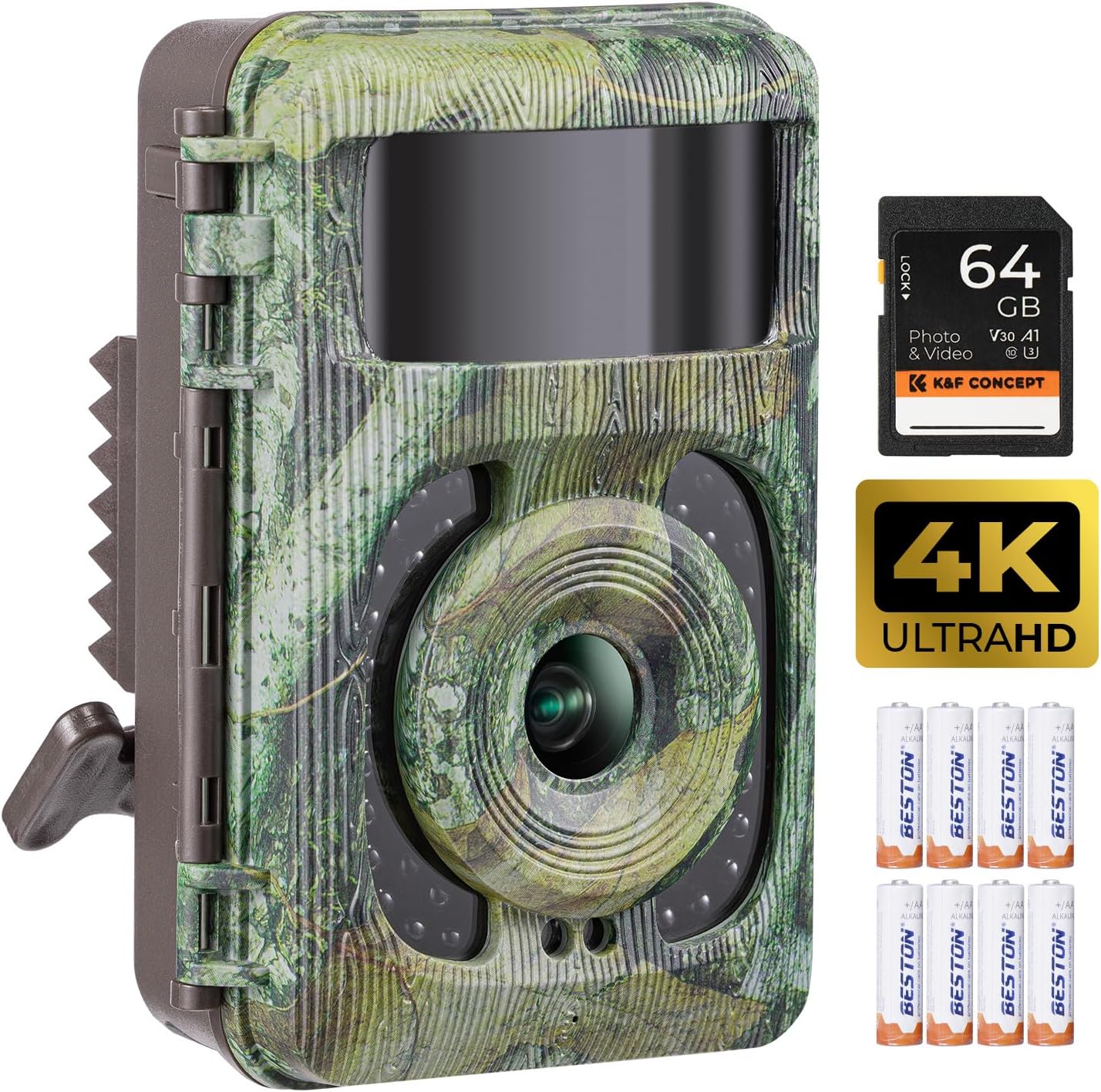
Image: Front view of the K&F Concept 4K 48MP Trail Camera, showcasing its camouflage design and integrated lens.
Setup Guide
Follow these steps to prepare your trail camera for operation:
- Unboxing and Components: Verify all components are present. The package includes the trail camera, a 64GB SD card, 8 AA batteries, a mounting strap, an adjustable bracket, and a USB cable.
- Insert SD Card: Open the camera's casing. Locate the SD card slot and insert the provided 64GB SD card until it clicks into place.
- Install Batteries: Open the battery compartment. Insert 8 AA batteries, ensuring correct polarity as indicated inside the compartment.
- Turn on 'TEST' Mode: Locate the mode switch inside the camera. Slide it to the 'TEST' position to access the camera's settings menu.
- Initial Settings: Navigate through the menu using the control buttons.
- Set Language: Select your preferred language (e.g., English).
- Format Memory Card: It is recommended to format the SD card before first use to ensure compatibility and optimal performance.
- Set Shooting Mode: Choose between Photo, Video, or Photo & Video mode.
- Set Photo Resolution: Select desired image resolution (e.g., 48MP for highest quality).
- Set Video Resolution: Select desired video resolution (e.g., 4K for highest quality).
- Set Trigger Sensitivity: Adjust motion sensor sensitivity (High, Medium, Low) based on environment and target size.
- Set Monitoring Time Period: Configure specific times for the camera to be active.
- Turn on 'ON' Mode: After completing all settings, slide the mode switch to the 'ON' position. The camera will then enter monitoring mode and begin capturing based on your settings.

Image: All items included in the K&F Concept 4K 48MP Trail Camera package, laid out on a flat surface.
Setup Video Guide:
Video: A step-by-step guide on how to set up the K&F Concept Trail Camera, including battery and SD card installation, and initial menu settings.
Operating Instructions
The K&F Concept Trail Camera is designed for ease of use and high performance in various outdoor conditions.
Key Features:
- Ultra-Sharp HD 4K Video & 48MP Images: Capture clear and detailed footage.
- Clear No Glow Night Vision: Equipped with 940nm non-illuminated infrared LEDs for discreet night recording without disturbing wildlife.
- 0.1s Fast Trigger Time: Rapidly captures motion, ensuring minimal missed activity.
- 120° Wide Angle Lens: Provides a broad field of view for comprehensive monitoring.

Image: Visual comparison demonstrating the clarity of 48MP images captured by the camera versus lower resolutions.
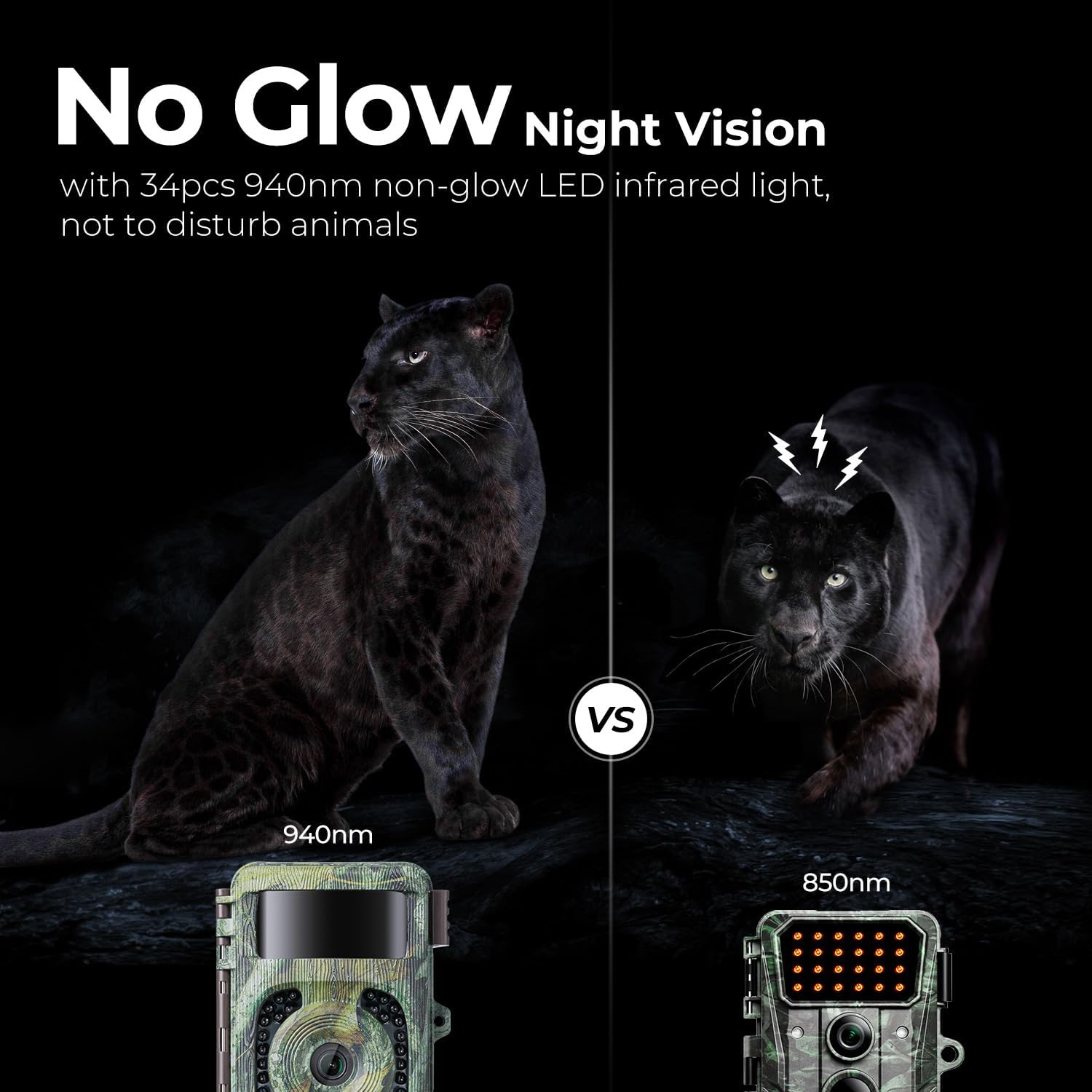
Image: Comparison of 940nm no-glow infrared light versus 850nm glow infrared light for night vision, showing the discreet nature of the 940nm.
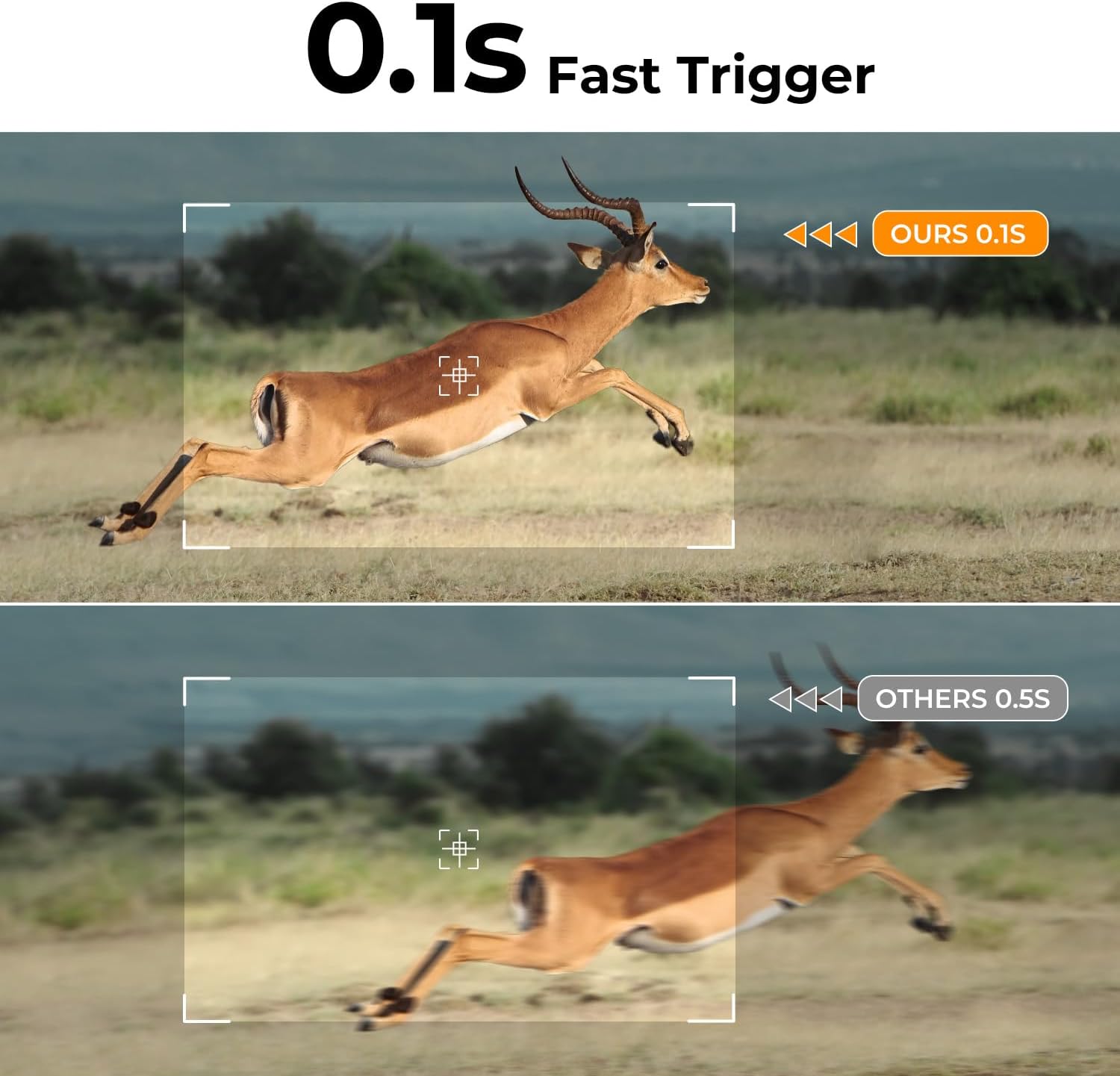
Image: A visual representation of the camera's 0.1-second fast trigger time capturing a running animal, compared to a slower trigger time.

Image: Diagram illustrating the 120-degree wide-angle coverage of the camera's lens in an outdoor setting.
Operation Video Guide:
Video: Demonstrates the 48MP 4K/30fps video capabilities with no-glow infrared night vision of the trail camera.
Installation and Mounting
The camera comes with an adjustable bracket and strap for flexible placement.
- Adjustable Bracket: The new adjustable bracket simplifies fixing the camera to trees or other surfaces, allowing for flexible camera placement.
- Mounting Strap: Use the provided strap to secure the camera firmly to a tree trunk or branch. Ensure the camera is stable and pointed towards the desired monitoring area.

Image: The camera mounted on a tree using the adjustable bracket, showing its flexibility in angle adjustment.
Maintenance
Proper maintenance ensures the longevity and optimal performance of your trail camera.
- IP66 Waterproof Rating: The camera is designed to withstand harsh weather conditions, including rain and dust. Ensure the casing is securely latched to maintain its waterproof integrity.
- Battery Replacement: When the battery power shows only 1 cell (about 30%), please replace the new battery. Otherwise, it will affect night shooting performance.
- Cleaning: Regularly clean the lens and motion sensor window with a soft, dry cloth to ensure clear images and accurate detection.
- Storage: When not in use for extended periods, remove batteries and store the camera in a cool, dry place.

Image: The camera shown in a rainy environment, highlighting its IP66 waterproof protection.
Troubleshooting
Common issues and their solutions:
- Camera not turning on: Check battery installation and ensure batteries are fully charged.
- Poor night vision images: Ensure batteries are not low (replace if at 30% or less). Check for obstructions in front of the infrared LEDs.
- No recordings: Verify the SD card is inserted correctly and formatted. Check the shooting mode settings. Ensure motion sensitivity is appropriate for the environment.
- Short battery life: Reduce trigger sensitivity or adjust monitoring time period to conserve power. Use high-quality AA batteries.
- Date/Time incorrect: Access the 'Time & Date' setting in the menu to adjust.
Specifications
| Feature | Specification |
|---|---|
| Effective Still Resolution | 48 MP |
| Video Capture Resolution | 4K |
| Trigger Time | 0.1s |
| Viewing Angle | 120 Degrees |
| Night Vision Range | 65 Feet |
| International Protection Rating | IP66 |
| Power Source | Battery Powered (8 AA batteries) |
| Connectivity Technology | USB |
| Item Dimensions L x W x H | 4.7 x 3.9 x 2.4 inches |
| Item Weight | 1.81 pounds |
| Color | Dark Green |
Warranty and Support
For more information on use, please refer to the full user manual or contact K&F Concept customer service.
- User Guide: A detailed Safety Information PDF is available for download: Safety Information (PDF)
- Customer Service: For any inquiries or support, please contact service@kfconcept.com.
Ask a question about this manual
Ask about setup, troubleshooting, compatibility, parts, safety, or missing instructions. Manuals+ will review the question and use this page’s manual context to help answer it.