
1. Product Overview
The Montech RX 120 ARGB Reversed Fan is a 120mm case fan designed for efficient cooling and aesthetic appeal in computer systems. It features a unique reverse fan blade design, allowing for optimal airflow direction while showcasing its impressive ARGB lighting. The fan integrates 20 LEDs within a hexagonal RGB ring, offering extensive customization options through 5V3PIN motherboard connectors. Advanced PWM controls enable smart fan speed adjustment based on system temperature, ranging from 800 RPM to 1600 RPM, ensuring quiet operation even at high speeds.

Figure 1: Front view of the Montech RX 120 ARGB Reversed Fan showcasing its vibrant RGB lighting.
Key Features:
- Reverse Fan Blade Design: Optimizes airflow for intake configurations while maintaining visible ARGB lighting.
- Addressable RGB Lighting: 20 integrated LEDs with a hexagonal RGB ring, compatible with 5V3PIN motherboard connectors for software control.
- PWM Smart Control: Adjustable fan speed from 800 RPM to 1600 RPM based on system temperature.
- Silent Performance: Operates under 27 dB(A) at maximum RPM.
- Hydraulic Bearing (HDB): Ensures a long lifespan of 40,000 hours.
- Anti-Vibration Pads: Integrated 8 rounded anti-vibration pads reduce noise from resonance.
2. Setup and Installation
Proper installation ensures optimal performance and longevity of your Montech RX 120 ARGB Reversed Fan. Follow these steps carefully.
2.1 Fan Orientation and Airflow
The RX 120 is a reversed fan, meaning its blades are designed to pull air from the side that typically exhausts air on standard fans. This allows the aesthetically pleasing front side with ARGB lighting to face inwards when used as an intake fan, without compromising airflow direction.

Figure 2: Exploded view illustrating the components of the Montech RX 120 fan, including the reverse-shaped blades and the ARGB frame.
2.2 Physical Installation
- Identify Mounting Location: Determine where you want to install the fan (e.g., front, top, rear, bottom of the PC case).
- Position the Fan: Place the fan in the desired location. For intake, ensure the side with the visible ARGB ring faces the interior of the case. For exhaust, the side with the motor hub and support struts should face the interior.
- Secure the Fan: Use the provided screws to firmly attach the fan to the case. Ensure not to overtighten.
Video 1: A quick start guide demonstrating the installation process of a case fan, including connecting PWM and ARGB cables to the motherboard and mounting the fan to the PC case. This video provides general guidance applicable to the Montech RX 120 fan.
2.3 Wiring Connections
- PWM Connection: Connect the 4-pin PWM cable from the fan to an available 4-pin fan header on your motherboard. This allows for speed control. If installing multiple fans, use a PWM splitter cable (not included) to connect them to a single motherboard header for synchronized speed control.
- ARGB Connection: Connect the 3-pin 5V ARGB cable from the fan to an available 3-pin 5V Addressable RGB header on your motherboard. This enables software control of the lighting effects. If installing multiple fans, use an ARGB splitter cable (not included) to connect them to a single motherboard header for synchronized lighting.

Figure 3: Detailed view of the fan's 4-pin PWM and 3-pin ARGB connectors, ready for motherboard connection.
Video 2: This video demonstrates the daisy-chaining capability of similar ARGB fans, which can be applied to the Montech RX 120 for simplified cable management and synchronized lighting effects when using multiple fans.
3. Operating Instructions
3.1 Fan Speed Control (PWM)
The Montech RX 120 fan supports Pulse Width Modulation (PWM) for dynamic speed control. Once connected to a 4-pin PWM header on your motherboard, the fan speed can be managed through your motherboard's BIOS/UEFI settings or dedicated software provided by your motherboard manufacturer. This allows the fan to adjust its RPM (800-1600 RPM) based on CPU or system temperatures, optimizing cooling performance and noise levels.
3.2 ARGB Lighting Control
The Addressable RGB lighting of the RX 120 fan can be controlled via your motherboard's ARGB software (e.g., ASUS Aura Sync, MSI Mystic Light Sync, Gigabyte RGB Fusion, ASRock Polychrome Sync). Ensure your motherboard has a 3-pin 5V ARGB header for compatibility. This software allows you to customize colors, effects, and synchronize lighting across all compatible components.
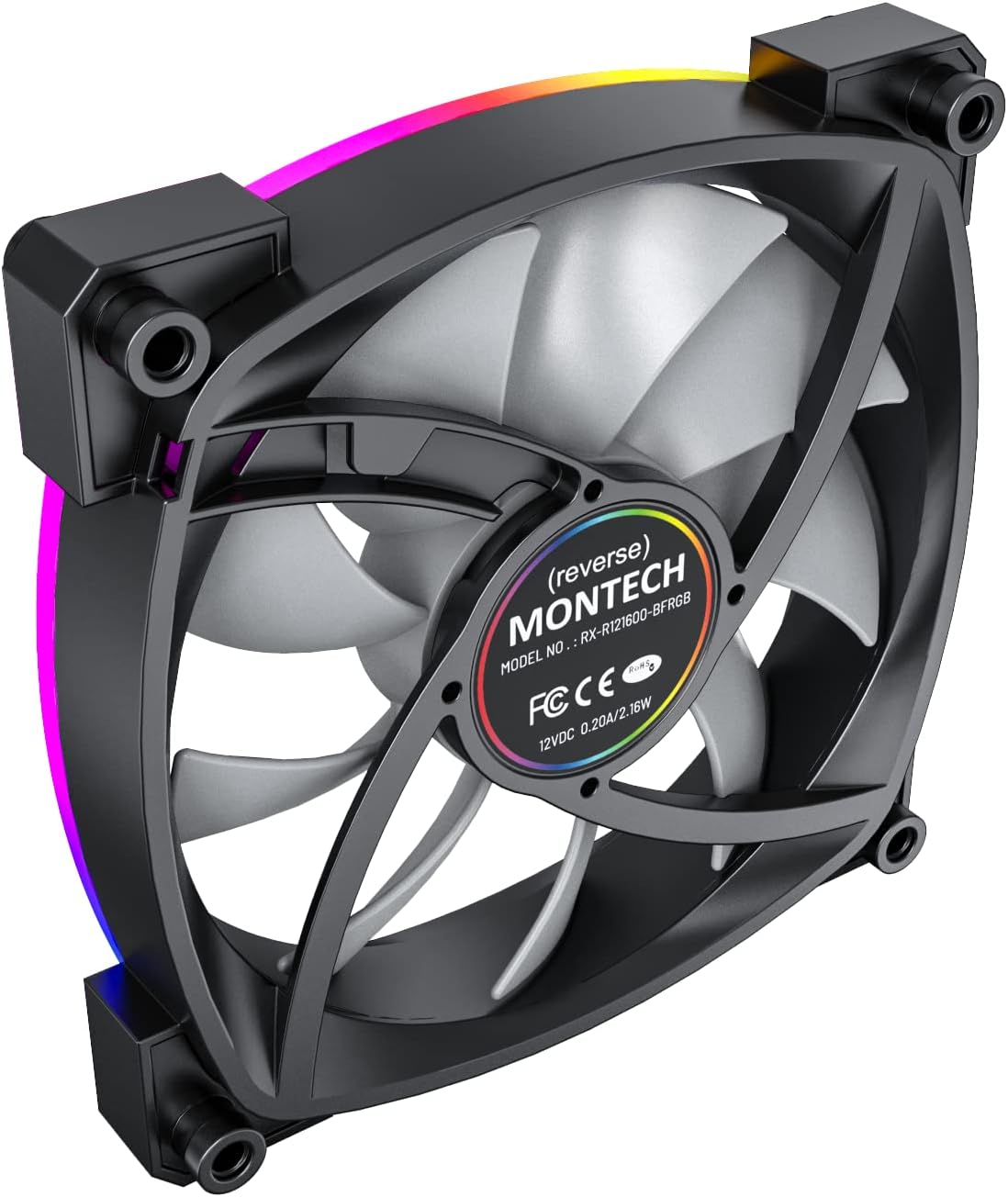
Figure 4: The Montech RX 120 fan displaying customizable ARGB lighting effects.
4. Maintenance
Regular maintenance helps prolong the lifespan and maintain the performance of your fan.
- Dust Cleaning: Periodically clean dust from the fan blades and frame using compressed air or a soft, dry cloth. Ensure the fan is powered off before cleaning.
- Bearing Longevity: The Hydraulic Dynamic Bearing (HDB) is designed for long-term, maintenance-free operation. Avoid disassembling the fan, as this may void the warranty and damage the bearing.
- Cable Management: Ensure cables are neatly routed and secured to prevent them from interfering with fan blades or other components.
5. Troubleshooting
If you encounter issues with your Montech RX 120 fan, refer to the following common troubleshooting steps:
- Fan Not Spinning:
- Check if the 4-pin PWM cable is securely connected to the motherboard fan header.
- Verify that the fan header is enabled in the BIOS/UEFI settings.
- Ensure the power supply is functioning correctly.
- ARGB Lighting Not Working/Incorrect:
- Confirm the 3-pin 5V ARGB cable is correctly connected to a compatible motherboard header (not a 4-pin 12V RGB header).
- Check your motherboard's ARGB software for proper configuration and enabled lighting effects.
- Ensure the ARGB header is receiving power.
- Excessive Noise:
- Check for any obstructions (e.g., cables) hitting the fan blades.
- Ensure the fan is securely mounted and the anti-vibration pads are properly seated.
- Verify fan speed settings in BIOS/software; high RPMs naturally produce more noise.
6. Specifications
| Feature | Specification |
|---|---|
| Brand | Montech |
| Model Number | RX120 PWM |
| Fan Size | 120mm |
| Color | Black (with ARGB lighting) |
| Rotational Speed | 800 - 1600 RPM (PWM Controlled) |
| Noise Level | Under 27 dB(A) (at highest RPM) |
| Bearing Type | Hydraulic Dynamic Bearing (HDB) |
| Power Connector | 4-Pin PWM |
| ARGB Connector | 3-Pin 5V Addressable RGB |
| Voltage | 12 Volts |
| Wattage | 2 watts |
| Dimensions (LxWxH) | 3.94 x 1.97 x 0.5 inches |
| Item Weight | 6.3 ounces |
| Compatible Devices | Desktop |
7. Warranty and Support
For warranty information and technical support, please refer to the official Montech website or contact their customer service directly. Keep your proof of purchase for any warranty claims.
Official Montech Store: Visit the Montech Store