
F&D T60x PRO
F&D T-60X Pro Bluetooth Tower Speaker User Manual
Model: T60x PRO
1. Introduction
Thank you for purchasing the F&D T-60X Pro Bluetooth Tower Speaker. This manual provides essential information for setting up, operating, and maintaining your speaker system. Please read it thoroughly before use to ensure optimal performance and longevity of your product.

Figure 1: F&D T-60X Pro Tower Speaker System, including two tower speakers, a remote control, and a wired microphone.
2. Product Features
- Powerful Audio Output: 120W strong power for excellent sound.
- Premium Wooden Material: Massive wooden box design controls resonance for pure sound.
- Reflective Panel Design: Speaker wrapped in reflective panel for enhanced acoustics and vintage style.
- Easy Control Interface: Intuitive touch buttons located on top of the speaker.
- High-Quality Speaker System: Equipped with full-range speakers and a 1-inch tweeter for clear high-pitch sound.
- Rich Bass: Two 8-inch subwoofers provide booming, punchy bass.
- Bluetooth 5.3 Connectivity: Fast and stable wireless transmission with a working distance of over 10 meters.
- Multiple Input Types: Supports Bluetooth 5.3, AUX, USB, Optical, and Coaxial cable connections.
- Full-Featured Remote Control: Convenient infrared remote for complete control.

Figure 2: The F&D T-60X Pro speakers integrate seamlessly into a home entertainment setup, providing 2.0 channel multimedia audio.
3. Package Contents
Please check the package contents carefully. If any items are missing or damaged, contact your retailer.
- F&D T-60X Pro Tower Speaker (x2)
- Remote Control (x1)
- Wired Microphone (x1)
- User Manual (this document)
- Power Cable (x1)
- Audio Cables (AUX, Optical, Coaxial - specific types may vary)
4. Setup Guide
4.1 Unpacking
Carefully remove all components from the packaging. Retain the packaging for future transport or storage.
4.2 Speaker Placement
Place the tower speakers on a flat, stable surface. For optimal stereo sound, position the speakers equidistant from your listening position and spaced appropriately apart. Ensure there is adequate ventilation around the speakers.

Figure 3: The speaker features a natural and high-quality wooden material, designed to control resonance for pure sound.
4.3 Power Connection
- Connect the power cable to the power input port on the back of the main speaker unit.
- Plug the other end of the power cable into a suitable wall outlet.
4.4 Audio Source Connection
The T-60X Pro supports multiple input options:
- Bluetooth: For wireless connection from smartphones, tablets, or computers.
- AUX (3.5mm): For connecting devices with a standard audio jack.
- USB: For playing audio files directly from a USB flash drive.
- Optical: For high-quality digital audio connection from TVs or other optical output devices.
- Coaxial: For high-quality digital audio connection from compatible devices.
Connect your desired audio source to the corresponding input port on the speaker.

Figure 4: The speaker's reflective panel design contributes to its acoustic performance and vintage aesthetic.
4.5 Microphone Connection
Plug the wired microphone into the designated microphone input jack on the speaker.
5. Operating Instructions
5.1 Power On/Off
Press the Power button on the top panel of the speaker or on the remote control to turn the speaker On or Off.
5.2 Source Selection
Press the "SOURCE" button on the top panel or the corresponding input button on the remote control to switch between Bluetooth, AUX, USB, Optical, and Coaxial input modes.

Figure 5: The speaker features an easy-to-use touch control interface on its top panel for convenient operation.
5.3 Bluetooth Pairing
- Switch the speaker to Bluetooth mode. The Bluetooth indicator will flash.
- On your device (smartphone, tablet, etc.), enable Bluetooth and search for "F&D T-60X Pro" (or similar name).
- Select the speaker from the list to pair. Once paired, the indicator will stop flashing and remain solid.
- You can now play audio from your device through the speaker.

Figure 6: The F&D T-60X Pro utilizes Bluetooth 5.3 for fast and stable wireless audio transmission.
5.4 Volume Control
Adjust the volume using the Volume Up/Down buttons on the top panel or the remote control.
5.5 Using USB Playback
Insert a USB flash drive containing audio files into the USB port. The speaker will automatically switch to USB mode and begin playback. Use the Play/Pause, Next/Previous track buttons on the top panel or remote to control playback.
5.6 Using the Microphone
Once the microphone is connected, its audio will be mixed with the selected input source. Adjust microphone volume if a dedicated control is available (refer to remote control functions).
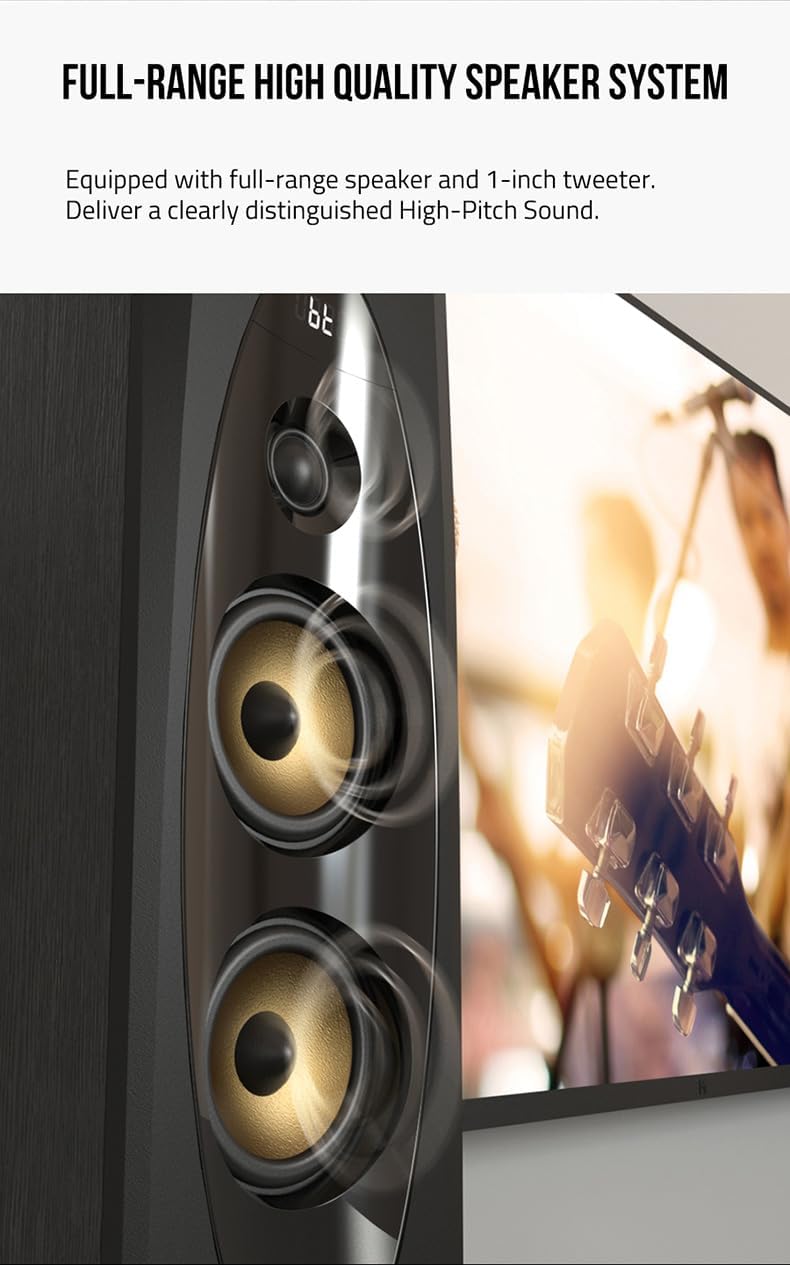
Figure 7: The speaker system is equipped with full-range speakers and a 1-inch tweeter, delivering clearly distinguished high-pitch sound.

Figure 8: The F&D T-60X Pro is finely tuned to provide booming, punchy bass with its two 8-inch subwoofers, creating an exceptional audio experience.

Figure 9: The F&D T-60X Pro delivers 120W of strong power, providing an excellent and immersive audio experience.
6. Maintenance
To ensure the longevity and optimal performance of your F&D T-60X Pro speakers, follow these maintenance guidelines:
- Cleaning: Use a soft, dry cloth to wipe the speaker surfaces. Do not use liquid cleaners, aerosols, or abrasive chemicals, as they may damage the finish.
- Dust Removal: Regularly dust the speaker grilles and vents to prevent accumulation that could affect sound quality or internal components.
- Placement: Avoid placing the speakers in direct sunlight, near heat sources, or in areas with high humidity.
- Handling: Handle the speakers with care. Avoid dropping or subjecting them to strong impacts.
- Power Off When Not in Use: If the speakers will not be used for an extended period, it is advisable to turn them off and unplug them from the power outlet.
7. Troubleshooting
If you encounter any issues with your F&D T-60X Pro speaker, refer to the following common problems and solutions:
| Problem | Possible Cause | Solution |
|---|---|---|
| No Power | Power cable not connected; Power outlet not working; Speaker is off. | Ensure power cable is securely connected. Try a different power outlet. Press the Power button to turn on the speaker. |
| No Sound | Incorrect input source selected; Volume too low; Audio cable not connected properly; Device volume too low. | Select the correct input source. Increase speaker volume. Check audio cable connections. Increase volume on your connected device. |
| Bluetooth Pairing Failure | Speaker not in pairing mode; Device too far; Interference; Previous connection issues. | Ensure speaker is in Bluetooth pairing mode. Move device closer to speaker. Turn off other Bluetooth devices. Delete "F&D T-60X Pro" from your device's Bluetooth list and try pairing again. |
| Distorted Sound | Volume too high; Poor audio source quality; Damaged audio cable. | Lower the volume. Try a different audio source. Replace the audio cable if damaged. |
| Remote Control Not Working | Batteries are dead or incorrectly inserted; Obstruction between remote and speaker; Remote sensor blocked. | Replace batteries, ensuring correct polarity. Remove any obstructions. Ensure the remote sensor on the speaker is clear. |
If the problem persists after trying these solutions, please contact customer support.
8. Specifications
| Feature | Detail |
|---|---|
| Model Name | Pro Peak Power 240 W Bluetooth Tower Speaker (Black, 2.0 Channel) |
| Item Model Number | T60x PRO |
| Brand | F&D |
| Speaker Type | Tower |
| Speaker Maximum Output Power | 120 Watts |
| Frequency Response | 240 GHz |
| Connectivity Technology | Bluetooth (Bluetooth 5.3), USB, AUX, Optical, Coaxial |
| Audio Output Mode | Surround, Digital |
| Mounting Type | Floor Standing |
| Material | Wood |
| Product Dimensions (L x W x H) | 38.2 x 43.6 x 91 cm |
| Item Weight | 18.5 kg |
| Special Features | USB Port, Touch Screen, Remote Control, Wired Microphone Input |
9. Warranty and Support
For warranty information, please refer to the warranty card included with your product or contact your point of purchase. F&D provides customer support for product inquiries, technical assistance, and service requests.
Please retain your proof of purchase for warranty claims.
Related documentsT60x PRO


Ask a question about this manual
Ask about setup, troubleshooting, compatibility, parts, safety, or missing instructions. Manuals+ will review the question and use this page’s manual context to help answer it.