
Overstock A40CF900HEB01
Henx 40V Cordless Leaf Blower User Manual
Model: A40CF900HEB01
1. Introduction
Thank you for choosing the Henx 40V Cordless Leaf Blower. This manual provides important information for the safe operation, assembly, maintenance, and troubleshooting of your new leaf blower. Please read this manual thoroughly before using the product and keep it for future reference.
The Henx 40V Cordless Leaf Blower is designed for clearing leaves, debris, and light snow from hard surfaces like driveways, sidewalks, patios, and lawns. Its ergonomic design and adjustable speed feature provide efficient and comfortable operation.
2. Important Safety Information
Always follow basic safety precautions when using electrical appliances to reduce the risk of fire, electric shock, and personal injury.
General Safety Warnings:
- Read all instructions before operating the appliance.
- Wear appropriate personal protective equipment (PPE) such as safety glasses, hearing protection, and sturdy footwear.
- Do not operate the blower in wet conditions or rain.
- Keep children, bystanders, and pets at a safe distance (at least 15 meters / 50 feet) from the operating area.
- Never point the blower nozzle at people or animals.
- Inspect the work area before use and remove any objects that could be thrown by the air stream.
- Ensure the air intake is clear of obstructions during operation.
- Remove the battery pack when not in use, before cleaning, or when performing maintenance.
- Use only the battery pack and charger specified by the manufacturer.
- Do not operate the blower if it is damaged or not functioning properly.
- Store the blower in a dry, secure place out of reach of children.
Battery and Charger Safety:
- Do not charge the battery in damp or wet locations.
- Do not incinerate the battery pack, even if it is severely damaged or completely worn out. The battery can explode in a fire.
- Do not short-circuit the battery terminals.
- Do not open or disassemble the battery pack.
- Dispose of batteries properly according to local regulations.
3. Package Contents
Carefully unpack all items and ensure you have received the following:
- Henx 40V Cordless Leaf Blower Unit
- 40V Battery Pack
- Battery Charger
- Instruction Manual (this document)
If any items are missing or damaged, please contact customer support.

Figure 3.1: The complete package contents including the Henx 40V Cordless Leaf Blower, its 40V battery pack, and the battery charger. The blower is shown with its nozzle attached, ready for use.
4. Components and Features
Familiarize yourself with the parts of your Henx 40V Cordless Leaf Blower.

Figure 4.1: A detailed view of the control panel located on the top of the blower's handle. It features an ON/OFF switch, speed adjustment buttons, and LED indicators for battery level or operational status. The ergonomic handle is also visible.
- Ergonomic Handle: Designed for comfortable grip and reduced fatigue during extended use.
- Control Panel: Includes power button and speed adjustment controls.
- Battery Compartment: Located at the base of the handle, designed to securely hold the 40V battery.
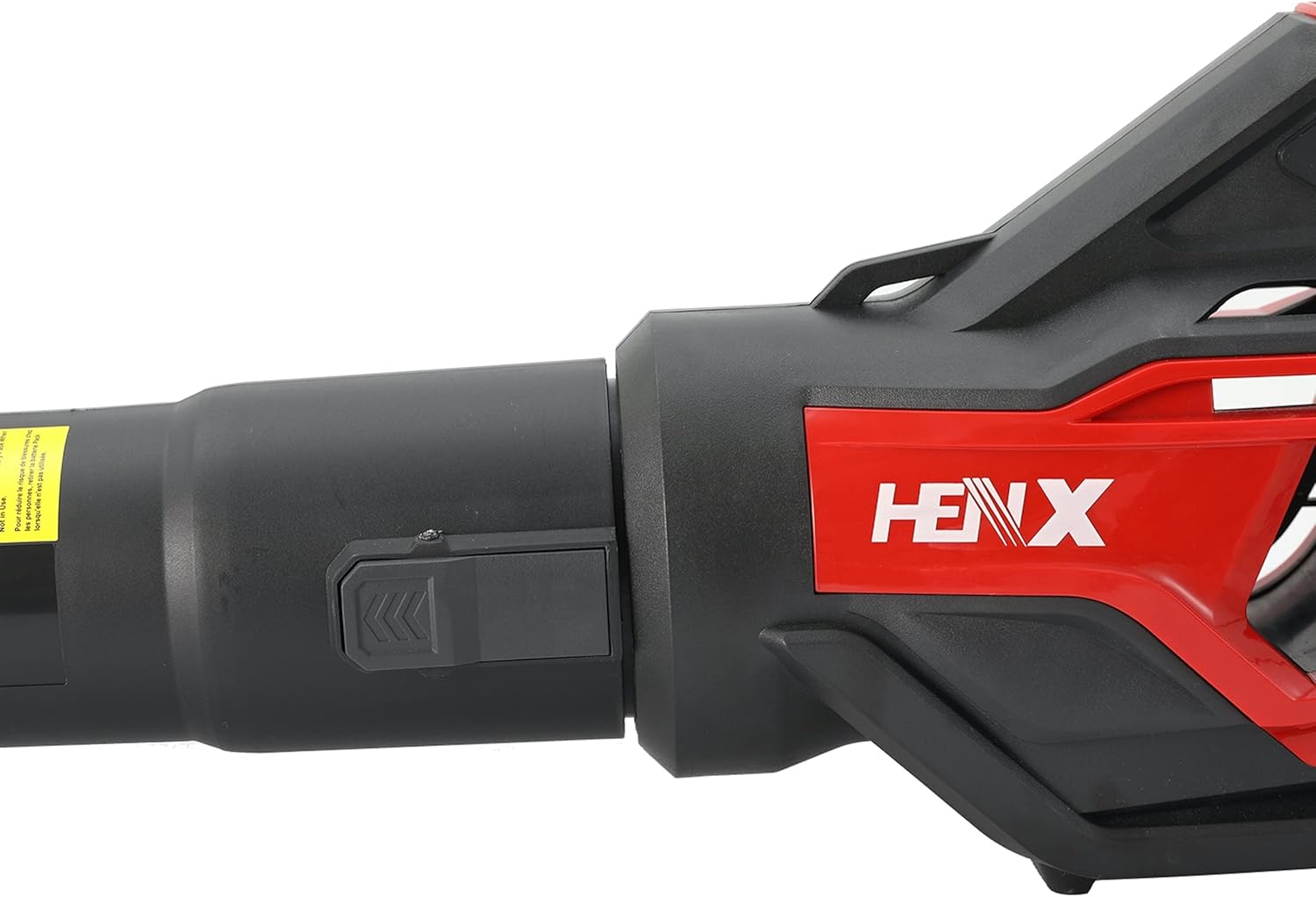
Figure 4.2: This image shows the connection point for the blower nozzle. The black button or latch mechanism is used to secure or release the nozzle from the main blower body, ensuring a firm attachment during operation.
- Nozzle Connection: Secure point for attaching the blower nozzle.
- Air Intake: Located on the side of the blower, where air is drawn in.
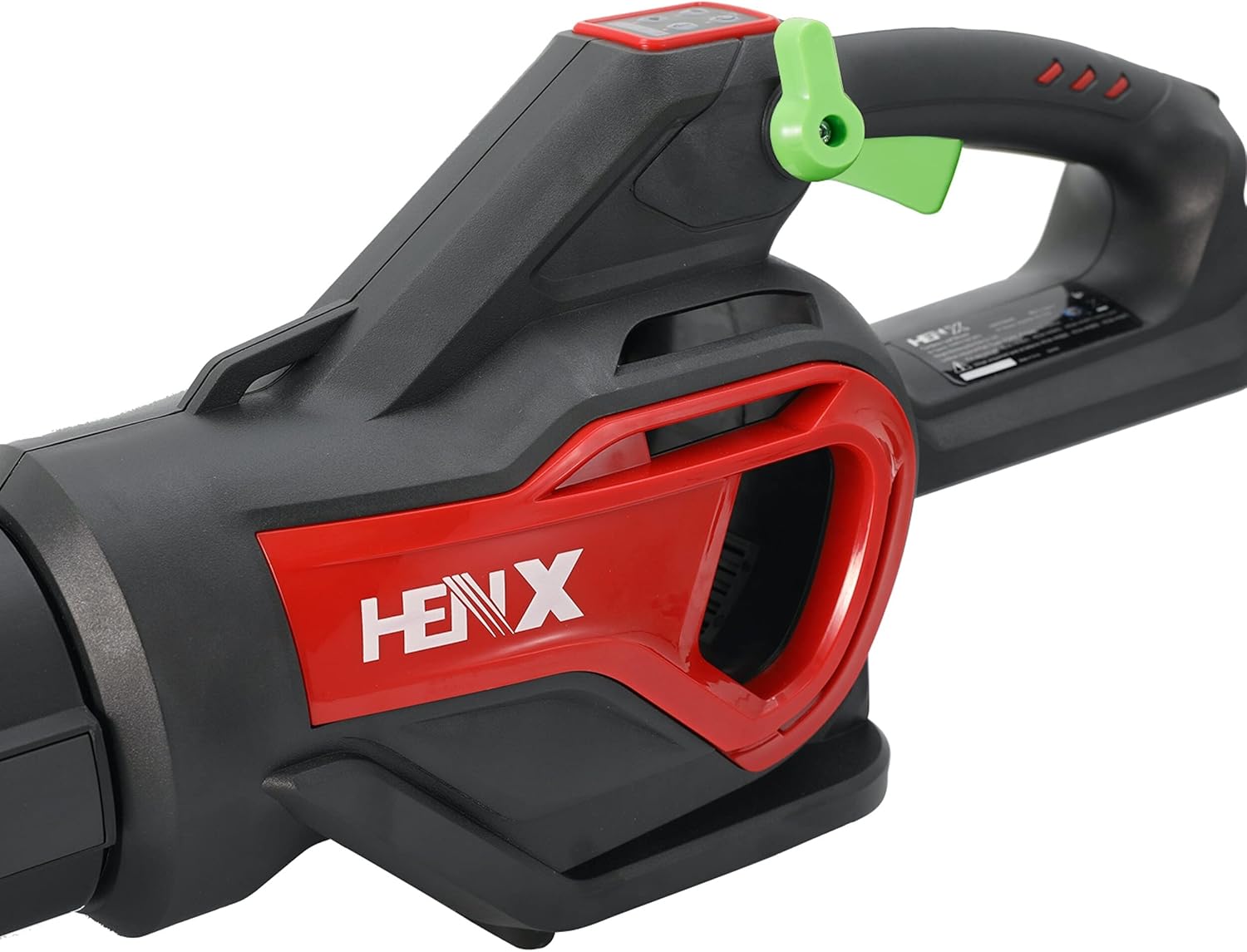
Figure 4.3: A side profile of the Henx leaf blower, highlighting the ergonomic handle design and the overall compact structure of the tool. The red and black color scheme is prominent.

Figure 4.4: A close-up view of the air intake vent on the side of the Henx leaf blower. This vent is crucial for drawing air into the motor, and it's important to keep it clear of debris for optimal performance.
5. Setup
5.1 Charging the Battery
- Connect the charger to a standard electrical outlet.
- Slide the 40V battery pack into the charger. Ensure it clicks into place.
- The indicator light on the charger will show the charging status (e.g., red for charging, green for fully charged).
- Once fully charged, disconnect the battery from the charger and unplug the charger from the outlet.
- Allow the battery to cool down before use if it was hot from previous operation.
5.2 Attaching the Nozzle
- Align the nozzle with the blower's air outlet.
- Push the nozzle firmly onto the outlet until it locks into place. You may hear a click.
- Ensure the nozzle is securely attached before operation.
5.3 Installing the Battery
- Ensure the blower is turned off.
- Slide the charged battery pack into the battery compartment at the base of the blower's handle.
- Push until it clicks securely into place.
- To remove the battery, press the release button (if present) and slide the battery out.
6. Operating Instructions
6.1 Starting the Blower
- Ensure the battery is fully charged and properly installed.
- Press the ON/OFF button on the control panel to start the blower.
6.2 Adjusting Speed
- The Henx 40V Blower features adjustable speed. Use the speed control buttons (usually '+' and '-') on the control panel to increase or decrease the airflow.
- Start with a lower speed for light debris and increase as needed for heavier tasks.
6.3 Operating Tips
- Hold the blower firmly with both hands if necessary.
- Sweep from side to side, moving debris in front of you.
- Avoid blowing debris towards people, animals, or fragile objects.
- For stubborn debris, use short, powerful bursts of air.
- Do not block the air intake during operation.
6.4 Stopping the Blower
- Press the ON/OFF button again to turn off the blower.
- Remove the battery pack after each use and before storing.
7. Maintenance
Regular maintenance ensures optimal performance and extends the life of your leaf blower.
- Cleaning: After each use, wipe down the exterior of the blower with a damp cloth. Do not use harsh chemicals or abrasive cleaners.
- Air Intake: Regularly check the air intake vents for debris (leaves, grass, dust). Clear any blockages to prevent overheating and maintain airflow.
- Nozzle: Ensure the nozzle is free of obstructions.
- Battery Care:
- Store batteries in a cool, dry place away from direct sunlight and extreme temperatures.
- Do not store fully discharged batteries for long periods. Charge them periodically if not in use.
- Do not expose batteries to water or moisture.
- Storage: Store the blower and battery in a dry, secure location, out of reach of children.
8. Troubleshooting
| Problem | Possible Cause | Solution |
|---|---|---|
| Blower does not start. | Battery not charged or not installed correctly. | Ensure battery is fully charged and securely inserted. |
| Reduced airflow. | Air intake or nozzle is blocked. | Clear any debris from the air intake vents and nozzle. |
| Blower stops during operation. | Battery is depleted or overheating. | Recharge the battery. Allow the blower and battery to cool down if overheated. |
| Battery not charging. | Charger not plugged in, or battery not seated correctly. | Check power connection. Re-seat the battery in the charger. |
If the problem persists after trying these solutions, please contact customer support.
9. Specifications
| Feature | Detail |
|---|---|
| Brand | Overstock (Henx) |
| Model Number | A40CF900HEB01 |
| Power Source | Battery Powered |
| Voltage | 40V |
| Item Weight | 9.5 lbs (4.3 kg) |
| Form Factor | Ergonomic, Handheld |
| Special Features | Adjustable Speed, Portable, Lightweight, Rechargeable |
| Color | Red & Green |
| UPC | 850021660147 |
10. Warranty and Support
For warranty information or technical support, please refer to the warranty card included with your product or contact the manufacturer directly. Keep your proof of purchase for any warranty claims.
For further assistance, you may contact Overstock customer service or visit their official website.
Related documentsA40CF900HEB01

Ask a question about this manual
Ask about setup, troubleshooting, compatibility, parts, safety, or missing instructions. Manuals+ will review the question and use this page’s manual context to help answer it.