1. Product Overview
The Faction Sentinel Turret Gel Bead Blaster is designed for interactive outdoor play, featuring remote control capabilities and integration with the Faction app. It utilizes water-based gel beads that are soft and disintegrate on impact.

Image 1: Faction Sentinel Turret Gel Bead Blaster in turret mode.
2. Package Contents
Verify that all items listed below are included in your package:
- Sentinel turret blaster
- Protective eyewear
- Interactive smart beacon
- Beacon stand
- 10,000 gel rounds
- Rechargeable 7.4V - 800mAh LiPo battery
- USB charging cable
- Remote control
- Operators manual (this document)

Image 2: All components included in the Faction Sentinel Turret Gel Bead Blaster package.
3. Setup
3.1. Gel Bead Preparation
- Open a packet of gel rounds.
- Pour the small, unhydrated gel beads into a container (e.g., the provided bottle or a larger bowl).
- Add water to fully submerge the gel beads.
- Allow the gel beads to soak for at least 2-4 hours, or until they expand to their full size (approximately 7.5mm).
- Drain any excess water before loading the beads into the blaster.

Image 3: Prepared water-based gel beads, soft and safe.
3.2. Battery Charging and Installation
- Connect the provided USB charging cable to the rechargeable 7.4V - 800mAh LiPo battery.
- Plug the USB cable into a compatible USB power source.
- Allow the battery to fully charge before first use.
- Once charged, install the battery into the designated compartment on the blaster.
3.3. Blaster Assembly
The Faction Sentinel can be used in two primary configurations: as a remote-controlled turret or as a handheld blaster.
- Turret Mode: Attach the blaster securely to the tripod stand. Ensure it is stable on a flat surface.
- Handheld Mode: The tripod stand is removable. Fold the tripod flat for storage and use the blaster independently.
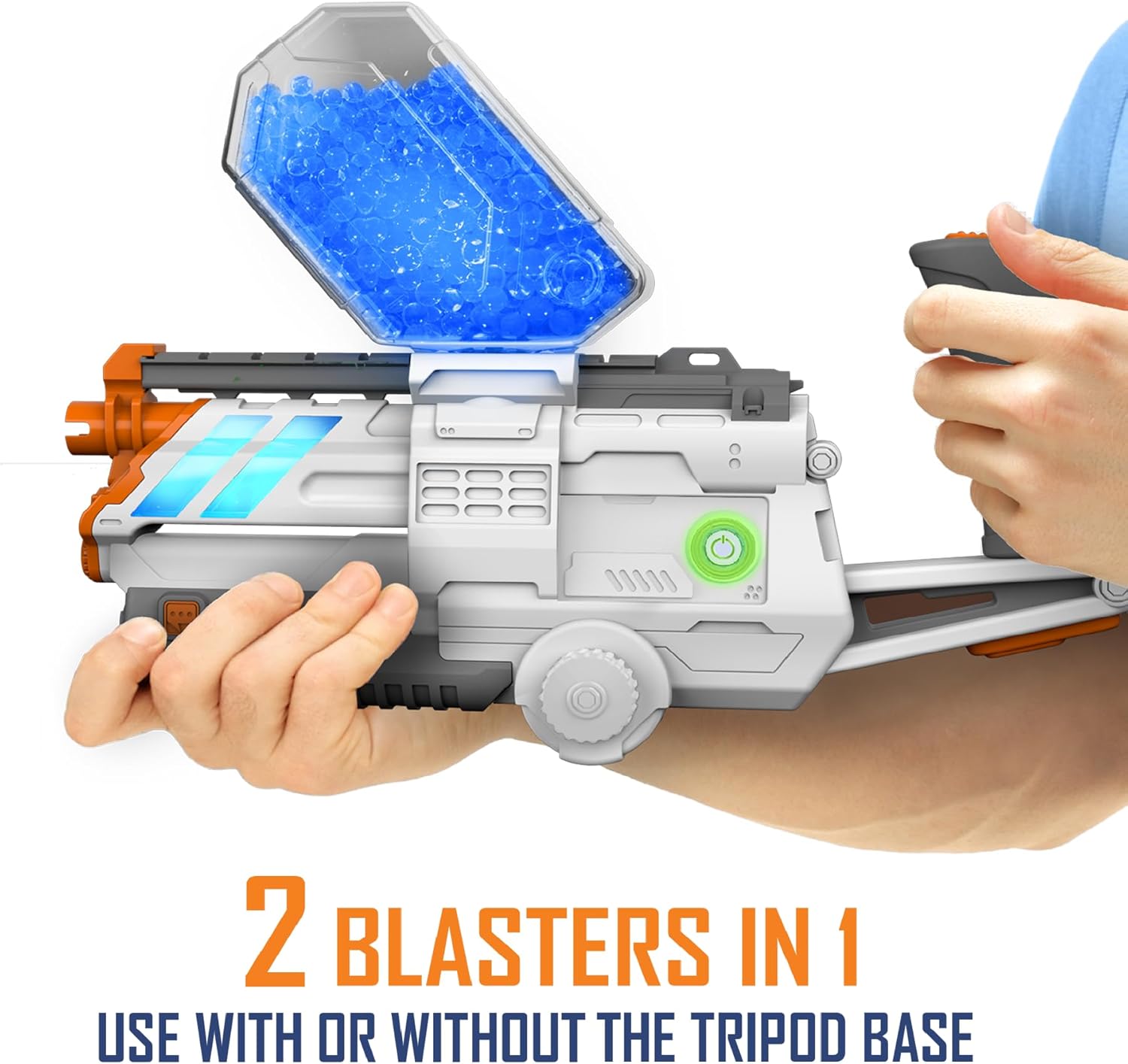
Image 4: The Faction Sentinel Blaster can be used in handheld mode by removing it from the tripod.
4. Operating Instructions
4.1. Loading Gel Beads
Pour the prepared gel beads into the blaster's ammo hopper. The hopper has a capacity of 1,200 beads.
4.2. Powering On and Pairing
- Turn on the Faction Sentinel Turret Gel Bead Blaster.
- Turn on the remote control.
- The blaster and remote control should automatically pair. Refer to the LED indicators for pairing status.
4.3. Firing Modes
The blaster offers three firing modes:
- Single Fire: Fires one gel bead per trigger pull.
- Burst: Fires a short burst of gel beads per trigger pull.
- Full Auto: Continuously fires gel beads as long as the trigger is held.
Select your desired firing mode using the controls on the blaster or remote. The blaster has a velocity of 170 FPS and a fire rate of 8 beads/second.

Image 5: The blaster features multiple firing modes and a multi-function LED display.
4.4. Remote Control Operation (Turret Mode)
When in turret mode, the remote control allows you to pivot the blaster horizontally up to 300 degrees. The remote has a range of up to 100 feet.

Image 6: Remote control for motorized pivoting of the turret.
4.5. Faction App Integration
Enhance your play experience by connecting the blaster to the free Faction Battle System app via Bluetooth. The app enables features such as:
- Real-time team chat (headphones not included).
- GPS tracking for interactive arena play.
- Game objectives and stat tracking.
- Automatic over-the-air updates and enhancements.

Image 7: The Faction Battle System app connects devices for interactive gameplay.
4.6. Smart Beacon Usage
The interactive smart beacon can be used for solo target practice or as a multi-function objective in multiplayer games. It features multicolor LEDs and hit detection.

Image 8: The smart beacon provides interactive target practice and game objectives.
4.7. Night Tracer Gel Beads
The blaster includes a built-in UV light in its hopper, allowing the use of glow-in-the-dark gel beads for night play. This feature helps track shots in low-light conditions.
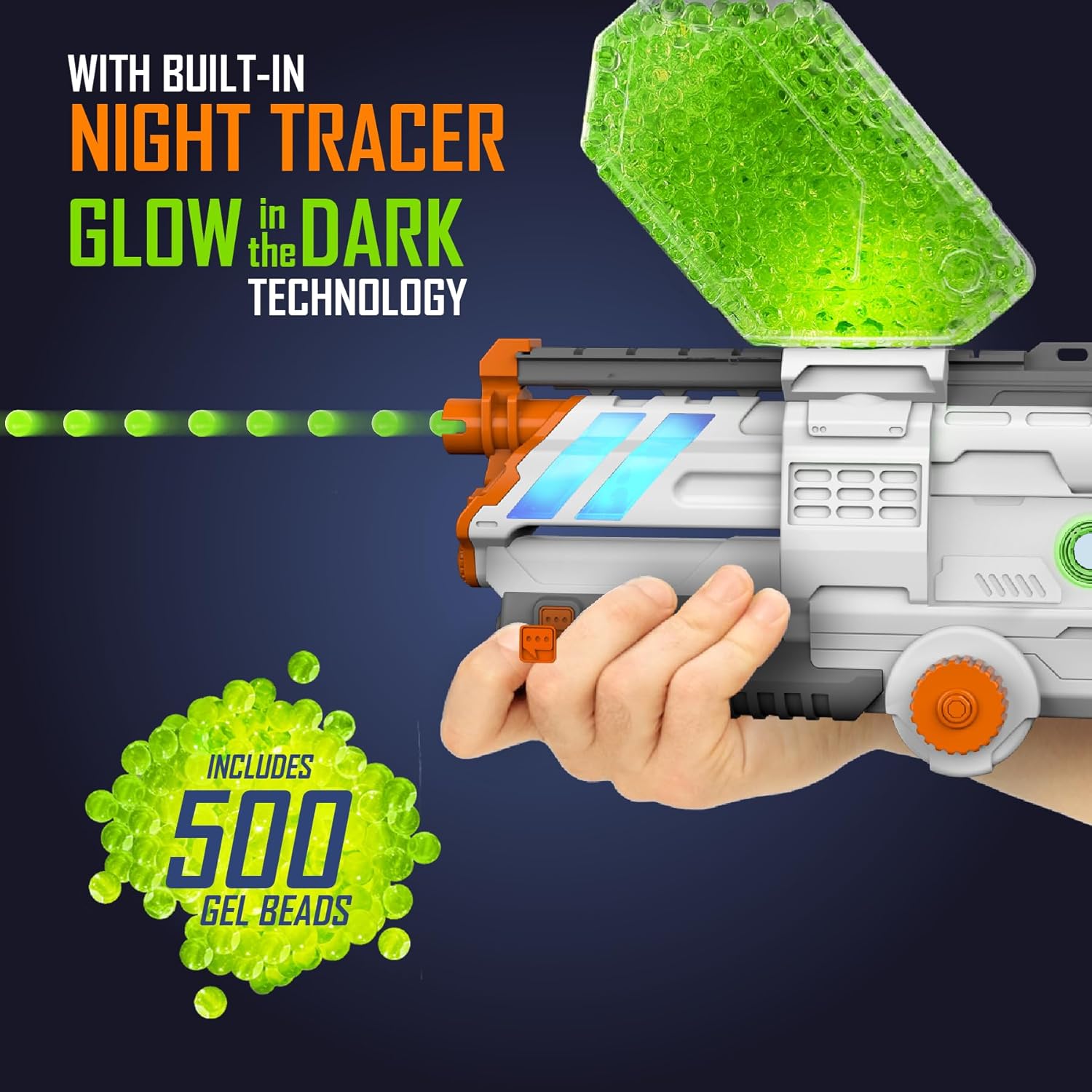
Image 9: Night tracer technology illuminates glow-in-the-dark gel beads.
4.8. Official Product Video
Watch this official video for a demonstration of the Faction Gel Blaster system.
Video 1: Official Faction Gel Blaster overview and demonstration.
5. Maintenance
5.1. Gel Bead Storage
Store unhydrated gel beads in a cool, dry place away from direct sunlight. Hydrated gel beads can be stored in an airtight container with water for several weeks. Drain excess water before use.
5.2. Cleaning
Wipe down the blaster with a damp cloth after use. Ensure no gel bead residue remains in the hopper or barrel. Do not submerge the blaster in water.
6. Troubleshooting
- Blaster not firing: Ensure the battery is fully charged and correctly installed. Check that the power switch is in the "on" position. Verify that gel beads are loaded and properly hydrated.
- Gel beads jamming: Ensure gel beads are fully hydrated and of the correct size (7.5mm). Partially hydrated or oversized beads can cause jams. Clear any visible obstructions from the hopper or barrel.
- Remote control not responding: Check battery levels in the remote control. Ensure the blaster and remote are within the 100ft operating range and are properly paired.
- App connectivity issues: Ensure Bluetooth is enabled on your device and the Faction app is up to date. Restart both the blaster and your device if connection problems persist.
7. Specifications
| Feature | Detail |
|---|---|
| Product Dimensions | 20 x 3 x 11 inches |
| Item Weight | 3.29 pounds |
| Item Model Number | 18588 |
| Manufacturer Recommended Age | 14 years and up |
| Batteries | 1 Lithium Polymer battery required (included) |
| Gel Bead Velocity | 170 FPS |
| Fire Rate | 8 beads/second |
| Ammo Capacity | 1,200 beads |
| Remote Control Range | Up to 100 feet |
| Manufacturer | Skyrocket Toys, LLC |
8. Safety Information
WARNING: CHOKING HAZARD - Small Parts. Not for children under 3 years.
- Always wear the provided protective eyewear when operating the blaster.
- Do not aim at eyes or face.
- Use only official Faction Battle System gel beads. Other types of projectiles may not meet safety standards.
- Recommended for ages 14 and up.
- Keep fingers and loose clothing away from moving parts.
9. Warranty and Support
For warranty information, technical support, or replacement parts, please refer to the official Faction Battle System website or contact Skyrocket Toys, LLC customer service. Contact details can typically be found on the product packaging or the manufacturer's official website.


