
1. Introduction
Thank you for purchasing the ADLER AD 1195 Alarm Clock. This device is designed to provide accurate timekeeping, multiple alarm settings, and environmental information including temperature and humidity. Please read this manual carefully before using the product to ensure proper operation and to maximize its lifespan.
2. Package Contents
- ADLER AD 1195 Alarm Clock
- User Manual
3. Product Overview
Familiarize yourself with the components of your ADLER AD 1195 Alarm Clock.

Figure 3.1: Front view of the ADLER AD 1195 Alarm Clock, displaying time, temperature, humidity, and date.
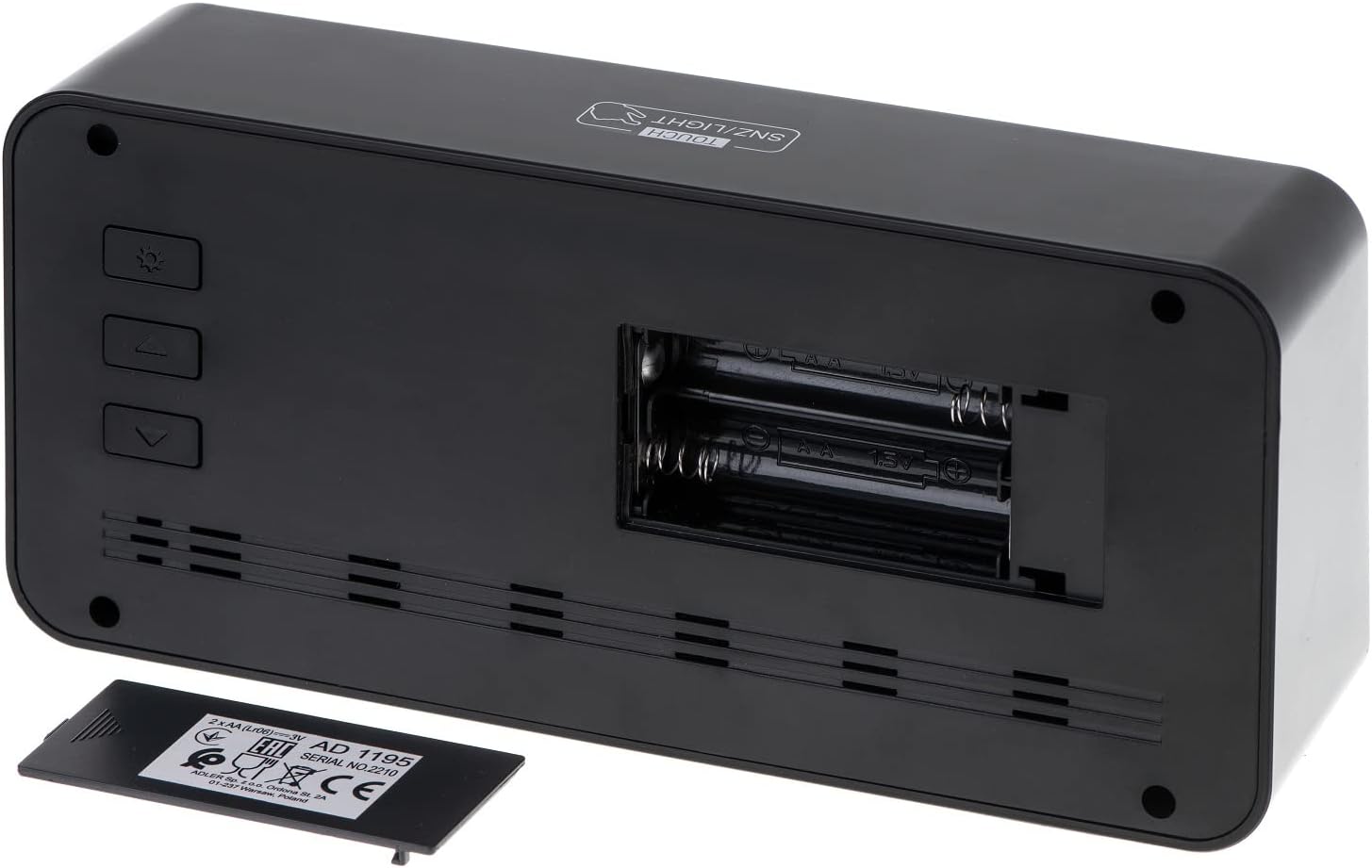
Figure 3.2: Rear view of the alarm clock, showing the battery compartment and control buttons.
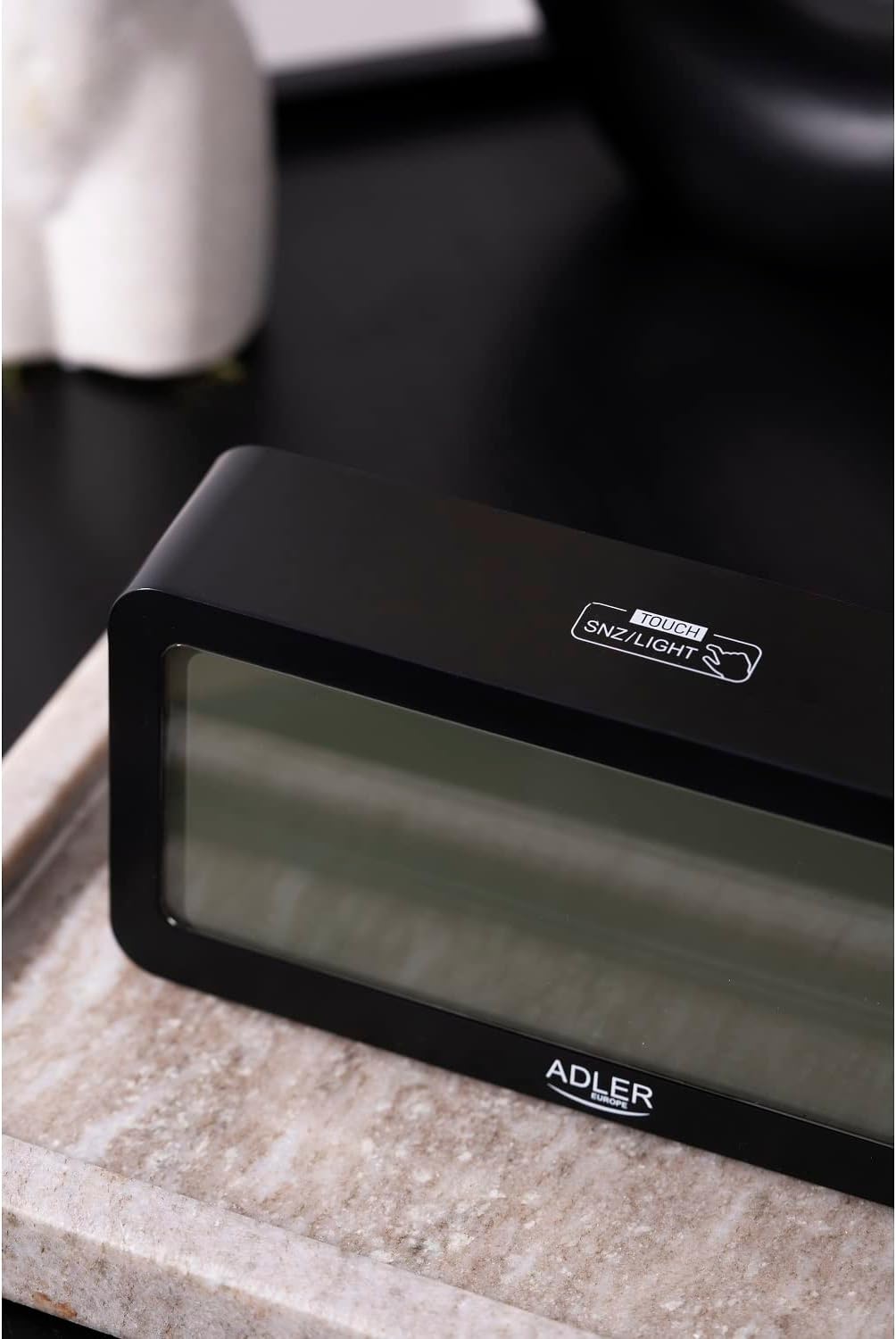
Figure 3.3: Top view, showing the snooze/light touch area.
Key Components:
- Digital Display: Shows time, date, day of the week, indoor temperature, and humidity.
- TOUCH SNZ/LIGHT Button: Located on the top, used for snooze function and activating backlight.
- Control Buttons (Rear): Typically include MODE, UP, and DOWN buttons for setting adjustments.
- Battery Compartment: Located on the rear, requires 2 x AA batteries.
4. Setup
4.1 Battery Installation
- Open the battery compartment cover on the back of the alarm clock.
- Insert two (2) AA batteries, ensuring correct polarity (+ and -).
- Close the battery compartment cover securely.
The display will illuminate, and the clock will be ready for initial setup.
5. Operating Instructions
5.1 Setting Time and Date
- Press the MODE button repeatedly until the time setting mode is activated (e.g., hour digits flashing).
- Use the UP and DOWN buttons to adjust the flashing value (hour, minute, year, month, day).
- Press MODE again to confirm the setting and move to the next parameter.
- Once all settings are complete, press MODE to exit the setting mode.
5.2 Setting Alarms
The ADLER AD 1195 supports three separate alarm settings (AL1, AL2, AL3).
- From normal time display, press MODE to cycle through display modes until you reach an alarm setting (e.g., AL1).
- Press and hold MODE to enter alarm setting mode for the selected alarm. The hour digits will flash.
- Use UP and DOWN buttons to set the desired alarm hour and minute.
- Press MODE to confirm and move to the next alarm setting or exit.
- To activate or deactivate an alarm, short press the UP button when the alarm time is displayed. An alarm icon will appear/disappear on the screen.
5.3 Snooze and Backlight Function
When the alarm sounds, touch the TOUCH SNZ/LIGHT area on the top of the clock to activate the snooze function. The alarm will pause for a few minutes and sound again. To turn off the alarm completely, press any other button on the back of the clock.
To activate the backlight for a few seconds, simply touch the TOUCH SNZ/LIGHT area when the alarm is not sounding. The display has an adjustable backlight, allowing users to choose from different brightness levels for optimal viewing.
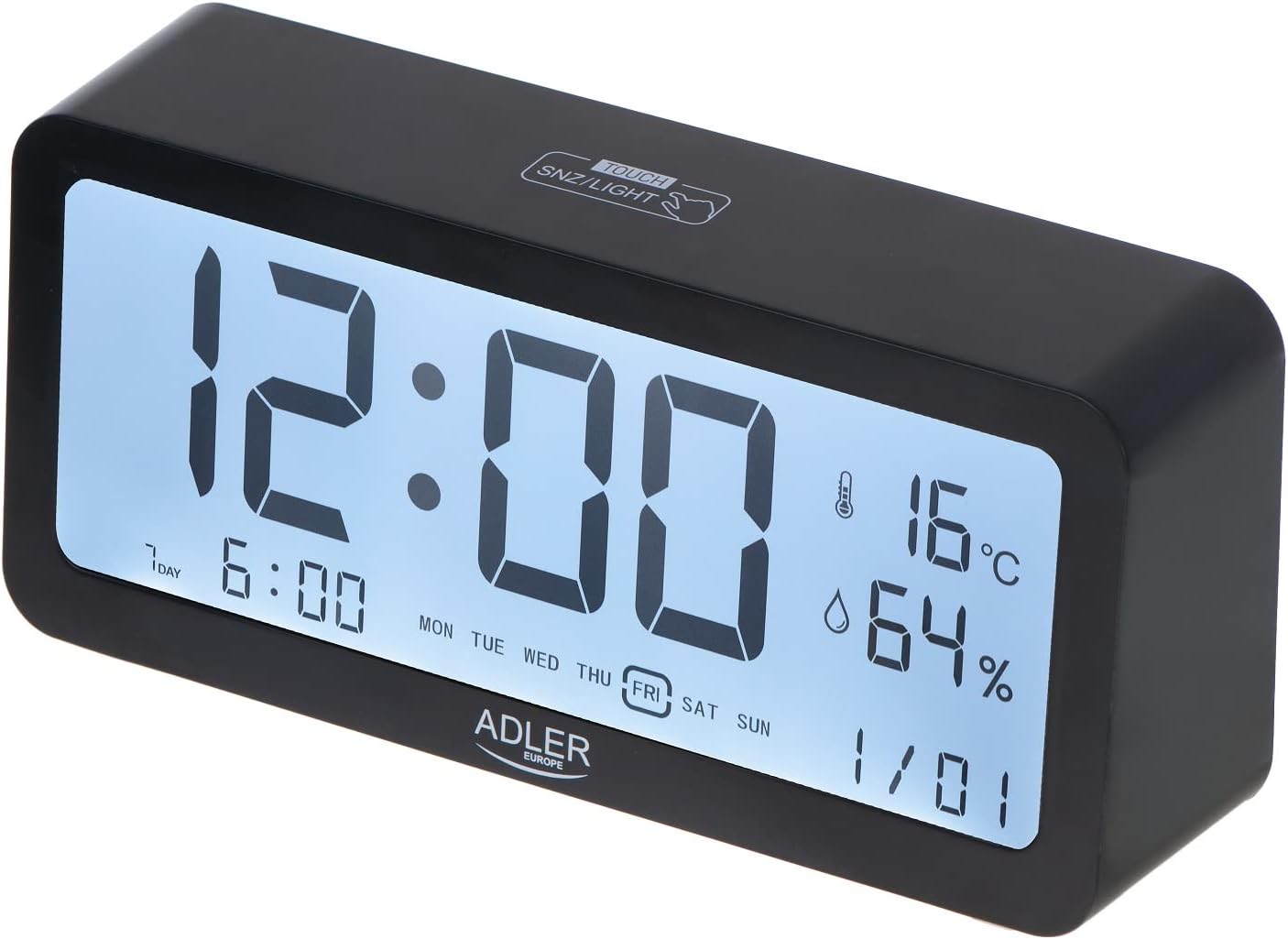
Figure 5.1: Illuminated display for easy readability.
5.4 Temperature and Humidity Display
The clock continuously displays the current indoor temperature in Celsius and relative humidity percentage. No special action is required to view these readings.
6. Maintenance
6.1 Cleaning
Wipe the clock with a soft, dry cloth. Do not use abrasive cleaners or solvents, as they may damage the surface or display.
6.2 Battery Replacement
When the display dims or functions become erratic, it is time to replace the batteries. Follow the instructions in Section 4.1 for battery installation. Always replace both batteries at the same time with new ones.
7. Troubleshooting
| Problem | Possible Cause | Solution |
|---|---|---|
| Display is blank or dim. | Batteries are low or incorrectly installed. | Replace batteries with new AA batteries, ensuring correct polarity. |
| Alarm does not sound. | Alarm is not activated or volume is too low. | Ensure the alarm icon is displayed. Check if there's a volume setting (if applicable, though not specified for this model). |
| Incorrect time/date. | Time/date not set correctly after battery installation or power interruption. | Refer to Section 5.1 to reset the time and date. |
8. Specifications
| Feature | Detail |
|---|---|
| Brand | Adler |
| Model Number | AD 1195 black |
| Colour | Black |
| Product Dimensions | 19.2 x 3.81 x 9.3 cm (L x W x H) |
| Item Weight | 190 g |
| Material | Plastic Glass |
| Power Source | Battery Powered (2 x AA batteries) |
| Display Type | Digital |
| Special Features | Clear illuminated display, 3 Alarm Settings, Multiple alarm time settings, Comprehensive display information (Time, Date, Temperature, Humidity) |
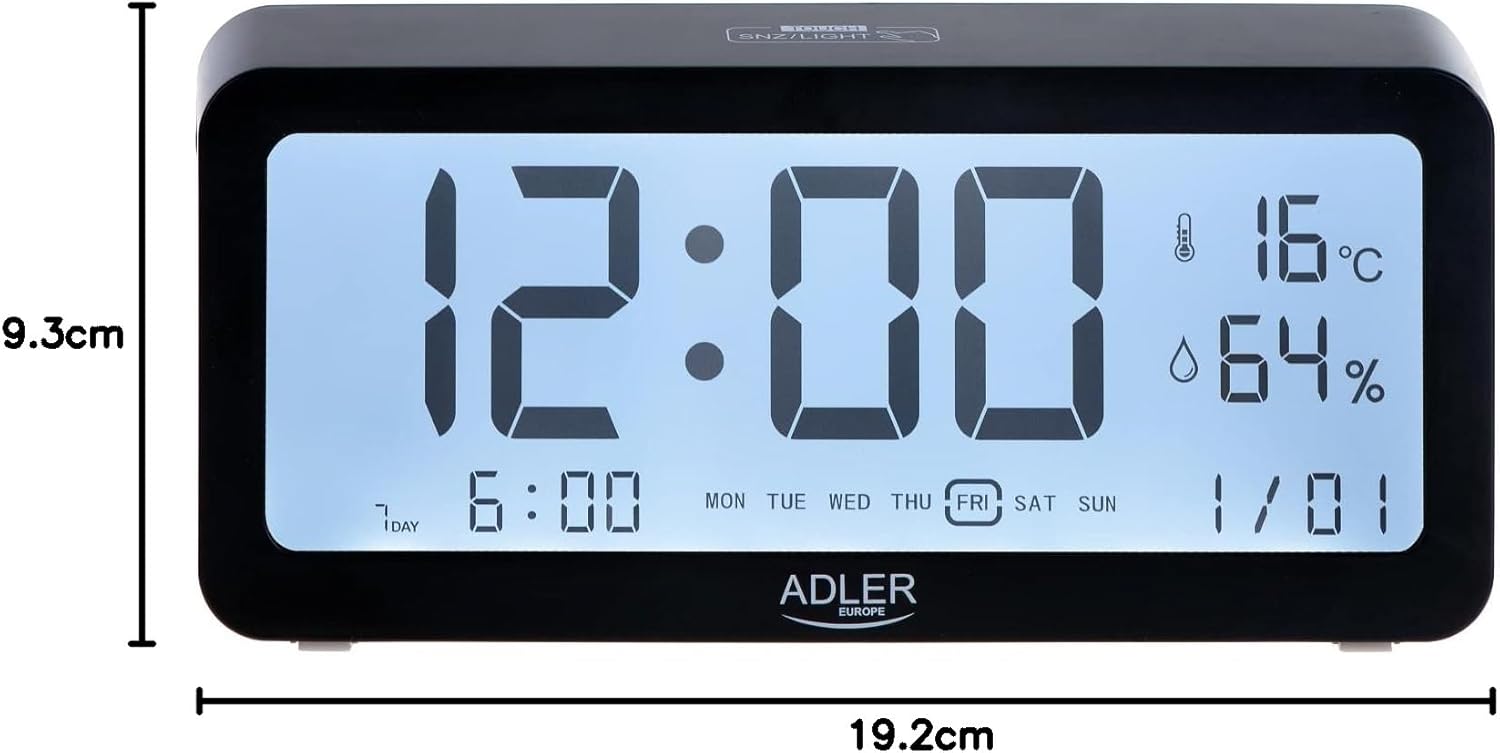
Figure 8.1: Product dimensions.
9. Warranty and Support
For warranty information and technical support, please refer to the product packaging or contact Adler customer service directly. Contact details can typically be found on the manufacturer's official website or on the product's retail packaging.
Adler Europe Group
ul. Ordona 2A
01-237 Warszawa, Poland
Tel: +48 728 595 006
Email: info@adlereurope.com
