
Introduction
Thank you for choosing the TELESIN 35.4-inch Power Stick Pole Handler Grip. This versatile accessory combines an extendable selfie stick with a large-capacity power bank, designed to keep your action cameras, smartphones, and mirrorless cameras charged during extended outdoor activities. Its waterproof design ensures reliable performance in various weather conditions.
Safety Information
- Do not expose the device to extreme temperatures or direct sunlight for prolonged periods.
- Avoid dropping or subjecting the device to strong impacts.
- Keep the device away from children.
- Do not attempt to disassemble or modify the device.
- Ensure all ports are dry before connecting charging cables, especially after exposure to water.
Package Contents
Please verify that all items are included in your package:
- 1 x Power Selfie Handle Grip
- 1 x Adapter for GoPro
- 1 x Phone Holder Clip
- 1 x Battery Cover for GoPro Hero 11/10/9 (Note: Not compatible with other Hero camera models)
- 1 x Type-C Charge Cable
- 1 x Universal Screw
Setup
1. Attaching a Phone
- Secure the phone holder clip to the top of the power grip using the universal screw.
- Insert your smartphone into the phone holder clip.
- Connect the coiled USB-C cable from the power grip to your phone's charging port.
This setup allows your phone to be charged while mounted on the grip.
2. Attaching a GoPro or Action Camera
- Attach the GoPro adapter to the top of the power grip using the universal screw.
- For GoPro Hero 11/10/9 models, replace the original side cover with the complimentary weather-resistant pass-through door. This allows charging while maintaining water resistance.
- Mount your GoPro or action camera onto the adapter.
- Connect the coiled USB-C cable from the power grip to your camera's charging port.
This configuration enables continuous power supply to your action camera.

Image: Detailed steps for replacing the GoPro side cover with the weather-resistant pass-through door for charging.
3. Using the 1/4-inch Screw Port
The power grip features a 1/4-inch screw port at the bottom, allowing it to be mounted on tripods or other compatible accessories for increased stability and versatility.

Image: The 1/4-inch screw port at the base of the grip, enabling tripod mounting.
Operating
1. Powering On/Off and Charging Indication
The power grip automatically detects a connected device and begins charging without requiring a button press. An LED indicator at the bottom of the grip displays the charging status and remaining power.

Image: Visual representation of the 10000mAh battery capacity and power indicator.
2. Charging Devices
The power grip features dual Type-C output ports (top and bottom) that can charge devices simultaneously. It supports QC/PD3.0 fast charging, allowing you to charge your GoPro or other compatible devices even while recording.
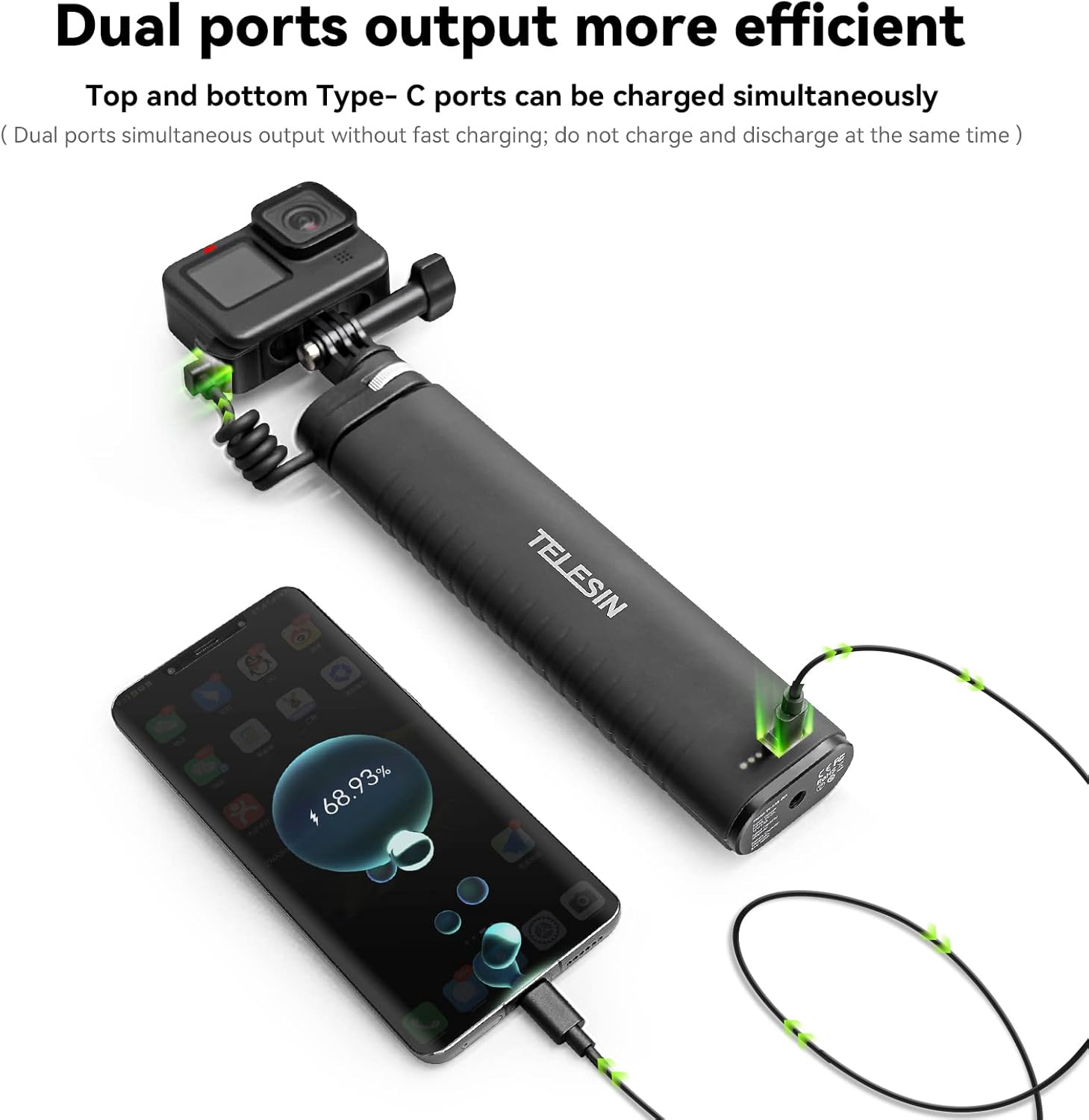
Image: The power stick charging both a GoPro and a smartphone simultaneously.
3. Extending the Pole
The selfie stick extends from 21.6 cm (8.5 inches) to 90 cm (35.4 inches). The internal cable design allows your camera to remain charged even when the pole is fully extended.

Image: The power stick extended to its maximum length of 90cm while charging a camera.
4. Water Resistance
The power grip is IP52 water resistant, making it suitable for use in rainy weather. Ensure all port covers are securely closed when exposed to moisture.
5. Ergonomic Design
The grip features an ergonomic, silicone-covered, and non-slip design for comfortable and secure handling.
Media Integration
How to Use TELESIN Power Bank Selfie Stick
Video: A tutorial demonstrating the setup and usage of the TELESIN Power Bank Selfie Stick, including attaching devices and charging.
TELESIN 35.4" Power Grip Selfie Stick Pole for GoPro Phones
Video: An overview showcasing the features and capabilities of the TELESIN 35.4-inch Power Grip Selfie Stick, highlighting its extendable design and power bank functionality.
Maintenance
- Clean the device with a soft, dry cloth. Do not use harsh chemicals or abrasive materials.
- Store the power grip in a cool, dry place when not in use.
- Regularly check the charging ports for any debris and clean if necessary.
Troubleshooting
Device Not Charging
- Ensure the power grip itself is charged. Check the LED indicators.
- Verify that the charging cable is securely connected to both the power grip and your device.
- Check if the device being charged is compatible with USB-C charging.
- For GoPro Hero 11/10/9, ensure the weather-resistant pass-through door is correctly installed and the cable is connected.
Pole Not Extending/Retracting Smoothly
- Check for any obstructions or debris in the extension mechanism.
- Ensure the locking mechanisms are disengaged before attempting to extend or retract.
Specifications
| Package Dimensions | 9.21 x 4.84 x 1.5 inches |
| Item Weight | 1.26 pounds |
| Batteries | 1 Lithium Ion batteries required (included) |
| Manufacturer | TELESIN |
| Compatible Devices | GoPro, Insta360, DJI Action, Canon, Sony, iPhone, Android |
| Folded Size | 21.6cm (l) |
| Compatible Camcorder Models | GoPro HERO11 Black, GoPro HERO12 Black, GoPro HERO5 Black, GoPro HERO6 Black, Insta360 ONE X2, DJI Osmo Pocket 3 |
Warranty and Support
TELESIN provides a warranty for this product. If you encounter any issues or are unsatisfied with your purchase for any reason, please contact TELESIN's online customer support for assistance. We are committed to resolving your problems quickly and efficiently.
For further support, please visit the official TELESIN website or contact their customer service directly.