
1. Introduction
Thank you for choosing the XIAOVV Solar Security Camera. This manual provides essential information for the proper installation, operation, and maintenance of your device. This wireless outdoor camera features a 10000mAh integrated battery, powered continuously by a solar panel, ensuring year-round operation. It includes PIR smart detection, a spotlight, and a voice siren for enhanced security. Designed to be weather-resistant with an IP65 rating, it is suitable for various outdoor environments. The camera offers motion tracking with 355° horizontal pan and 100° vertical tilt, along with HD night vision for clear monitoring day and night.
2. Package Contents
Before installation, please verify that all components are present and in good condition.
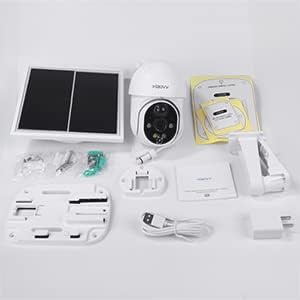
Image: Overview of the XIAOVV Solar Security Camera and its included accessories, such as the camera unit, solar panel, mounting bracket, USB charging cable, and user manual.
- XIAOVV Solar Security Camera Unit
- Solar Panel
- Wall Mounting Bracket and Screws
- USB Charging Cable
- User Manual
3. Setup and Installation
3.1 Initial Charging
The integrated 10000mAh battery must be fully charged before the first use. Connect the camera to a power source using the provided USB cable until the charging indicator shows a full charge.
3.2 Solar Panel Placement
For continuous operation, position the solar panel in an area that receives direct sunlight for several hours daily. Ensure no obstructions block sunlight from reaching the panel.
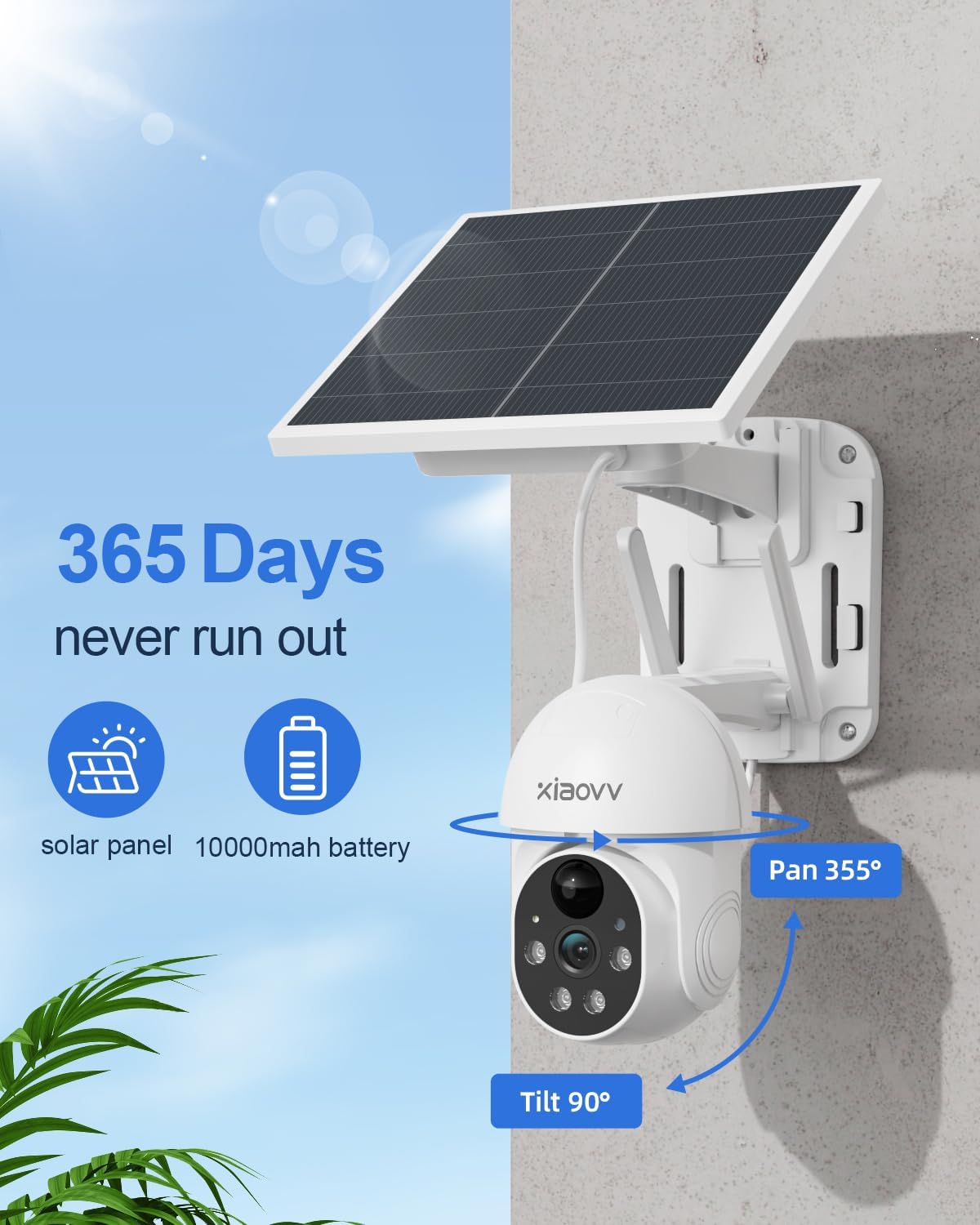
Image: The XIAOVV Solar Security Camera and its solar panel mounted on an exterior wall, illustrating optimal placement for solar charging and continuous power.
3.3 Physical Installation
The camera supports wall mounting. Choose a suitable location that provides the desired viewing angle and allows for optimal solar panel exposure. Use the provided mounting bracket and screws to securely attach the camera and solar panel to the wall.
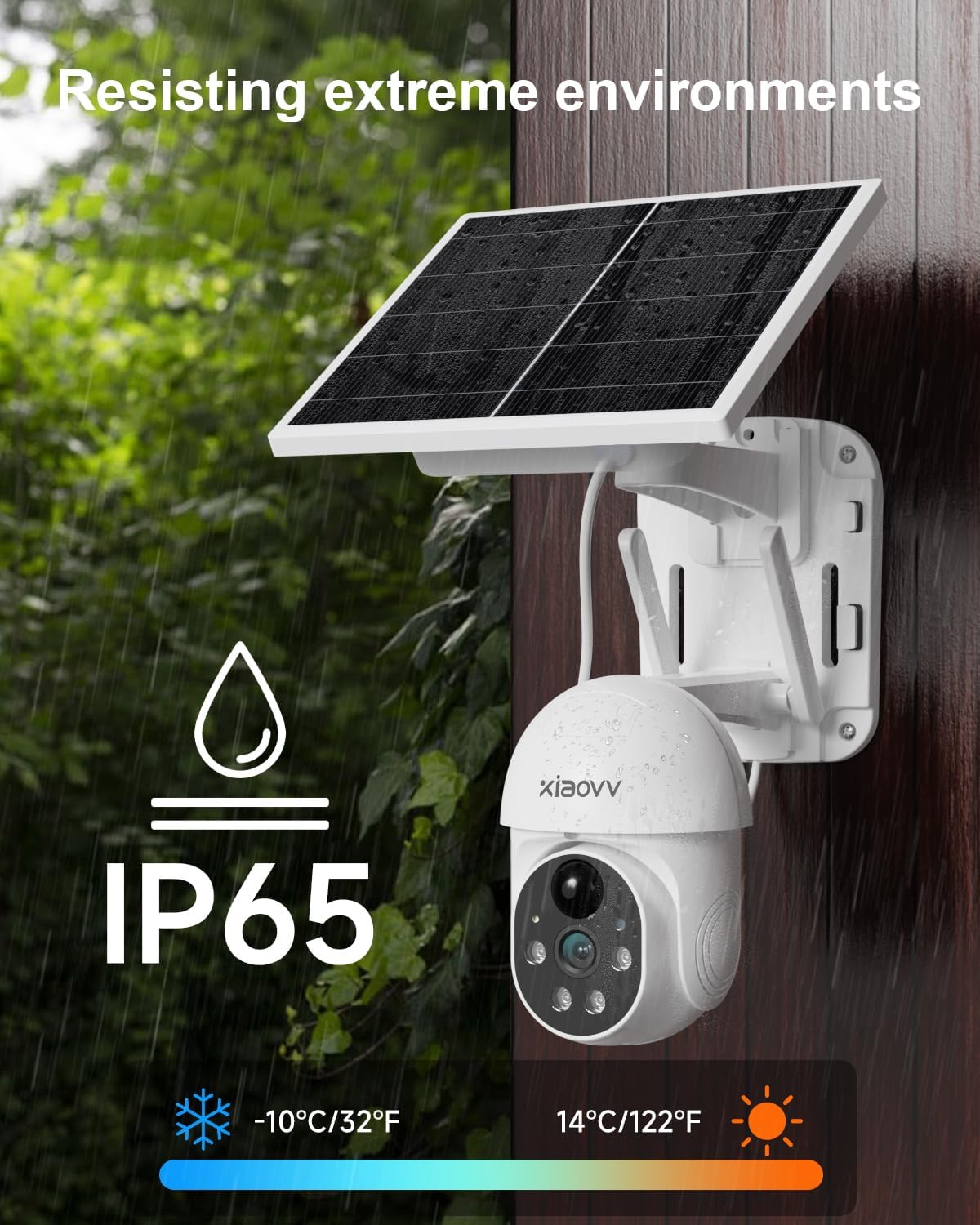
Image: The XIAOVV Solar Security Camera installed outdoors, demonstrating its IP65 weather resistance against rain and its ability to operate in a wide temperature range.
3.4 App Installation and Wi-Fi Connection
- Download the official XIAOVV application from your smartphone's app store.
- Register an account and log in.
- Follow the in-app instructions to add your camera. Ensure your smartphone is connected to a 2.4 GHz Wi-Fi network during the setup process.
- Insert a Micro SD card (not included) into the designated slot for local video storage, if desired.
4. Operating Instructions
4.1 Remote Monitoring
Access live video feed and recorded footage anytime, anywhere via the XIAOVV smartphone application.
4.2 PIR Motion Detection and Alerts
The camera features intelligent PIR (Passive Infrared) detection, which triggers recording based on human body temperature. When motion is detected, the camera automatically starts recording (requires an SD card or cloud storage subscription), activates its spotlight, and emits voice alarms to deter intruders.

Image: The XIAOVV Solar Security Camera actively using its spotlight and siren to warn and deter potential intruders, highlighting its security features.
4.3 Motion Tracking and Pan/Tilt Control
The camera can rotate 355° horizontally and 100° vertically. When an object's movement is detected, the camera automatically tracks it, guiding the object out of the monitoring range. You can also manually control the camera's pan and tilt via the app.
4.4 HD Night Vision
Equipped with HD night vision, the camera provides clear images even in low-light conditions. It supports color night vision, allowing you to see details at night as clearly as during the day.
4.5 Voice Control
The camera supports voice control for certain functions, enhancing ease of use. Refer to the app for specific voice commands.
5. Maintenance
- Clean the Solar Panel: Regularly wipe the solar panel with a soft, damp cloth to remove dust, dirt, or debris that may reduce charging efficiency.
- Check Battery Status: Monitor the battery level through the app to ensure it remains adequately charged, especially during prolonged periods of low sunlight.
- Ensure Wi-Fi Connectivity: Periodically check the camera's Wi-Fi connection in the app to ensure stable remote access.
- Firmware Updates: Keep the camera's firmware updated through the app to benefit from the latest features and security enhancements.
6. Troubleshooting
- Camera Not Powering On: Ensure the battery is fully charged. Check the solar panel for obstructions and ensure it receives sufficient sunlight.
- No Wi-Fi Connection: Verify your router is functioning correctly and the camera is within range of a 2.4 GHz Wi-Fi network. Try restarting the camera and your router.
- Motion Detection Not Working: Check the motion detection settings in the app. Adjust sensitivity levels if necessary. Ensure there are no physical obstructions blocking the camera's view.
- Poor Image Quality: Clean the camera lens. Ensure there is adequate lighting. For night vision issues, check if the infrared lights are active.
- App Connectivity Issues: Ensure your smartphone has a stable internet connection. Try restarting the app or reinstalling it.
7. Specifications
| Feature | Specification |
|---|---|
| Brand | XIAOVV |
| Model Number | XIAOVV-P6 V-IT |
| Recommended Uses | Surveillance |
| Connectivity Technology | Wireless (Wi-Fi) |
| Special Feature | Remote Mounting |
| Compatible Devices | Smartphone |
| Power Source | Solar Powered |
| Mounting Type | Wall Mount |
| Video Recording Resolution | 1080p |
| Wireless Communication Technology | Wi-Fi (2.4 GHz) |
| Product Features | Remote Mounting |
| Form Factor | Box |
| Internal Material | Metal |
| Room Type | Garage |
| International Protection Rating | IP65 |
| Control Method | Voice |
| Viewing Angle | 355 Degrees (Pan) |
| Item Dimensions | 15 x 15 x 20 centimeters |
| Power Consumption | 3 Watts |
| Batteries Required | No (Integrated 10000mAh battery) |
| Night Vision | Color Night Vision |
8. Warranty and Support
For warranty information and technical support, please refer to the documentation included with your product or visit the official XIAOVV website. Keep your purchase receipt as proof of purchase for warranty claims.


