1. Introduction
This user manual provides comprehensive instructions for the CAMECHO Android 13 Car Stereo, model 8 Zoll für VW 1G+16G. It covers product features, installation procedures, operational guidelines, and troubleshooting tips. Please read this manual thoroughly before installation and use to ensure proper functionality and safety.

Image 1.1: CAMECHO Android 13 Car Stereo with smartphone integration.
2. Product Overview
Key Features:
- Android 13 Operating System
- 8-inch Touchscreen Display
- Wireless Apple CarPlay and Android Auto
- Integrated GPS Navigation
- Bluetooth for Hands-Free Calling and Audio Streaming
- FM RDS Radio
- Wi-Fi Connectivity
- Canbus Support
- AHD Rear Camera Input
- Steering Wheel Control Compatibility
3. Applicable Vehicle Models
This car stereo is designed for specific Volkswagen, Skoda, and Seat vehicle models. Please refer to the compatibility chart below to verify if your vehicle is supported. Note that the center console and wiring harness may vary, and verification is recommended.
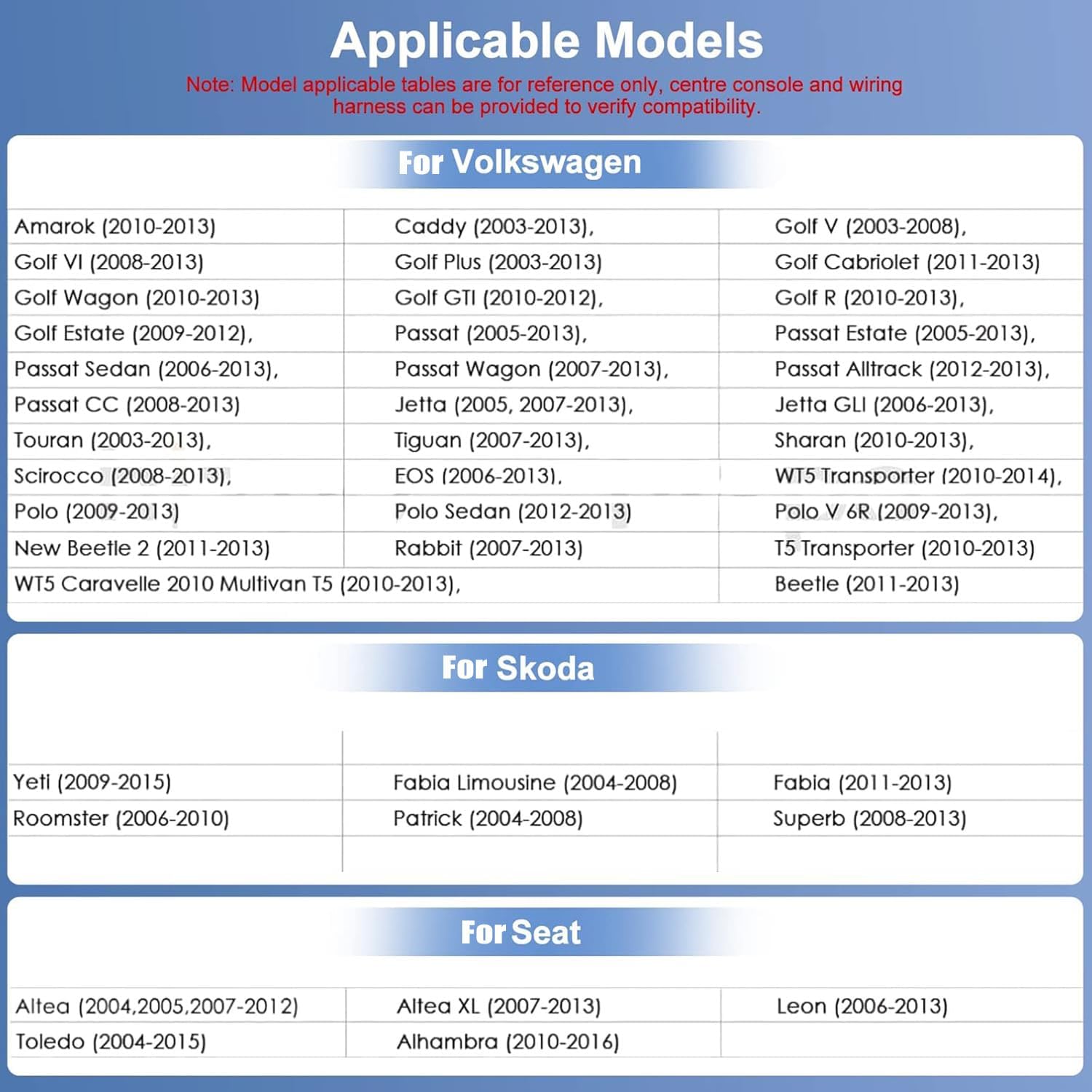
Image 3.1: Compatibility chart for Volkswagen, Skoda, and Seat vehicles.
Compatible Models List:
- For Volkswagen: Amarok (2010-2013), Caddy (2003-2013), Golf V (2003-2008), Golf VI (2008-2013), Golf Plus (2003-2013), Golf Cabriolet (2011-2013), Golf Wagon (2010-2013), Golf GTI (2010-2012), Golf R (2010-2013), Golf Estate (2009-2012), Passat (2005-2013), Passat Estate (2005-2013), Passat Sedan (2006-2013), Passat Wagon (2007-2013), Passat Alltrack (2012-2013), Passat CC (2008-2013), Jetta (2005, 2007-2013), Jetta GLI (2006-2013), Touran (2003-2013), Tiguan (2007-2013), Sharan (2010-2013), Scirocco (2008-2013), EOS (2006-2013), WT5 Transporter (2010-2014), Polo (2009-2013), Polo Sedan (2012-2013), Polo V 6R (2009-2013), New Beetle 2 (2011-2013), Rabbit (2007-2013), T5 Transporter (2010-2013), WT5 Caravelle 2010 Multivan T5 (2010-2013), Beetle (2011-2013).
- For Skoda: Yeti (2009-2015), Fabia Limousine (2004-2008), Fabia (2011-2013), Roomster (2006-2010), Patrick (2004-2008), Superb (2008-2013).
- For Seat: Altea (2004, 2005, 2007-2012), Altea XL (2007-2013), Leon (2006-2013), Toledo (2004-2015), Alhambra (2010-2016).
4. Setup and Installation
4.1 Product Dimensions and Interfaces
Before installation, verify the product dimensions and familiarize yourself with the available interfaces and connections. This ensures proper fitment and correct wiring.

Image 4.1: Product dimensions, interface descriptions, wiring diagrams, and accessories.
4.2 Wiring Method
Carefully follow the wiring instructions provided in the diagram. Ensure all connections are secure and correctly matched to avoid damage to the unit or vehicle electrical system. Pay particular attention to the camera wiring for proper rear view functionality.
4.3 Installation Process
Installation typically involves removing the existing car stereo, connecting the new unit's wiring harness, and securing the unit in the dashboard. Professional installation is recommended if you are unfamiliar with car audio system wiring.

Image 4.2: Visual comparison of the car dashboard before and after stereo installation.
5. Operating Instructions
5.1 Wireless Apple CarPlay & Android Auto
Connect your smartphone wirelessly to access mobile phone functions such as calls, messages, navigation, music, and other applications directly on the car stereo display. This feature enhances driving convenience and safety by integrating your phone's interface.

Image 5.1: Wireless Apple CarPlay and Android Auto in operation.
5.2 GPS Navigation & WiFi Connection
The unit supports both online and offline navigation. Connect to a Wi-Fi hotspot to access online maps and real-time traffic information. Offline maps can be downloaded for navigation without an internet connection.
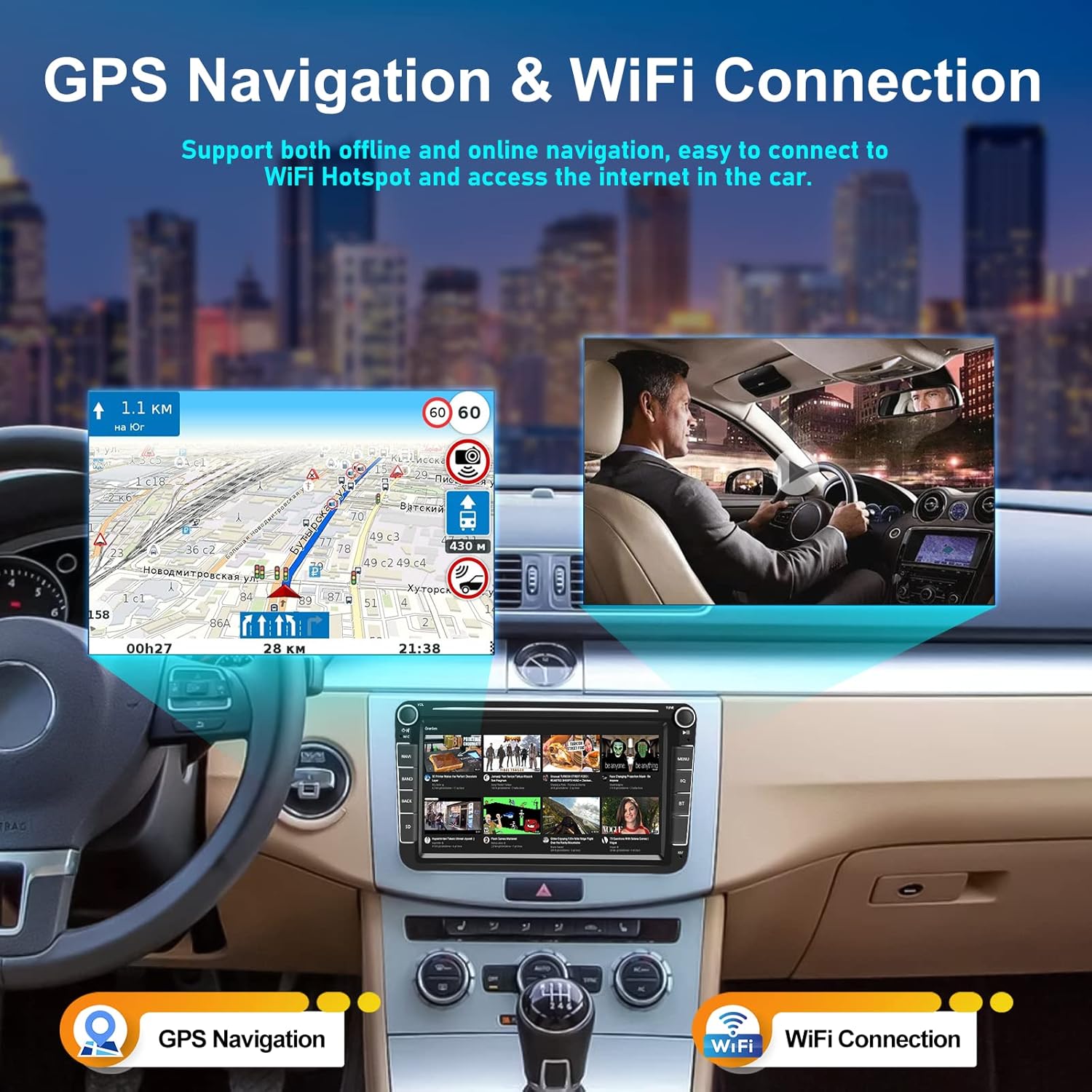
Image 5.2: GPS Navigation and Wi-Fi connectivity features.
5.3 Bluetooth & FM RDS Radio
Utilize the integrated Bluetooth for hands-free calling and wireless music streaming from your connected devices. The FM RDS radio provides access to local radio stations with station information display.

Image 5.3: Bluetooth hands-free calling and FM RDS radio interface.
5.4 Rear View Camera & Steering Wheel Control
The system is equipped to support an AHD rear view waterproof camera, providing clear night vision performance and guide lines for parking assistance. It also supports steering wheel controls, allowing you to manage audio and other functions without taking your hands off the wheel.

Image 5.4: Rear view camera display and steering wheel control functionality.
6. Specifications
| Feature | Specification |
|---|---|
| Brand | CAMECHO |
| Screen Size | 8 Inches |
| Connectivity Technology | Bluetooth, USB, Wi-Fi |
| Special Features | Android Auto, Apple CarPlay, Integrated Bluetooth, HiFi |
| Compatible Devices | Smartphone |
| Controller Type | Android |
| Total HDMI Ports | 1 |
| Connector Type | Bluetooth, Wi-Fi, USB Type A, 3.5 mm Jack |
| Audio Output Mode | Stereo |
| Surround Sound Channel Configuration | 2.1 or more |
| Video Encoding | H.264, MPEG-4, HEVC |
| Item Model Number | 8 Zoll für VW 1G+16G |
7. Troubleshooting
If you encounter any issues with your CAMECHO car stereo, please consider the following general troubleshooting steps:
- No Power: Check all power connections and fuses. Ensure the ignition is on.
- No Sound: Verify speaker connections and audio settings. Check volume levels.
- Bluetooth Connection Issues: Ensure Bluetooth is enabled on both the stereo and your device. Try unpairing and re-pairing the devices.
- GPS Signal Loss: Ensure the GPS antenna is properly installed and has a clear view of the sky.
- Touchscreen Unresponsive: Try restarting the unit. If the issue persists, a factory reset might be necessary (refer to advanced settings).
For persistent problems, please contact customer support.
8. Warranty and Support
CAMECHO is committed to providing quality products and customer satisfaction. For technical assistance, warranty claims, or any other inquiries, please contact our support team.
Customer Support Email: CAMECHOVIP@126.com
Please include your product model number and a detailed description of the issue when contacting support to facilitate a quicker resolution.


