
Kobo N605-KU-BK-K-BU+N605-AC-BK-E-PU
Kobo Elipsa 2E User Manual
Model: N605-KU-BK-K-BU+N605-AC-BK-E-PU
1. Introduction
The Kobo Elipsa 2E is an advanced eReader designed for reading, note-taking, and drawing. This manual provides essential information for setting up, operating, maintaining, and troubleshooting your device.
1.1 Package Contents
Upon unboxing, please ensure all items are present:
- Kobo Elipsa 2E eReader
- Kobo SleepCover (Black)
- Stylus Pen
- USB-C Cable (for charging and data transfer)

Image: Kobo Elipsa 2E eReader with its SleepCover and the included stylus pen, showcasing the complete bundle.
2. Setup Guide
2.1 Initial Charge
Before first use, fully charge your Kobo Elipsa 2E. Connect the included USB-C cable to the device's charging port and the other end to a compatible USB power adapter (not included) or a computer's USB port. The charging indicator will show progress.
2.2 Powering On/Off
- To Power On: Press and hold the power button (usually located on the side or bottom edge) for a few seconds until the screen activates.
- To Power Off: Press and hold the power button until a power-off option appears on the screen, then confirm.
- To Sleep/Wake: Briefly press the power button to put the device to sleep or wake it up. The SleepCover also automatically puts the device to sleep when closed and wakes it when opened.
2.3 Connecting to Wi-Fi
A Wi-Fi connection is required to access the Kobo store, sync content, and update firmware.
- From the Home screen, tap the Settings icon (gear icon).
- Select Wi-Fi.
- Choose your desired Wi-Fi network from the list.
- Enter the network password if prompted, then tap Connect.
2.4 Kobo Account Setup
To purchase and manage eBooks, you will need a Kobo account. You can create one directly on the device or link an existing account.
- Follow the on-screen prompts during initial setup to sign in or create a Kobo account.
- If you skip this step, you can always sign in later via Settings > Accounts.
3. Operating Your Kobo Elipsa 2E
3.1 Reading eBooks
The Kobo Elipsa 2E features a 10.3-inch E Ink Carta HD display for a comfortable reading experience.
- Opening Books: Tap on a book cover from your Library to open it.
- Turning Pages: Tap the left or right side of the screen, or swipe left/right to turn pages.
- Reading Settings: Tap the center of the screen while reading to access reading settings, including font size, font style, line spacing, and margin adjustments.
- ComfortLight PRO: Adjust the screen's brightness and warmness by swiping up/down on the left side of the screen or through the reading settings menu.
3.2 Note-Taking and Drawing
Utilize the included stylus pen for advanced note-taking and drawing directly on the screen.
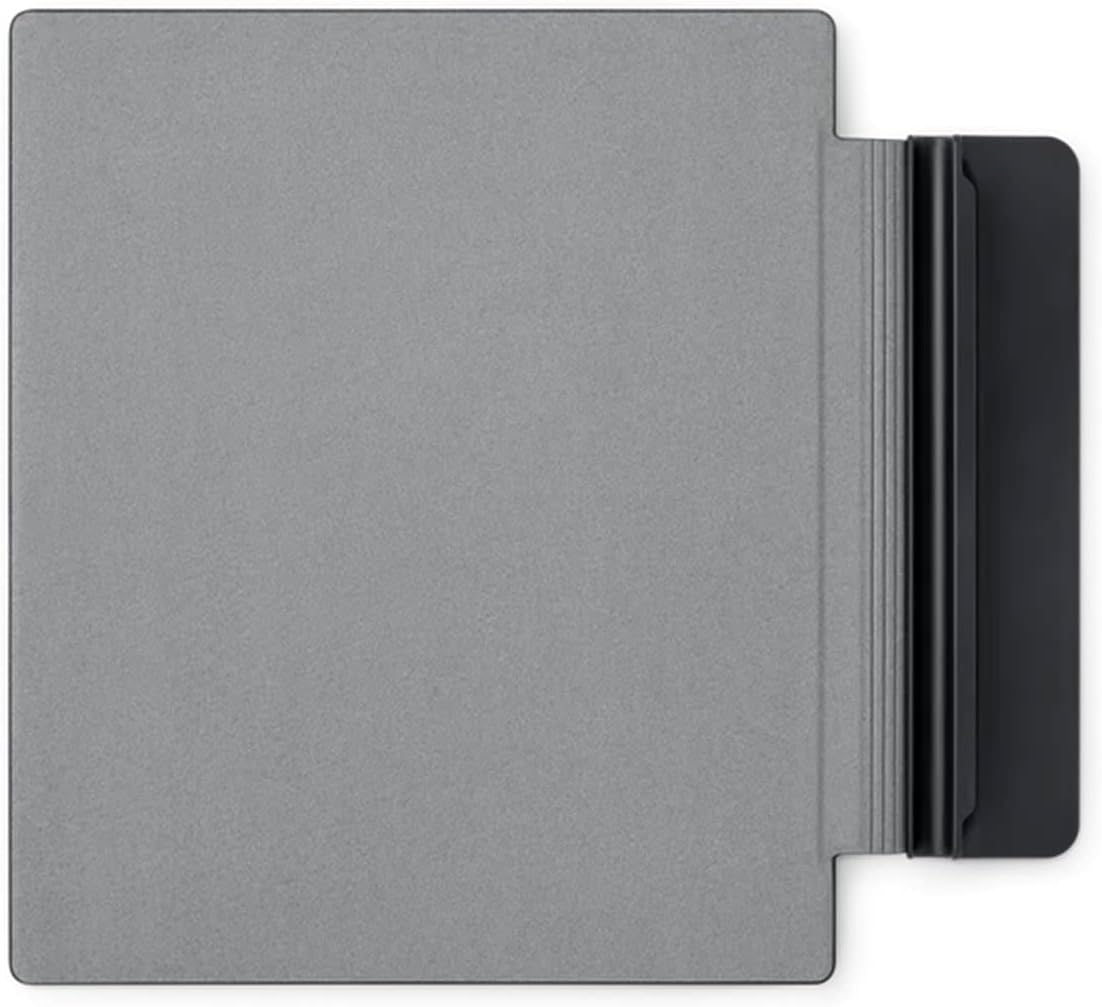
Image: The Kobo Elipsa 2E displaying a notebook page where handwritten text is being converted to typed text, demonstrating the device's handwriting recognition feature.
- Creating Notebooks: From the Home screen, navigate to the My Notebooks section to create new notebooks for freehand drawing or structured notes.
- Writing on eBooks/Documents: While reading, you can often annotate directly on the page. Check the specific document's compatibility. PDFs with digital rights management or permission limitations may not support markups.
- Stylus Functions: The stylus typically has buttons for quick access to eraser or highlighter functions. Refer to the on-screen guide for specific stylus button assignments.
- Exporting Notes: Notes can be exported to PDF or Word documents for easy organization and sharing.

Image: A person is shown actively writing on the screen of a Kobo Elipsa 2E eReader using the stylus, illustrating the device's note-taking capability on documents.
3.3 Kobo Store and Content Management
Access over 6 million eBooks through the built-in Kobo store.
- Browsing: Tap the Discover icon to browse the Kobo store.
- Purchasing: Select a book and follow the prompts to purchase. Your Kobo account payment method will be used.
- Library Sync: Ensure your device is connected to Wi-Fi and tap the Sync icon to download new purchases or updates to your library.
- Storage: The device has 32GB of storage, allowing for thousands of eBooks and documents.
4. Maintenance and Care
4.1 Cleaning Your Device
- Use a soft, lint-free cloth, slightly dampened with water, to clean the screen and body of the eReader.
- Avoid using harsh chemicals, abrasive cleaners, or aerosol sprays.
- Ensure the device is powered off and unplugged before cleaning.
4.2 Battery Care
The Kobo Elipsa 2E features a long-lasting battery. To maximize battery life:
- Charge the device regularly, but avoid leaving it fully discharged for extended periods.
- Reduce screen brightness or turn off Wi-Fi when not needed to conserve power.
- Store the device in a cool, dry place when not in use.
4.3 SleepCover Protection
The included SleepCover provides protection for your device. Keep the cover clean and avoid exposing it to extreme temperatures or sharp objects.

Image: A close-up view of the Kobo Elipsa 2E SleepCover, showcasing its textured black exterior.
5. Troubleshooting
If you encounter issues with your Kobo Elipsa 2E, try the following solutions:
| Problem | Possible Solution |
|---|---|
| Device not turning on | Ensure the battery is charged. Connect to a power source for at least 30 minutes. Perform a soft reset by holding the power button for 15-20 seconds. |
| Screen is frozen or unresponsive | Perform a soft reset (hold power button for 15-20 seconds). If the issue persists, ensure the device is charged. |
| Cannot connect to Wi-Fi | Verify your Wi-Fi password. Restart your Wi-Fi router. Ensure the device is within range of the Wi-Fi signal. Try forgetting the network and reconnecting. |
| Stylus not responding | Ensure the stylus is charged (if rechargeable). Check if the stylus tip is damaged. Restart the eReader. |
| Books not syncing | Check your Wi-Fi connection. Ensure you are signed into your Kobo account. Manually initiate a sync from the Home screen. |
If these steps do not resolve the issue, please refer to the Kobo support website for further assistance.
6. Technical Specifications
| Feature | Detail |
|---|---|
| Model Name | Kobo Elipsa 2E |
| Model Number | N605-KU-BK-K-BU+N605-AC-BK-E-PU |
| Display | 10.3-inch E Ink Carta HD, 1448 x 1072 resolution |
| Storage | 32 GB |
| Connectivity | Wi-Fi |
| Battery Life | Weeks (typical usage), 14 Hours (specific test condition) |
| Dimensions (H x W x D) | 8.95 x 7.59 x 0.31 inches |
| Weight | 13.6 ounces |
| Included Components | Kobo Elipsa 2E eReader, SleepCover, Stylus Pen |
| Color | Black |
7. Warranty and Support
7.1 Product Warranty
Kobo products typically come with a limited manufacturer's warranty. Please refer to the warranty card included with your product or visit the official Kobo website for detailed warranty terms and conditions specific to your region and purchase date. Keep your proof of purchase for warranty claims.
7.2 Customer Support
For technical assistance, troubleshooting beyond this manual, or warranty inquiries, please contact Kobo Customer Support:
- Online Support: Visit the official Kobo Help Center at help.kobo.com for FAQs, guides, and contact options.
- Phone Support: Check the Kobo website for regional phone numbers and operating hours.
When contacting support, please have your device's model number (N605-KU-BK-K-BU+N605-AC-BK-E-PU) and serial number ready.
Ask a question about this manual
Ask about setup, troubleshooting, compatibility, parts, safety, or missing instructions. Manuals+ will review the question and use this page’s manual context to help answer it.