1. Introduction
This manual provides detailed instructions for the installation, operation, and maintenance of your Nakamichi NAM 5510 A9Z 9-inch Car Android Stereo. Please read this manual thoroughly before using the product to ensure proper function and to prevent damage. Keep this manual for future reference.
2. Safety Information
Observe the following safety guidelines to ensure safe operation and prevent injury or damage:
- Professional Installation Recommended: Due to the complexity of car audio systems, professional installation is highly recommended. Incorrect wiring can cause damage to the unit or your vehicle.
- Power Supply: Connect the unit only to a 12V DC car battery with a negative ground.
- Avoid Water and Moisture: Do not expose the unit to water or excessive moisture.
- Temperature: Operate the unit within recommended temperature ranges.
- Driving Safety: Do not operate the unit in a way that distracts you from driving. Always prioritize road safety.
- Ventilation: Ensure adequate ventilation around the unit to prevent overheating.
3. Package Contents
Verify that all items are present in the package:
- 1 x Nakamichi NAM 5510 A9Z Car Android Stereo Unit
- Installation Hardware
- User Manual (this document)
4. Product Overview
The Nakamichi NAM 5510 A9Z is a 9-inch Car Android Stereo designed to enhance your in-car entertainment and connectivity. It features a capacitive touch screen and runs on an Android operating system, offering a wide range of functionalities.
Key Features:
- 9-inch Capacitive Touch Screen
- Android Operating System
- 4GB RAM + 64GB Internal Storage
- Wireless Apple CarPlay and Android Auto via ZLINK App
- 4G SIM Card Compatibility
- Built-in Digital Sound Processor (DSP)
- Bluetooth 5.0 for wireless communication
- Support for 360-degree Camera Systems
- High Power Audio Chipset for superior sound quality
Unit Components:
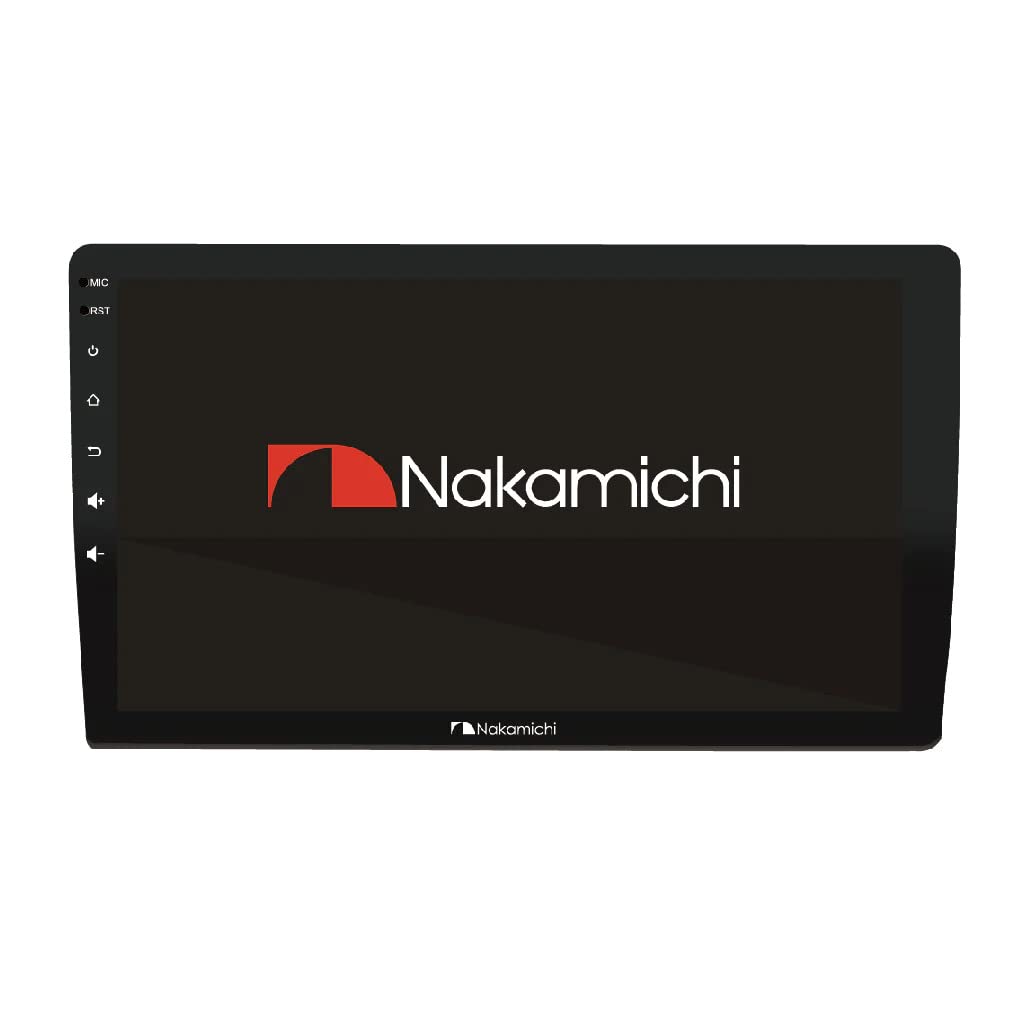
Figure 4.1: Front view of the Nakamichi NAM 5510 A9Z Car Android Stereo. This image shows the main display unit with the Nakamichi logo and side control buttons for microphone, reset, power, home, back, and volume.

Figure 4.2: The home screen interface of the Nakamichi NAM 5510 A9Z, showing icons for Chrome, Radio, Music, Video, Bluetooth, Play Store, Maps, BT Music, Settings, and File Manager.
5. Setup
5.1 Installation
It is strongly recommended that the Nakamichi NAM 5510 A9Z be installed by a qualified professional. Incorrect installation can lead to damage to the unit, vehicle electrical systems, or personal injury. Refer to the included installation hardware and wiring diagrams for specific connections.
5.2 Initial Power-On
After successful installation, turn on your vehicle's ignition. The unit should power on automatically. Follow any on-screen prompts for initial setup.
Factory Password: If prompted for a factory password during advanced settings or system configuration, use 1948.
6. Operating Instructions
6.1 Basic Operation
- Touch Screen: The 9-inch capacitive touch screen responds to finger gestures similar to a smartphone.
- Home Button: Returns to the main home screen.
- Back Button: Navigates to the previous screen or menu.
- Volume Control: Adjust audio output level.
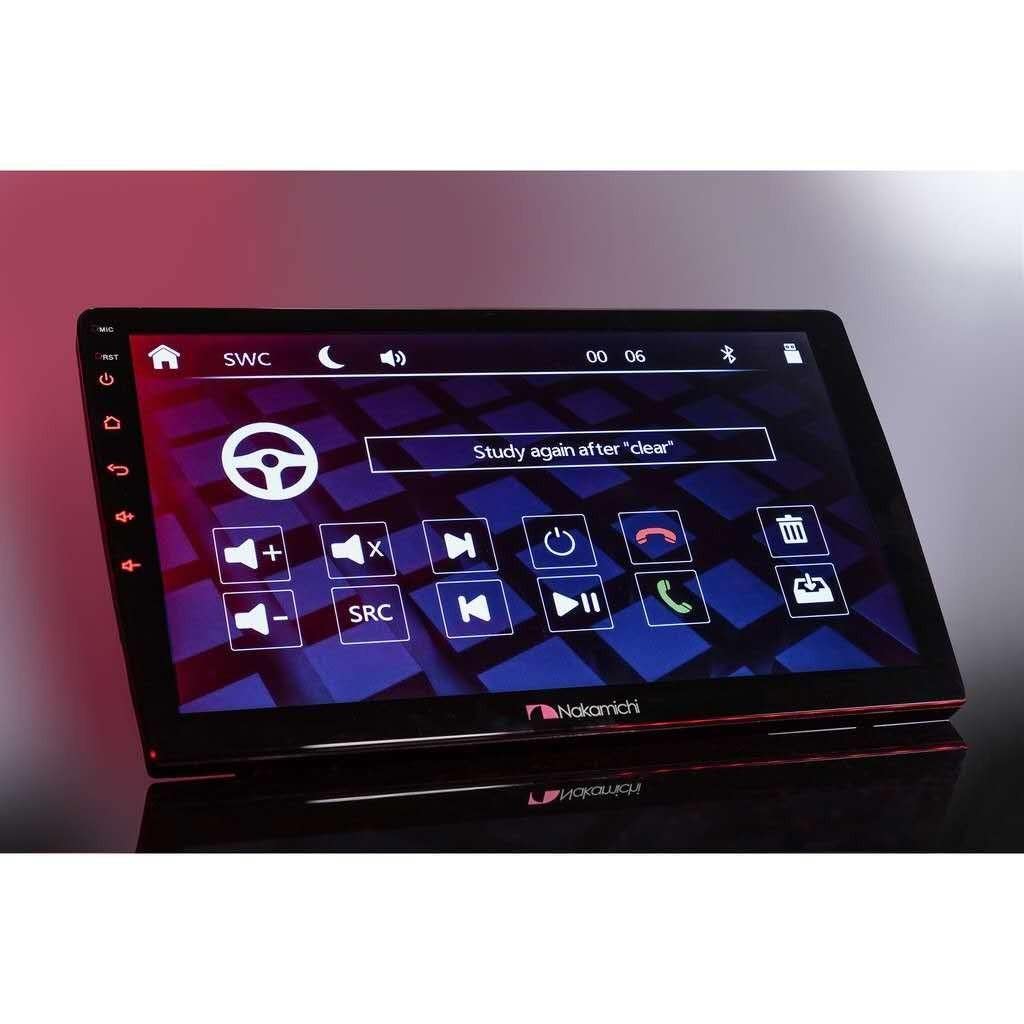
Figure 6.1: The steering wheel control learning interface, allowing users to program physical steering wheel buttons to control the stereo functions.
6.2 Bluetooth Connectivity (BT 5.0)
The unit features Bluetooth 5.0 for hands-free calling and audio streaming.
- Navigate to the 'Bluetooth' application on the home screen.
- Enable Bluetooth on your mobile device and search for available devices.
- Select 'NAM 5510 A9Z' from the list on your mobile device to pair.
- Confirm the pairing code if prompted.
- Once paired, you can make/receive calls and stream audio wirelessly.
6.3 Wireless Apple CarPlay / Android Auto (ZLINK App)
Connect your smartphone wirelessly for an integrated experience using the pre-installed ZLINK app.
- Ensure your phone's Wi-Fi and Bluetooth are enabled.
- Open the 'ZLINK' application on the stereo.
- Follow the on-screen instructions to connect your Apple or Android device.
- Once connected, your phone's compatible apps will appear on the stereo display.
6.4 4G SIM Compatibility
The unit supports a 4G SIM card for direct internet access, allowing you to use online navigation, streaming services, and other internet-dependent applications without tethering to a phone.
- Locate the SIM card slot (refer to installation guide for exact location).
- Insert a compatible 4G SIM card.
- Configure network settings if necessary via the 'Settings' menu.
6.5 Digital Sound Processor (DSP)
The inbuilt DSP allows for advanced audio customization. Access the DSP settings through the 'Settings' or a dedicated 'DSP' app to adjust equalization, time alignment, and other audio parameters for an optimized listening experience.
6.6 360 Degree Camera Support
The NAM 5510 A9Z is compatible with 360-degree camera systems, providing a comprehensive view around your vehicle for enhanced safety during parking and maneuvering. Connect compatible cameras according to the installation guide.

Figure 6.2: The stereo displaying a YouTube video, demonstrating its multimedia playback capabilities and internet connectivity.
7. Maintenance
- Cleaning the Screen: Use a soft, lint-free cloth to gently wipe the screen. For stubborn smudges, slightly dampen the cloth with water or a screen-cleaning solution. Avoid harsh chemicals.
- General Cleaning: Keep the unit free from dust and debris. Use a soft, dry cloth for the exterior.
- Software Updates: Periodically check for software updates through the system settings to ensure optimal performance and access to new features.
8. Troubleshooting
If you encounter issues with your Nakamichi NAM 5510 A9Z, refer to the following common problems and solutions:
| Problem | Possible Cause | Solution |
|---|---|---|
| No Power | Incorrect wiring, blown fuse, vehicle battery issue. | Check power connections and fuses. Consult a professional installer. |
| No Sound | Volume too low, mute activated, speaker wiring issues, incorrect audio output settings. | Increase volume, check mute status, verify speaker connections, adjust audio settings. |
| Bluetooth/CarPlay/Android Auto not connecting | Bluetooth/Wi-Fi off on phone/unit, incorrect pairing, app issues. | Ensure Bluetooth/Wi-Fi is on. Re-pair devices. Restart phone and unit. Update ZLINK app. |
| Touch screen unresponsive | System freeze, temporary software glitch. | Perform a soft reset using the 'RST' button (refer to unit diagram). If issue persists, consult support. |
| 4G SIM not detected/no internet | SIM card incorrectly inserted, network configuration issues, SIM card not active. | Reinsert SIM card. Check network settings in the system menu. Verify SIM card activation with your provider. |
For issues not covered here, please contact Nakamichi customer support.
9. Specifications
| Feature | Specification |
|---|---|
| Brand | Nakamichi |
| Model | NAM 5510 A9Z |
| Screen Size | 9 Inches |
| Operating System | Android |
| RAM | 4 GB |
| Internal Storage | 64 GB |
| Bluetooth | BT 5.0 (Max Communication Range: About 5m, Frequency Band: 2.4GHz) |
| Connectivity Technology | USB, Coupler, 4G SIM |
| Special Features | Android Auto, Built-In Bluetooth, DSP, Wireless Apple CarPlay, 4G SIM Compatible, 360 Degree Camera Support |
| Audio Output Mode | Stereo |
| Speaker Surround Sound Channel Configuration | 2.1 |
| Wattage | 5E+1 (50W) |
| Product Dimensions (LxWxH) | 25.4 x 25.4 x 25.4 cm |
| Item Weight | 200 g |
10. Warranty and Support
Your Nakamichi NAM 5510 A9Z Car Android Stereo comes with a 1 Year Warranty from the date of purchase. Please retain your proof of purchase for warranty claims.
For technical support, warranty inquiries, or further assistance, please visit the official Nakamichi website or contact your authorized dealer.
You can also visit the Nakamichi store on Amazon for more product information: Nakamichi Amazon Store


