
DetectTrek MD-4070
DetectTrek MD-4070 Kids Metal Detector Instruction Manual
Model: MD-4070
Brand: DetectTrek
Introduction
Welcome to the exciting world of metal detecting with your new DetectTrek MD-4070! This metal detector is designed to be user-friendly and highly effective for junior and youth explorers. It combines high accuracy with a lightweight, adjustable design, making it perfect for treasure hunting in various outdoor environments. This manual provides essential information for assembly, operation, maintenance, and troubleshooting to ensure a fun and rewarding experience.
Package Contents
Your DetectTrek MD-4070 kit includes the following items:
- DetectTrek MD-4070 Metal Detector Unit
- Handy Backpack for transport
- Plastic Shovel
- Plastic Rake
- 2 x 9V Batteries

Image: Complete DetectTrek MD-4070 Metal Detector kit with all included accessories.
Specifications
| Feature | Description |
|---|---|
| Brand | DetectTrek |
| Model Number | MD-4070 |
| Color | Black |
| Material | Metal, Premium ABS Plastic |
| Power Source | Battery Powered (2 x 9V batteries included) |
| Item Weight | 1.9 Pounds (approx. 0.86 kg) |
| Product Dimensions | 11.02"L x 5.51"W x 17.5"H (Control Box) |
| Adjustable Length | 30" - 41" (76cm - 140cm) |
| Search Coil Size | 8 Inches |
| Waterproof Rating | IP68 (Search Coil only, Control Box is NOT waterproof) |
| Display Type | LCD with optional backlight |
| Detection Depth | Up to 4 inches (approx. 10 cm) |
Setup Guide
Assembling your DetectTrek MD-4070 is quick and easy, typically taking less than a minute. Follow these steps:
- Attach the Lower Stem: Connect the lower stem to the search coil. Ensure it is securely fastened.
- Connect Middle Stem: Insert the middle stem into the lower stem. Adjust the length to a comfortable height for the user (between 30" and 41").
- Install Batteries: Open the battery compartment on the control box. Connect the two 9V batteries to the terminals and place them inside. Close the compartment securely.
- Attach Control Box: Slide the control box onto the top of the adjustable stem. Secure it in place using the provided fasteners.
- Install Arm Rest: Attach the arm rest to the control box assembly. This provides comfort during extended use.
- Connect Cable: Carefully wrap the search coil cable around the stem. Align the cable plug with the port on the control box and push it firmly to connect.
Video: Step-by-Step Assembly Guide for the MD-4070 Metal Detector.
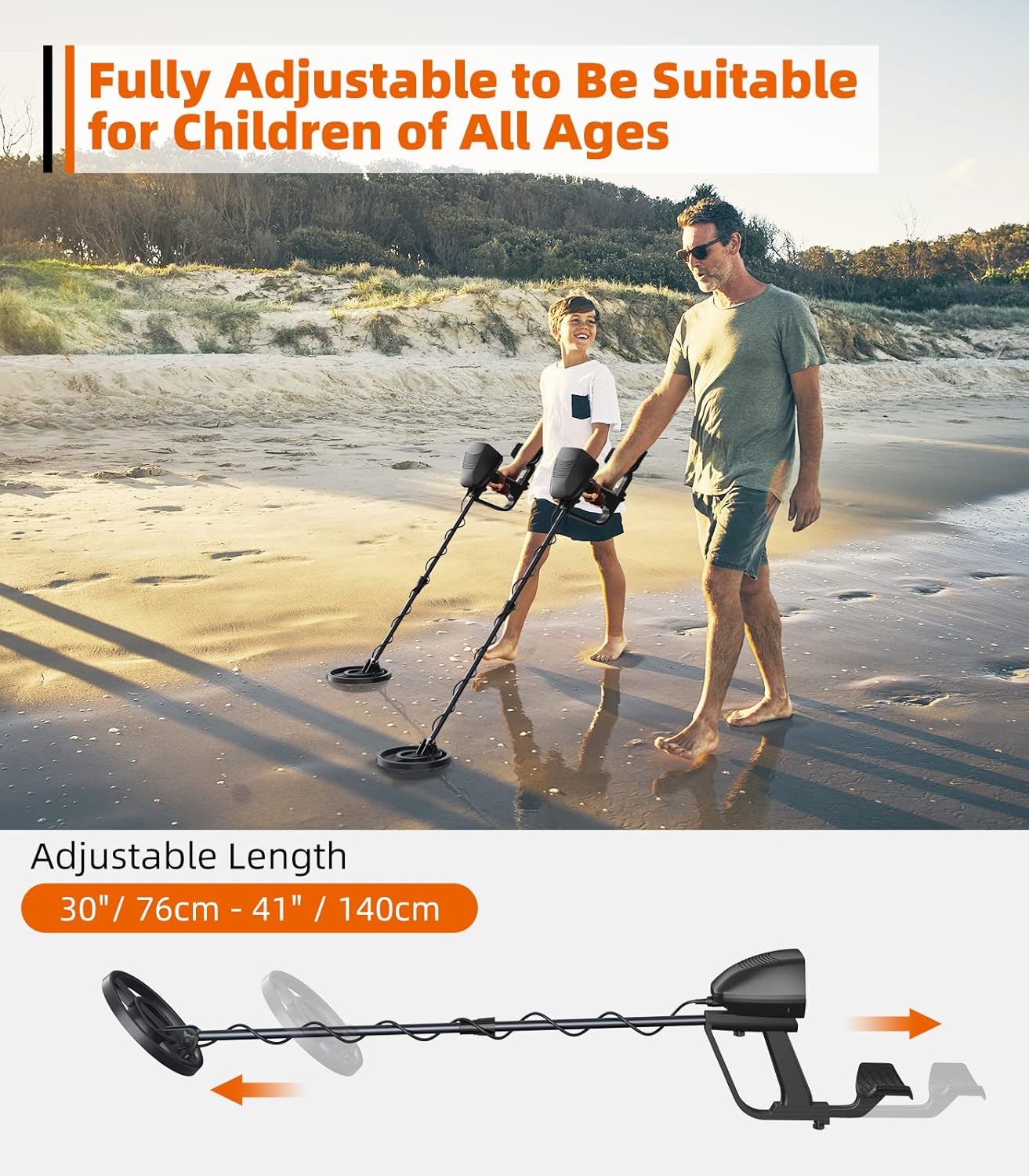
Image: The metal detector's adjustable design accommodates various heights.
Operating Instructions
Powering On and Display Features
- Power On/Off: Press the red power button on the control box to turn the detector on or off.
- LCD Backlight: Press the light bulb button to activate the LCD backlight for improved visibility in low-light conditions.
- Headphone Jack: Plug in 3.5mm headphones (not included) into the headphone jack for private listening of detection signals.
- Display Indicators: The LCD shows target category (ferrous, low-conductor non-ferrous, high-conductor non-ferrous), target depth, low battery indicator, and overload warning.
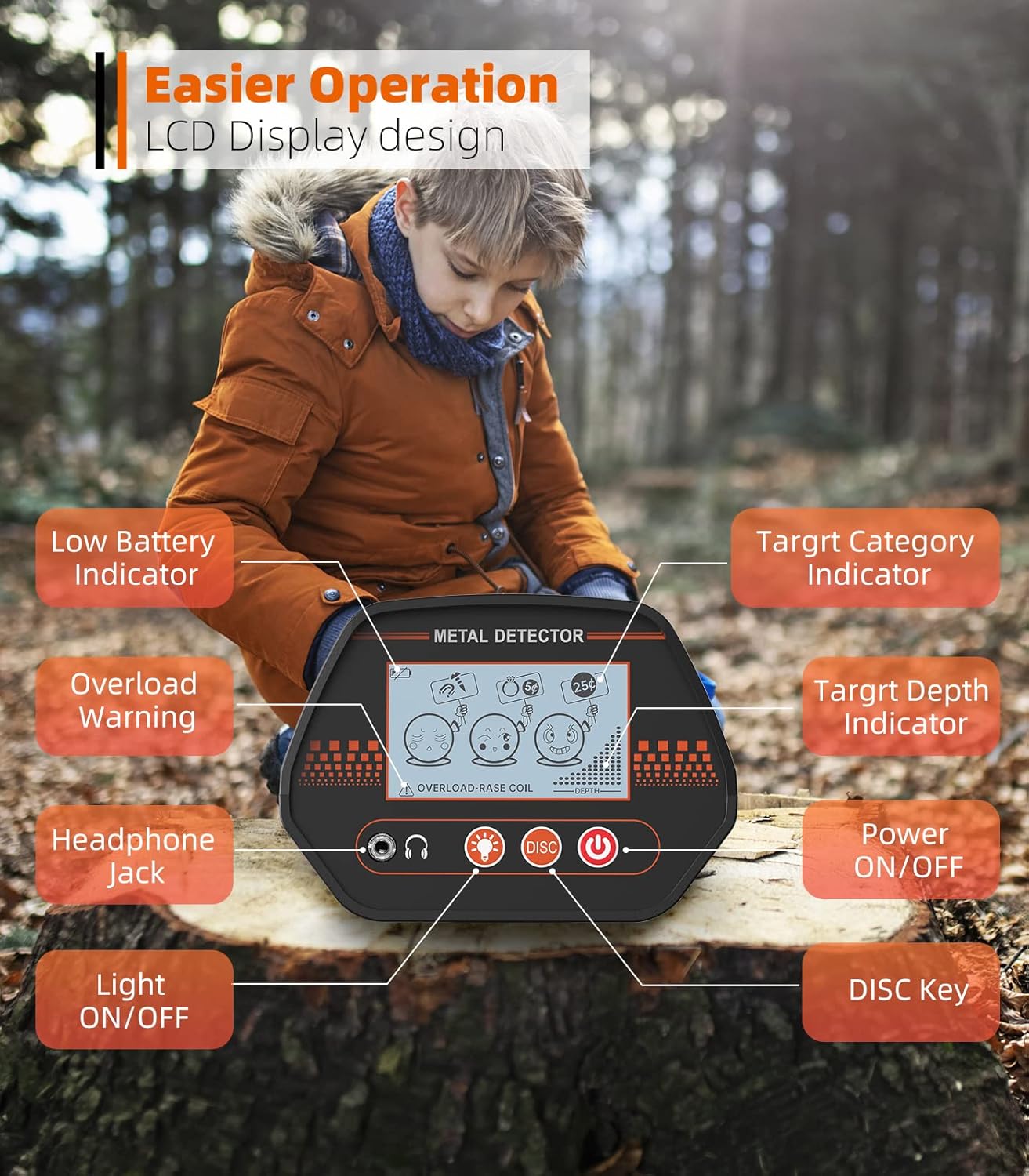
Image: Detailed view of the MD-4070's intuitive LCD display and control buttons.
Detection Modes
The MD-4070 offers three detection modes to help you find specific targets:
- Mode 1 (All Metal): Detects most metal objects. This is the general detection mode.
- Mode 2 (DISC - Ferrous Elimination): Press the 'DISC' button once to eliminate ferrous (iron) targets. This mode is useful for filtering out unwanted iron junk and focusing on valuable items like gold and rings.
- Mode 3 (DISC - Low-Conductor Non-Ferrous Elimination): Press the 'DISC' button again to eliminate low-conductor non-ferrous targets. This mode helps in finding treasures such as copper and silver coins, as well as modern clad coins.

Image: Visual representation of the three distinct detection modes.
Waterproof Search Coil
The 8-inch search coil boasts an impressive IP68 waterproof rating, allowing for treasure hunting in diverse outdoor environments, including shallow water like sandy beaches and creeks. Please note: The control box is NOT waterproof and should not be submerged.
Video: Demonstrating the waterproof search coil's use in shallow water.

Image: The waterproof search coil allows for detection in wet environments.
Usage Tips
- Use the detector only outdoors.
- Check that the control box cable is plugged in and the battery is correctly installed before use.
- Maintain a distance of 6 meters from other detectors to avoid interference.
- When searching on a beach, use the DISC mode to reject iron and focus on valuable treasures.
- Keep the search coil parallel to the ground for optimal performance and accurate detection.
Video: Beginner's Guide and Setup Tips for mastering your metal detector.
Maintenance
- Cleaning: After each use, wipe down the search coil and stem with a damp cloth to remove dirt, sand, or salt residue. Ensure the control box remains dry.
- Storage: Store the metal detector in a cool, dry place away from direct sunlight and extreme temperatures. Use the provided backpack for convenient and safe storage.
- Battery Care: Remove batteries if the detector will not be used for an extended period to prevent leakage and damage.
Troubleshooting
| Problem | Possible Cause | Solution |
|---|---|---|
| No power/Detector won't turn on | Batteries are dead or incorrectly installed. | Check battery orientation and replace with fresh 9V batteries if needed. Ensure cable is securely connected. |
| Erratic signals/False positives | Electromagnetic interference from other devices or power lines. | Move away from power lines, cell phones, or other electronic devices. Maintain 6 meters distance from other detectors. |
| Poor detection depth | Search coil not parallel to the ground or incorrect mode. | Ensure the search coil is swept parallel to the ground. Try different detection modes (Mode 1 for general search). |
| Control box gets wet | Accidental submersion of the non-waterproof control box. | Immediately turn off the device, remove batteries, and allow to dry completely. Do not use until fully dry. Avoid submerging the control box. |
Warranty and Support
DetectTrek is committed to providing high-quality products and excellent customer service. Your DetectTrek MD-4070 Metal Detector comes with the following support:
- 12-Month Replacement: Replacement available within 12 months of purchase for manufacturing defects.
- 24-Hour Support: Expect a quick reply to your inquiries within 24 hours.
- Lifetime Service & Technical Support: DetectTrek offers lifetime service and technical support for your product.
For further assistance or to explore more DetectTrek products, please visit the DetectTrek Store on Amazon.
Ask a question about this manual
Ask about setup, troubleshooting, compatibility, parts, safety, or missing instructions. Manuals+ will review the question and use this page’s manual context to help answer it.