
Introduction
This manual provides essential instructions for the safe and effective use of your Tronsmart Force Max Portable Outdoor Speaker. Please read this manual thoroughly before operating the device and retain it for future reference.

Image: The Tronsmart Force Max Portable Outdoor Speaker, a black rectangular speaker with a mesh grille and the 'Tronsmart' logo prominently displayed on the front. It features a rugged design with visible screws and a handle on one side.
Package Contents
Verify that all items are present in the package:
- 1 x Tronsmart Force Max Outdoor Speaker
- 1 x User Manual (This document, also available as PDF)
- 1 x Type-C Charging Cable
- 1 x Aux Cable
- 1 x Carrying Strap
Product Overview
The Tronsmart Force Max is an 80W portable outdoor speaker designed for robust audio performance. It features a 2.2 channel system with four drivers and dual passive radiators for omnidirectional sound. The speaker is equipped with a retractable strap for portability and is IPX6 waterproof, making it suitable for various outdoor environments.

Image: An exploded diagram illustrating the internal components of the Tronsmart Force Max speaker, highlighting its two tweeters and two woofers, which form the 2.2 channel audio system.
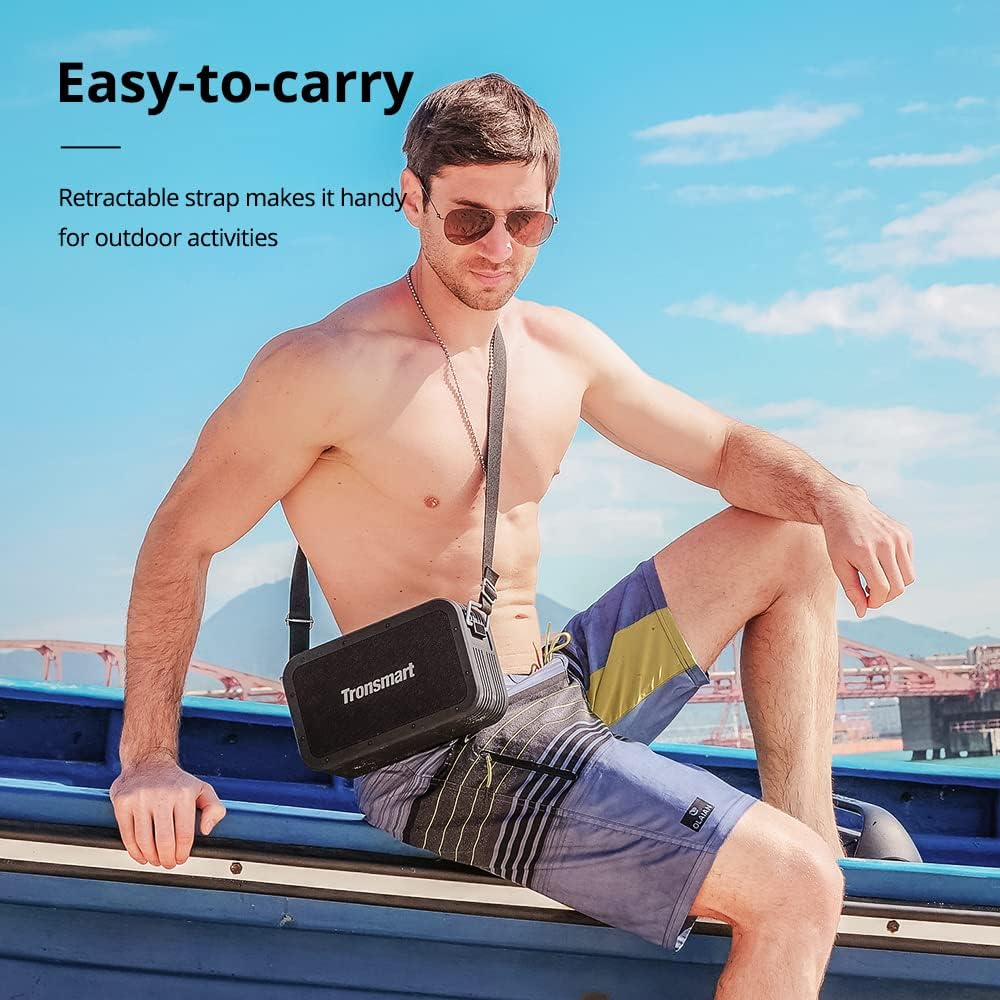
Image: A man sitting on a boat, wearing the Tronsmart Force Max speaker across his body using its retractable carrying strap, demonstrating its portability for outdoor activities.
Setup
1. Charging the Speaker
Before first use, fully charge the speaker. Connect the provided Type-C charging cable to the speaker's charging port and a compatible USB power adapter (not included). The charging indicator will illuminate during charging and turn off when fully charged. A full charge takes approximately 4 hours.
2. Powering On/Off
Press and hold the power button for 2-3 seconds to turn the speaker on or off. A sound indicator will confirm the action.
3. Bluetooth Pairing
- Turn on the speaker. It will automatically enter Bluetooth pairing mode, indicated by a flashing LED.
- Enable Bluetooth on your device (smartphone, tablet, etc.).
- Search for 'Tronsmart Force Max' in your device's Bluetooth list and select it to connect.
- Once connected, the LED indicator will remain solid, and a confirmation sound will play.
4. Connecting via AUX, USB Drive, or Micro SD Card
The speaker supports audio input via a 3.5mm AUX cable, a USB drive, or a Micro SD card. Insert the respective media or cable into the designated port on the speaker. The speaker will automatically switch to the corresponding input mode.
Operating Instructions
1. Basic Playback Controls
- Play/Pause: Press the Play/Pause button.
- Volume Up: Press the '+' button.
- Volume Down: Press the '-' button.
- Next Track: Press and hold the '+' button.
- Previous Track: Press and hold the '-' button.
2. Tri-bass EQ Effects
The speaker offers three distinct EQ modes: Vocal, 3D Bass, and Deep Bass. Press the 'EQ' button to cycle through these modes and select your preferred audio profile.

Image: A graphic illustrating the Tri-bass EQ Effects feature of the Tronsmart Force Max speaker, showing options for Vocal, 3D Bass, and Deep Bass sound profiles.
3. True Wireless Stereo (TWS) Pairing
To achieve a stereo sound experience, you can pair two Tronsmart Force Max speakers together:
- Ensure both speakers are powered on and not connected to any Bluetooth device.
- On one speaker, press the TWS button. It will enter TWS pairing mode.
- The two speakers will automatically connect to each other. A confirmation sound will indicate successful pairing.
- Once paired, connect your device to one of the speakers via Bluetooth as described in the 'Bluetooth Pairing' section. Both speakers will now play audio in stereo.

Image: Two Tronsmart Force Max speakers placed on a table outdoors, demonstrating their True Wireless Stereo pairing capability to create a wider soundstage for a group of people.
4. Using the Voice Assistant
With your smartphone connected via Bluetooth, press the dedicated Voice Assistant button on the speaker to activate Siri or Google Assistant on your device. You can then issue voice commands through the speaker's built-in microphone.

Image: The Tronsmart Force Max speaker on an outdoor table, with speech bubbles above it displaying icons for Siri, Cortana, and Google Assistant, indicating its compatibility with voice assistants.
5. Hands-free Calls
When connected to your smartphone via Bluetooth, you can answer or end calls directly using the speaker's controls. The built-in microphone allows for hands-free communication.
6. Power Bank Function
The Tronsmart Force Max features a 15,000 mAh battery that can also be used to charge other devices. Connect your device to the speaker's USB-A output port using a compatible charging cable (not included) to utilize this function.

Image: The Tronsmart Force Max speaker on a wooden table, with a smartphone connected to it via a USB cable, demonstrating its built-in power bank functionality to charge external devices.
Maintenance
1. Waterproof Care (IPX6)
The speaker is IPX6 waterproof, meaning it is protected against high-pressure water jets from any direction. However, it is not designed for submersion. Ensure all port covers are securely closed before exposing the speaker to water. After exposure to water, wipe the speaker dry with a soft cloth.

Image: The Tronsmart Force Max speaker being splashed with water, illustrating its IPX6 waterproof rating and suitability for outdoor use.
2. General Cleaning
Clean the speaker with a soft, damp cloth. Do not use abrasive cleaners, alcohol, or chemical solvents, as these may damage the surface.
3. Storage
Store the speaker in a cool, dry place away from direct sunlight and extreme temperatures. If storing for an extended period, charge the battery to approximately 50% every three months to maintain battery health.
Troubleshooting
- Speaker does not turn on: Ensure the battery is charged. Connect the speaker to a power source and try again.
- Cannot pair via Bluetooth: Ensure the speaker is in pairing mode (flashing LED). Turn off and on your device's Bluetooth. If issues persist, clear the speaker from your device's Bluetooth history and try pairing again.
- No sound: Check the volume levels on both the speaker and your connected device. Ensure the correct input mode is selected (Bluetooth, AUX, USB, Micro SD).
- Poor sound quality: Move the speaker closer to your Bluetooth device to reduce interference. Ensure there are no obstructions between the speaker and the device.
Specifications
| Feature | Detail |
|---|---|
| Model Name | Force Max |
| Brand | Tronsmart |
| Speaker Type | Outdoor |
| Speaker Maximum Output Power | 80 Watts |
| Surround Sound Channel Configuration | 2.2 |
| Audio Output Mode | Tri-frequency Audio |
| Connectivity Technology | Bluetooth |
| Wireless Communication Technology | Bluetooth |
| Bluetooth Range | 59 Feet (18 meters) |
| Control Method | Voice |
| Water Resistance Level | IPX6 Waterproof |
| Battery Capacity | 15000 Milliamp Hours |
| Charging Time | 4 Hours |
| Playtime (50% volume) | Up to 13 Hours |
| Product Dimensions | 10.2"D x 6"W x 3.4"H (258 x 153 x 86 mm) |
| Item Weight | 5.6 Pounds (2.54 kg) |
| Compatible Devices | Smartphone, Tablet |
| Input Options | Bluetooth, 3.5mm AUX, USB Drive, Micro SD Card |

Image: The Tronsmart Force Max speaker positioned next to a campfire at dusk, with text indicating '13 Hours of Playtime', highlighting its long battery life for outdoor use.
Warranty Information
The Tronsmart Force Max Portable Outdoor Speaker comes with a 1-Year Warranty from the date of purchase. This warranty covers manufacturing defects and workmanship. It does not cover damage caused by misuse, accidents, unauthorized modifications, or normal wear and tear. Please retain your proof of purchase for warranty claims.
Support
For further assistance or detailed inquiries, please refer to the official Tronsmart website or contact customer support. An electronic version of this user manual is available for download here.


