
1. Introduction
This manual provides essential information for the safe and efficient operation of your FOSSiBOT F3600 Pro Solar Generator. Please read it thoroughly before using the product and retain it for future reference. The FOSSiBOT F3600 Pro is a high-capacity portable power station designed to provide reliable power for various applications, including home backup, outdoor activities, and emergency situations.
2. Safety Instructions
Always follow these safety guidelines to prevent injury or damage to the product:
- Do not disassemble, repair, or modify the unit.
- Keep the unit away from fire, heat sources, and direct sunlight.
- Do not use or store the unit in a bathroom or in areas exposed to water or high humidity.
- Ensure proper ventilation during use to prevent overheating.
- Keep out of reach of children and pets.
- Use only approved accessories and charging cables.
- In case of fire, use a dry powder fire extinguisher.
3. Package Contents
Verify that all items are included in your package:
- FOSSiBOT F3600 Pro Portable Power Station
- AC Charge Cable (without adapter)
- Car Charge Cable
- XT90 Solar Charge Cable
- Leather Handle Sheath
- Cable Storage Bag
- Portable Magnetic Flashlight
- Flashlight USB Cable & User Manual
- F3600 Pro User Manual

4. Product Overview
4.1. Ports and Controls

The FOSSiBOT F3600 Pro features a comprehensive array of ports to power various devices simultaneously. These include multiple AC outlets, USB-A and USB-C ports (including PD 100W), DC5521, XT60, and a cigarette lighter port. For charging the unit, it has dedicated AC and XT90 solar/car charging inputs. An overload protection switch and a parallel port for expanding capacity are also present. Additionally, the unit includes a magnetic flashlight and 3W LED lighting for convenience.
4.2. Display Information

The integrated display provides real-time information about the power station's status. It shows AC charging status, XT90 interface status, Bluetooth and WiFi connectivity, current battery level, AC output status, DC (12V) output, USB output, and PD 3.0 output. It also indicates the host display, expansion battery connection, precise battery percentage, estimated remaining usage or charging time, high/low temperature protection warnings, fan status, XT60 output, cigarette lighter output, LED light status, and both total input and output power in watts.
5. Setup
5.1. Initial Charge
Before first use, fully charge the FOSSiBOT F3600 Pro. Connect the AC charge cable to the AC input port on the unit and then to a wall outlet. The display will show the charging status. A full charge typically takes about 1.5 hours with AC input.
5.2. Connecting Solar Panels (Optional)
To charge using solar panels, connect the XT90 solar charge cable to the XT90 input port on the F3600 Pro and then to your solar panels. Ensure the solar panels are positioned to receive maximum sunlight. The unit supports up to 2000W solar input.

6. Operating Instructions
6.1. Charging the Power Station
The F3600 Pro offers multiple charging options:
- AC Charging: Connect to a standard wall outlet. Supports up to 2200W input for a full charge in approximately 1.5 hours.
- Solar Charging: Connect compatible solar panels via the XT90 port. Supports up to 2000W input.
- Car Charging: Use the car charge cable to connect to your vehicle's 12V cigarette lighter port.
- Generator Charging: Connect to a generator for charging.
The input power can be adjusted in 5 stages (400W-2200W) to suit your needs and reduce battery wear.

6.2. Powering Devices
Connect your devices to the appropriate output ports. The F3600 Pro provides 3600W continuous AC output (7200W peak) and can power up to 15 devices simultaneously. Ensure the total power consumption of your devices does not exceed the unit's maximum output.

6.3. App Control
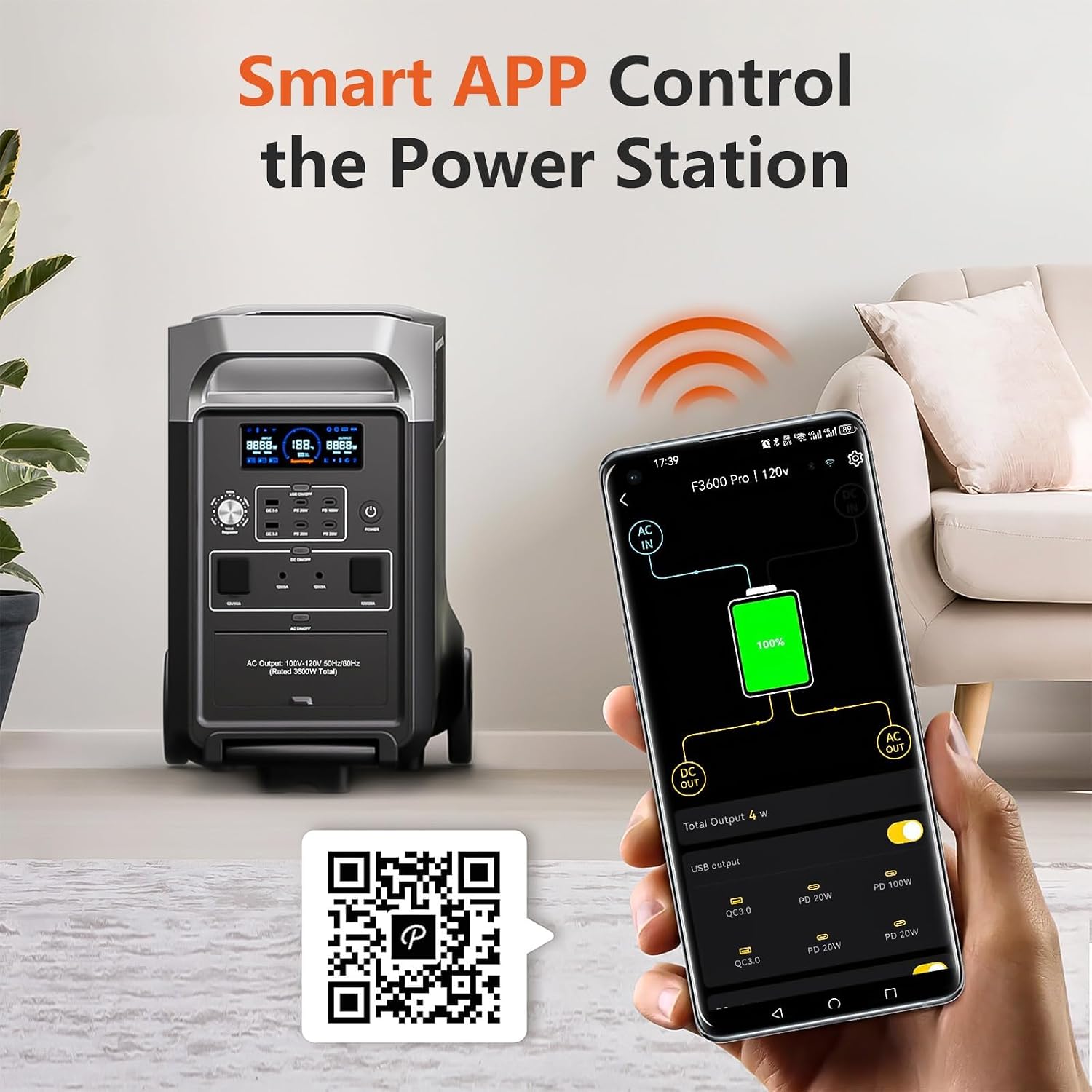
Control and monitor your F3600 Pro remotely using the dedicated smartphone application. Download the app from app.sydpower.com. The app allows you to check battery capacity, turn the device on/off, adjust charging speed, and control USB/DC outputs.
6.4. Uninterruptible Power Supply (UPS) Function
The F3600 Pro features a 2500W UPS function with a switching time of less than 10ms. Connect the F3600 Pro between your device and the wall outlet. In case of a power outage, it will automatically switch to battery power, ensuring continuous operation for connected devices like computers or medical equipment.

7. Maintenance
- Storage: Store the unit in a cool, dry place, away from direct sunlight and extreme temperatures. For long-term storage, charge the battery to 50-80% every 3-6 months.
- Cleaning: Use a dry, soft cloth to clean the exterior of the unit. Do not use harsh chemicals or abrasive materials.
- Battery Care: The LiFePO4 battery has a long lifespan (6500+ cycles). Avoid fully discharging the battery frequently to prolong its life.
8. Troubleshooting
If you encounter issues with your FOSSiBOT F3600 Pro, refer to the following common problems and solutions:
- Unit Not Turning On: Ensure the battery is charged. Press and hold the power button for a few seconds.
- No Output Power: Check if the AC/DC output buttons are activated. Ensure devices are properly connected and not exceeding the maximum output. Check for overload protection activation.
- Slow Charging: Verify the charging source (AC, solar, car) is providing adequate power. Check cable connections. For solar charging, ensure panels are in direct sunlight.
- Overload Protection: If an overload occurs, the unit may shut down. Disconnect some devices and restart the unit.
- Display Errors: Refer to the display information section for error codes or indicators. If persistent, contact support.
For further assistance, please contact FOSSiBOT customer support.
9. Specifications
| Feature | Detail |
|---|---|
| Model Name | F3600 |
| Model Number | F3600PRO+SP420 |
| Battery Type | LiFePO4 |
| Battery Capacity | 3840 Wh (Expandable up to 11520 Wh) |
| AC Output Power | 3600 W (Continuous), 7200 W (Peak) |
| AC Input Power | 2200 W Max |
| Solar Input Power | 2000 W Max |
| Input Power Adjustment | 5-stage (400W-2200W) |
| UPS Function | 2500 W, <10ms switching time |
| Dimensions (L x W x H) | 60 x 32 x 47 cm |
| Weight | 42 Kilograms |
| Frequency | 60 Hz |
| Recommended Uses | Camping, RV, Home Backup, Power Outages |
| Special Features | Temperature Generator, App Control, Portable with Wheels |
10. Warranty and Support
The FOSSiBOT F3600 Pro comes with a 5-year manufacturer's warranty. For warranty claims, technical support, or any inquiries, please contact FOSSiBOT customer service through their official website or the retailer where the product was purchased. Please have your model number (F3600PRO+SP420) and proof of purchase ready when contacting support.


