
1. Introduction and Overview
The K&F CONCEPT 95mm Black Diffusion 1/4 Filter is designed to enhance your photography and videography by creating a soft, cinematic effect. This filter effectively softens facial skin imperfections like wrinkles, freckles, and pores, resulting in a more delicate and pleasing appearance. It also helps to soften highlight flares and lower overall contrast, producing a dreamy, film-like aesthetic. Crafted from Japanese AGC optical glass with 28 multi-layer coatings, this filter ensures high light transmittance and color accuracy while offering waterproof, scratch-resistant, and oil-proof protection.

Image 1.1: The K&F CONCEPT Black Diffusion Filter helps achieve a softer, more ethereal look in photography.
2. Product Features
- Soft Highlight Flares & Lowered Contrast: Softens wrinkles, freckles, and pores for a delicate look, and creates a mist film effect for dreamy cinematic results.
- 28 Multi-Layer Coatings: Both sides of the optical glass feature waterproof, scratch-resistant, and oil-proof coatings for enhanced durability and protection.
- Import Optical AGC Glass: Made from high-quality Japanese AGC optical glass with 84% light transmittance, ensuring excellent image quality and no color cast.
- Ultra Slim Frame: Constructed from aviation aluminum, the 3.3mm ultra-slim frame prevents vignetting on wide-angle and telephoto lenses.
- CNC Non-slip Design: Facilitates efficient removal and installation of the filter.
- Compatibility: Compatible with all 95mm camera lenses.
3. Setup and Installation
To install the K&F CONCEPT 95mm Black Diffusion 1/4 Filter, ensure your camera lens has a 95mm thread size. This size is typically indicated by a "ø" (diameter) symbol on your lens barrel. Gently screw the filter onto the front thread of your lens until it is securely attached. Do not overtighten.

Image 3.1: Attaching the K&F CONCEPT Black Diffusion Filter to a camera lens.
Video 3.1: This video demonstrates the installation and visual effects of the Black Mist Diffusion 1/4 Filter.
4. Operating Instructions
The Black Diffusion 1/4 Filter is designed to create a soft, ethereal look by diffusing light and reducing contrast. This makes it ideal for various photographic and videographic applications:
- Portrait Photography: Softens skin tones and reduces the appearance of blemishes, giving subjects a flattering, dreamy quality.
- Cinematic Videography: Adds a subtle mist effect, enhancing the atmospheric mood of your footage and creating a more film-like aesthetic.
- Night and Low-Light Scenes: Reduces harsh light flares from streetlights or other bright sources, making them appear softer and more pleasing.
- Landscape Photography: Can be used to create a softer, more artistic interpretation of landscapes, especially during golden hour or misty conditions.
Experiment with different lighting conditions to achieve desired effects. The 1/4 strength offers a noticeable yet subtle diffusion, balancing softness with retained detail.
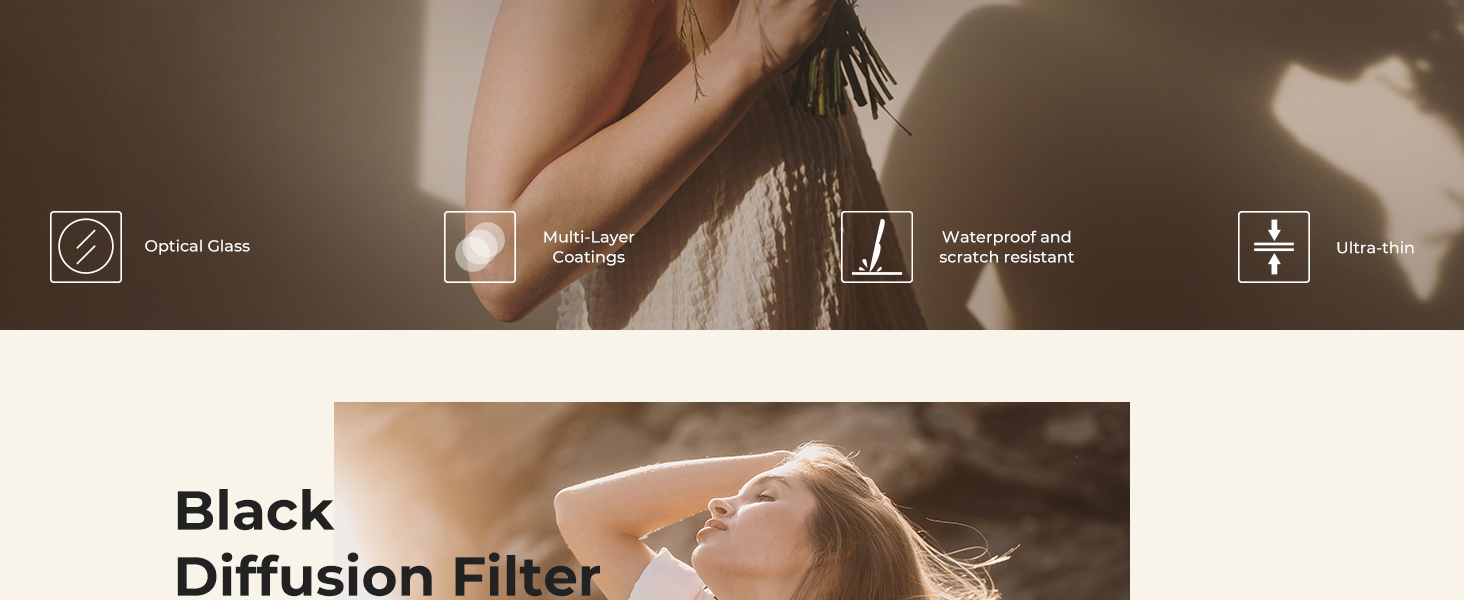
Image 4.1: The filter reduces highlights and lowers contrast, giving images a dreamy, cinematic softness.

Image 4.2: Effect comparison demonstrating how the filter softens skin and blemishes.
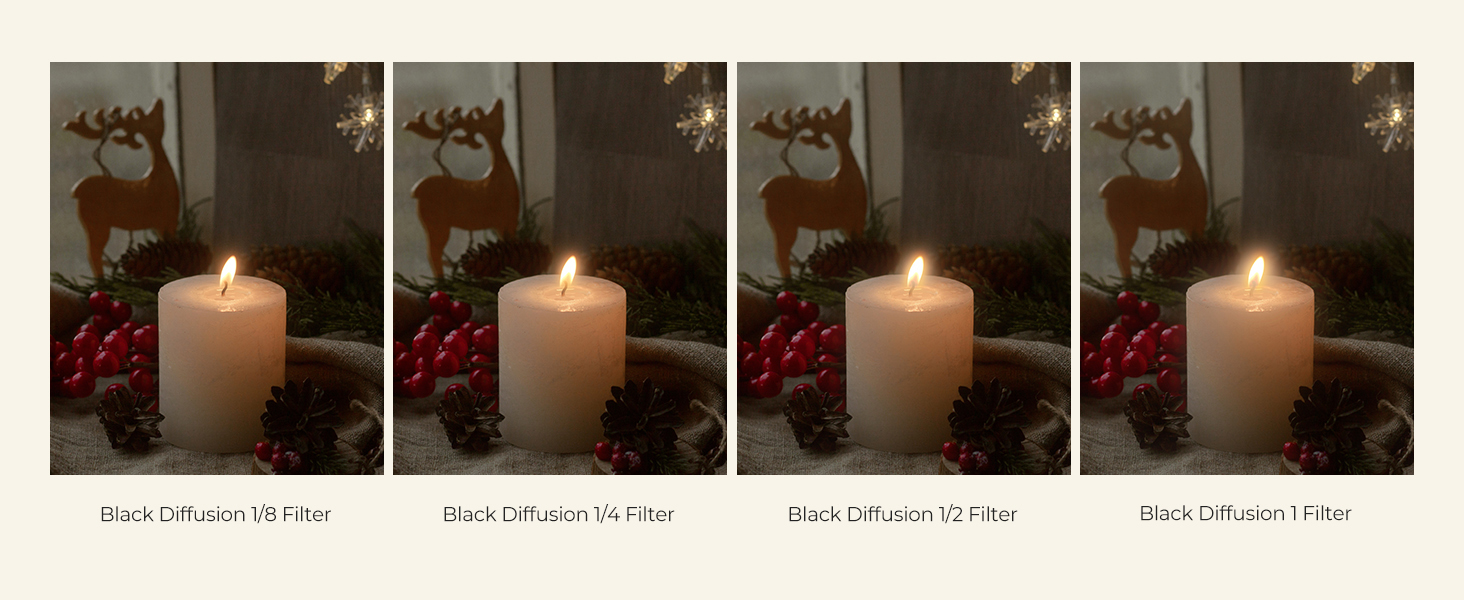
Image 4.3: Comparison of different Black Diffusion filter strengths. This product is the 1/4 strength.
Video 4.1: This video illustrates the differences in effects produced by various lens filters.
Video 4.2: This video demonstrates how the filter softens light flares and creates a dreamy cinematic effect.
Video 4.3: This video showcases the highlight flare softening effect of the Black Diffusion 1/4 Filter.
5. Maintenance
To ensure the longevity and optimal performance of your K&F CONCEPT Black Diffusion Filter, follow these maintenance guidelines:
- Cleaning: Due to its waterproof, scratch-resistant, and oil-proof coatings, the filter is easy to clean. Use a soft, lint-free microfiber cloth to gently wipe away dust, fingerprints, or smudges. For stubborn marks, a small amount of lens cleaning solution can be applied to the cloth (not directly to the filter).
- Storage: When not in use, store the filter in its protective case to prevent dust accumulation and accidental damage.
- Handling: Always handle the filter by its edges to avoid touching the glass surface.
6. Troubleshooting
If you encounter any issues with your filter, consider the following:
- Vignetting (Dark Corners): While the ultra-slim frame is designed to minimize this, some extreme wide-angle lenses might still show slight vignetting. Ensure the filter is correctly seated and consider testing without the filter to confirm the lens itself is not the cause.
- Unsatisfactory Diffusion Effect: The 1/4 strength provides a subtle effect. If you desire a stronger diffusion, consider a higher strength filter (e.g., 1/2 or 1). Ensure your lighting conditions are appropriate for the desired effect.
- Difficulty Attaching/Removing: Ensure the lens thread size matches the filter size (95mm). Avoid cross-threading. The CNC non-slip design should aid in grip.
For further assistance, please refer to the Warranty & Support section.
7. Specifications
| Feature | Detail |
|---|---|
| Brand | K&F CONCEPT |
| Model Name | Nano-X Series |
| Photo Filter Thread Size | 95 Millimeters |
| Material | Optical Glass |
| Coating Description | Nano Coating (28 Multi-Layer) |
| Photo Filter Effect Type | Diffusion (1/4 Strength) |
| Water Resistance Level | Waterproof |
| Product Dimensions | 3.74"L x 3.74"W |
| Compatible Devices | Cameras with 95mm lens thread |
8. Warranty and Support
K&F CONCEPT products are designed for quality and performance. For any warranty claims, technical support, or product inquiries, please contact K&F CONCEPT customer service through their official website or the retailer where the product was purchased. Please retain your proof of purchase for warranty validation.