
1. Product Overview
The Oraimo FreePods Lite are True Wireless Stereo (TWS) earbuds designed for an immersive audio experience with extended playtime and fast charging capabilities. They feature a compact design and integrate with the Oraimo Sound App for personalized audio settings.

Image: Oraimo FreePods Lite earbuds securely placed within their charging case.
2. Setup and Initial Use
2.1 Charging the Earbuds and Case
Before first use, fully charge the earbuds and the charging case. Place the earbuds into the charging case and close the lid. Connect the charging case to a power source using a compatible USB-C cable.
- A full charge provides up to 40 hours of total playtime with the charging case.
- AniFast Fast Charge: A 10-minute charge can provide up to 120 minutes of music listening.
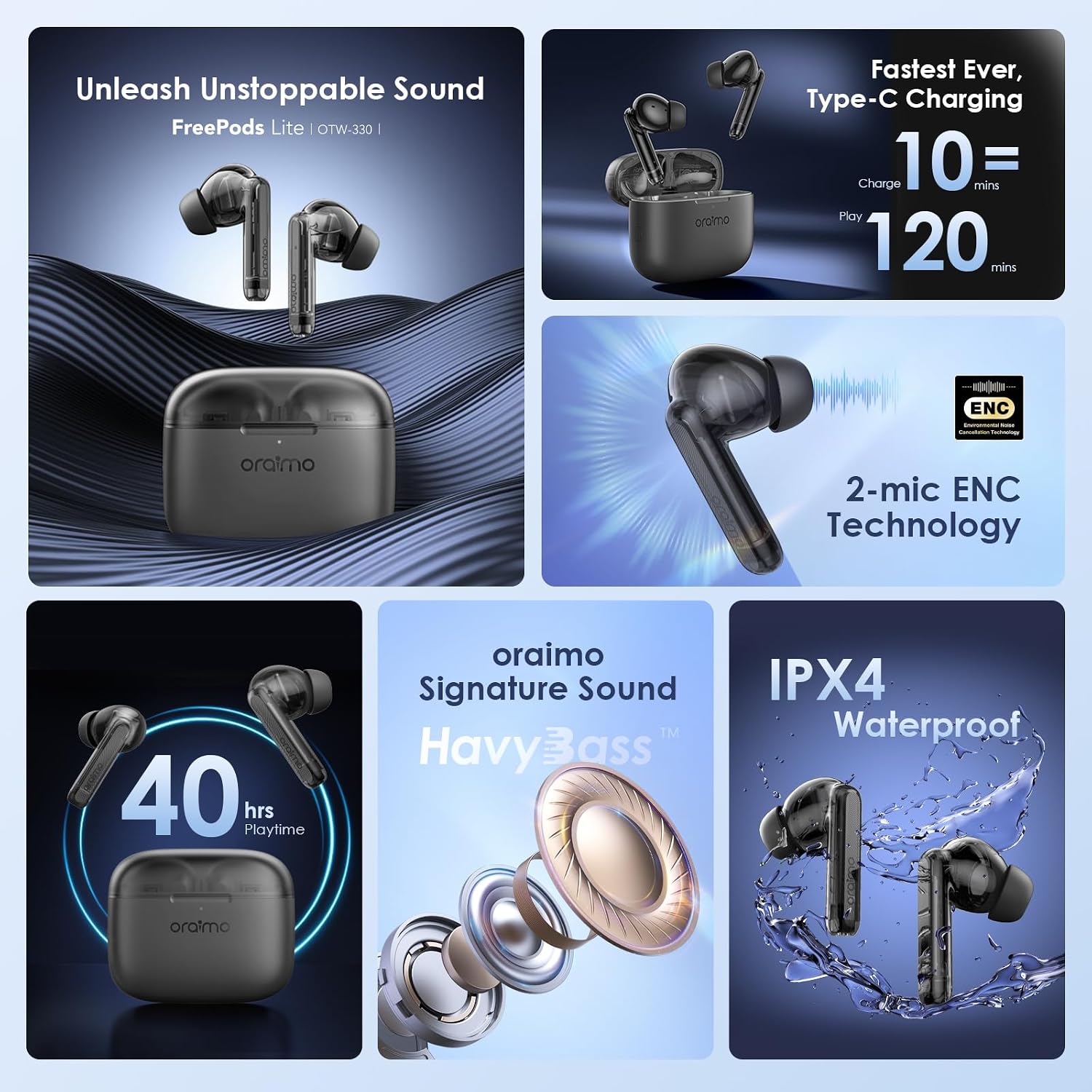
Image: Visual representation of the 40-hour total playtime and the AniFast fast charging feature, indicating 10 minutes of charge yields 120 minutes of play.
2.2 Pairing with a Device
- Open the charging case. The earbuds will automatically enter pairing mode.
- On your device (smartphone, tablet, etc.), enable Bluetooth.
- Search for "Oraimo FreePods Lite" in the list of available Bluetooth devices and select it to connect.
- Once connected, you will hear an audible confirmation.
2.3 Oraimo Sound App Integration
Enhance your listening experience by downloading the Oraimo Sound App. The app allows for sound customization, including equalizer settings, to tailor the audio output to your preferences.
- Scan the QR code or visit oraimoSound.htm to download the app from the App Store or Google Play.

Image: A smartphone screen displaying the Oraimo Sound App's equalizer, allowing users to customize sound profiles like Standard, HavyBass, Rock, Jazz, and Vocal.
3. Operating Instructions
3.1 Intelligent Touch Controls
The earbuds feature intuitive touch controls for managing playback, calls, and other functions.
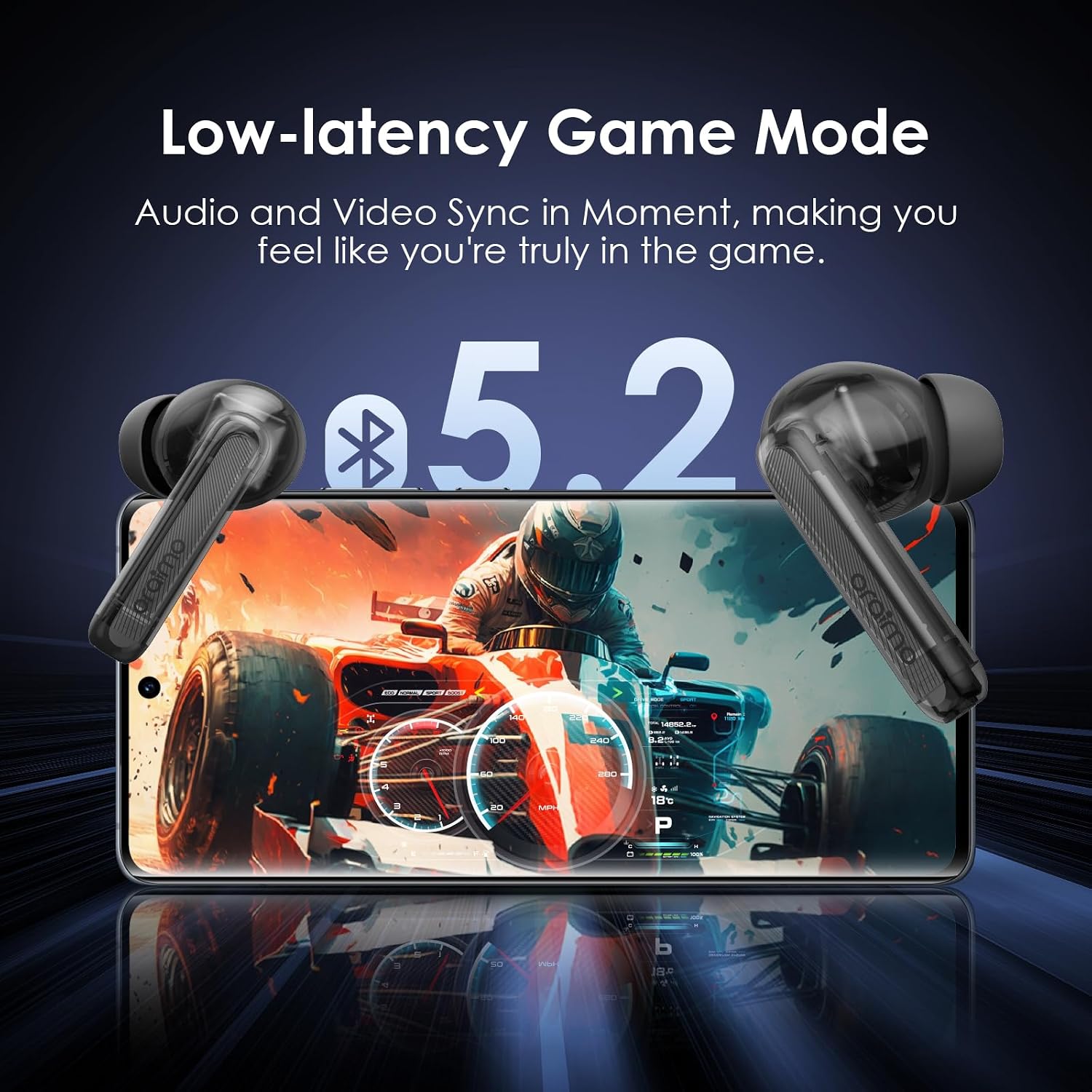
Image: A user demonstrating the wear of the earbuds, with an overlay indicating touch control functions for music playback, calls, low-latency game mode, and active noise assistant.
3.2 Audio Features
- Oraimo Signature Sound with HavyBass: Equipped with 10mm dynamic bass drivers and composite diaphragms, the FreePods Lite deliver clear high frequencies and deep, rich bass.
- 2-mic ENC Technology: Built-in mic beamforming array and AI Deep algorithm detect and filter out ambient sounds for clearer voice calls.

Image: An exploded view diagram showcasing the internal components of the earbud, highlighting the 10mm premium driver and HavyBass sound tuning technology for enhanced bass and clarity.

Image: A close-up of an earbud illustrating the 2-mic Environmental Noise Cancellation (ENC) technology, designed to improve call clarity by reducing background noise.
3.3 Low-latency Game Mode
Activate the low-latency Game Mode for synchronized audio and video, providing an immersive gaming experience.

Image: Oraimo FreePods Lite earbuds positioned over a smartphone displaying a racing game, emphasizing the low-latency Game Mode for synchronized audio and video.
4. Maintenance
4.1 Cleaning
To ensure optimal charging and sound quality, regularly clean the earbuds and charging case. Use a soft cloth dampened with alcohol to gently wipe the pogo pins on both the earbuds and inside the charging case. Avoid using excessive liquid.
4.2 Water Resistance
The Oraimo FreePods Lite are rated IPX4 waterproof, meaning they are resistant to splashing water from any direction. This makes them suitable for workouts and light rain, but they are not designed for submersion in water.

Image: Earbuds depicted with water splashing around them, illustrating their IPX4 waterproof rating, indicating resistance to sweat and light splashes.
5. Troubleshooting (FAQ)
Refer to the table below for common issues and their solutions.
| Question | Reason | Solution |
|---|---|---|
| Earbuds don't power on/work | The charging case or earbuds are out of power. | Place your earbuds in the charging case with the lid closed and charge the case for more than 30 minutes. |
| Only one earbud works/Sound from only one side | The earbuds are no longer paired to each other. | Return the earbuds to the charging case and close the lid for 10 seconds, then take them out again. |
| Earbuds cannot be charged | The earbuds may be smudged and fail to make contact for charging. | Use a cleaning cloth with alcohol to remove dirt from the pogo pin of earbuds and charging case. |
| Phone fails to connect to the earbuds |
|
|

Image: A table outlining frequently asked questions and their corresponding solutions for common issues with the Oraimo FreePods Lite earbuds.
6. Specifications
| Feature | Detail |
|---|---|
| Model Name | FreePods Lite |
| Item Model Number | OTW-330 |
| Brand | Oraimo |
| Color | Black |
| Headphones Ear Placement | In Ear |
| Headphones Form Factor | In Ear |
| Noise Control | Passive Noise Cancellation |
| Sensitivity | 99 dB |
| Headphones Jack | No Jack |
| Connectivity Technology | Wireless |
| Wireless Communication Technology | Wireless |
| Batteries | 3 Lithium Ion batteries required (included) |
| Product Dimensions | 20 x 12 x 3 cm; 150 g |
| Manufacturer | ORAIMO TECHNOLOGY LIMITED |
7. Warranty and Support
The Oraimo FreePods Lite comes with a 365-day warranty, ensuring premium quality and customer satisfaction. For further support or inquiries, please refer to the official Oraimo website or contact customer service.
For app-related support or to download the Oraimo Sound App, visit: Oraimo Sound App