
1. Introduction
This manual provides essential information for the safe and efficient operation of your HANMATEK HM605 Laboratory Power Supply. Please read this manual thoroughly before use and retain it for future reference.
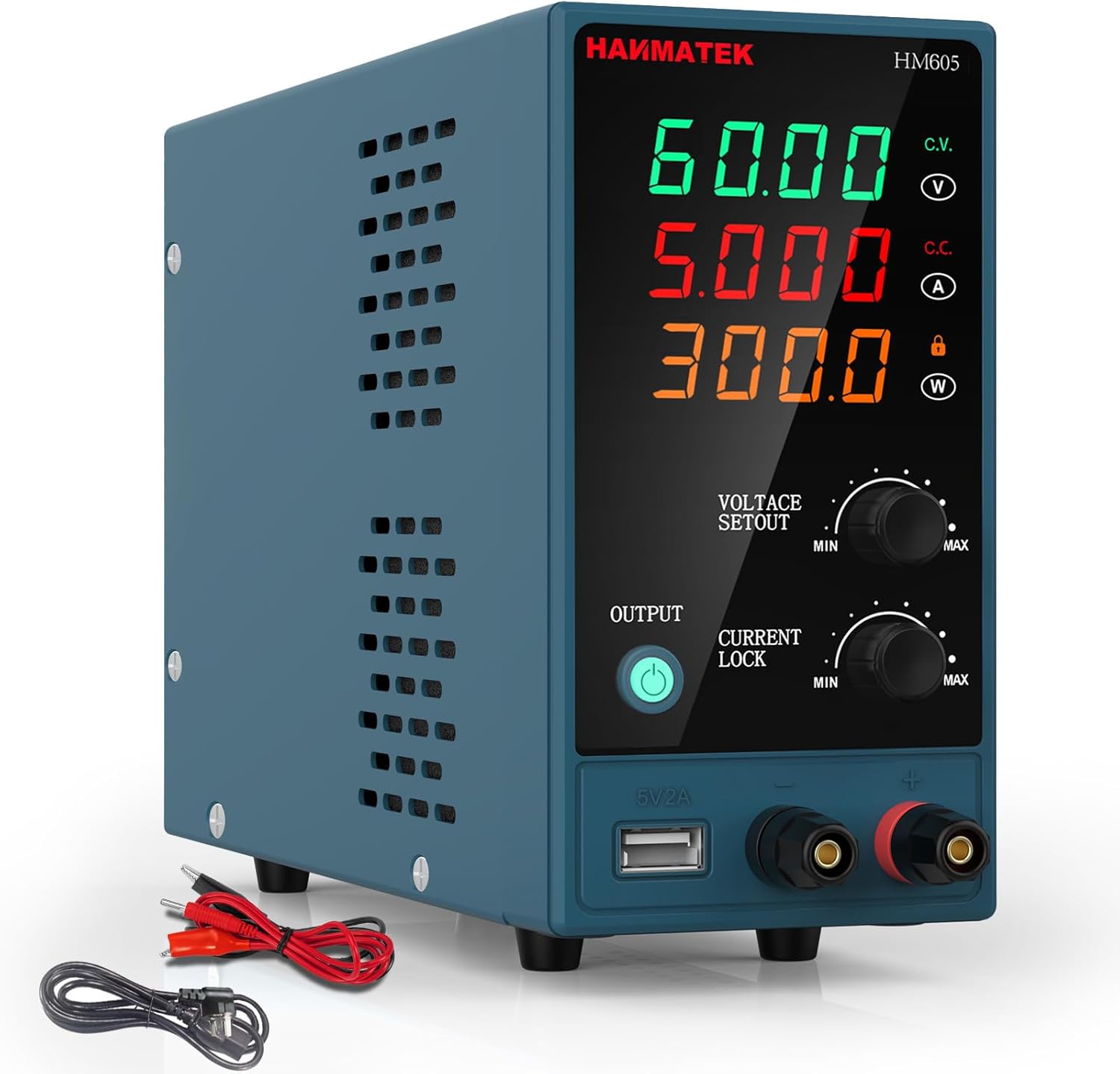
Image 1.1: Front view of the HANMATEK HM605 Laboratory Power Supply, showing the digital display and control knobs.
2. Safety Instructions
WARNING: Failure to follow these safety instructions may result in electric shock, fire, or personal injury.
- Ensure the power supply is connected to a grounded outlet.
- Do not operate the device in wet or damp conditions.
- Do not open the casing; there are no user-serviceable parts inside. Refer all servicing to qualified personnel.
- Verify input voltage matches local power supply before connecting.
- Avoid short-circuiting the output terminals.
- Always disconnect power before making or breaking connections to the output terminals.
- Ensure proper ventilation; do not block the cooling fan or vents.

Image 2.1: The HM605 unit highlighting its Overcurrent Protection (OCP) and Overvoltage Protection (OVP) features, ensuring safe operation.
3. Product Overview
3.1 Features
- Automatic Power Calculation: Intelligently calculates and displays output voltage, current, and power on a large 4-digit LED screen.
- Precise Control: Fine adjustment knobs for voltage (0-60V) and current (0-5A) with automatic decimal point shifting.
- Keypad Lock: Prevents accidental changes to settings during operation.
- Safety Protections: Built-in Overcurrent Protection (OCP), Overvoltage Protection (OVP), and Over-temperature Protection (OTP). Includes a grounding terminal.
- Efficient Cooling: Integrated low-noise cooling fan ensures stable operation.
- USB Charging Port: 5V/2A USB output for charging external devices.
3.2 Components

Image 3.1: Detailed view of the HM605, labeling the voltage, current, and power display, adjustment knobs, output button, USB charging port, and output terminals. The rear view shows the power switch, cooling fan, power input socket, and fuse holder.
- Voltage Value Display Table: Shows output voltage.
- Current Value Display Table: Shows output current.
- Power Value Display Table: Shows output power.
- Voltage Value Adjustment Knob: Adjusts output voltage (Min/Max).
- Current Value Adjustment Knob: Adjusts output current (Min/Max).
- Output On/Off Button: Controls power output to terminals.
- Current Lock Button: Locks the current setting.
- 5V/2A Charging Port: USB output for charging.
- Output Terminal Positive (Red): Connect positive load.
- Output Terminal Negative (Black): Connect negative load.
- Power Switch Key (Rear): Main power switch.
- Cooling Fan (Rear): Dissipates heat.
- Power Voltage Input Socket (Rear): Connects to AC power.
- Fuse Holder (Rear): Contains the protective fuse.
4. Setup
- Unpacking: Carefully remove the power supply and all accessories from the packaging. Verify all components listed in the "Package Contents" section are present.
- Placement: Place the power supply on a stable, level surface with adequate ventilation. Ensure the cooling fan and vents are not obstructed.
- Power Connection:
- Connect the provided input power cable to the Power Voltage Input Socket on the rear of the unit.
- Plug the other end of the input power cable into a grounded AC power outlet.
- Initial Power On:
- Ensure the Power Switch Key on the rear is in the OFF position.
- Turn the Power Switch Key to the ON position. The LED display should illuminate.
- The output is initially OFF. The "OUTPUT" indicator light will be off.

Image 4.1: The HM605 power supply shown with its retail packaging, input power cable, and output test leads, illustrating the typical contents of the product package.
5. Operating Instructions
5.1 Setting Voltage and Current
- Power On: Ensure the unit is powered on as described in Section 4.
- Adjust Voltage: Rotate the "VOLTAGE SETOUT" knob to set the desired output voltage. The 4-digit LED display will show the set voltage. Fine adjustments can be made by gently pressing the knob to switch between coarse and fine tuning.
- Adjust Current: Rotate the "CURRENT LOCK" knob to set the desired output current limit. The 4-digit LED display will show the set current. This acts as a current limit to protect your circuit.
- Connect Load: Connect your device or circuit to the Output Terminal Positive (red) and Output Terminal Negative (black) using appropriate test leads. Ensure connections are secure.
- Enable Output: Press the "OUTPUT" button. The indicator light next to the button will illuminate, and power will be supplied to the output terminals.
- Disable Output: To stop power output, press the "OUTPUT" button again. The indicator light will turn off.

Image 5.1: Close-up of the HM605 front panel, showing the output button and the voltage and current adjustment knobs for precise control.
5.2 Keypad Lock Function
To prevent accidental changes to the voltage and current settings during operation, you can activate the keypad lock function. Refer to the specific instructions in your printed manual for the exact procedure, as this feature is typically activated by a long press or combination of button presses.
5.3 Using the USB Charging Port
The 5V/2A USB charging port is located on the front panel. You can use this port to charge compatible USB-powered devices. Simply connect your device's USB cable to this port.

Image 5.2: The HM605's 5V/2A USB charging port being used to charge a smartphone, demonstrating its auxiliary functionality.
6. Maintenance
- Cleaning: Disconnect the power supply from the AC outlet before cleaning. Use a soft, dry cloth to wipe the exterior. Do not use abrasive cleaners or solvents.
- Ventilation: Regularly check that the cooling fan and air vents are free from dust and obstructions to ensure proper airflow.
- Fuse Replacement: If the power supply does not turn on, the fuse may need replacement.
- Disconnect the power supply from the AC outlet.
- Locate the fuse holder on the rear panel.
- Carefully remove the fuse holder and replace the fuse with one of the same type and rating (e.g., 250V/5A).
- Reinsert the fuse holder securely.
- Storage: When not in use for extended periods, store the power supply in a cool, dry place, away from direct sunlight and excessive dust.
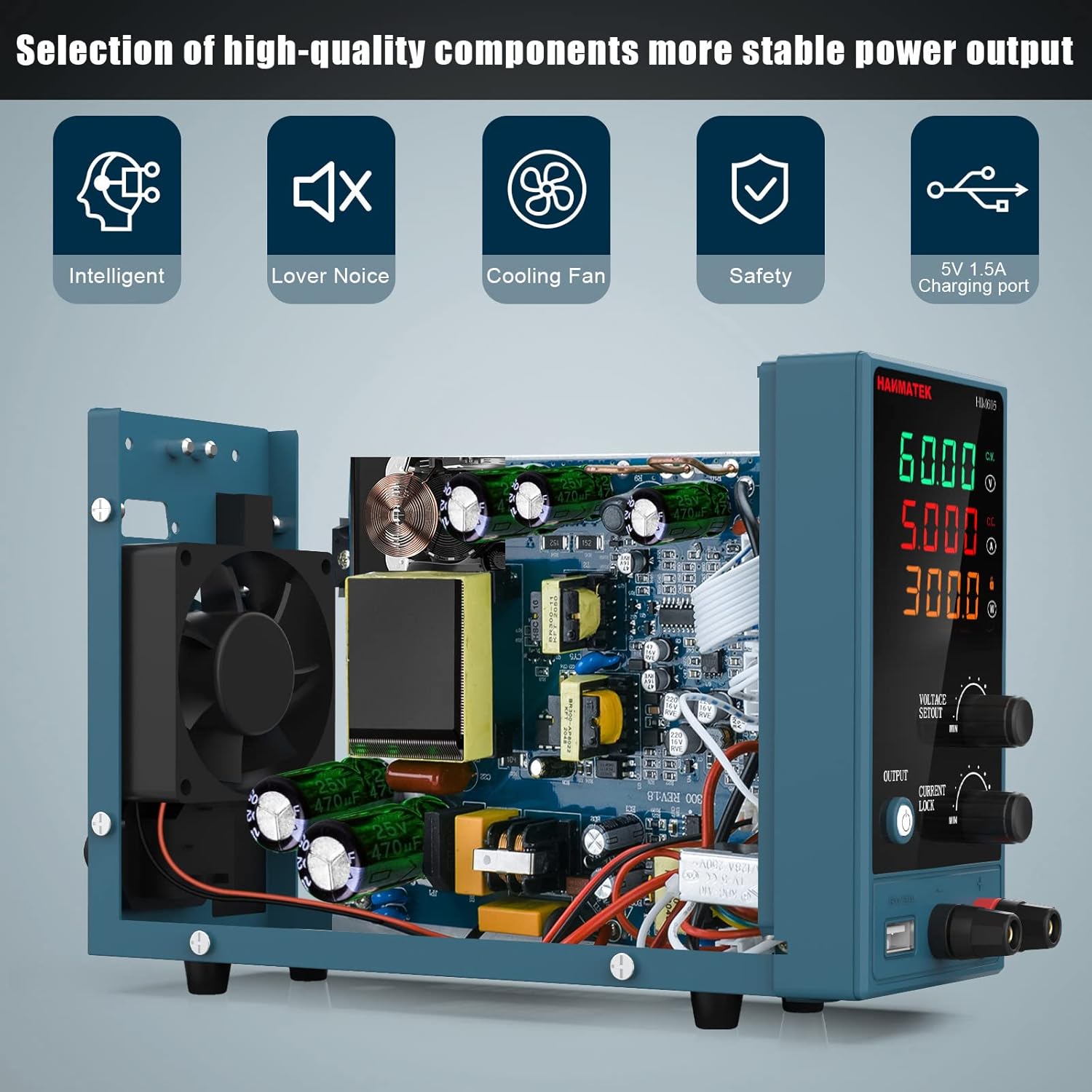
Image 6.1: An internal view of the HM605, revealing its high-quality components and the integrated cooling fan, which is crucial for maintaining stable power output and device longevity.
7. Troubleshooting
| Problem | Possible Cause | Solution |
|---|---|---|
| No power when turned on. | Power cable not connected, AC outlet faulty, fuse blown. | Check power cable connection. Test AC outlet. Replace fuse (refer to Section 6). |
| Output indicator is off, no voltage/current. | Output is disabled. | Press the "OUTPUT" button to enable output. |
| Voltage/Current cannot be adjusted. | Keypad lock is active. | Deactivate keypad lock (refer to Section 5.2 or printed manual). |
| Output voltage/current drops unexpectedly. | Overcurrent/Overvoltage protection activated, load too high. | Check load for short circuits or excessive current draw. Reduce load or adjust current limit. |
| Unit overheats, fan runs loudly. | Blocked ventilation, prolonged high load. | Ensure vents are clear. Reduce load if operating at maximum capacity for extended periods. |
8. Specifications

Image 8.1: The physical dimensions of the HM605 power supply, showing its compact size for easy placement and portability.
| Parameter | Value |
|---|---|
| Brand | HANMATEK |
| Model Number | HM605 |
| Output Voltage Range | 0-60V DC |
| Output Current Range | 0-5A |
| Output Power | 60 Watts |
| Display | 4-digit LED (Voltage, Current, Power) |
| Special Features | Compact design, Keypad Lock, USB Charging Port (5V/2A) |
| Protection | Overcurrent Protection (OCP), Overvoltage Protection (OVP), Over-temperature Protection (OTP) |
| Cooling Method | Air Cooling (Integrated Fan) |
| Item Weight | 1 Kilogram (approx. 2.2 lbs) |
9. Applications
The HANMATEK HM605 Laboratory Power Supply is suitable for a wide range of applications, including:
- Production line testing
- Electrical maintenance and repair
- Aging tests for electronic products
- Battery charging
- Scientific research and educational laboratories
- DIY electronics projects
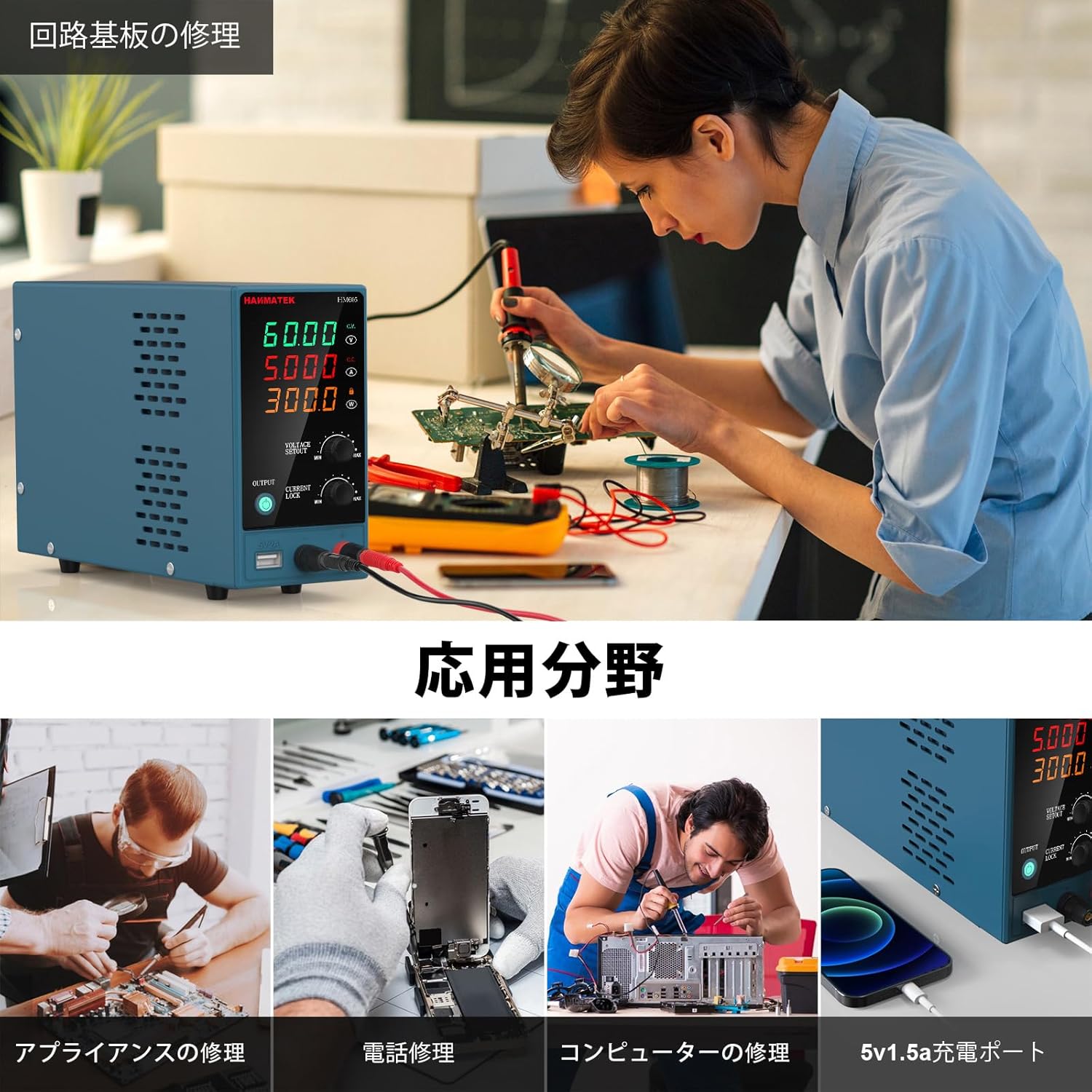
Image 9.1: Collage showing different application scenarios for the HM605, including circuit board repair, appliance repair, phone repair, computer repair, and using the 5V 1.5A charging port.
10. Warranty and Support
For warranty information and technical support, please refer to the contact details provided in the original product packaging or visit the official HANMATEK website. Keep your purchase receipt as proof of purchase for warranty claims.
