Introduction
The ZEALOT 120W Bluetooth Speaker S95 is a powerful and portable audio device designed for robust sound performance in various environments. Featuring 120W high-power output, IPX6 waterproof rating, and a long-lasting 40-hour playtime, this speaker is ideal for outdoor activities, parties, and home entertainment. It includes customizable EQ modes, dynamic LED lights, and versatile connectivity options to enhance your listening experience.
What's in the Box
- Wireless Speaker x1
- Removable Shoulder Strap x1
- User Manual x1
- AUX Cable x1
- Type-C Cable x1
- Portable Velvet Bag x1

The package includes the ZEALOT S95 speaker, a removable shoulder strap for portability, a user manual for detailed instructions, an AUX cable for wired connections, a Type-C charging cable, and a portable velvet bag for protection and transport.
Product Features
120W High Power Audio
The S95 speaker is equipped with two 50W subwoofers and two 10W tweeters, powered by an advanced DSP chip. This configuration delivers clear mid-highs, rich, smooth, zero-distortion sound, and high-frequency audio up to 40kHz for an immersive listening experience.

IPX6 Waterproof Rating
With an IPX6 rating, the ZEALOT S95 is highly resistant to heavy water sprays from all directions. This makes it suitable for outdoor use near water, such as camping, boating, or beach trips, without concern for splashes. Note: IPX6 rating means it is resistant to water jets, but not designed for submersion.

Party Wireless Speaker and EQ Mode
The S95 supports True Wireless Stereo (TWS) pairing, allowing you to connect two S95 speakers for a combined 240W maximum ultra-stereo sound experience. An integrated EQ button enables fine-tuning of audio signals with preset modes for personalized listening, including Bass, Vocal, and Normal settings.

Bluetooth 5.3 and 40H Playback
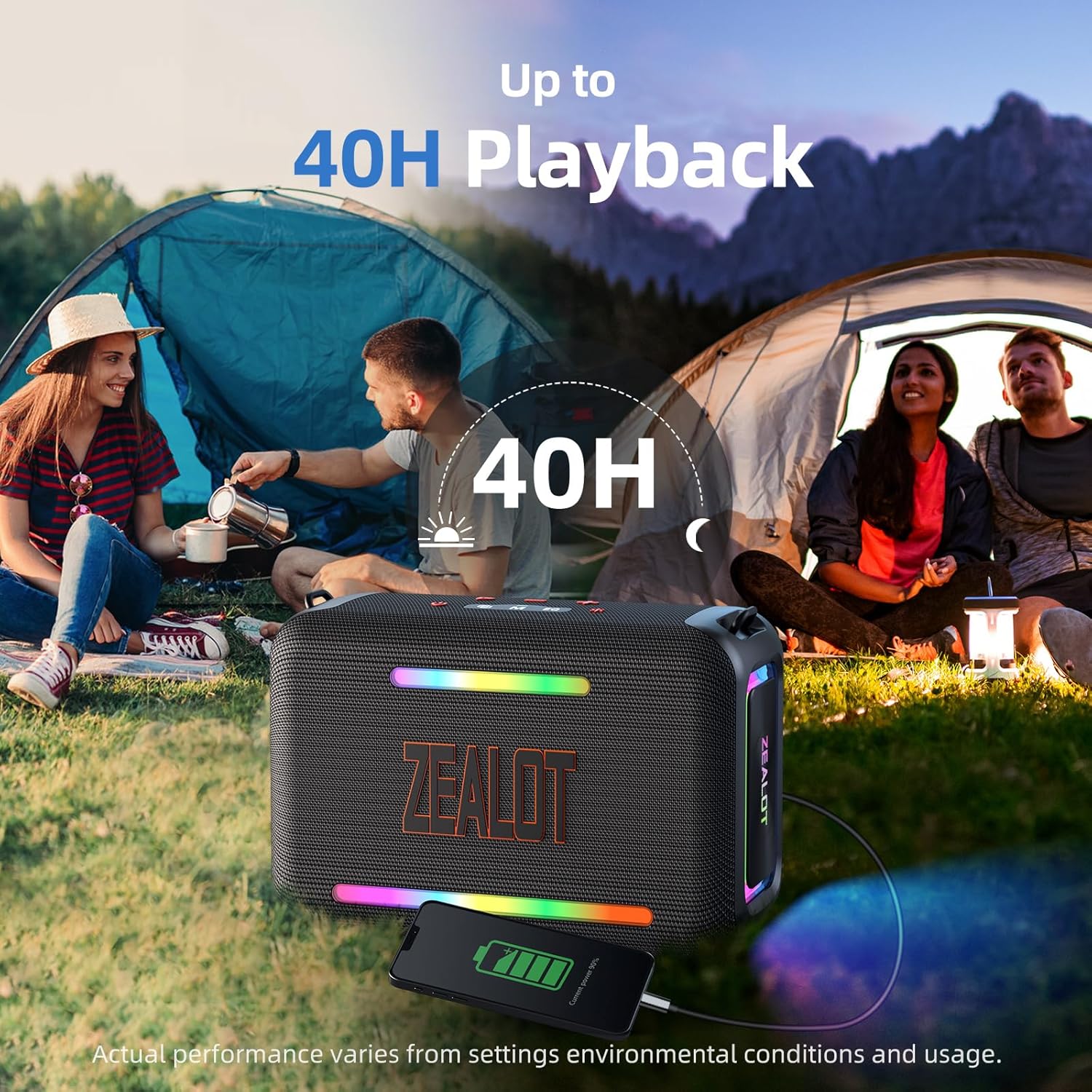
Advanced Bluetooth 5.3 technology ensures fast and stable wireless connectivity. In addition to Bluetooth, the speaker offers versatile music playback options via AUX 3.5mm, TF card, and USB drive. The powerful battery system provides up to 40 hours of playback time at minimum volume, suitable for extended use.
LED Light Show
The speaker features three colorful light modes that can sync with the pulse and rhythm of the music, creating a dynamic visual experience. These beat-driven lights add an exciting touch to parties, gatherings, and other events.

Setup and Getting Started
Power On/Off
To power on the speaker, press and hold the power button (⏻) for more than 3 seconds. To power off, repeat the same action.
Bluetooth Pairing
- Ensure the speaker is powered on and in Bluetooth mode (indicated by a blinking Bluetooth icon).
- On your device (smartphone, tablet, etc.), enable Bluetooth and search for available devices.
- Select "ZEALOT S95" from the list to pair. A confirmation tone will sound upon successful connection.
True Wireless Stereo (TWS) Pairing
To achieve 240W ultra-stereo sound, you can pair two ZEALOT S95 speakers:
- Ensure both S95 speakers are powered on and not connected to any other Bluetooth device.
- On one speaker, press the TWS pairing button (two interlocking squares icon). The speaker will enter TWS pairing mode.
- The two speakers will automatically connect to each other. A confirmation tone will sound once paired.
- Connect your device to one of the paired speakers via Bluetooth. Both speakers will now play in stereo.
Operating Instructions
Control Buttons

| Icon | Function | Action |
|---|---|---|
| ⏻ | Power On/Off | Press for more than 3 seconds |
| Ⓑ | Bluetooth Pairing/Disconnecting | Press to pair/disconnect |
| ▷ | Play/Pause | Press 1 second |
| - | Volume Down / Previous Track | Press 1s for Volume-, Press ≥2s for Previous Track |
| + | Volume Up / Next Track | Press 1s for Volume+, Press ≥2s for Next Track |
| M | Mode Selection | Cycles through Wireless/TF/USB/AUX modes |
| EQ | Equalizer Mode | Cycles through Bass/Vocal/Normal EQ |
| ✱ | Light On/Off | Press to toggle LED lights |
EQ Modes
Press the EQ button to cycle through the available equalizer modes:
- Bass (Green light is on): Enhances low frequencies for a deeper bass sound.
- Vocal (Orange light is on): Optimizes mid-range frequencies for clearer vocals.
- Normal (White light is on): Provides a balanced audio profile.

LED Light Modes
Press the Light On/Off button (✱) to toggle the LED party lights. The lights will cycle through various colors and patterns, often syncing with the music's rhythm.
Connectivity Options
The ZEALOT S95 offers multiple ways to connect your audio sources:
- Bluetooth 5.3: For wireless connection to compatible devices.
- AUX 3.5mm: Use the included AUX cable to connect devices with a 3.5mm audio output.
- TF Card: Insert a TF (MicroSD) card loaded with audio files.
- USB Drive: Connect a USB flash drive with audio files.

Battery and Charging
Charging the Speaker
The speaker is equipped with a powerful battery for extended use. To charge, connect the included Type-C cable to the 'DC 5V' port on the speaker and to a compatible power adapter. For optimal charging efficiency, a 9V/3A to 20V/2.25A charging adapter is recommended. A full charge takes approximately 4 hours.
Battery Level Indicator
The battery level is indicated by LED lights on the control panel:
- 80%-100%: Green light is on
- 40%-70%: Yellow light is on
- ≤ 30%: Red light is on

Power Bank Function
The speaker can also function as a power bank. Use the 'OUT 5V' USB port to charge external devices like smartphones or tablets.
Care and Maintenance
- Water Resistance: The IPX6 rating protects against strong water jets. Do not submerge the speaker in water. Ensure all port covers are securely closed before exposure to water.
- Cleaning: Use a soft, damp cloth to clean the speaker's exterior. Avoid harsh chemicals or abrasive cleaners.
- Storage: Store the speaker in a cool, dry place away from direct sunlight and extreme temperatures.
- Battery Care: For optimal battery life, avoid fully discharging the speaker frequently. Charge it regularly, even if not in use for extended periods.
Troubleshooting
- No Power: Ensure the speaker is fully charged. Connect to a power source and check the battery indicator.
- Cannot Pair Bluetooth: Make sure the speaker is in Bluetooth pairing mode (blinking Bluetooth icon). Ensure your device's Bluetooth is on and within range (up to 10 meters). Try unpairing and re-pairing.
- No Sound: Check the volume levels on both the speaker and your connected device. Ensure the correct input mode (Bluetooth, AUX, TF, USB) is selected.
- Poor Sound Quality: Ensure the speaker is within Bluetooth range and there are no obstructions. Try adjusting the EQ mode.
- TWS Pairing Issues: Ensure both speakers are S95 models and not connected to any other device before initiating TWS pairing.
Specifications
| Feature | Detail |
|---|---|
| Model Name | S95 Bluetooth Speaker |
| Speaker Type | Portable Speaker |
| Speaker Maximum Output Power | 150 Watts (Peak) |
| Subwoofer Diameter | 3.6 Inches |
| Tweeter Diameter | 1.26 Inches |
| Wireless Communication Technology | Bluetooth 5.3 |
| Bluetooth Range | 10 Meters (33 Feet) |
| Water Resistance Level | IPX6 Waterproof |
| Battery Capacity | 24000 Milliamp Hours |
| Charging Time | 4 Hours |
| Playtime | Up to 40 hours (at minimum volume) |
| Product Dimensions | 6.57"D x 14.09"W x 11.3"H |
| Item Weight | 11.26 Pounds |
| Included Components | AUX Cable, Power Cable, Removable Shoulder Strap, User Manual |
Warranty and Support
The ZEALOT S95 Bluetooth Speaker comes with a Limited Warranty. For warranty claims, technical support, or any inquiries regarding your product, please contact ZEALOT customer service through the official channels provided at the time of purchase or on the ZEALOT website.
Official Product Videos
ZEALOT S95 Bluetooth Speaker for Party
This video provides an overview of the ZEALOT S95 Bluetooth Speaker, highlighting its features and suitability for party environments. It showcases the speaker's design and functionality.
The Best Speaker I've Had: ZEALOT 120W Bluetooth Speaker
This video offers a personal review and demonstration of the ZEALOT 120W Bluetooth Speaker, emphasizing its sound quality and overall performance from a user's perspective.