Introduction
Thank you for choosing CHARGEWORX USB-C Wired Earbuds. These earbuds are designed to provide a reliable and high-quality audio experience for modern devices equipped with a USB-C port. Featuring a built-in microphone and in-line controls, they are suitable for both entertainment and communication.

Image: The CHARGEWORX USB-C Wired Earbuds, showcasing the earbuds, the in-line control panel, and the USB-C connector.
Package Contents
Please verify that all items are present in your package:
- CHARGEWORX USB-C Wired Earbuds
- Ear Gels (Small, Medium, Large)
- Carrying Case
- User Manual (this document)
Key Features
- USB-C Connectivity: Ensures a stable and reliable wired connection.
- Built-in Microphone: Enables clear hands-free calls and voice commands.
- High-Definition Stereo Sound: Delivers crisp audio for music and podcasts.
- Noise Reduction: Minimizes external noise for an immersive listening experience.
- In-Line Audio Control: Convenient buttons for volume adjustment, track control, and play/pause.
- Tangle-Resistant Cable: A 4-foot (122 cm) cable designed to resist tangling.
- Comfortable Fit: Includes three sizes of ear gels (Small, Medium, Large) for personalized comfort.
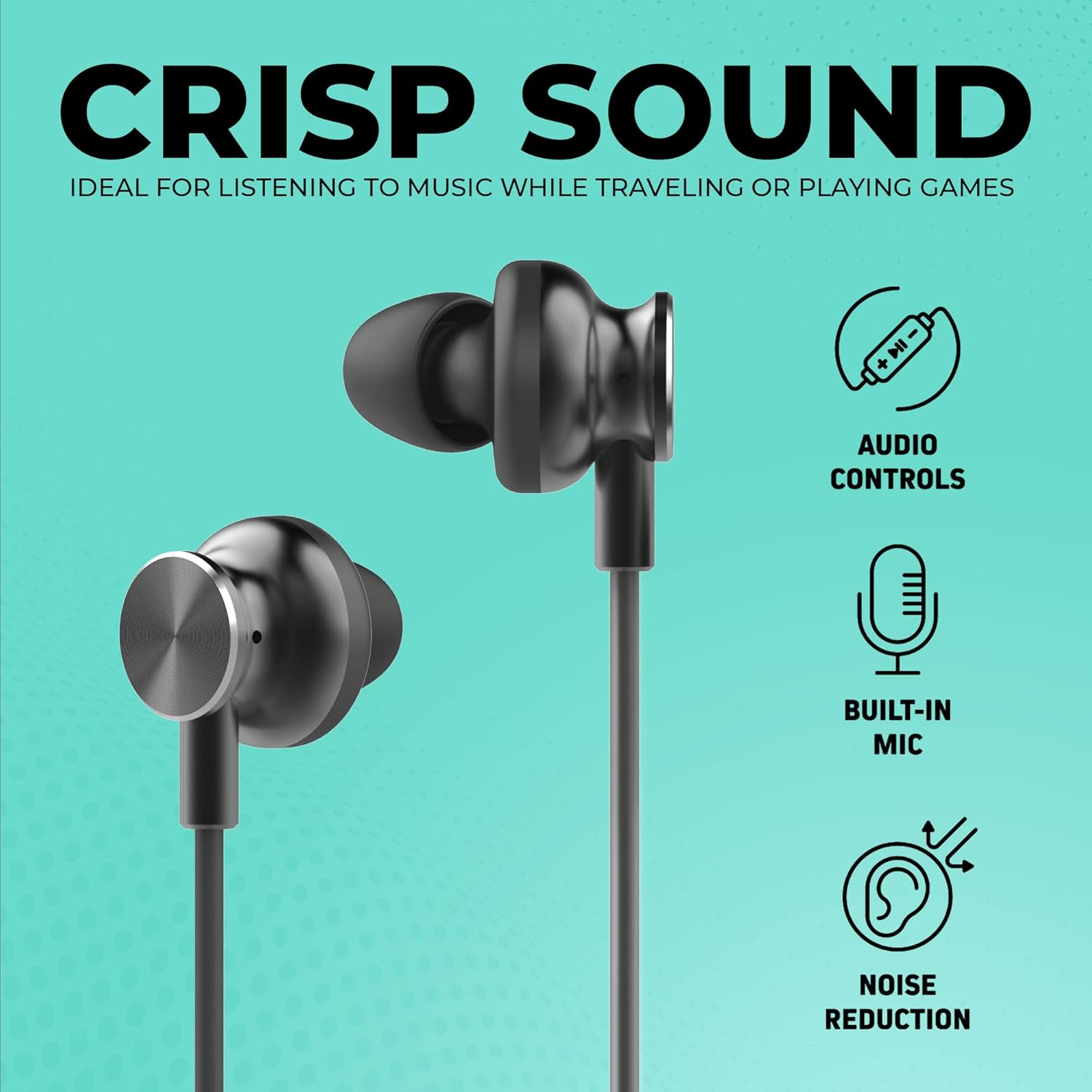
Image: Visual representation of the earbuds highlighting Audio Controls, Built-in Microphone, and Noise Reduction capabilities.

Image: Detailed view of the in-line control panel with easy press navigation buttons, the 4-foot cable length, and the three included ear tip sizes (L, M, S).
Setup
- Select Ear Gels: Choose the ear gel size (Small, Medium, or Large) that provides the most comfortable and secure fit for your ears. A proper fit enhances sound quality and noise reduction.
- Connect to Device: Insert the USB-C connector of the earbuds firmly into the USB-C port of your compatible device (smartphone, tablet, laptop, etc.).
- Device Recognition: Your device should automatically recognize the earbuds. If prompted, select the earbuds as the audio output device.

Image: The USB-C connector of the earbuds plugged into the port of a modern smartphone, demonstrating the connection process.
Operating Instructions
The in-line control panel allows for easy management of your audio and calls:
- Volume Up (+): Press to increase audio volume.
- Volume Down (-): Press to decrease audio volume.
- Play/Pause/Call Answer/End (Central Button):
- Single press to play or pause music.
- Single press to answer an incoming call.
- Single press to end an active call.
- Double press to skip to the next track.
- Triple press to go back to the previous track.
The built-in microphone automatically activates when making or receiving calls, or when using voice commands on compatible devices.
Device Compatibility
These earbuds are compatible with a wide range of devices featuring a USB-C port, including but not limited to:
- Apple iPad Pro
- Apple MacBook Air
- Samsung Galaxy series
- Samsung Galaxy Ultra series
- Google Pixel phones
- Huawei phones
- Other tablets and cellphones with USB-C audio output
Maintenance and Care
- Cleaning: Gently wipe the earbuds and cable with a soft, dry cloth. Do not use harsh chemicals or abrasive materials.
- Ear Gels: Remove ear gels periodically and clean them with mild soap and water. Ensure they are completely dry before reattaching.
- Storage: When not in use, store the earbuds in the provided carrying case to prevent tangling and damage.
- Water Resistance: These earbuds are not water-resistant. Avoid exposure to liquids, moisture, and extreme temperatures.
- Cable Care: The cable is designed to be tangle-resistant and scuff-resistant. Avoid sharp bends or excessive pulling to maintain its integrity.

Image: A man wearing the CHARGEWORX earbuds, illustrating their ergonomic design and the tangle & scuff resistant cable for active use.
Troubleshooting
| Problem | Possible Solution |
|---|---|
| No sound from earbuds. |
|
| Microphone not working. |
|
| In-line controls are unresponsive. |
|
| Poor sound quality or excessive background noise. |
|
Specifications
- Model Number: CX9037BK
- Connectivity: Wired USB-C
- Cable Length: 4 feet (122 cm)
- Ear Placement: In-Ear
- Noise Control: Sound Isolation
- Material: Plastic, Silicone
- Item Weight: 0.32 ounces (9.07 g)
- Color: Black
- Special Features: Tangle-Free Cord, Volume Control, Built-in Microphone
- Water Resistance: Not Water Resistant
Official Product Video
Watch this video for a visual overview of the CHARGEWORX USB-C Wired Earbuds and their features.
Video: An official product video demonstrating the features and usage of the CHARGEWORX USB-C Earbuds with Microphone.
Warranty and Support
For warranty information and customer support, please refer to the documentation included with your purchase or visit the official CHARGEWORX website. Keep your proof of purchase for any warranty claims.
For further assistance, you may also visit the product detail page on Amazon: Amazon Product Page

