
Septpenta B0C4PXGGP8
Car MP5 Player User Manual
Brand: Septpenta | Model: B0C4PXGGP8
1. Introduction
1.1 Product Overview
This manual provides detailed instructions for the installation, operation, and maintenance of your Septpenta 7-inch Car MP5 Player. This device is designed to enhance your in-car entertainment and connectivity experience with features such as a high-sensitivity HD LCD screen, support for steering wheel control, reversing camera input, Bluetooth 5.1, MirrorLink, wired CarPlay, and wired Android Auto.
Please read this manual thoroughly before using the product to ensure correct and safe operation.
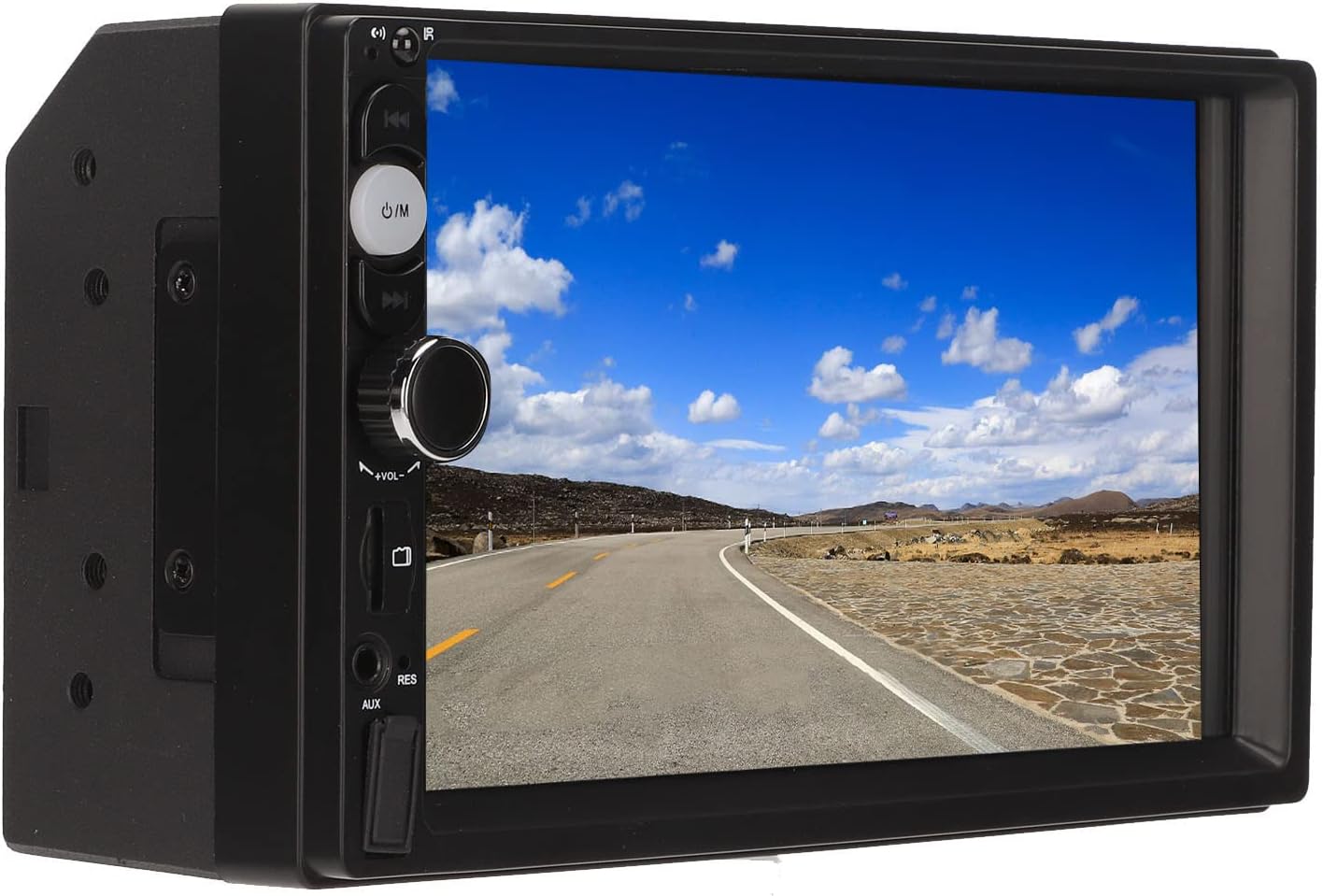
Figure 1.1: Front view of the Septpenta Car MP5 Player.
1.2 Important Safety Information
Always operate the device in a safe manner. Do not attempt to operate the device or adjust settings while driving. Ensure all wiring is correctly installed to prevent short circuits or damage. Keep the device away from water and extreme temperatures. Professional installation is recommended for optimal performance and safety.
2. Package Contents
Verify that all items listed below are included in your package:
- 1 x Car Player
- 1 x Camera Assembly
- 1 x Camera Connection Cable
- 1 x Adapter Cable
- 1 x Remote Control
- 2 x Power Cord
- 2 x Screw
- 1 x Host Manual
- 1 x Camera Manual

Figure 2.1: All components included in the product package.
3. Specifications
| Feature | Specification |
|---|---|
| Item Type | Car MP5 Player |
| Material | ABS+LCD |
| Software Program | F133 |
| Radio Frequency | FM 87.5~108.0MHz |
| Radio IC | 4732 |
| Power Amplifier IC | CD7388CZ |
| Bluetooth Version | BT5.1 |
| Display Resolution | 800 x 480 |
| Screen Size | 7in |
| Output Power | 4 x 60W |
| Operating Voltage | 12-24V |
| Cell Phone Interconnection | Support MirrorLink, wired CarPlay, wired for Android Auto |
| Other Functions | Steering wheel control learning, reverse image, play video warning, TF card |
| USB | Front USB2.0 + Rear USB2.0 |
| Audio Format | MP3/WMA/AAC/APE/OGG/M4A/RA/WAV |
| Video Format | H264/H265/ HD(720P108011080P)AV/FLV/MKV/RMVB/MP4/WMV9/VC/ASF/TS/QT |
| Image Format | PEG/PNG/BMP/GIF/TIFF |
| Language Support | English, Chinese, Spanish, Portuguese, Russian, German, French, Polish, Turkish, Arabic, Hebrew, Italian, Czech, Japanese |
| Remote Control Battery Type | 2 x AAA Alkaline Batteries (Not Included) |
| Item Weight | 1.67 pounds (0.76 Kilograms) |
| Connectivity Technology | Bluetooth, USB |
| Controller Type | Android |
| Special Feature | Touchscreen |
| Compatible Devices | Smartphone, Speaker |
| Connector Type | USB |
| Wattage | 240 watts |
4. Setup and Installation
4.1 Initial Setup
The Car MP5 Player is designed for automotive use and requires proper electrical connection to your vehicle's power system. It operates on 12-24V. It is highly recommended to have this unit installed by a qualified professional to ensure correct wiring and prevent damage to your vehicle or the device.
4.2 Wiring Diagram and Connections
Refer to the diagram below for the various input and output connections on the rear of the unit. Ensure all connections are secure and correctly matched to your vehicle's wiring harness.
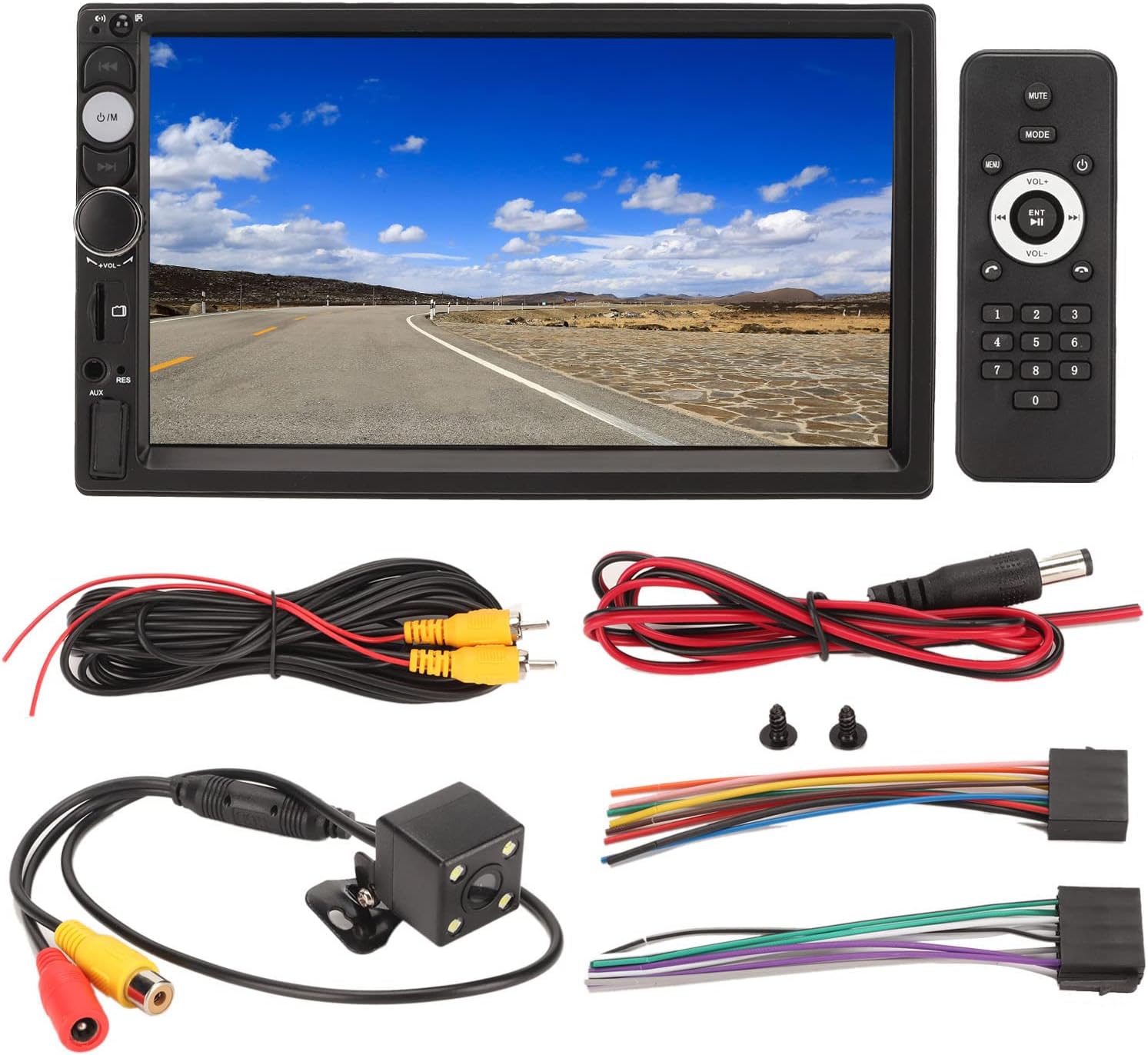
Figure 4.1: Rear panel connections including ISO power jack, video outputs, audio outputs, and USB.
- ISO Power Jack: Connects to the vehicle's main power harness.
- MIC Input: For external microphone connection.
- Video Output 1 & 2: For connecting external displays.
- Video Input: For connecting the reversing camera.
- Radio Antenna: Connects to your vehicle's radio antenna.
- Rear USB: Additional USB port for media or charging.
- Right/Left Channel Output: For connecting to external amplifiers or speakers.
5. Operating Instructions
5.1 Basic Controls and Interface
The unit features a 7-inch touchscreen display and physical buttons for common functions. Familiarize yourself with the layout:
Figure 5.1: Front panel layout with labeled buttons and ports.
- Remote Control Window: Infrared receiver for the remote control.
- Microphone Hole: Built-in microphone for hands-free calls.
- Previous Song / Mode: Short press for previous track, long press for mode selection.
- Power Supply / Mode: Power on/off, short press to switch modes.
- Next Song: Short press for next track.
- Volume Knob / Mute: Rotate to adjust volume, press to mute/unmute.
- TF Card Slot: Insert Micro SD card for media playback.
- RES Reset Button: Press with a thin object to reset the unit.
- AUX Input: 3.5mm jack for external audio devices.
- USB Port: Connect USB drives for media playback or charging.
5.2 Bluetooth Connection
The unit features Bluetooth 5.1 for hands-free calling and wireless audio streaming. To connect your smartphone:
- Go to the Bluetooth menu on the MP5 player.
- Enable Bluetooth on your smartphone and search for available devices.
- Select the MP5 player (usually named "CarBT" or similar) from your phone's list.
- Confirm the pairing on both devices if prompted.
Once connected, you can make and receive calls, listen to music, and broadcast mobile phone navigation audio through the car speakers.

Figure 5.2: Bluetooth call interface on the MP5 player.
5.3 Mirror Link, Wired CarPlay, and Wired Android Auto
The player supports MirrorLink, wired CarPlay, and wired Android Auto, allowing you to display and control your smartphone's content directly on the 7-inch screen. Connect your smartphone to the USB port using a compatible USB cable. Follow the on-screen prompts to activate the desired function.
This feature enables access to map navigation, phone contacts, email, notifications, and allows you to make calls and play music through the car's system.
5.4 Reversing Camera Function
When the vehicle is put into reverse gear, the 7-inch touch screen will automatically display the reverse image from the included 4-LED wick reversing camera. This feature significantly enhances safety during parking and reversing maneuvers, especially in low-light conditions.
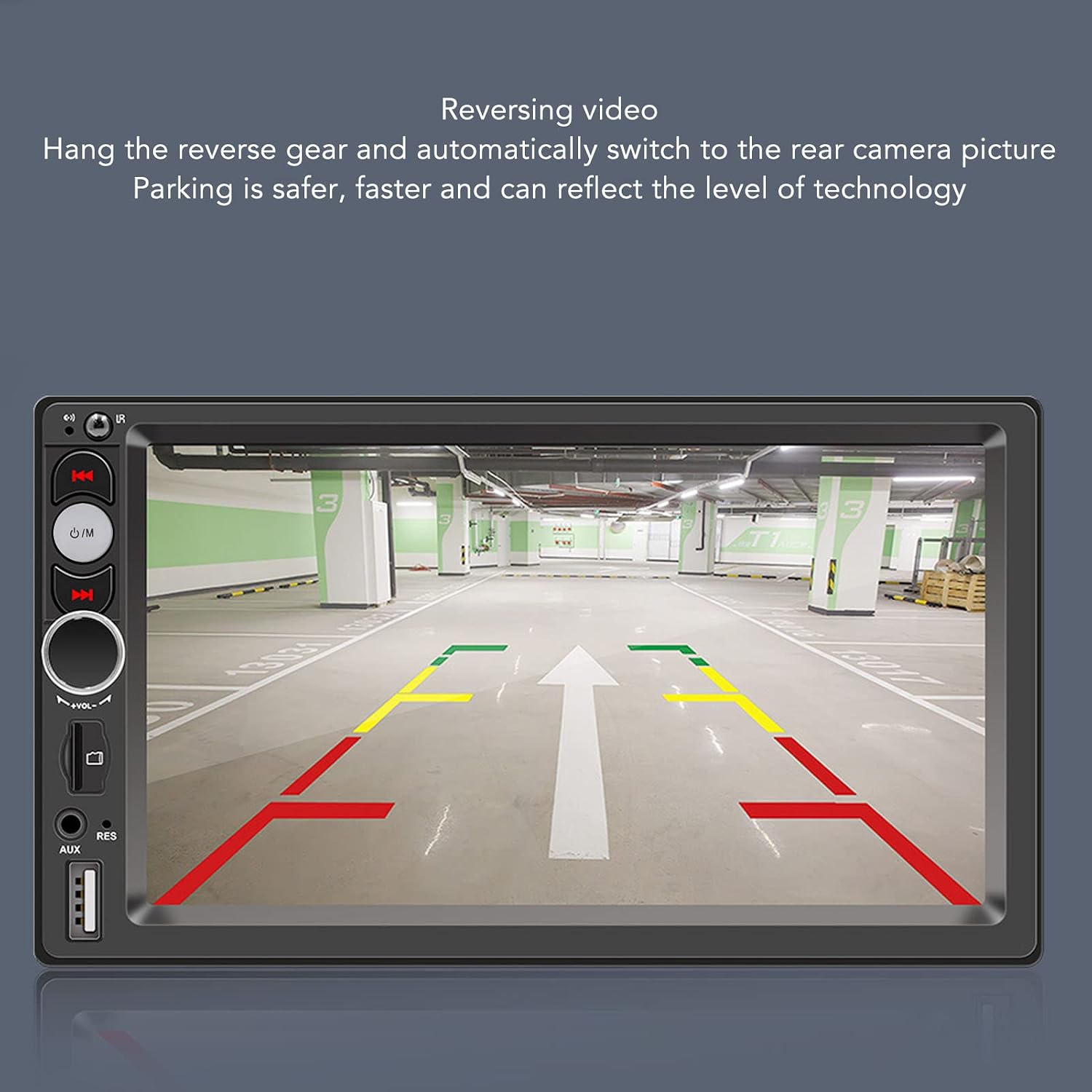
Figure 5.3: Automatic display of the reversing camera feed.
5.5 Steering Wheel Control
The unit supports steering wheel control learning, allowing you to map your vehicle's steering wheel buttons to control the MP5 player's functions (e.g., volume, track skip, mode). This provides convenient and safe operation without taking your hands off the steering wheel.
- Navigate to the "Steering Wheel Learning" or "Wheel Control" section in the system settings.
- Follow the on-screen instructions to assign functions to your steering wheel buttons. This typically involves pressing a button on the screen, then pressing the corresponding button on your steering wheel.

Figure 5.4: Steering wheel control learning interface.
5.6 Media Playback (USB/TF Card)
The MP5 player supports playback of audio and video files from USB drives and TF (Micro SD) cards up to 32GB (16GB recommended for optimal experience). Insert your USB drive into the front USB 2.0 port or a TF card into the dedicated slot. The unit will automatically detect the media and allow you to browse and play files.
Supported audio formats include MP3, WMA, AAC, APE, OGG, M4A, RA, WAV. Supported video formats include H264, H265, HD (720P/1080P), AV, FLV, MKV, RMVB, MP4, WMV9, VC, ASF, TS, QT.

Figure 5.5: USB and TF card media playback interface.
5.7 AUX Input
Connect external audio devices, such as an MP3 player or smartphone, to the 3.5mm AUX input jack on the front panel using a standard 3.5mm audio cable. Select the AUX input mode on the player to enjoy clear audio from your connected device.

Figure 5.6: AUX input screen, ready for external audio signal.
6. Maintenance
To ensure the longevity and optimal performance of your Car MP5 Player, follow these maintenance guidelines:
- Cleaning: Use a soft, dry cloth to clean the screen and exterior. For stubborn smudges on the screen, use a screen cleaner specifically designed for electronics. Do not use abrasive cleaners or solvents.
- Temperature: Avoid exposing the unit to extreme temperatures, direct sunlight for prolonged periods, or high humidity.
- Connections: Periodically check all cable connections to ensure they are secure and free from corrosion.
- Software Updates: Check the manufacturer's website for any available firmware updates that may improve performance or add features.
7. Troubleshooting
If you encounter issues with your Car MP5 Player, refer to the following common troubleshooting steps:
- No Power:
- Check all power connections and fuses in your vehicle.
- Ensure the vehicle's ignition is on.
- No Sound:
- Check volume levels on the unit and your vehicle's amplifier (if applicable).
- Verify speaker connections are secure.
- Ensure the correct audio source is selected.
- Bluetooth Connection Issues:
- Ensure Bluetooth is enabled on both the player and your smartphone.
- Delete previous pairings on both devices and try pairing again.
- Move your phone closer to the unit.
- Touchscreen Unresponsive:
- Try pressing the RES (Reset) button with a thin, non-sharp object.
- Ensure the screen is clean and free of debris.
- Reversing Camera Not Displaying:
- Check the camera's power and video signal connections.
- Ensure the vehicle is in reverse gear.
If problems persist after attempting these steps, please contact Septpenta customer support for further assistance.
8. Warranty and Support
Septpenta products are manufactured to high-quality standards. For information regarding warranty coverage, technical support, or service, please refer to the warranty card included in your package or visit the official Septpenta website. You may also contact Septpenta customer service directly for assistance with product inquiries or issues.
Manufacturer: Septpenta
Date First Available: May 9, 2023
Related documentsB0C4PXGGP8


Ask a question about this manual
Ask about setup, troubleshooting, compatibility, parts, safety, or missing instructions. Manuals+ will review the question and use this page’s manual context to help answer it.