
EARISE T28
EARISE T28 Portable Karaoke Machine User Manual
Model: T28 | Brand: EARISE
Introduction
Thank you for choosing the EARISE T28 Portable Karaoke Machine. This device combines a powerful Bluetooth speaker with two wireless microphones, offering a comprehensive audio solution for various occasions. Its compact design, versatile input options, and long-lasting battery make it ideal for both indoor and outdoor use, including home karaoke, parties, meetings, and more.

The EARISE T28 Portable Karaoke Machine, showcasing its compact design and integrated microphone storage.
What's in the Box
Please check the package contents to ensure all items are present:
- EARISE T28 Karaoke Machine (Main Unit)
- 2 x Wireless Microphones
- USB-C Charging Cable (for main unit)
- USB-C Charging Cables (for microphones)
- User Manual (this document)
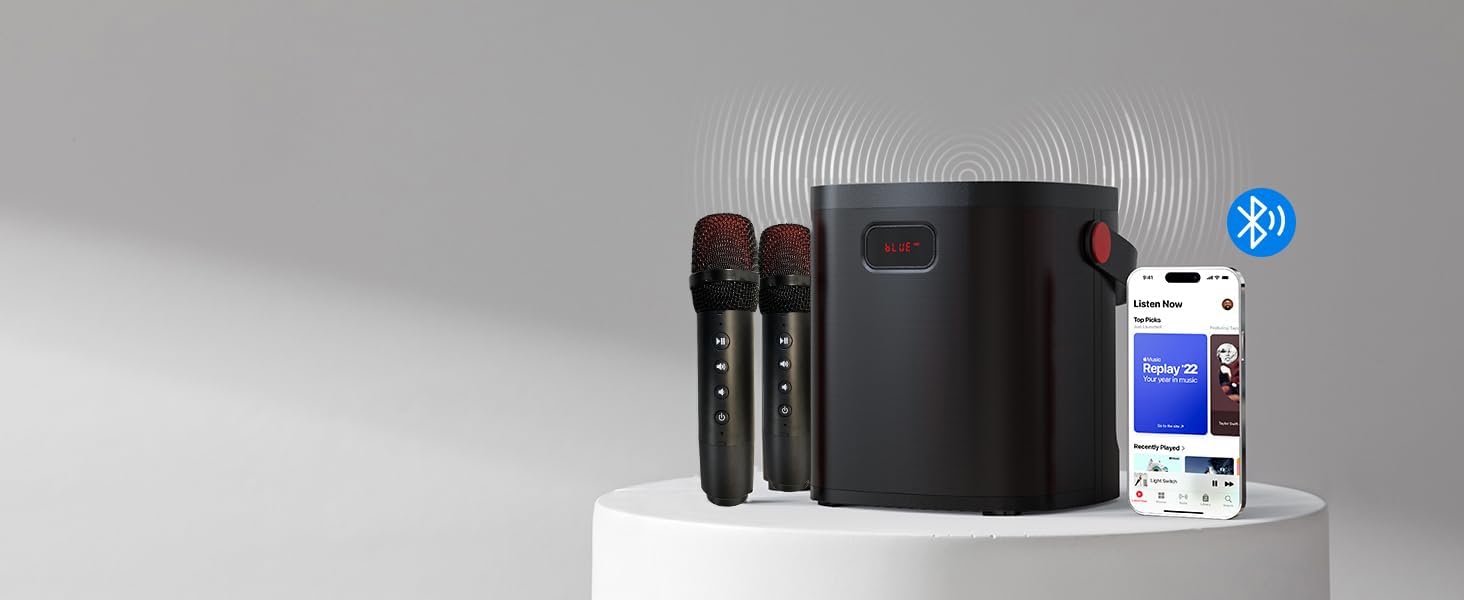
The EARISE T28 main unit and its two wireless microphones.
Key Features
- Upgraded & Multi-function: The EARISE T28 features a simple and fashionable design. It includes two wireless microphones with adjustable volume, allowing for duet performances.
- Versatile Connectivity: Supports Bluetooth connection for wireless audio streaming, as well as AUX-in, TF card, and USB inputs for various devices.
- Clearer & Higher Quality Sound: Equipped with a redesigned built-in stereo sound system and bass speaker, providing high-performance optimized sound and full-range stereo reproduction. Bass control allows for enhanced bass effects.
- Portable Design: Compact and portable with a durable leather handle. Features two convenient microphone storage holes with covers to secure microphones during transport and prevent loss.
- Long-lasting Battery: Integrated 3.7V/4500mAh high-capacity Li-ion battery provides up to 6 hours of continuous music playback. A low battery reminder activates when power drops to 20%.

The EARISE T28 offers seamless Bluetooth connectivity for audio streaming.
Setup Guide
1. Charging the Unit and Microphones
Before first use, fully charge the karaoke machine and both wireless microphones.
- Connect the main unit to a USB power adapter (not included) using the provided USB-C charging cable. The charging indicator will illuminate.
- Connect each microphone to a USB power source using their respective USB-C charging cables.
- Charging typically takes a few hours. The main unit's display will indicate charging status, and microphones may have an indicator light.
2. Initial Power On
- Press and hold the power button on the main unit to turn it on. The display will light up.
- Turn on each wireless microphone by pressing its power button. They should automatically pair with the main unit.
Operating Instructions
1. Bluetooth Connection
The unit will automatically enter Bluetooth pairing mode upon power-on (indicated by "BLUE" on the display). If not, press the "Mode" button to switch to Bluetooth mode.
- Enable Bluetooth on your smartphone, tablet, or other audio device.
- Search for "EARISE T28" in the list of available devices.
- Select "EARISE T28" to pair. A confirmation sound will indicate successful connection.
- Once connected, you can play music from your device through the karaoke machine.

The EARISE T28 supports high-quality stereo sound for an immersive audio experience.
2. AUX, TF Card, and USB Input
The EARISE T28 offers multiple wired and local playback options:
- AUX Input: Connect an external audio device (e.g., MP3 player, computer) to the AUX port using a 3.5mm audio cable (not included). The unit will automatically switch to AUX mode or can be selected via the "Mode" button.
- TF Card Playback: Insert a TF (MicroSD) card with MP3 audio files into the TF card slot. The unit will automatically detect and play the music.
- USB Playback: Insert a USB flash drive with MP3 audio files into the USB port. The unit will automatically detect and play the music.
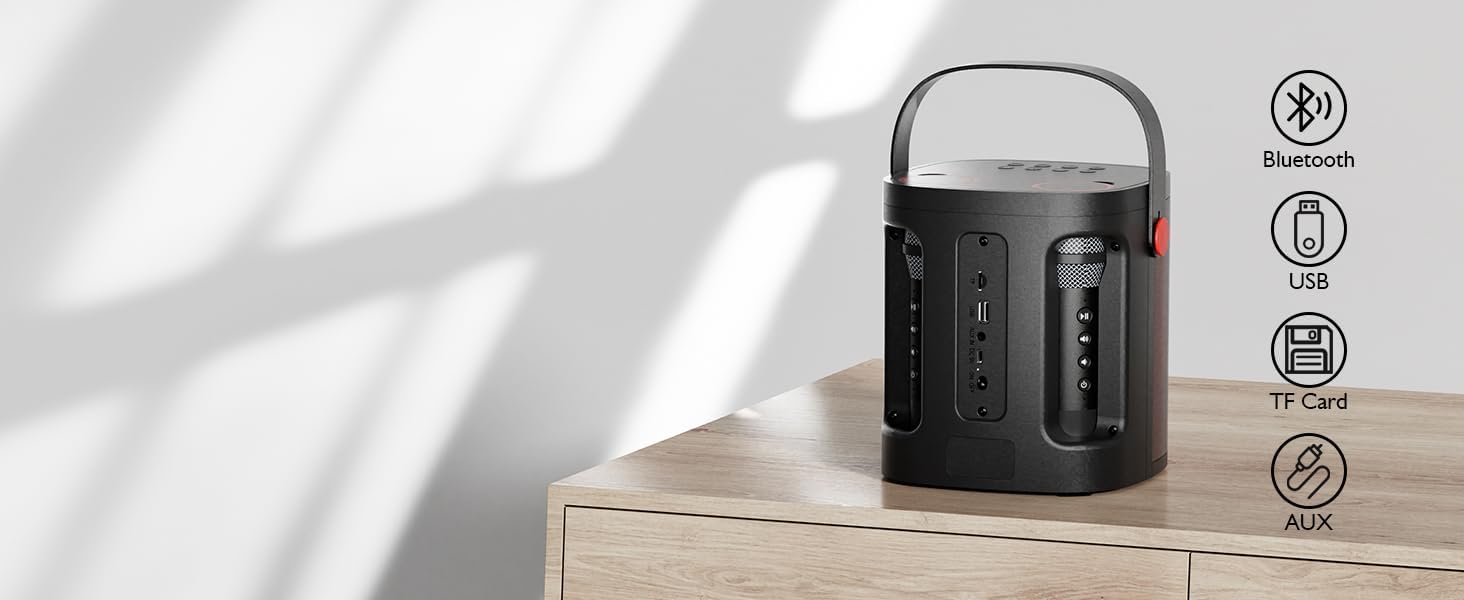
The EARISE T28 features versatile input options including USB, TF Card, and AUX.
3. Microphone Usage
- Power On/Off: Press the power button on each microphone to turn it on or off.
- Volume Control: Use the volume buttons on the microphone to adjust your vocal volume.
- Echo Effect: Adjust the echo level using the dedicated control on the microphone for desired vocal effects.
- Microphone Mute: The main unit has a one-click function to turn off the microphone sound, allowing you to enjoy music without vocals.

The EARISE T28 can also function as a portable PA system for presentations or announcements.
Maintenance and Care
- Cleaning: Use a soft, dry cloth to clean the surface of the unit and microphones. Do not use abrasive cleaners or solvents.
- Storage: When not in use, store the unit and microphones in a cool, dry place, away from direct sunlight and extreme temperatures. Ensure microphones are placed in their designated storage holes.
- Battery Care: To prolong battery life, avoid fully discharging the unit frequently. Charge the unit regularly, even if not in use for extended periods.
- Water Exposure: This device is not waterproof. Avoid exposure to water or high humidity.
Troubleshooting
| Problem | Possible Cause | Solution |
|---|---|---|
| No sound from speaker. | Volume too low; incorrect mode selected; device not connected. | Increase volume on both the unit and connected device. Press "Mode" button to select correct input (Bluetooth, AUX, TF, USB). Re-pair Bluetooth or re-insert cables/cards. |
| Microphone not working. | Microphone off; low battery; not paired; microphone function muted. | Ensure microphone is powered on. Charge microphones. Check if the microphone mute function on the main unit is active. |
| Bluetooth connection unstable. | Device too far; interference; low battery. | Move connected device closer to the karaoke machine. Avoid obstacles. Charge the unit. |
| Short battery life. | Unit not fully charged; high volume usage. | Ensure unit is fully charged before use. Reduce volume for longer playback time. |
Specifications
| Feature | Detail |
|---|---|
| Model Number | T28 |
| Brand | EARISE |
| Mounting Type | Tabletop |
| Power Source | Battery Powered |
| Connector Type | Aux |
| Item Weight | 4.59 pounds (2.09 Kilograms) |
| Number of Channels | 2 |
| Audio Input | AUX, USB, TF card |
| Product Dimensions (L x W x H) | 6.93 x 6.93 x 7.87 inches |
| Battery | 1 Lithium Ion battery required (included) |
| Connectivity Technology | Bluetooth |
| Color | Red |
| Compatible Devices | Laptop, Smartphone, Tablet |
Warranty and Support
EARISE products are manufactured to high quality standards. For information regarding warranty coverage, technical support, or service inquiries, please refer to the contact information provided on the product packaging or visit the official EARISE website. Please retain your proof of purchase for warranty claims.
For further assistance, you may also contact the seller directly through the platform where the product was purchased.
Related documentsT28


Ask a question about this manual
Ask about setup, troubleshooting, compatibility, parts, safety, or missing instructions. Manuals+ will review the question and use this page’s manual context to help answer it.