
1. Product Overview
The VIDXCVIT 3.4 CUFT Digital Security Safe Box, Model 50 HC, is designed to provide secure storage for your valuables. Constructed from durable SPCC steel, it offers protection against fire and water, and features an advanced anti-theft alarm system. This safe is equipped with an electronic keypad for digital access and includes emergency keys for alternative entry.
Key Features:
- Fire and Water Protection: Designed to safeguard contents from fire and water damage.
- Digital Security: Electronic keypad with programmable codes for secure access.
- Emergency Access: Includes two emergency keys for manual override.
- Anti-Theft Alarm System: Activates upon multiple incorrect code entries.
- Durable Construction: Made from SPCC steel with two 20mm solid locking bolts.
- Flexible Storage: Features a removable steel shelf to accommodate various item sizes.
- Mounting Options: Can be securely mounted to the floor or wall.
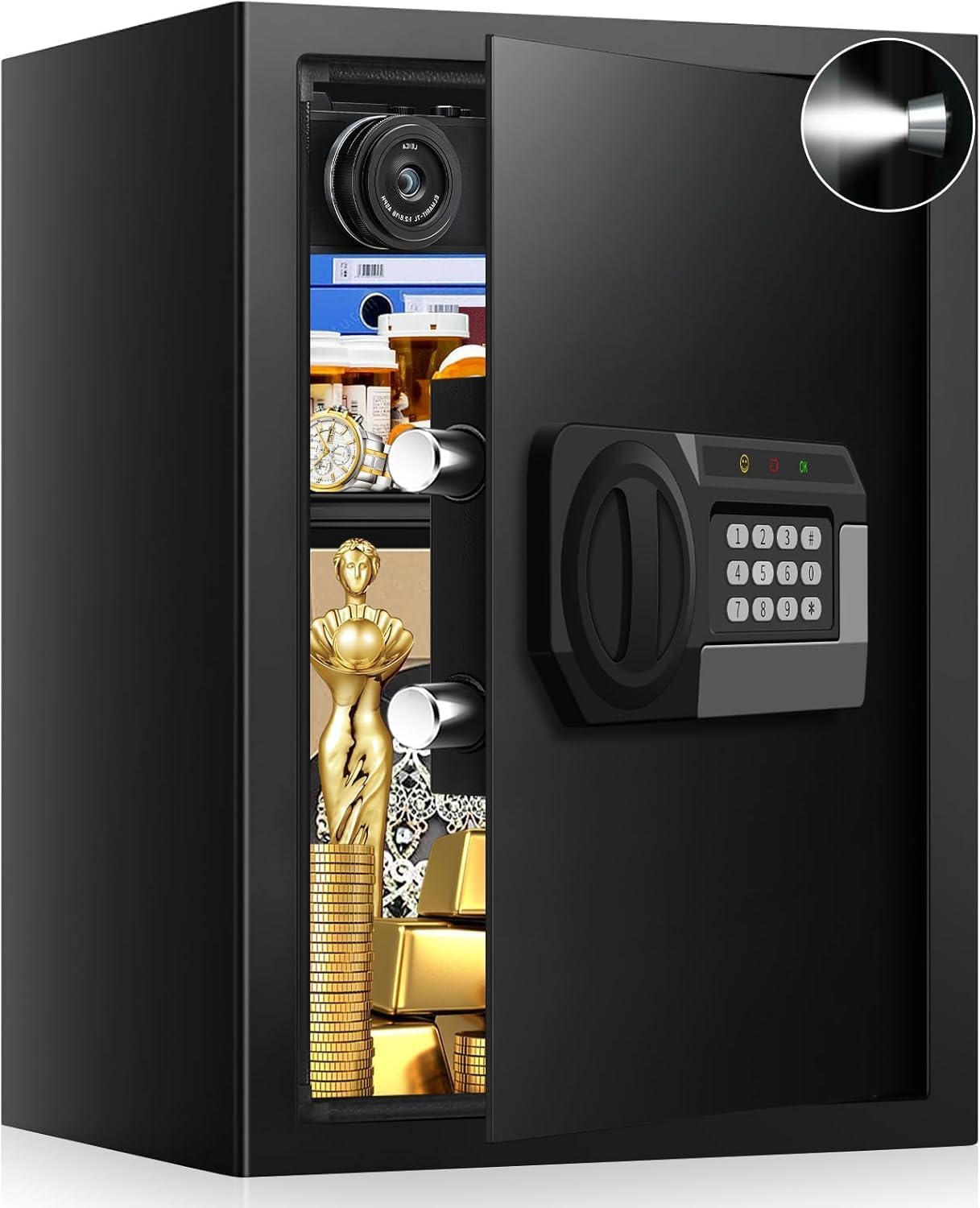
Image: The VIDXCVIT 3.4 CUFT Digital Security Safe with its door open, revealing an illuminated interior and various valuables such as documents, medicine, and jewelry stored on a shelf.

Image: The VIDXCVIT 3.4 CUFT Digital Security Safe, visually emphasizing its fireproof capabilities with flames at the base and anti-theft features like anti-prying, anti-drilling, and anti-collision icons.
2. Setup Instructions
2.1 Initial Opening
Upon receiving your safe, use one of the provided emergency keys to open the door for the first time. The initial password is typically '159'.
- Insert the emergency key into the keyhole, usually located behind the keypad cover.
- Turn the key clockwise while simultaneously turning the knob on the keypad to open the safe door.
2.2 Battery Installation
The electronic keypad requires 4 AAA batteries (not included). An external power box is provided for convenience.
- Locate the battery compartment, typically on the back of the keypad or within the external power box.
- Insert 4 new AAA batteries, ensuring correct polarity.
- Close the battery compartment securely.
2.3 Setting Your Personal Code
You can set a personal code (3-8 digits) for daily access.
- With the safe door open, press the red setting button located on the inside of the door, near the hinge.
- Enter your desired 3-8 digit personal code on the keypad.
- Press the '#' key to confirm. The indicator light will confirm successful programming.
2.4 Setting the Master Code
A master code provides an additional layer of security or an alternative access code.
- Enter "00" on the keypad.
- Press the red setting button inside the door.
- Enter your desired 3-8 digit master code.
- Press the '#' key to confirm.

Image: Visual guide for setting personal and master codes, showing the internal setting button and keypad input sequence.
2.5 Mounting the Safe
The safe can be mounted to a floor or wall for added security. Mounting hardware (4 screws) is included.
- Choose a suitable location for mounting.
- Mark the drilling points through the pre-drilled holes inside the safe.
- Drill pilot holes into the chosen surface.
- Align the safe with the drilled holes and secure it using the provided mounting screws.

Image: A VIDXCVIT safe discreetly placed within a closet, illustrating its suitability for wall or floor mounting to enhance security.
3. Operating Instructions
3.1 Opening the Safe with a Code
- Enter your personal or master code on the electronic keypad.
- Press the '#' key.
- Within 5 seconds, turn the knob clockwise to open the safe door.
3.2 Opening the Safe with Emergency Keys
Use the emergency keys if you forget your code or if the batteries are depleted.
- Remove the keypad cover to reveal the emergency keyhole.
- Insert an emergency key into the keyhole and turn it clockwise.
- Simultaneously turn the knob on the keypad to open the safe door.

Image: A close-up view of the safe's electronic keypad and the emergency key slot, detailing the two primary methods for opening the safe: digital code entry and manual key access.
3.3 Anti-Theft Alarm System
The safe is equipped with an alarm system to deter unauthorized access.
- If an incorrect code is entered 3 times consecutively, the system will lock for 20 seconds.
- If an incorrect code is entered 6 times consecutively, the system will lock for 5 minutes and sound an audible alarm.

Image: The VIDXCVIT safe with an overlay graphic illustrating the anti-theft alarm system, showing an alarm icon and the external battery box.
3.4 Using the Removable Shelf
The safe includes a removable steel shelf to help organize your items.
- To install, simply slide the shelf onto the designated supports inside the safe.
- To remove, lift the shelf slightly and pull it out. This allows for storage of larger items.

Image: A side-by-side view of the safe's interior, demonstrating the versatility of the removable shelf for organizing smaller items or accommodating larger objects when removed.
4. Maintenance
4.1 Battery Replacement
Replace batteries when the low battery indicator appears on the keypad or if the keypad becomes unresponsive. Use the external power box for easier replacement if the internal batteries are completely drained and the safe is locked.
- Open the external power box.
- Insert 4 new AAA batteries.
- Plug the external power box into the port on the keypad.
- Enter your code to open the safe.
- Replace the internal batteries in the safe's battery compartment.
4.2 Cleaning
Clean the exterior of the safe with a soft, damp cloth. Avoid abrasive cleaners or solvents that could damage the finish or electronic components.
4.3 Key Management
Important: Do not store emergency keys inside the safe.
Keep your emergency keys in a secure location outside the safe, accessible only to trusted individuals. This ensures you can open the safe if you forget your code or if the batteries fail.
5. Troubleshooting
| Problem | Possible Cause | Solution |
|---|---|---|
| Safe does not open with code. | Incorrect code entered, batteries are low or dead, code not confirmed with '#'. | Re-enter code carefully, ensuring '#' is pressed. Replace batteries. Use emergency key to open. |
| Keypad is unresponsive. | Batteries are dead or incorrectly installed. | Replace batteries with new ones, ensuring correct polarity. Use external power box if needed. |
| Alarm sounds unexpectedly. | Multiple incorrect code entries, physical tampering. | Ensure correct code entry. Check for signs of tampering. The alarm will reset after the lock-out period. |
| Difficulty setting codes. | Setting button not pressed correctly, code length incorrect, '#' not pressed for confirmation. | Follow code setting steps precisely (Section 2.3 & 2.4). Ensure code is 3-8 digits and confirmed with '#'. |
6. Specifications
| Feature | Detail |
|---|---|
| Brand | VIDXCVIT |
| Model Number | 50 HC |
| Product Dimensions (H x W x D) | 19.68" x 13.77" x 12.2" |
| Capacity | 3.4 Cubic Feet (Advertised), 2.8 Cubic Feet (Specified) |
| Item Weight | 29.8 Pounds |
| Lock Type | Electronic Combination Lock, Key |
| Material | Low Carbon Steel |
| Color | Black |
| Special Features | Alarm System, Anti-Theft, Combination Lock, Removable Shelf, Sensor Light |
| Mounting Type | Floor & Wall Mount |
| Water Resistance Level | Water Resistant |
| Batteries Required | Yes (4 x AAA, not included) |
| Included Components | Safe box, Mat, User Manual, 2 Emergency keys, 4 Mounting Screws |
Note: Product capacity is listed as 3.4 CUFT in the title and 2.8 Cubic Feet in specifications.
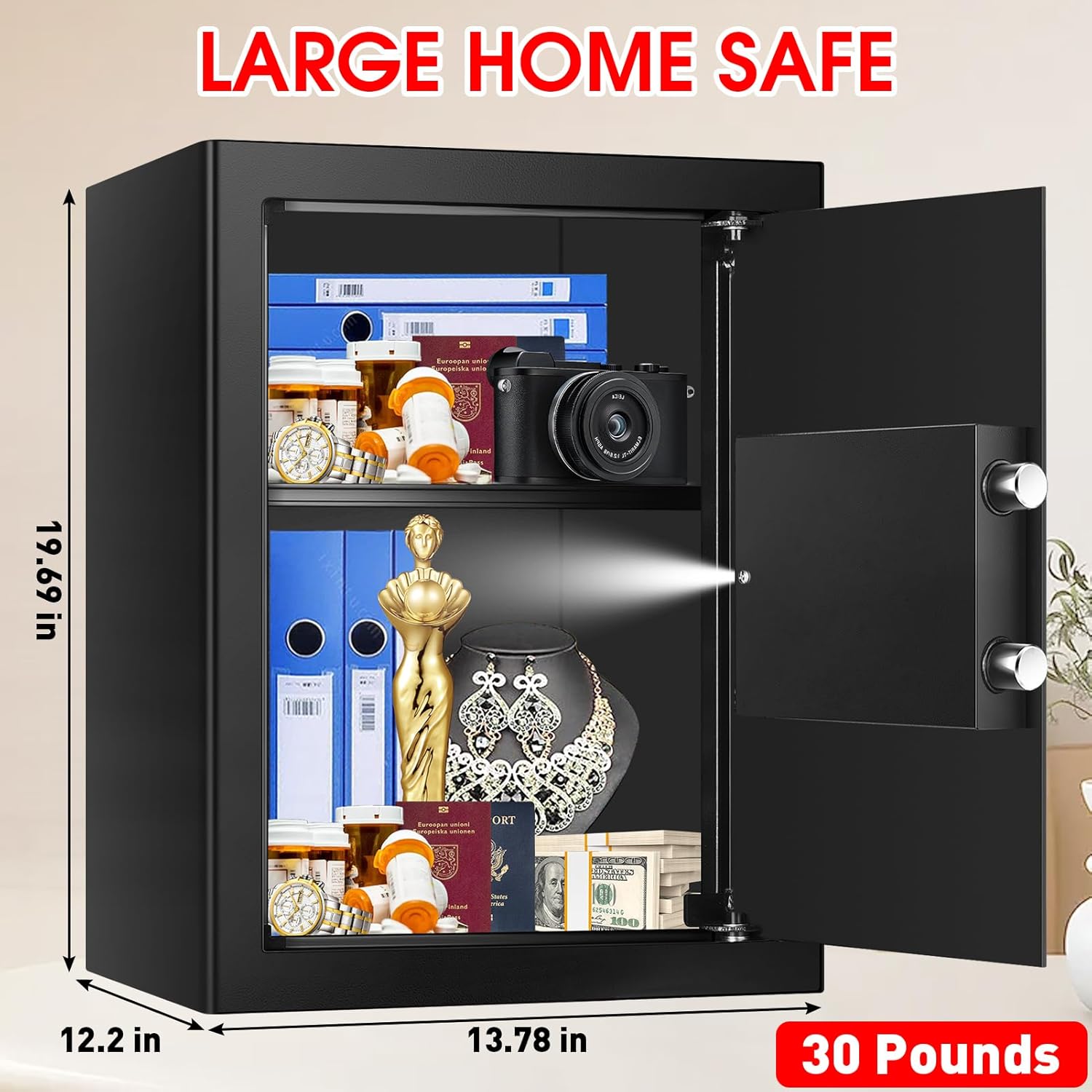
Image: The VIDXCVIT safe displaying its exterior dimensions and weight, providing a clear understanding of its physical size.
7. Warranty and Support
The VIDXCVIT Digital Security Safe Box comes with a comprehensive warranty and support package:
- Warranty: 6-year return or exchange warranty.
- Technical Support: Lifetime technical support is provided.
For any questions, technical assistance, or warranty claims, please refer to the contact information provided with your purchase documentation or visit the official VIDXCVIT support website.