
1. Product Overview
The DJXFLI COB Stage Light is a versatile 200W LED fixture featuring RGBWAUV 6-in-1 color mixing and adjustable barn doors. Designed for various lighting applications, it offers multiple control modes including DMX512, Master-Slave, Sound Activation, and Auto modes. Its robust aluminum and plastic construction ensures durability and efficient heat dissipation.

Image: The DJXFLI COB Stage Light, a black rectangular fixture with adjustable barn doors, showcasing its powerful central LED light source.
2. Packing List
Please verify that all items listed below are included in your package:
- Stage Light
- User Manual
- Power Cable
- DMX Cable
- Bow Mount + Screws

Image: A cardboard box with the DJXFLI COB Stage Light, user manual, power cable, DMX cable, and mounting bracket laid out next to it, illustrating the package contents.
3. Setup Instructions
3.1 Power Connection
Connect the provided power cable to the "POWER IN" port on the rear panel of the stage light. Ensure the connection is secure by rotating the plug to lock it in place. Then, connect the other end to a suitable power outlet (110V). The unit can be daisy-chained using the "POWER OUT" port to connect multiple fixtures.

Image: A hand connecting the blue power cable to the "POWER IN" port on the back of the stage light, demonstrating the power connection process.
3.2 DMX Connection
For DMX control, connect a 3-pin DMX cable from your DMX controller to the "DMX IN" port of the first fixture. To link multiple fixtures, connect a DMX cable from the "DMX OUT" port of the first fixture to the "DMX IN" port of the next, and so on. Ensure all connections are firm.
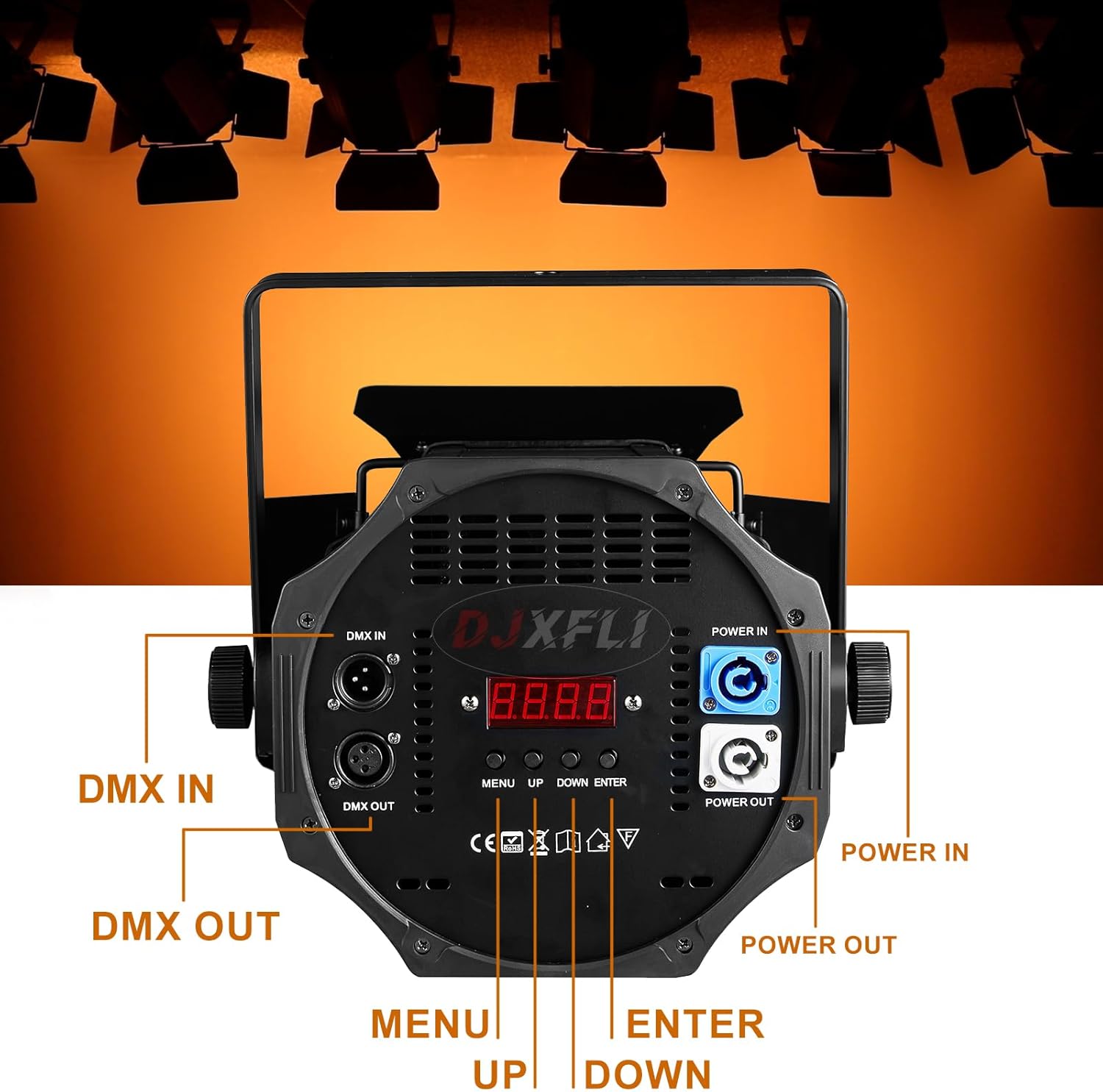
Image: A close-up of the rear panel of the DJXFLI COB Stage Light, highlighting the DMX IN/OUT and Power IN/OUT ports, along with the control buttons and digital display.
3.3 Mounting
The fixture includes dual mounting brackets and screws for flexible installation. It can be hung on a truss, installed on a wall, or placed on the ground. Ensure the mounting surface or structure can safely support the weight of the fixture (approximately 12.38 pounds).
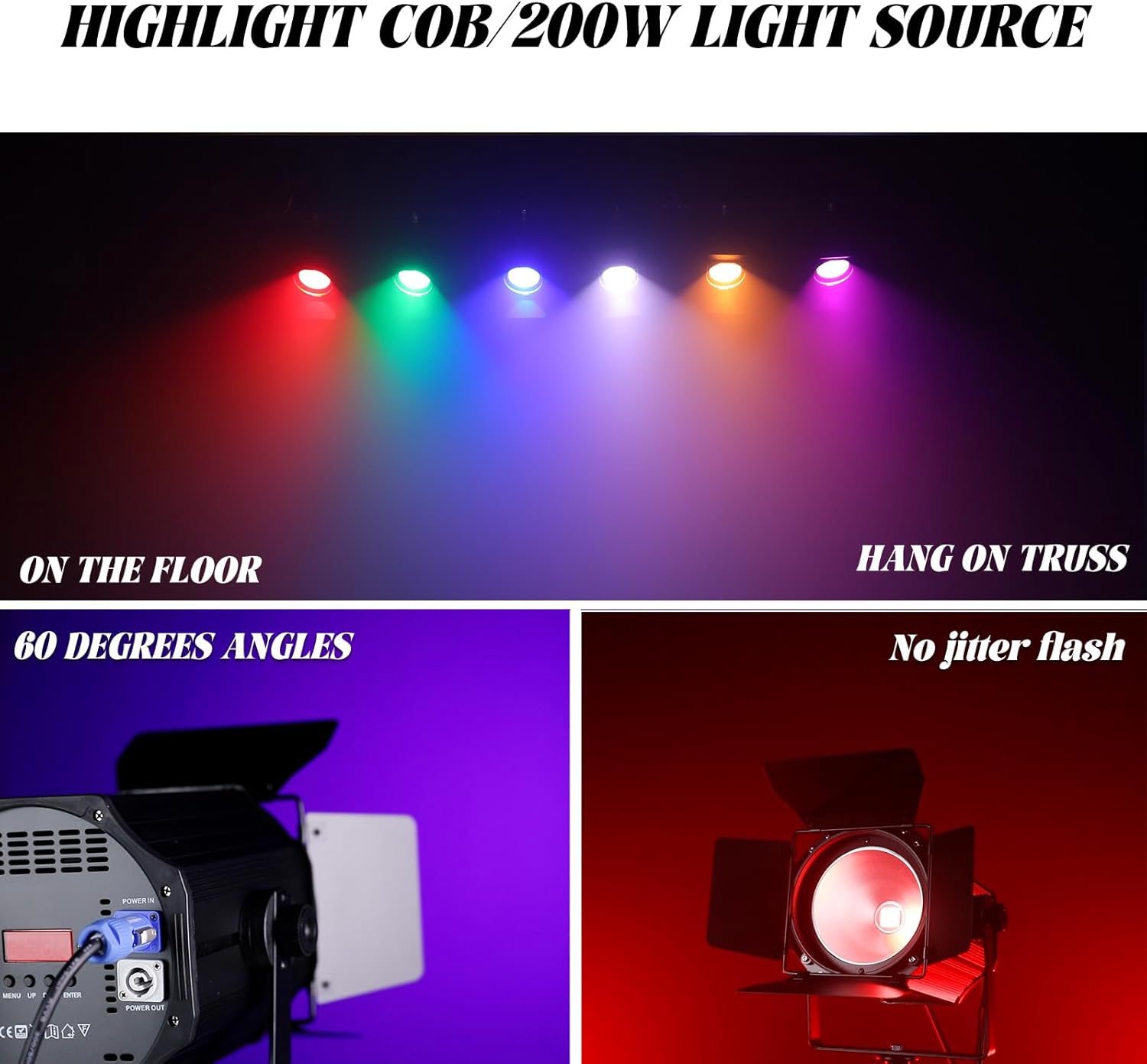
Image: The DJXFLI COB Stage Light demonstrated in two common setups: one unit placed on the floor and another mounted on a truss, illustrating versatile placement options.
4. Operating Modes
The DJXFLI COB Stage Light offers several operating modes to suit various event requirements. Use the MENU, UP, DOWN, and ENTER buttons on the rear panel to navigate and select modes.
4.1 Auto Modes
The fixture features three primary auto modes for dynamic lighting effects:
- CC15 (Colors Jump): Cycles through colors with abrupt transitions.
- dE15 (Colors Gradate): Fades smoothly between different colors.
- CP15 (Colors Pulse): Pulses colors on and off.
To access these modes, press the MENU button until the desired mode (e.g., "CC15") appears on the display, then press ENTER.

Image: Multiple DJXFLI COB Stage Lights displaying various colors in an auto mode, illustrating the dynamic color changes.
4.2 Sound Activation Mode
In Sound Activation mode, the light reacts to ambient sound, changing colors or patterns in sync with music or other audio inputs. To activate, press MENU until "SoUd" appears, then press ENTER. You can cycle through different sound-activated effects (SU01 to SU09) using the UP/DOWN buttons.

Image: Several DJXFLI COB Stage Lights displaying a colorful light show, indicating operation in sound activation mode.
4.3 Static Color Mode
For static color displays, select modes CL01 through CL03 for cold white, warm white, and a mix of cold and warm white, respectively. The RGBWAUV 6-in-1 colors can be accessed via CL04 to CL09, offering a wide spectrum of hues.
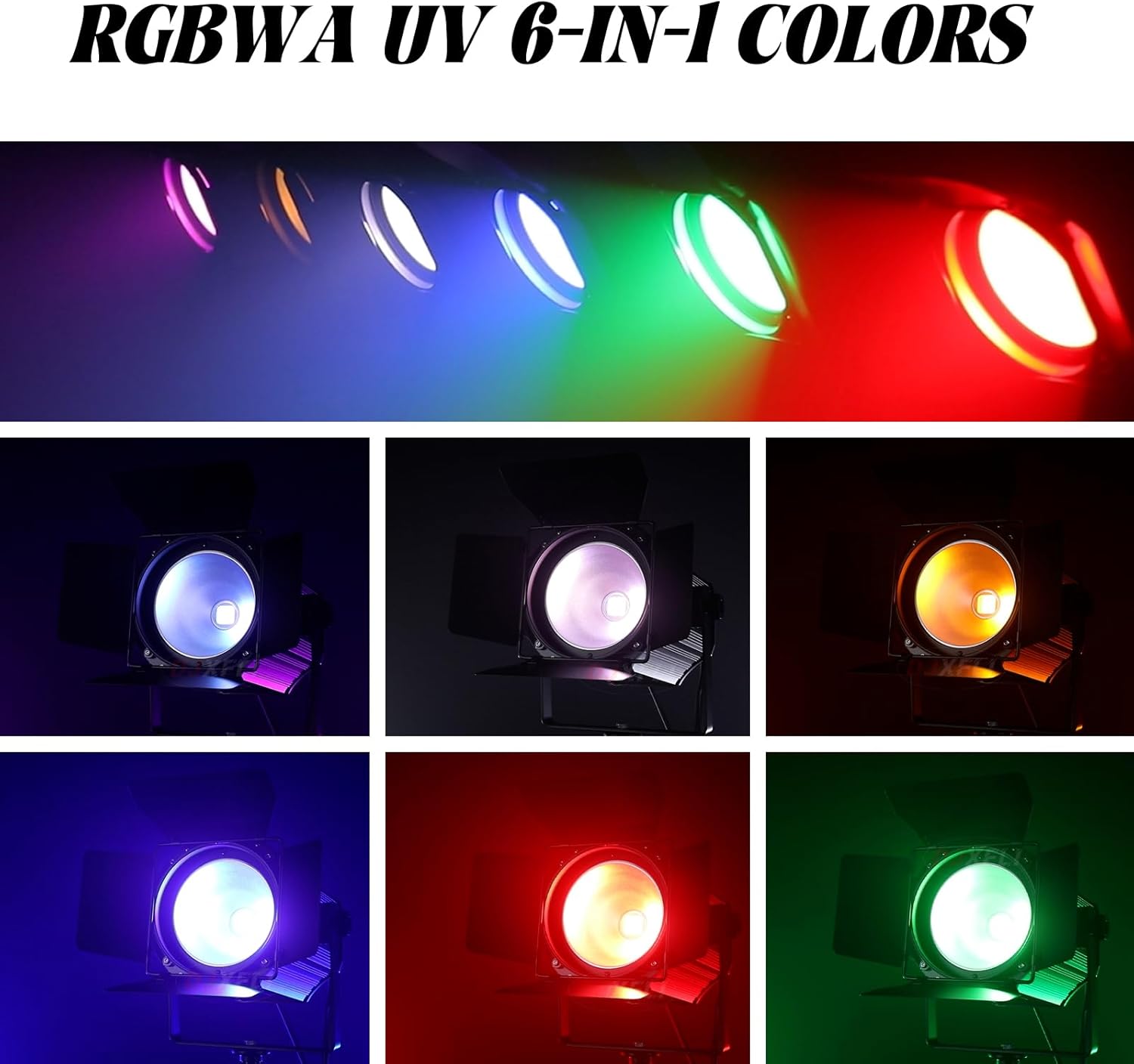
Image: A row of DJXFLI COB Stage Lights projecting individual colors (Red, Green, Blue, White, Amber, UV), demonstrating the RGBWAUV 6-in-1 color capabilities.
4.4 DMX Control
The fixture supports DMX512 control with 6 or 10 channels, allowing for precise control over color, dimming, and strobe effects. Connect to a DMX controller as described in Section 3.2. Refer to the DMX channel chart in the included user manual for detailed programming information.

Image: Multiple DJXFLI COB Stage Lights projecting various colors, illustrating the advanced control possible with a DMX controller.
4.5 Master-Slave Mode
For synchronized operation without a DMX controller, connect multiple fixtures in a daisy chain using DMX cables. Set one fixture as the "Master" (e.g., to an auto or sound mode) and the others as "Slave" units. The slave units will then mirror the master's effects.
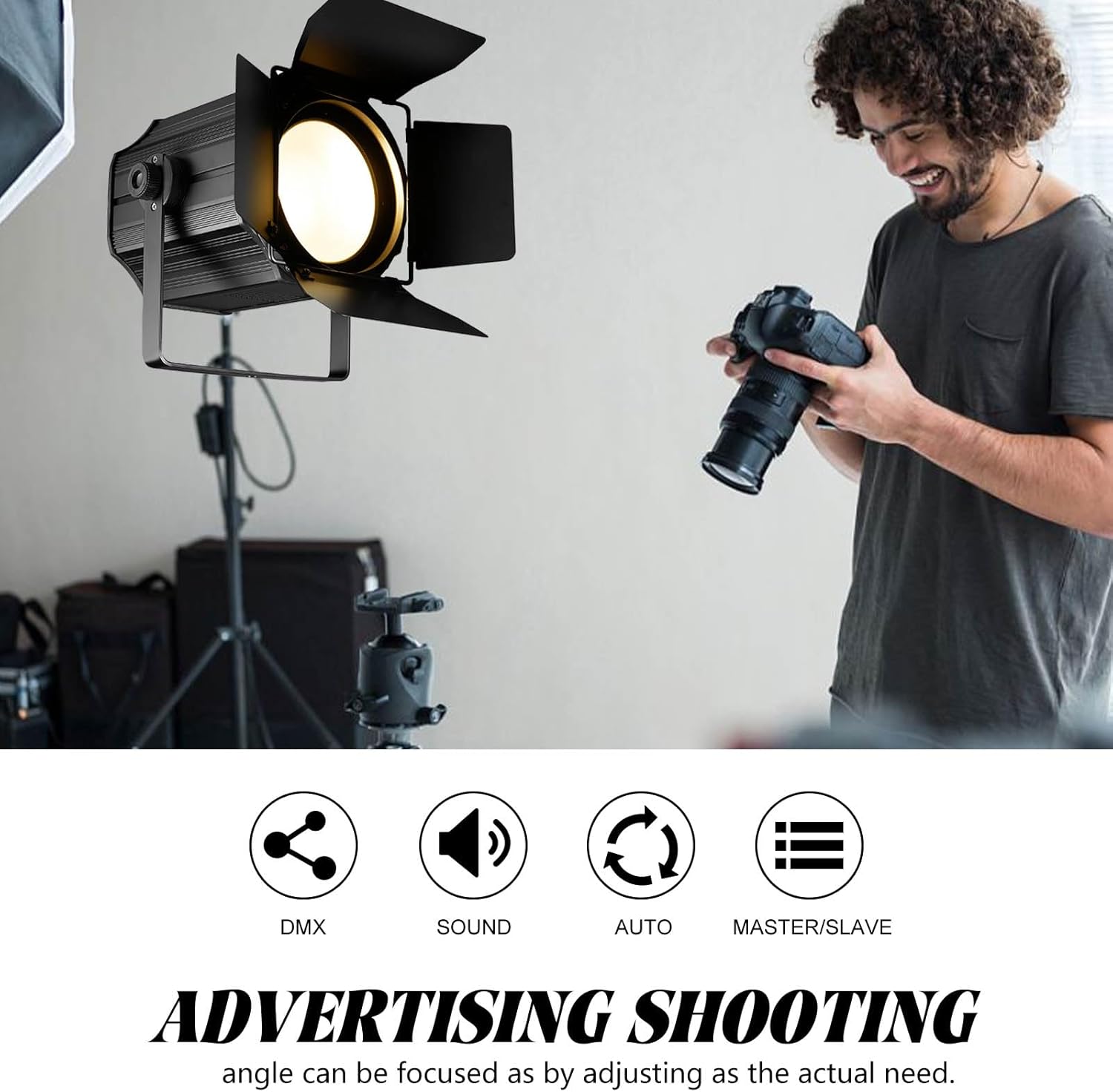
Image: A DJXFLI COB Stage Light being used for an "advertising shooting" setup, indicating its versatility in professional environments, and highlighting DMX, Sound, Auto, and Master/Slave control options.
5. Features and Specifications
5.1 Key Features
- High-Quality COB LED: 200W RGBWAUV 6-in-1 LED for a wide spectrum of colors.
- Adjustable Barn Doors: Control light spill and shape the beam for precise lighting.
- Durable Construction: Aluminum and plastic shell for high temperature resistance and longevity.
- Efficient Cooling: Built-in cooling fan for optimal heat dissipation and low noise operation.
- Multiple Control Modes: Auto, Sound Activation, DMX512 (6/10 channels), and Master-Slave.
- Linear Dimming: 0-100% smooth dimming capability.
- Strobe Effect: Up to 20 flashes per second in any color.
- Uniform Light Output: Unique optical system design ensures uniform color mixing and no jitter flash.

Image: A diagram highlighting key features of the DJXFLI COB Stage Light, including its 200W COB RGBWA UV 6in1, 60-degree beam angle, uniform light, and 20 flashes per second strobe.
5.2 Technical Specifications
- Input Voltage: 110 Volts
- Light Source Type: Light Emitting Diode (LED)
- Light Source Wattage: 200 Watts
- Brightness: 200 Lumen
- Beam Angle: 60 Degrees
- Material: Aluminum, Plastic
- Color: Black
- Product Dimensions: 11"L x 10"W x 12"H
- Item Weight: 12.38 pounds
- Control Channels: 6/10 DMX channels
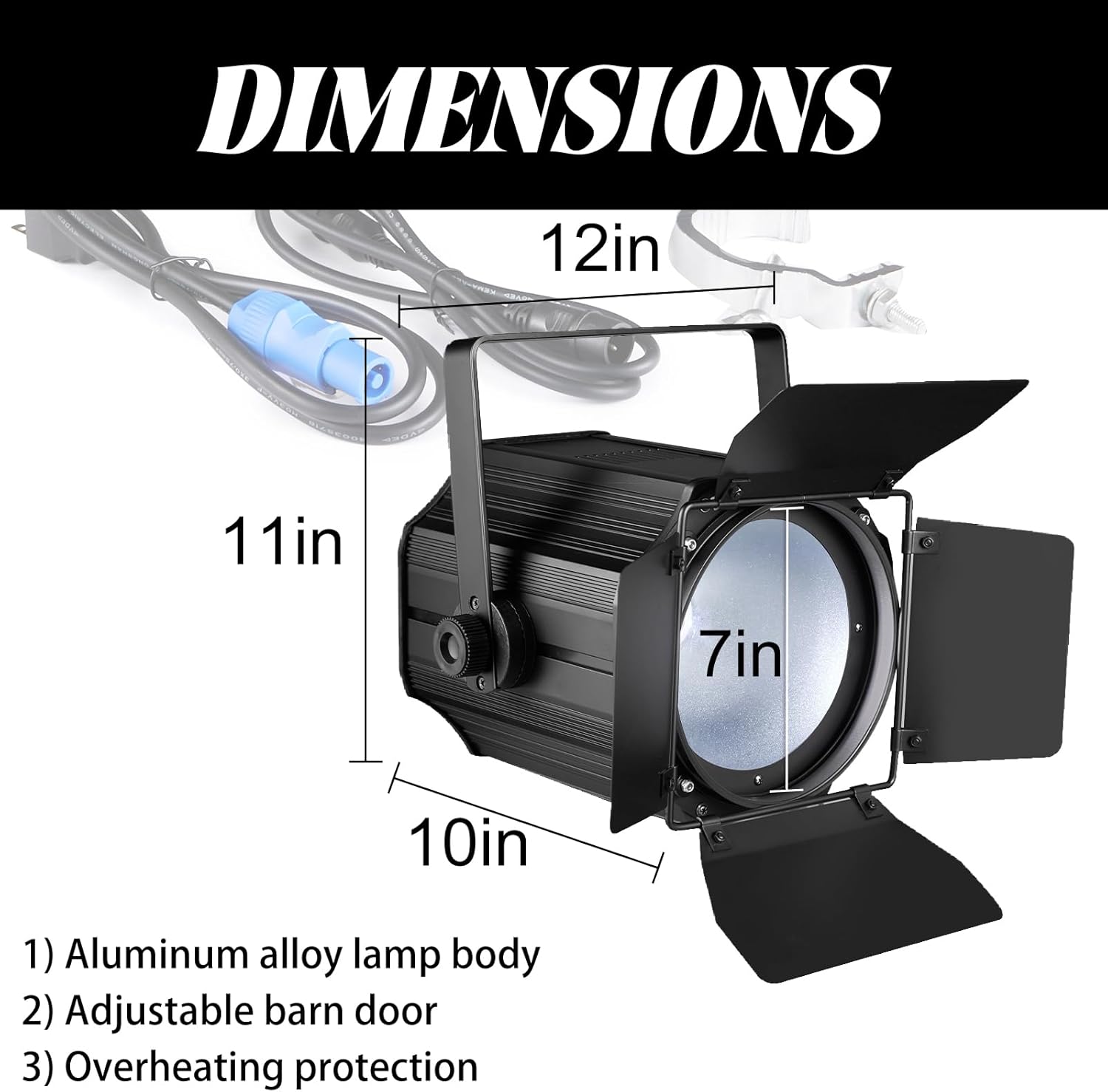
Image: A diagram showing the dimensions of the DJXFLI COB Stage Light, indicating its length, width, and height, along with key components like the aluminum alloy lamp body and adjustable barn doors.
6. Maintenance
To ensure the longevity and optimal performance of your DJXFLI COB Stage Light, follow these maintenance guidelines:
- Cleaning: Regularly clean the lens and exterior with a soft, dry cloth to remove dust and debris. Avoid using abrasive cleaners or solvents.
- Ventilation: Ensure the cooling fan and ventilation openings are clear of obstructions to prevent overheating.
- Storage: When not in use, store the fixture in a dry, cool environment, away from extreme temperatures and humidity.
- Cable Inspection: Periodically inspect power and DMX cables for any signs of wear, cuts, or damage. Replace damaged cables immediately.
7. Troubleshooting
If you encounter issues with your DJXFLI COB Stage Light, consider the following common troubleshooting steps:
- No Power: Check the power cable connection and ensure the power outlet is functional. Verify the power plug is securely locked into the fixture.
- No Light Output: Confirm the fixture is powered on and not in a black-out or dimmed state. Check the selected operating mode.
- Incorrect DMX Control: Verify DMX cable connections, DMX address settings, and channel mode (6 or 10 channels) on the fixture and controller. Ensure the DMX chain is properly terminated if applicable.
- Overheating: Ensure ventilation openings are not blocked. Operate the fixture in a well-ventilated area.
- Sound Mode Not Responding: Check the microphone sensitivity setting (if adjustable) and ensure there is sufficient audio input.
For further assistance, please refer to the detailed instructions in the included user manual or contact DJXFLI customer support.
8. Official Product Videos
Watch these official videos for visual guidance on product features and operation.
Product Overview and Features
Video: A comprehensive overview of the DJXFLI COB Stage Light, demonstrating its RGBWAUV 6-in-1 color capabilities, dimming, strobe effects, and various control modes.
Operating Modes Demonstration
Video: A detailed demonstration of the various operating modes of the COB Par Light, including auto modes, sound activation, and static color selection.
DJXFLI 6-in-1 COB Par Light Mode Use
Video: Another demonstration focusing on the 6-in-1 COB Par Light's modes, providing additional visual examples of its functionality and effects.
9. Warranty and Support
DJXFLI is committed to providing high-quality products. This LED RGBWAUV stage spotlight includes a high-quality cooling system to prevent damage from overheating. Detailed instructions and professional guidance are provided within this manual.
If you require any assistance, encounter issues, or have questions regarding your product, please do not hesitate to contact DJXFLI customer support. We are dedicated to responding as soon as possible to ensure your satisfaction.


