
OTO EM-01
OTO Elements EM-01 Massage Chair User Manual
Model: EM-01
Introduction
Thank you for choosing the OTO Elements EM-01 Massage Chair. This manual provides essential information for the safe and effective use, maintenance, and troubleshooting of your massage chair. Please read this manual thoroughly before operating the device and retain it for future reference.
Important Safety Precautions
To reduce the risk of electric shock, burns, fire, and injury, always follow basic precautions when using electrical appliances.
- Always unplug the appliance from the electrical outlet immediately after using and before cleaning.
- Do not use while bathing or in a shower.
- Do not place or store appliance where it can fall or be pulled into a tub or sink.
- Do not place in or drop into water or other liquid.
- Do not reach for an appliance that has fallen into water. Unplug immediately.
- An appliance should never be left unattended when plugged in.
- Close supervision is necessary when this appliance is used by, on, or near children, invalids, or disabled persons.
- Use this appliance only for its intended use as described in this manual. Do not use attachments not recommended by the manufacturer.
- Never operate this appliance if it has a damaged cord or plug, if it is not working properly, if it has been dropped or damaged, or dropped into water. Return the appliance to a service center for examination and repair.
- Do not carry this appliance by supply cord or use cord as a handle.
- Keep the cord away from heated surfaces.
- Never operate the appliance with the air openings blocked. Keep the air openings free of lint, hair, and the like.
- Never drop or insert any object into any opening.
- Do not use outdoors.
- Do not operate where aerosol (spray) products are being used or where oxygen is being administered.
- To disconnect, turn all controls to the OFF position, then remove plug from outlet.
- This appliance is intended for household use only.
Product Overview
The OTO Elements EM-01 Massage Chair is designed to provide a comprehensive massage experience with various features for relaxation and comfort.
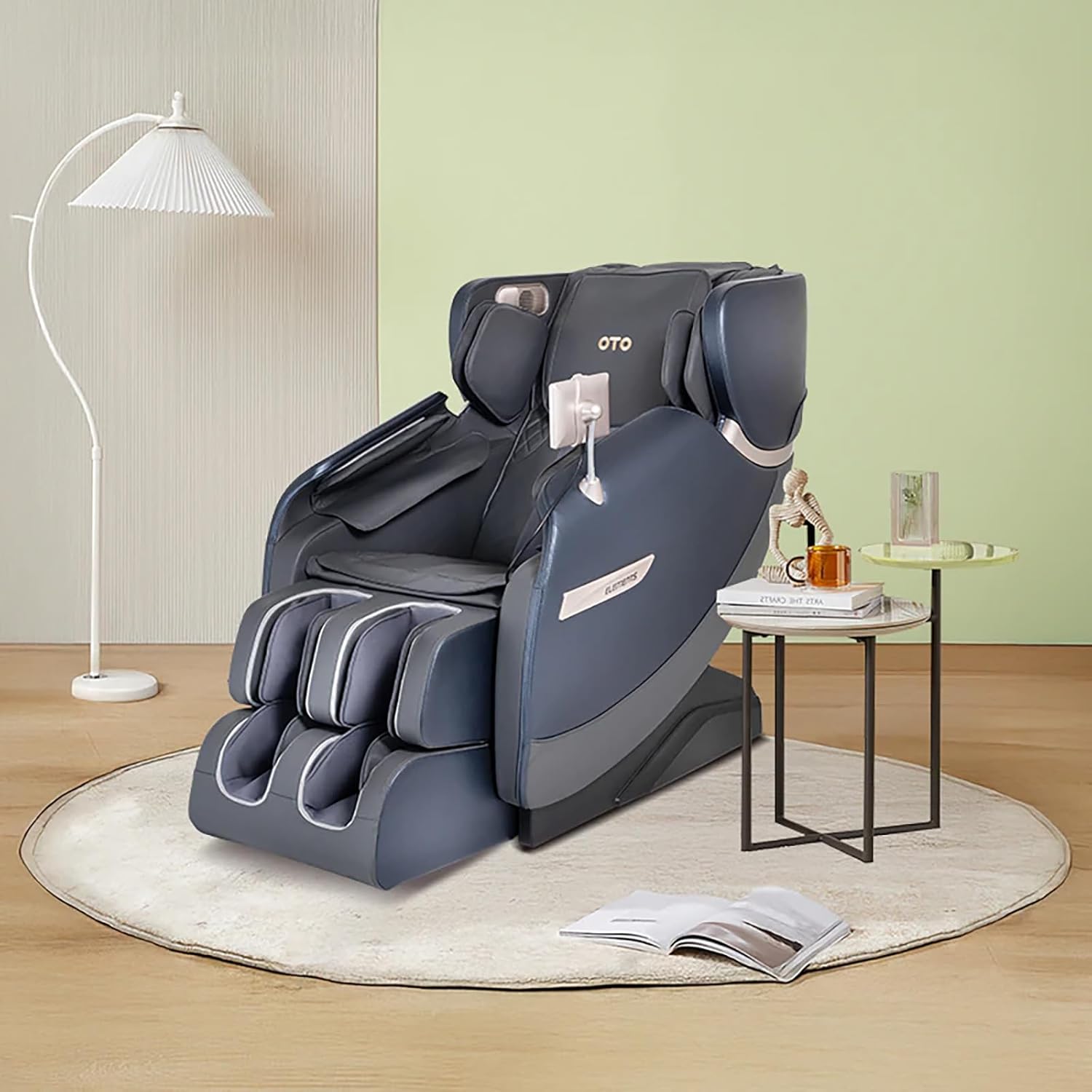


Key Features
- 6 Auto Massage Programs: Experience diverse massage combinations tailored for different needs.
- Customizable Massage: Easily adjust settings to personalize your massage experience.
- AI Supported Operating System: Enhances overall massage performance and user interaction.
- In-depth Massage: Provides comprehensive relaxation, including to the buttocks area.
- Space-Saving Design: Features an auto-recliner for efficient use of space.
- Full-Back Massage: 8 large shiatsu knuckles deliver revitalizing full-back massage programs.
- Invigorating Foot & Calf Massage: Combines heat and air therapies with sole scraping for complete foot and calf relief.
- Air Bags & Foot Rollers: Promote blood circulation and relaxation.
- Heated Functionality: Provides soothing warmth during massage sessions.
Setup and Assembly
Unpacking
- Carefully remove the massage chair from its packaging.
- Inspect all components for any signs of damage. If any damage is found, do not proceed with assembly and contact customer support.
- Ensure all parts listed in the packing list (if provided separately) are present.
Placement
- Place the massage chair on a flat, stable surface.
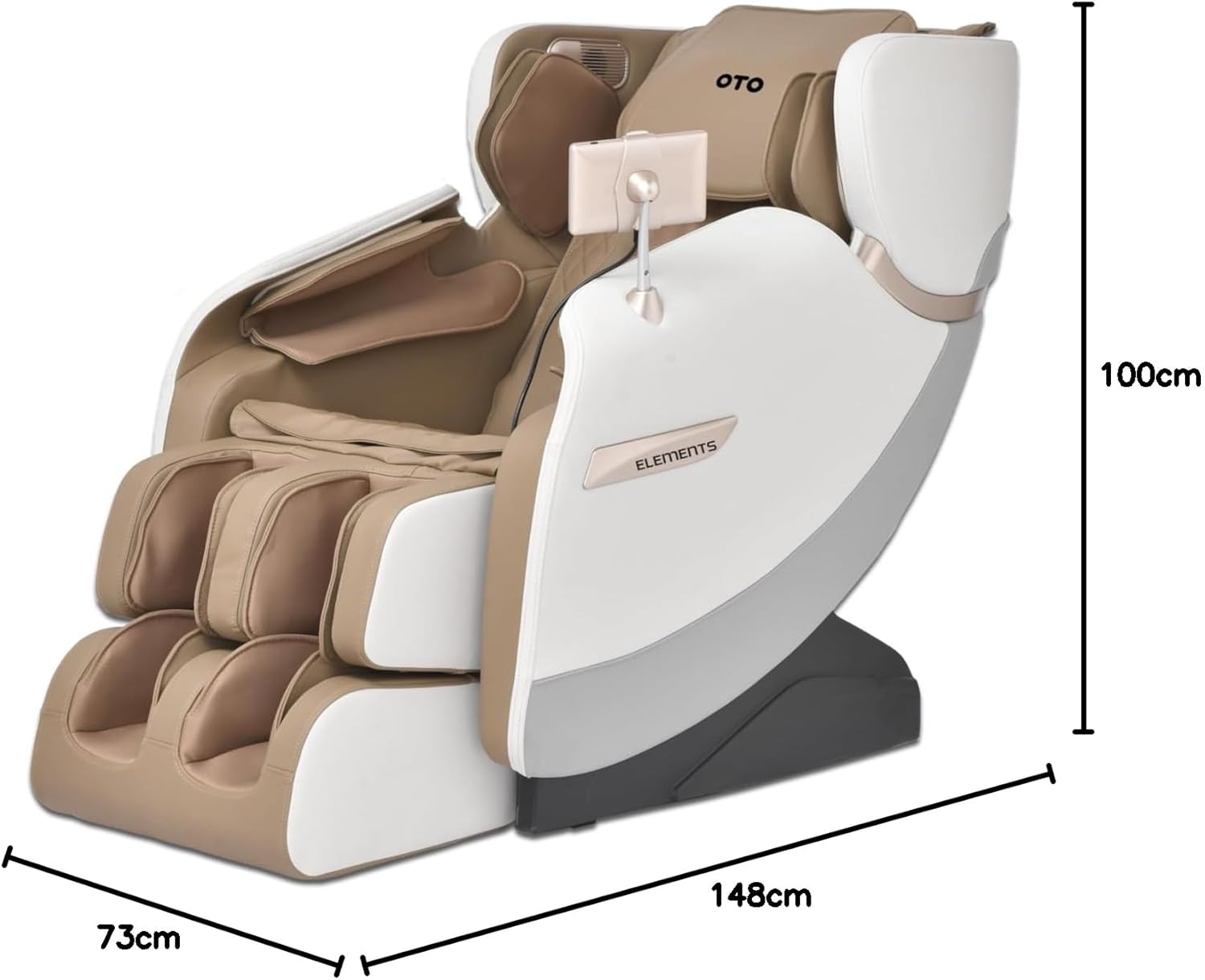
- Ensure there is sufficient space around the chair, especially behind it for reclining, as it features a space-saving design. Refer to the dimensions in the product overview.
- Avoid placing the chair in direct sunlight or in areas with high humidity.
Power Connection
- Connect the power cord securely to the chair's power inlet.
- Plug the power cord into a grounded electrical outlet.
- Ensure the power supply matches the voltage requirements specified on the product label.
Operating Instructions
Control Panel Overview

The OTO Elements EM-01 features an intuitive control panel for easy operation. Familiarize yourself with the buttons and their functions before use.
Starting a Massage Session
- Sit comfortably in the massage chair.
- Press the Power button on the control panel to turn on the chair.
- Select one of the 6 Auto Massage Programs or customize your massage using the manual controls for specific areas (e.g., shoulder & neck, waist and back) and techniques (e.g., kneading).
- Adjust the intensity of the massage, heat, and air therapies as desired.
Massage Programs and Techniques
- Shiatsu Knuckles: The 8 large shiatsu knuckles provide deep, revitalizing full-back massages.
- Foot & Calf Massage: Engage the foot and calf massage programs which include heat and air therapies, along with sole scraping.
- Air Bags: Utilize the air bags for promoting blood circulation and overall relaxation.
- Reclining Function: Use the auto-recliner feature to find your most comfortable position.


Maintenance and Care
Cleaning
- Always unplug the massage chair before cleaning.
- Wipe clean the exterior surfaces with a soft, damp cloth. Do not use abrasive cleaners or solvents.
- For leather surfaces, use a leather-specific cleaner and conditioner as recommended by the manufacturer.
- Ensure no liquid enters the internal components of the chair.
Storage
- When not in use for extended periods, store the chair in a cool, dry place, away from direct sunlight and extreme temperatures.
- Cover the chair with a dust cover to protect it from dust and debris.
Troubleshooting
| Problem | Possible Cause | Solution |
|---|---|---|
| Chair does not power on. | Power cord not securely plugged in. No power from outlet. | Check power cord connection. Test outlet with another device. |
| Massage functions are weak or inconsistent. | Incorrect program selected. Obstruction in massage path. | Select a different program or adjust intensity. Ensure no objects are blocking the massage rollers. |
| Unusual noises during operation. | Normal operational sounds. Loose component. | Some motor sounds are normal. If noise is loud or persistent, discontinue use and contact customer support. |
If the problem persists after attempting the above solutions, please contact OTO customer support for assistance.
Specifications
| Attribute | Detail |
|---|---|
| Brand | OTO |
| Model | EM-01 |
| Model Name | Elements EM 1 |
| Product Dimensions | 148D x 73W x 100H centimetres |
| Item Weight | 55 Kilograms |
| Material Type | Leather |
| Special Features | Heated |
| Power Source | Corded Electric (implied) |
Warranty and Support
For warranty information and customer support, please refer to the warranty card included with your purchase or visit the official OTO website. Keep your proof of purchase for warranty claims.
Manufacturer: OTO
Date First Available: 8 May 2023
Related documentsEM-01


Ask a question about this manual
Ask about setup, troubleshooting, compatibility, parts, safety, or missing instructions. Manuals+ will review the question and use this page’s manual context to help answer it.