Introduction
This manual provides comprehensive instructions for the HomeSpot HS-JY100 Neckband Wireless Earbuds. It covers product features, setup, operation, maintenance, and troubleshooting to ensure optimal performance and user experience. These earbuds feature aptX Low Latency Bluetooth 5.1 technology and Qualcomm® CVC™ for clear audio and stable connections.
Key features include:
- Advanced Bluetooth V5.1 for quicker pairing and stable connection.
- Oversized 10mm drivers with Bio-Cellulose diaphragm for rich sound.
- Up to 20 hours of non-stop listening time and 240 hours standby time.
- Ergonomic neckband design for comfortable wear.
- Magnetic earbuds for tangle-free storage.
Package Contents
Verify that all items listed below are included in your package:
- HomeSpot JY100 Neckband Wireless Earbuds x 1
- Micro-USB Charging Cable x 1
- Eartips (various sizes)

Image: Package contents showing the HomeSpot HS-JY100 neckband wireless earbuds, micro-USB charging cable, and additional eartips.
Product Overview
Familiarize yourself with the components and controls of your HomeSpot HS-JY100 Neckband Wireless Earbuds.
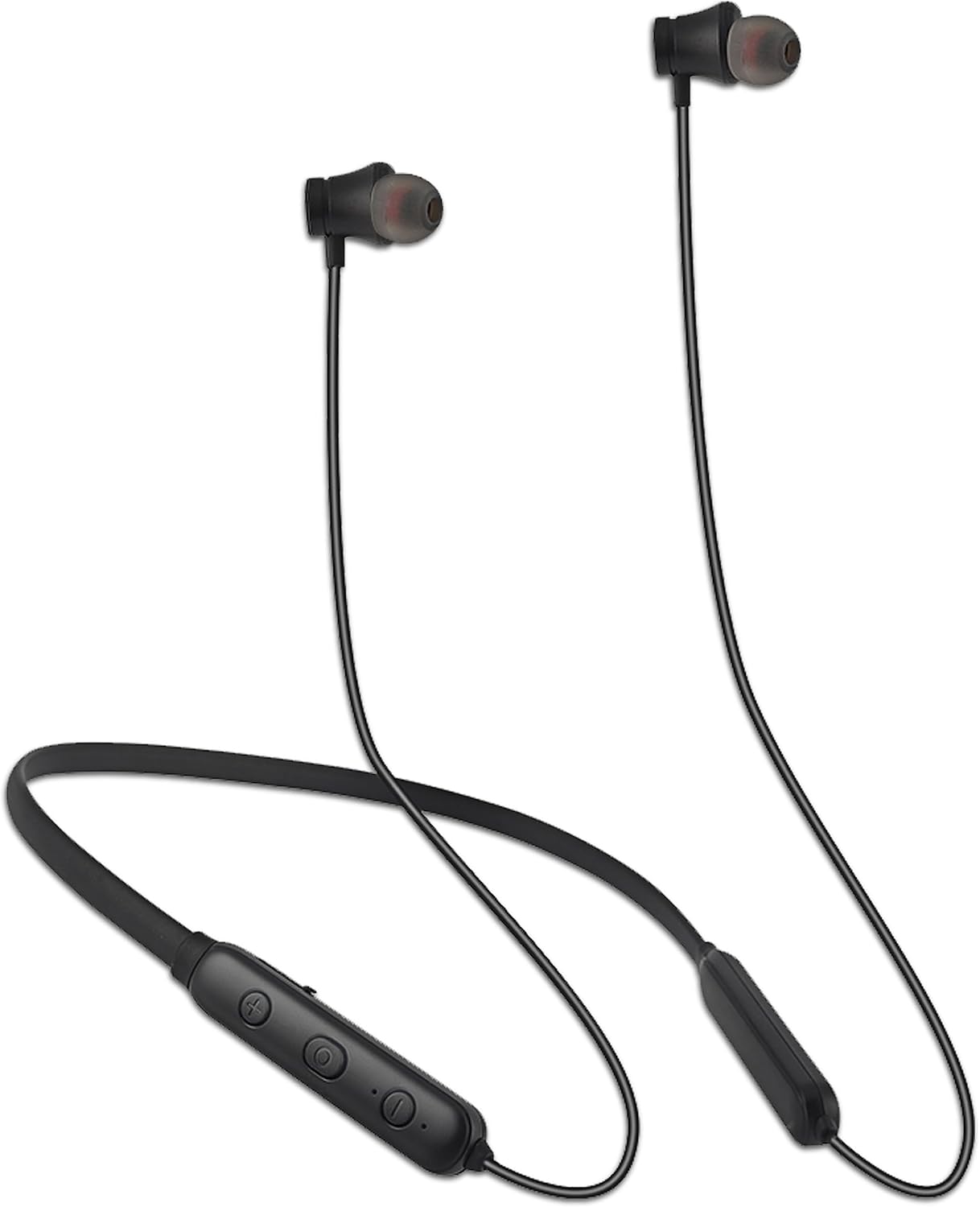
Image: The HomeSpot HS-JY100 neckband wireless earbuds, highlighting the flexible neckband and the integrated control panel with buttons.
Control Panel Functions:
- Power Button: Used for powering on/off and Bluetooth pairing.
- Volume Up (+): Increases volume.
- Volume Down (-): Decreases volume.
- Multi-function Button (Center): Controls playback (play/pause), call management (answer/end), and voice assistant activation.
- LED Indicator: Displays power status, charging status, and Bluetooth pairing status.
- Micro-USB Charging Port: For connecting the charging cable.
Setup
1. Charging the Earbuds
Before first use, fully charge your earbuds. A full charge takes approximately 2 hours.
- Connect the Micro-USB charging cable to the charging port on the neckband.
- Connect the other end of the cable to a USB power source (e.g., computer USB port, USB wall adapter).
- The LED indicator will show red during charging and turn blue when fully charged.
The earbuds provide up to 20 hours of listening time on a full charge and 240 hours of standby time.

Image: The HomeSpot HS-JY100 earbuds demonstrating their long battery life and working range.
2. Bluetooth Pairing
Pair your earbuds with your device (smartphone, tablet, laptop) to enable wireless audio.
- Ensure the earbuds are turned off.
- Press and hold the Power Button for approximately 5-7 seconds until the LED indicator flashes red and blue alternately. This indicates pairing mode.
- On your device, enable Bluetooth and search for available devices.
- Select "HomeSpot JY100" from the list of found devices.
- Once paired, the LED indicator will flash blue slowly, and you may hear a confirmation tone.
The earbuds will automatically attempt to reconnect to the last paired device when powered on.
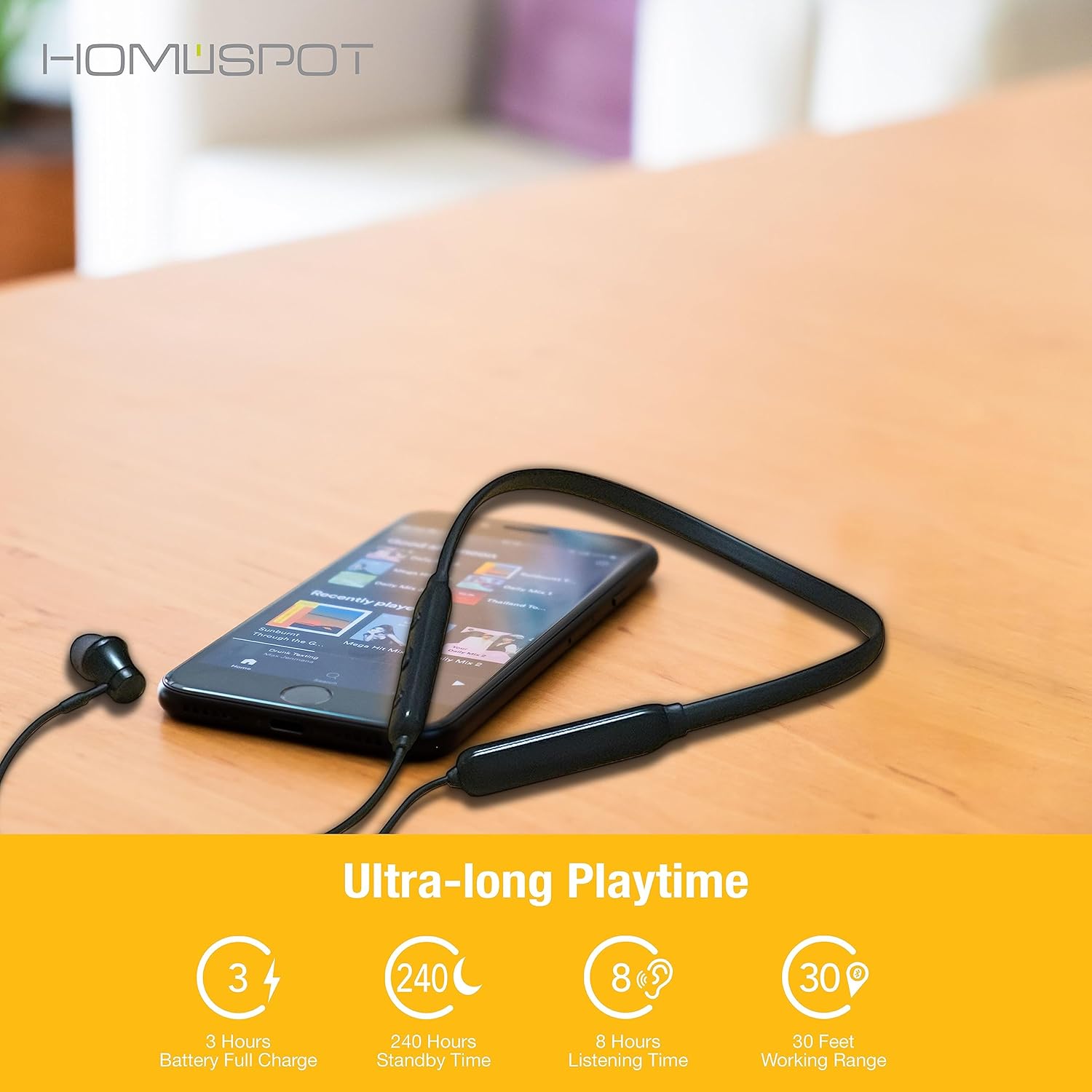
Image: Illustration of the HomeSpot HS-JY100 earbuds connecting wirelessly to two different mobile devices, demonstrating Bluetooth pairing.
Operating Instructions
Power On/Off
- Power On: Press and hold the Power Button for 3 seconds until the LED indicator flashes blue.
- Power Off: Press and hold the Power Button for 3 seconds until the LED indicator flashes red and then turns off.
Music Playback
- Play/Pause: Press the Multi-function Button once.
- Next Track: Press and hold the Volume Up (+) button for 2 seconds.
- Previous Track: Press and hold the Volume Down (-) button for 2 seconds.
Call Management
- Answer/End Call: Press the Multi-function Button once.
- Reject Call: Press and hold the Multi-function Button for 2 seconds.
- Redial Last Number: Double-press the Multi-function Button.
Volume Control
- Increase Volume: Press the Volume Up (+) button.
- Decrease Volume: Press the Volume Down (-) button.
Voice Assistant
- Activate Voice Assistant: Triple-press the Multi-function Button.
Maintenance
To ensure the longevity and optimal performance of your HomeSpot HS-JY100 Earbuds, follow these maintenance guidelines:
- Cleaning: Use a soft, dry cloth to clean the earbuds and neckband. Do not use harsh chemicals or abrasive materials.
- Storage: When not in use, store the earbuds in a cool, dry place, away from direct sunlight and extreme temperatures. The magnetic earbuds help prevent tangling.
- Water Exposure: Avoid exposing the earbuds to excessive moisture or submerging them in water. While designed for active use, they are not fully waterproof.
- Charging: Use only the provided Micro-USB cable or a certified equivalent for charging.
Troubleshooting
If you encounter issues with your earbuds, refer to the following common solutions:
| Problem | Possible Solution |
|---|---|
| Earbuds do not power on. | Ensure the earbuds are fully charged. Connect them to a power source using the Micro-USB cable. |
| Cannot pair with a device. |
|
| No sound or low volume. |
|
| Connection is unstable or drops frequently. |
|
Specifications
| Feature | Detail |
|---|---|
| Model Name | HS-JY100 |
| Bluetooth Version | 5.1 |
| Bluetooth Range | 10 Meters (33 feet) |
| Audio Driver Size | 10 Millimeters |
| Battery Life | Up to 20 Hours (listening time) |
| Standby Time | 240 Hours |
| Charging Time | 2 Hours (full charge) |
| Noise Control | Passive Noise Cancellation |
| Frequency Range | 20 Hz - 20,000 Hz |
| Impedance | 16 Ohm |
| Connectivity Technology | Wireless |
| Material | Plastic |
| Item Weight | 3.52 ounces |
| Product Dimensions | 5 x 6.8 x 1.6 inches |
Warranty and Support
HomeSpot provides a standard warranty for its products. For specific warranty details and to register your product to extend the warranty from 12 to 18 months, please visit the official HomeSpot website. For technical support or customer service inquiries, refer to the contact information provided on the HomeSpot website or your purchase documentation.
You can visit the HomeSpot store on Amazon for more information: HomeSpot Store