
1. Introduction
Thank you for choosing the ARCCAPTAIN HSH-S800 Skeleton Knight Auto Darkening Welding Helmet. This manual provides essential information for the safe and effective use, maintenance, and troubleshooting of your welding helmet. Please read this manual thoroughly before operation and retain it for future reference.

Image: The ARCCAPTAIN HSH-S800 Skeleton Knight Auto Darkening Welding Helmet, showcasing its distinctive graphic design.
The ARCCAPTAIN HSH-S800 is designed to provide superior eye and face protection during various welding, grinding, and cutting applications. It features advanced auto-darkening technology, true color viewing, and a comfortable, durable design.
2. Safety Information
Always prioritize safety when performing welding, grinding, or cutting operations. Failure to follow safety guidelines can result in serious injury.
General Safety Precautions:
- Always wear appropriate personal protective equipment (PPE) in addition to the welding helmet, including safety glasses, gloves, and protective clothing.
- Ensure the helmet is properly adjusted and fits securely before starting any work.
- Inspect the helmet and lenses for any damage before each use. Replace damaged parts immediately.
- Do not use the helmet if the auto-darkening function is not working correctly.
- Avoid direct exposure to welding arc rays without proper eye protection.
- Work in a well-ventilated area to avoid inhaling fumes and gases.
- Keep children and unauthorized personnel away from the work area.
Product Specific Safety Features:
- UV/IR Protection: Provides automatic DIN 16 UV/IR protection, safeguarding your eyes from harmful ultraviolet and infrared radiation, even in the light state.
- Certifications: Compliant with ANSI Z87.1, EN379 CE, and CSA Z94.3 standards, ensuring high levels of safety and performance.
- Durable Material: Constructed from Polyamide (PA) material, offering resistance to shock, heat, and wear.
3. Product Components
The ARCCAPTAIN HSH-S800 Skeleton Knight Welding Helmet package includes the following items:
- 1x ARCCAPTAIN Welding Helmet (HSH-S800 Skeleton Knight)
- 3x Replacement Lenses
- 1x User Manual (this document)
- 1x Random Cool Stickers (for personalization)

Image: An overview of the upgraded ARCCAPTAIN welding helmet, highlighting features such as True Color, PA Durable Material, 1/25000s Darkening, and Large Screen.
4. Setup and Adjustment
4.1 Headgear Adjustment
Proper adjustment of the headgear is crucial for comfort and stability during use.
- Place the helmet on your head.
- Adjust the top strap to ensure the helmet sits comfortably and securely.
- Use the rear knob to tighten or loosen the headband for a snug fit.
- Adjust the side pivots to control the helmet's tilt and viewing angle.
- Ensure the soft padded front and rear headband sections are positioned correctly to reduce pressure points.

Image: Diagram illustrating the adjustable headgear design with comfortable, sweatproof, and 130° antiskid features.
4.2 Battery Installation/Check
The helmet is powered by solar cells and a replaceable CR2450 lithium battery. The battery is typically pre-installed.
- Ensure the battery is correctly installed with the correct polarity.
- The solar cells assist in powering the auto-darkening filter and extend battery life.
- If the auto-darkening function is inconsistent or fails, replace the CR2450 battery.
4.3 Lens Installation/Replacement
The helmet comes with three replacement lenses. These are typically clear cover lenses that protect the auto-darkening filter from scratches and spatter.
- Carefully remove the old cover lens by unclipping it from the helmet frame.
- Clean the auto-darkening filter if necessary.
- Insert a new cover lens, ensuring it is securely clipped into place.
The helmet is also compatible with magnifying (cheater) lenses. These can be inserted into a dedicated slot behind the auto-darkening filter.

Image: Illustration showing the magnifying lens compatible design, indicating where a cheater lens can be inserted.
5. Operating Instructions
5.1 Auto-Darkening Function
The helmet features a high-end auto-darkening lens with 4 premium arc sensors.
- The lens switches from light to dark in approximately 1/25000 seconds upon detecting an arc.
- The 1/1/1/1 optical clarity lens and true color technology provide a clear and realistic view of the workpiece.

Image: Graphic illustrating the fast darkening feature with 4 premium arc sensors and a 1/25000s response time.

Image: Detailed view of the auto-darkening filter, highlighting optimal eye protection, amazing clarity (1/1/1/1 optical), solar cell/battery power, and built-in 4 arc sensors.
5.2 Shade and Sensitivity Adjustment
The helmet allows for easy adjustment of shade and sensitivity to suit different welding processes and ambient light conditions.
- Shade Control: The dark state level is adjustable from DIN 9 to DIN 13 for welding, and DIN 4 for grinding. Use the external knob to select the appropriate shade.
- Sensitivity Control: Adjust the sensitivity to control how quickly the filter reacts to light. Higher sensitivity is suitable for low amperage TIG welding or when the arc is partially obscured.
- Delay Control: Adjust the delay time for the filter to return to the light state after the arc ceases. A longer delay is useful for high amperage welding to prevent eye fatigue from afterglow.

Image: Visual representation of Grind Mode (DIN 4), Weld Mode (DIN 9), and Weld Mode (DIN 13) for different applications.
5.3 Application Modes
The HSH-S800 Skeleton Knight helmet is suitable for a wide range of applications:
- Welding: Ideal for TIG, MIG, and ARC welding processes. Adjust shade settings according to the amperage and material.
- Grinding: Switch to Grind Mode (DIN 4) for clear viewing during grinding operations. Ensure the helmet is in grind mode before starting to avoid accidental darkening.
- Cutting: Can be used for plasma cutting applications.

Image: Four panels depicting the helmet's suitability for STICK, MIG, TIG welding, and CUTTING applications.
6. Maintenance
6.1 Cleaning
- Helmet Shell: Clean the helmet shell with a mild soap and water solution. Avoid harsh chemicals or abrasive cleaners.
- Lenses: Gently wipe the inner and outer cover lenses with a soft, clean cloth. For stubborn dirt, use a lens cleaning solution specifically designed for plastics. Do not use abrasive materials or solvents on the auto-darkening filter.
- Sensors: Keep the arc sensors clean and unobstructed to ensure proper auto-darkening function.
6.2 Battery Replacement
The CR2450 lithium battery should be replaced when the low battery indicator appears or if the auto-darkening function becomes unreliable.
- Locate the battery compartment, usually on the auto-darkening filter unit.
- Open the compartment and carefully remove the old CR2450 battery.
- Insert a new CR2450 battery, ensuring correct polarity (+ side up).
- Close the battery compartment securely.
6.3 Storage
- Store the helmet in a clean, dry place away from direct sunlight and extreme temperatures.
- Protect the lenses from scratches by storing the helmet in a protective bag or case.
7. Troubleshooting
If you encounter issues with your ARCCAPTAIN HSH-S800 welding helmet, refer to the following table for common problems and solutions.
| Problem | Possible Cause | Solution |
|---|---|---|
| Lens does not darken when welding. |
|
|
| Poor visibility or blurry view. |
|
|
| Helmet feels uncomfortable or unstable. |
|
|
| Lens flickers or darkens intermittently. |
|
|
8. Specifications
| Feature | Detail |
|---|---|
| Model Number | HSH-S800 Skeleton Knight (SUN5) |
| Viewing Area | 3.86" x 1.69" |
| Optical Clarity | 1/1/1/1 |
| Arc Sensors | 4 |
| Light State Shade | DIN 4 |
| Dark State Shade | DIN 9-13 (Adjustable) |
| UV/IR Protection | DIN 16 (Permanent) |
| Switching Time | 1/25000 sec |
| Power Source | Solar Cell & Replaceable CR2450 Lithium Battery |
| Material | Polyamide (PA) |
| Item Weight | 1 Pound |
| Product Dimensions | 7.48 x 2.76 x 2.76 inches |
| Certifications | ANSI Z87.1, EN379 CE, CSA Z94.3 |
| Included Components | Welding helmet, 3x Replacement Lenses, User Manual, Stickers |
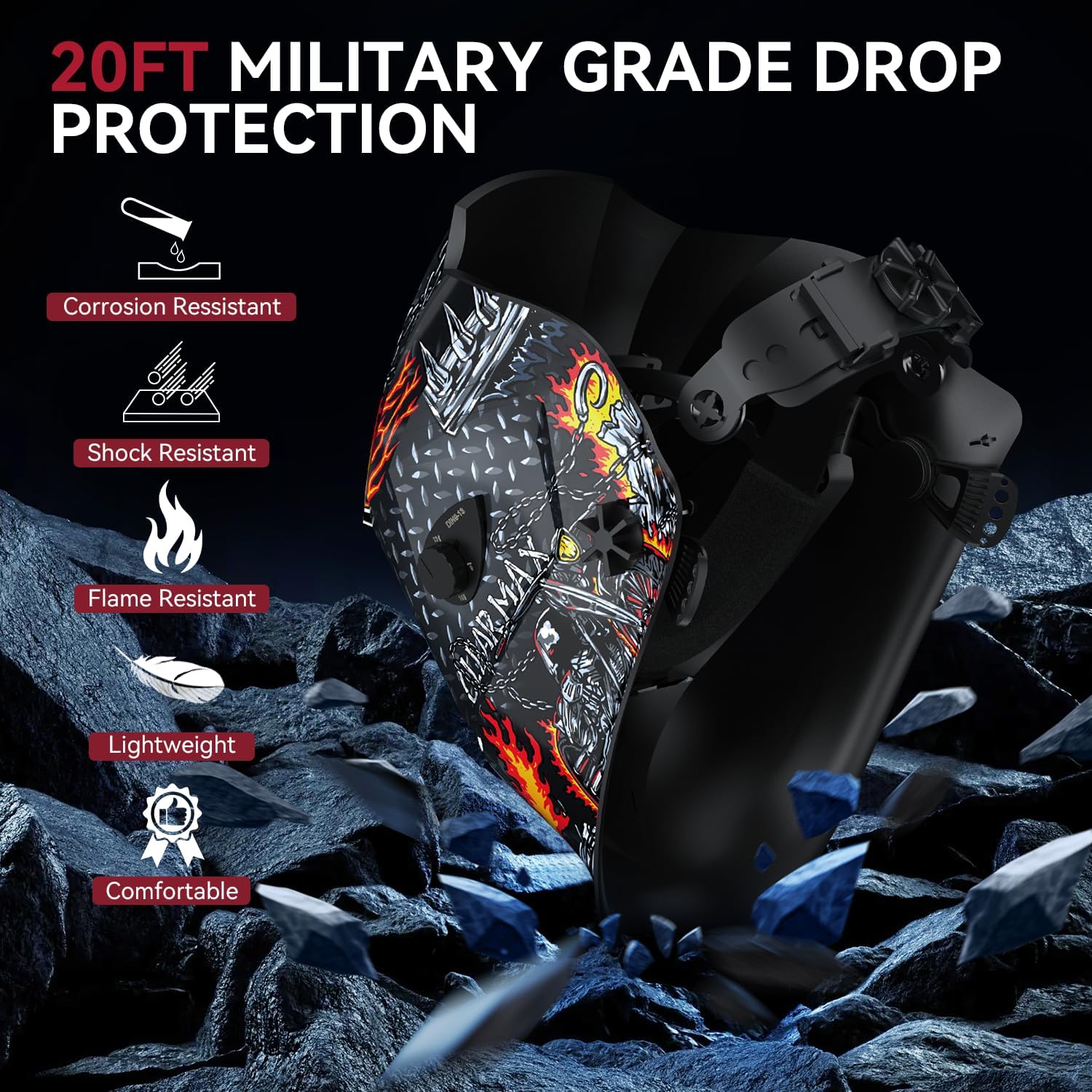
Image: The welding helmet highlighted for its durability, featuring corrosion, shock, and flame resistance, lightweight design, and comfort.
9. Warranty and Support
Warranty Information:
The ARCCAPTAIN HSH-S800 Skeleton Knight Auto Darkening Welding Helmet comes with a 180-day warranty from the date of purchase. This warranty covers manufacturing defects and material flaws under normal use. Please retain your proof of purchase for warranty claims.
Customer Support:
For technical assistance, warranty claims, or any questions regarding your product, please contact ARCCAPTAIN customer support. You can find more information and contact details on the official ARCCAPTAIN store page: Visit the ARCCAPTAIN Store on Amazon.


