
1. Introduction
Thank you for choosing the UMAY Walking Pad Foldable Treadmill 512N. This manual provides essential information for the safe and efficient operation, setup, maintenance, and troubleshooting of your new fitness equipment. Please read this manual thoroughly before use and retain it for future reference.

Image 1.1: UMAY Walking Pad Foldable Treadmill 512N
The UMAY 512N Walking Pad is designed for home use, offering a convenient way to incorporate walking or light jogging into your daily routine. It features a quiet brushless motor, adjustable incline, smart app connectivity, and a space-saving foldable design.
2. Safety Instructions
To ensure your safety and prolong the life of your treadmill, please observe the following precautions:
- Read all instructions in this manual before using the treadmill.
- Keep children and pets away from the treadmill during operation.
- Place the treadmill on a flat, stable surface with adequate clearance around it.
- Wear appropriate athletic footwear and clothing.
- Do not use the treadmill if you weigh more than the maximum recommended load of 110 kg (242 lbs).
- If you experience dizziness, nausea, chest pain, or any other abnormal symptoms, stop your workout immediately and consult a physician.
- Ensure the power cord is not damaged and is properly connected to a grounded outlet.
- Do not attempt to service the treadmill yourself. Contact customer support for assistance.
3. Package Contents
Carefully unpack the box and ensure all items are present:
- UMAY Walking Pad Treadmill 512N
- Remote Control
- Power Cord
- Tool Kit (including silicone oil for lubrication)
- User Manual (this document)
4. Product Overview
Familiarize yourself with the components of your UMAY Walking Pad Treadmill 512N.
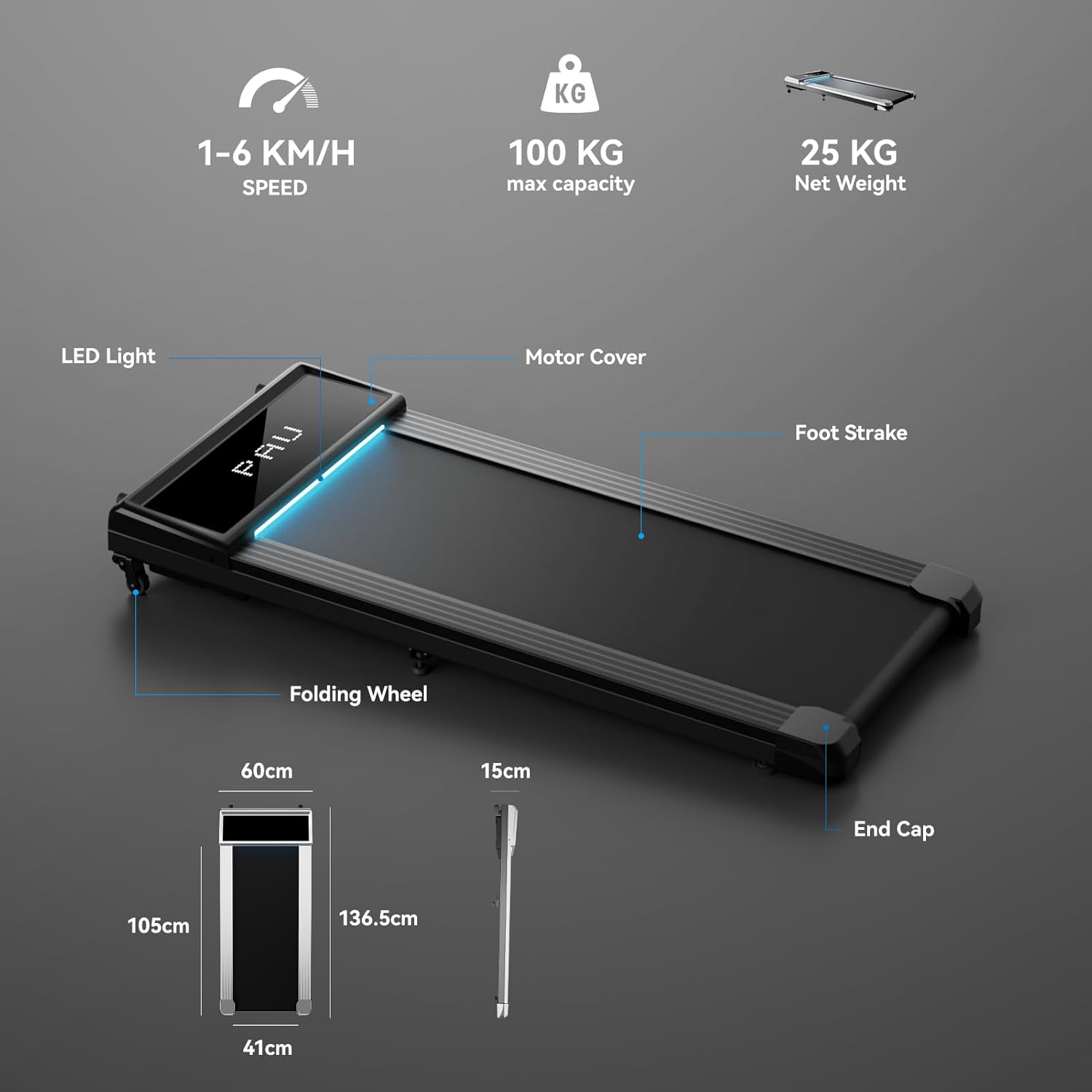
Image 4.1: Treadmill Components and Dimensions
The treadmill features a robust design with a 2.5 HP brushless motor, ensuring quiet and efficient operation. Its running surface is composed of seven different functional layers and supported by 8 shock absorbers for a comfortable and stable workout.
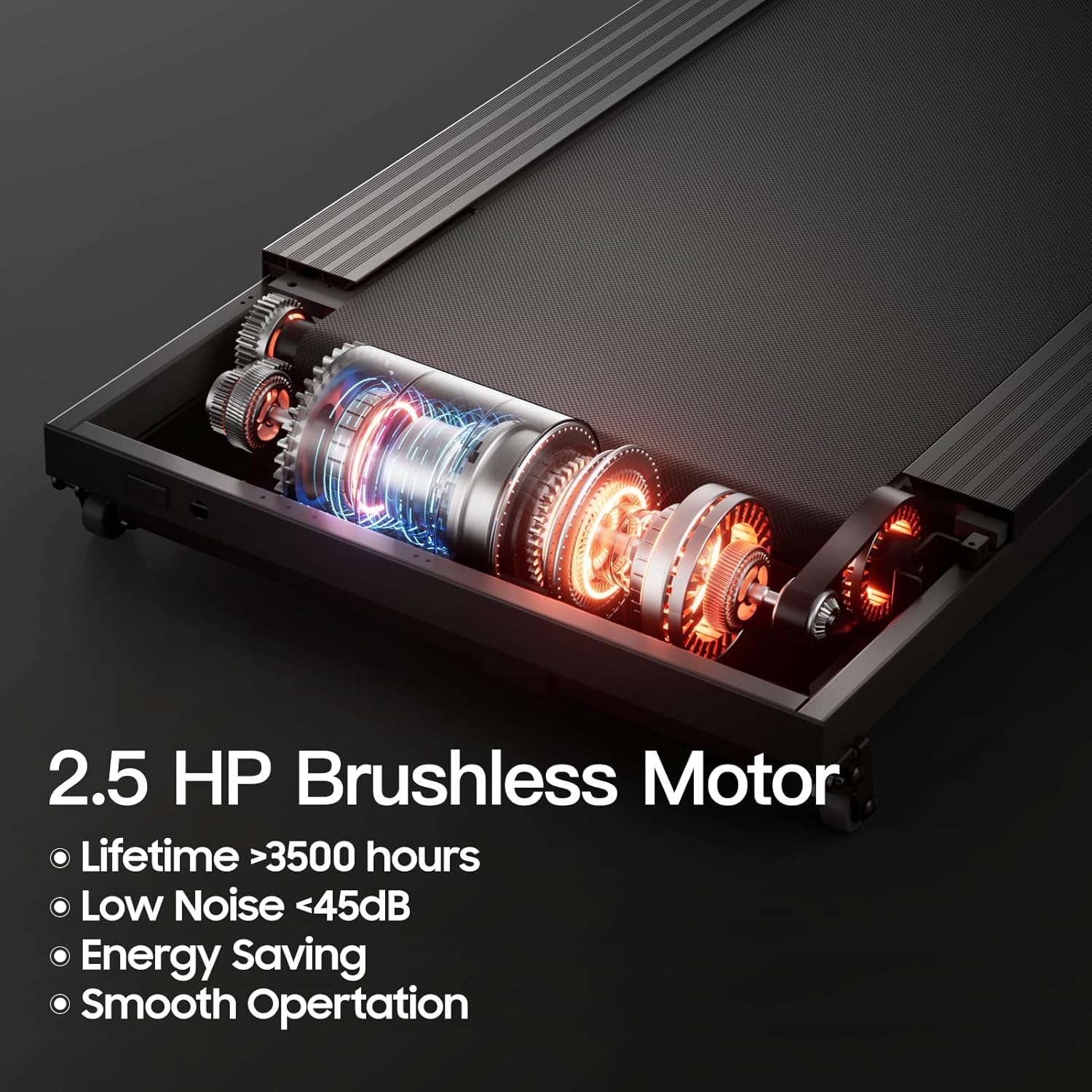
Image 4.2: 2.5 HP Brushless Motor

Image 4.3: Running Belt Layers and Shock Absorbers
The running belt measures 105 cm in length and 41 cm in width, providing ample space for walking. Side rails are 8.9 cm wide for added safety.

Image 4.4: Safe and Comfortable Running Surface
5. Setup
Follow these steps to set up your UMAY Walking Pad Treadmill:
- Unpack: Remove the treadmill and all accessories from the packaging.
- Placement: Place the treadmill on a firm, level surface. Ensure there is at least 20 cm of clear space on each side and 100 cm at the rear for safety.
- Incline Adjustment: The treadmill offers two manual incline levels (0.85% and 2.85%). To adjust, lift the rear of the treadmill and position the support feet into the desired slots. The higher incline can help burn more calories.

Image 5.1: 2-Level Adjustable Incline
- Lubrication: Before first use, and periodically thereafter, apply the provided silicone oil to the running belt. Lift the edge of the belt and apply a small amount of lubricant to the center of the deck. Run the treadmill at a low speed for a few minutes to distribute the oil.
- Power Connection: Connect the power cord to the treadmill and then plug it into a standard electrical outlet.
When not in use, the treadmill can be easily stored under furniture due to its compact design (136.5 cm L x 60 cm W x 15 cm H when folded/stored flat).

Image 5.2: Space-Saving Storage
6. Operating Instructions
Your UMAY Walking Pad Treadmill is controlled via a wireless remote and can connect to a smart application.
6.1 Remote Control Operation
- Power On/Off: Press the power button on the remote to turn the treadmill on or off.
- Start/Stop: Press the start/stop button to begin or end your workout.
- Speed Adjustment: Use the '+' and '-' buttons to increase or decrease the speed. The treadmill offers 12 speed settings, ranging from 1 km/h to 6 km/h.
6.2 Smart App Connectivity (Spax App)
The treadmill can be paired with the Spax app for enhanced tracking and control:
- Download the 'Spax' app from your device's app store.
- Enable Bluetooth on your smartphone or tablet.
- Open the Spax app and follow the on-screen instructions to pair with your UMAY 512N treadmill.
- The app will display real-time workout data, including time, distance, speed, and calories burned.
6.3 LED Display
The integrated LED display on the treadmill shows key workout metrics. The display also features an integrated light bar for visibility in low-light conditions.
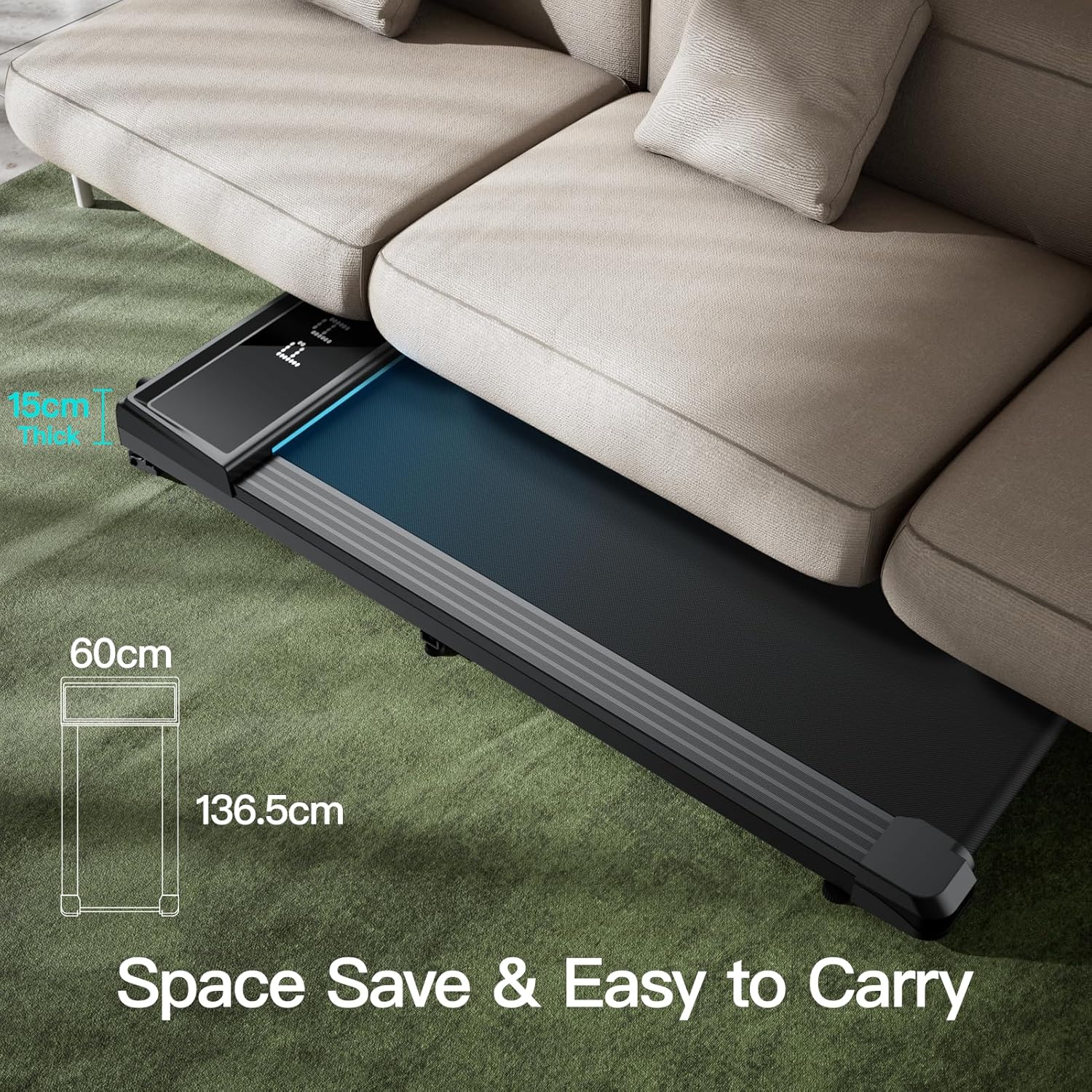
Image 6.1: LED Display and App Recorded Sports Data
7. Maintenance
Regular maintenance ensures optimal performance and longevity of your treadmill.
- Cleaning: Wipe down the treadmill with a damp cloth after each use to remove sweat and dust. Do not use abrasive cleaners.
- Lubrication: Apply silicone oil to the running belt every 3-6 months, or after approximately 100 hours of use, to reduce friction and wear. Refer to Section 5. Setup for detailed instructions.
- Belt Adjustment: If the running belt starts to slip or move off-center, it may need adjustment. Use the provided Allen wrench to turn the tension bolts at the rear of the treadmill. Turn clockwise to tighten the belt or move it to the right, and counter-clockwise to loosen or move it to the left. Adjust in small increments (quarter turns) and test the belt after each adjustment.
- Storage: When not in use, store the treadmill in a dry, clean area. Its foldable design allows for convenient storage under beds or sofas.
8. Troubleshooting
If you encounter issues with your UMAY Walking Pad Treadmill, refer to the following common problems and solutions:
| Problem | Possible Cause | Solution |
|---|---|---|
| Treadmill does not power on | Power cord not connected; Power outlet issue; Remote control battery low | Ensure power cord is securely plugged in. Test the outlet with another device. Replace remote control battery (1 AAA battery required). |
| Running belt slips or stops | Belt too loose; Insufficient lubrication; Overload | Adjust belt tension (see Maintenance). Apply silicone oil (see Maintenance). Ensure user weight is within limits. |
| Unusual noise during operation | Loose components; Belt misalignment; Motor issue | Check for any loose screws. Adjust belt alignment (see Maintenance). If noise persists, contact customer support. |
| Remote control not responding | Battery low or dead; Obstruction between remote and treadmill | Replace the AAA battery in the remote. Ensure a clear line of sight to the treadmill's receiver. |
If the problem persists after attempting these solutions, please contact UMAY customer support.
9. Specifications
| Feature | Specification |
|---|---|
| Model Number | 512N |
| Dimensions (L x W x H) | 136.5 x 61 x 14 cm |
| Net Weight | 25 kg (55 lbs) |
| Maximum Recommended Load | 110 kg (242 lbs) |
| Motor Type | Brushless Motor |
| Maximum Power | 2.5 Horsepower |
| Speed Range | 1-6 km/h (12 speed settings) |
| Incline Percentage | 2.85% (manual 2-level adjustment) |
| Running Surface (L x W) | 105 x 41 cm |
| Display Type | LED |
| Connectivity | Bluetooth (Spax App) |
| Power Source | Electric Cord |
| Input Power | 1864 Watt |
| Material | Alloy Steel (frame), Stainless Steel (structure) |
| Remote Control Battery | 1 AAA battery (not included) |
10. Warranty and Support
UMAY is committed to providing quality products and customer satisfaction.
- Free Exchange: Within one month of purchase.
- Free Repair: Within one year of purchase.
- Customer Service: Available for 5 years.
For any questions, concerns, or warranty claims, please contact UMAY customer support. Have your model number (512N) and purchase information ready when contacting support.

