
Introduction
This manual provides detailed instructions for the safe and efficient use of your WILLED 3000K Motion Sensor Closet Lights, Model WJP-006. These rechargeable LED light bars are designed to provide convenient illumination in various indoor spaces, featuring motion sensing, adjustable brightness, and a battery level display.
What's in the Box
Please verify that all components are present before proceeding with installation.
- WILLED 3000K Motion Sensor Light Bars (2 units)
- Mounting Hardware (adhesive iron sheets)
- USB Type-C Charging Cables

Product Features
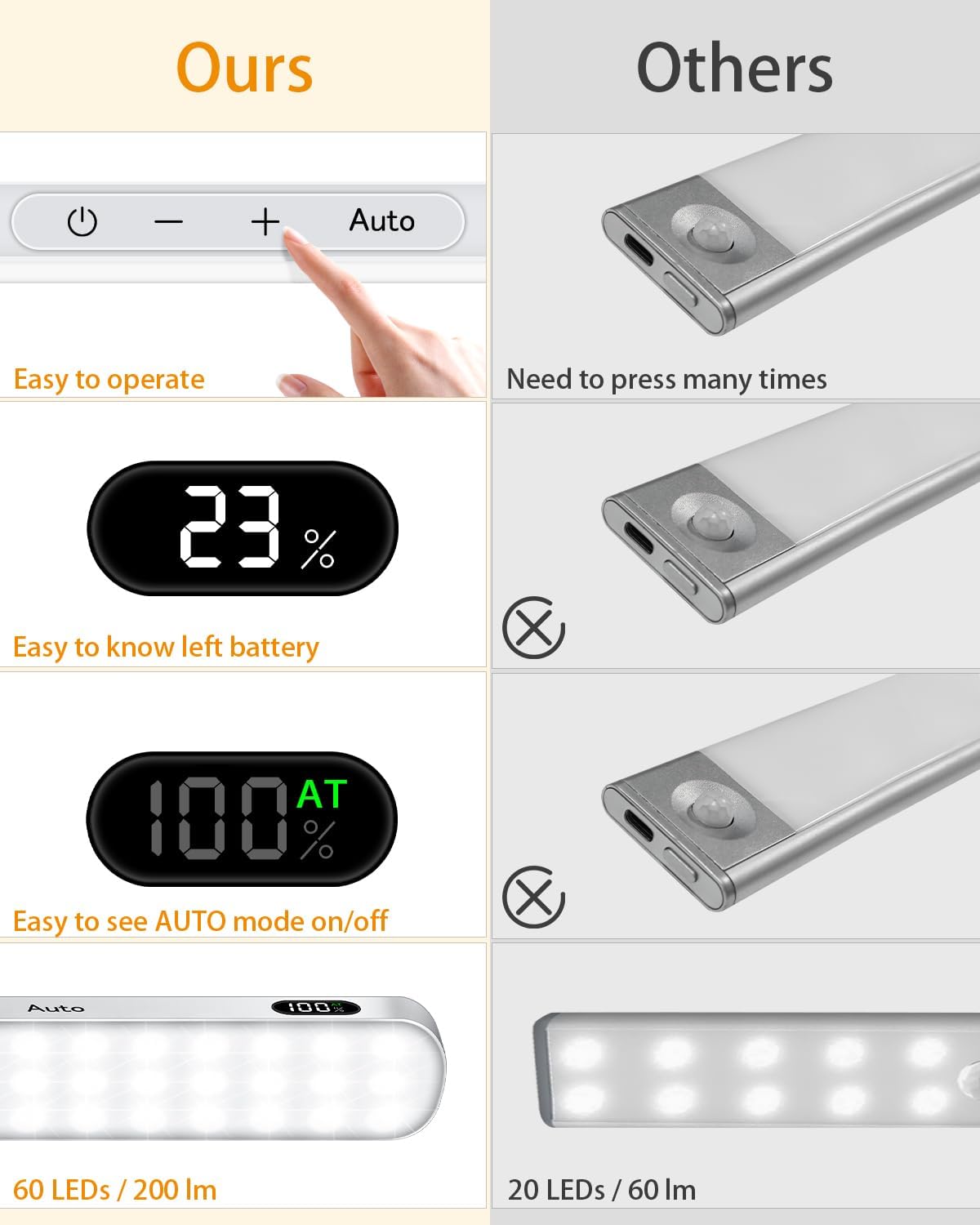
- Battery Level Display & Touch Control: Features an LED display to show remaining battery percentage and touch-sensitive controls for operation.
- Motion Sensor Modes: Offers 'Always ON/OFF' mode and 'Auto' mode. In Auto mode, lights activate upon detecting movement in dark environments and turn off after 20 seconds of no activity.
- Rechargeable & Long Lasting: Equipped with 60 LEDs and a 1300mAh rechargeable lithium battery, charging via Type-C. Provides up to 42 hours of light at the lowest brightness or 5 hours at the brightest in 'Always ON' mode.
- Easy Installation & Portable: Designed with internal magnets for easy attachment to adhesive iron sheets. The light bar can be easily removed for charging or used as a portable light source.
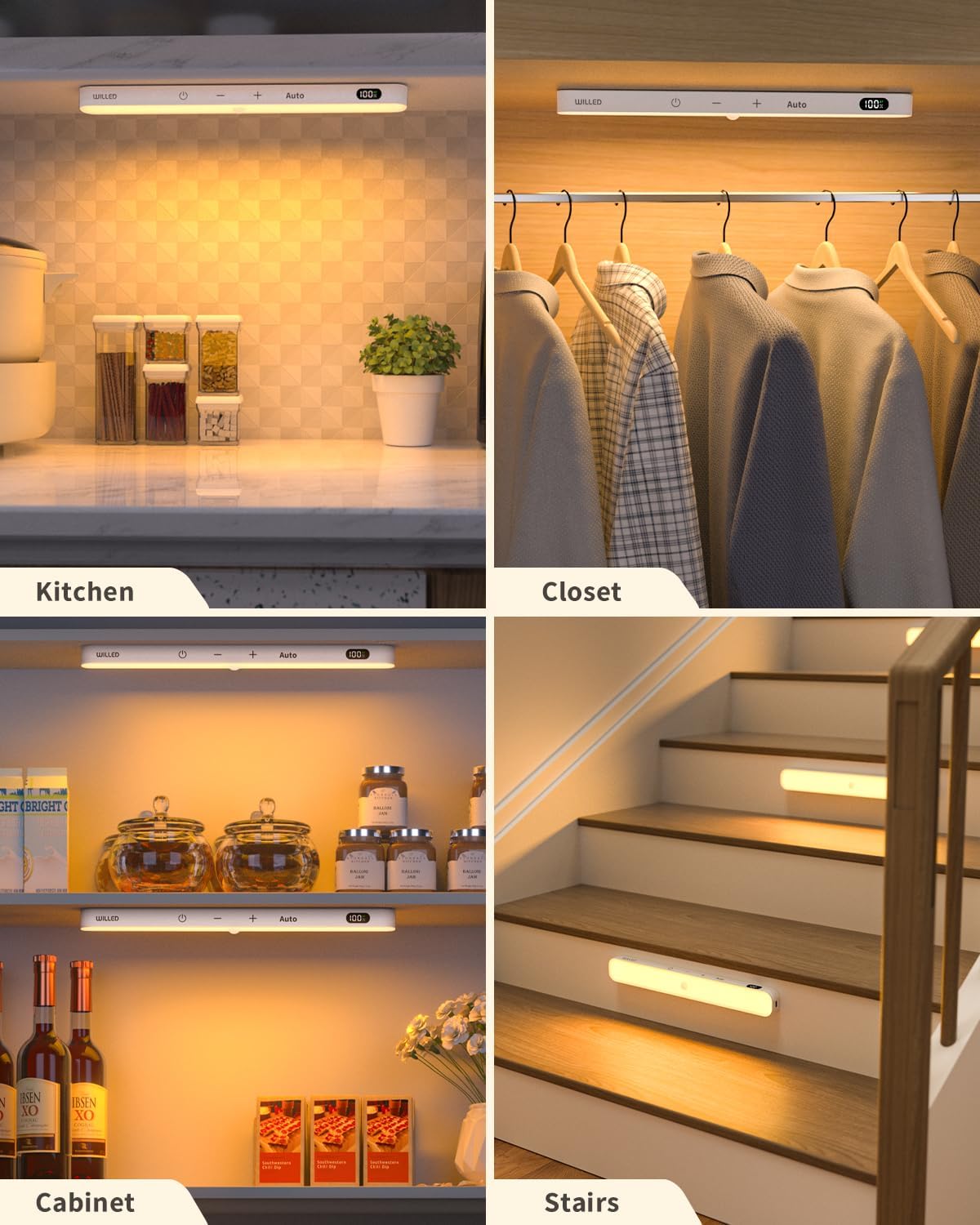
- Versatile Application: Suitable for various indoor locations such as cabinets, closets, pantries, kitchens, wardrobes, stairways, and hallways.
Setup and Installation
- Prepare Surface: Ensure the desired installation surface is clean, dry, and smooth.
- Attach Metal Sheet: Peel off the adhesive tape from the back of an iron sheet. Firmly press the iron sheet onto the chosen surface.
- Mount Light Bar: The light bar has built-in magnets. Align the light bar with the installed iron sheet until it securely attaches magnetically.
- Charging: Before first use, fully charge the light bar using the provided USB Type-C cable. The battery display will show 100% when fully charged (approximately 2 hours).


Operating Instructions
The light bar features touch controls for easy operation.
- Power ON/OFF: Touch the Power button to turn the light on or off.
- Adjust Brightness: Use the - and + buttons to cycle through 5 brightness levels (10%-100%).
- Auto Mode: Touch the Auto button to activate motion sensor mode. The LED display will show "AT" when Auto mode is active. In this mode, the light will only turn on in dark environments when motion is detected.
- Battery Display: The LED screen continuously shows the remaining battery percentage.


Maintenance
- Cleaning: Wipe the light bar with a soft, dry cloth. Avoid using abrasive cleaners or solvents.
- Charging: Recharge the light bar when the battery display indicates a low charge. Use only the provided USB Type-C cable or a compatible charger.
- Storage: If storing the light for an extended period, ensure it is fully charged and stored in a cool, dry place.
Troubleshooting
- Light not turning on: Check the battery level and recharge if necessary. Ensure the light is not in 'Auto' mode in a brightly lit environment.
- Motion sensor not working: Verify that the light is in 'Auto' mode (indicated by 'AT' on the display). Ensure the environment is sufficiently dark for the sensor to activate.
- Light flickering: This may indicate a low battery. Recharge the device.
Specifications
| Attribute | Value |
|---|---|
| Brand | WILLED |
| Model Name | WILLED 3000K Motion Senor lights 2 pack |
| Item Model Number | WJP-006 |
| Color Temperature | 3000K (Warm White) |
| Brightness | 200 Lumen |
| Number of Light Sources | 60 LEDs |
| Power Source | Corded Electric (Rechargeable Battery) |
| Battery | 1300mAh Lithium Ion (included) |
| Charging Time | Approx. 2 hours for full charge |
| Product Dimensions | 9.5"L x 1.5"W x 0.6"H |
| Item Weight | 8 ounces |
| Material | Plastic, Iron, Polycarbonate |
| Special Features | Dimmable, Energy Efficient, Motion Sensor, Portable, Touch Control |
| Indoor/Outdoor Usage | Indoor |


Warranty and Support
WILLED provides a 12-month warranty for this product. For any needs or technical assistance, please contact WILLED customer support. We are committed to delivering sustainable and innovative products for all users.
You can visit the WILLED Store on Amazon for more information and support.