
1. Introduction
Welcome to the user manual for your Bedsure Heated Blanket Throw Blanket, Model BS-TH01-S. This electric throw blanket is designed to provide customizable warmth and comfort with its soft flannel top and plush sherpa backing. Featuring advanced heating technology, multiple heat settings, and convenient timer options, this blanket ensures a cozy experience. Please read this manual thoroughly before use to ensure safe and optimal operation.
2. Important Safety Instructions
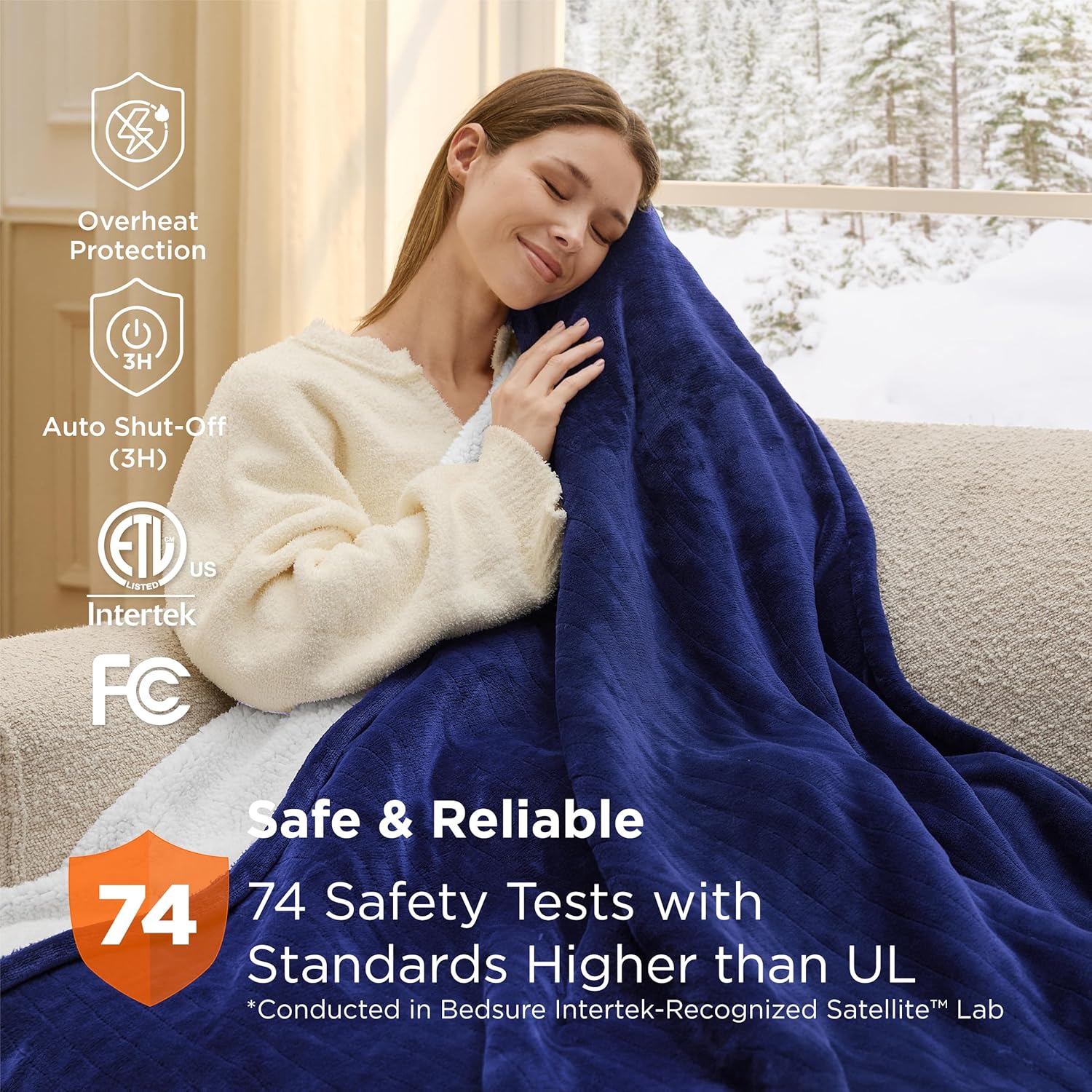
Your Bedsure Heated Blanket has undergone rigorous testing to ensure safety and reliability. It is ETL and FCC-certified and has passed 74 safety checks, exceeding UL standards. Adhere to the following guidelines for safe use:
- Always disconnect the power cord from the wall outlet before cleaning or storing the blanket.
- Do not use the blanket if the power cord or controller is damaged.
- Avoid using the blanket with infants, children, incapacitated individuals, or persons insensitive to heat.
- Do not use the blanket in conjunction with other heating appliances.
- Ensure the blanket is not folded, bunched, or tucked in tightly during use to prevent overheating.
- The blanket features a 3-hour auto shut-off function to prevent overheating and ensure peace of mind.
- Keep pets away from the blanket to prevent damage to heating elements.

This image illustrates the safety certifications (ETL, Intertek, FCC) and the claim of 74 safety tests, ensuring dependable performance and user safety.
3. Product Overview
The Bedsure Heated Blanket is crafted for ultimate comfort and functionality. It combines soft materials with advanced heating technology.
- Material: 220 GSM flannel top and 200 GSM sherpa backing (100% Polyester).
- Dimensions: 60"L x 50"W (Throw size).
- Color: Pageant Blue.
- Special Features: 6 heating levels, 4 time settings, 3-hour auto-off, super soft.
- Weight: 3.28 Pounds.
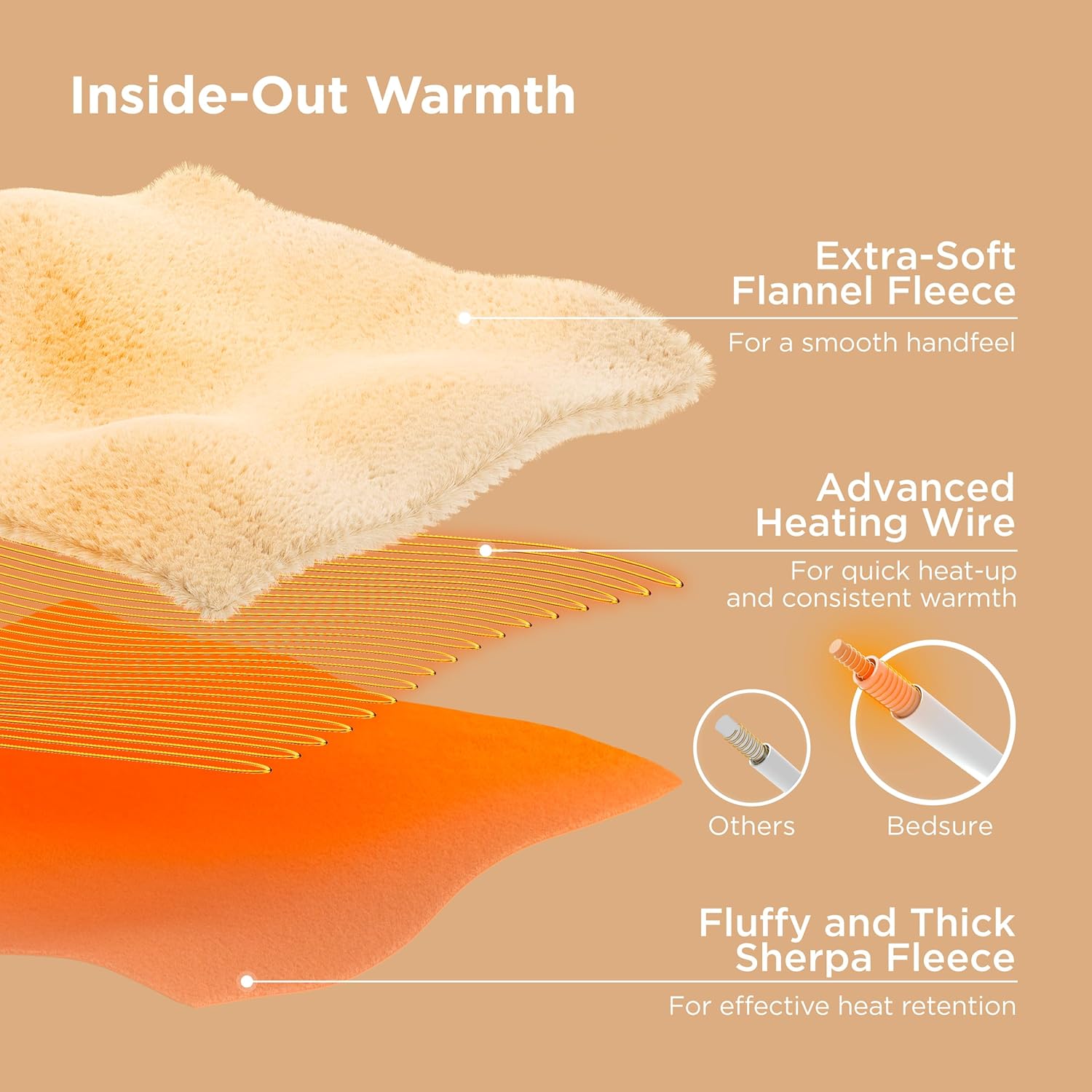
This diagram highlights the construction of the blanket, featuring an extra-soft flannel fleece for a smooth handfeel, advanced heating wires for quick and consistent warmth, and fluffy, thick sherpa fleece for effective heat retention.
4. Setup Instructions
Follow these steps to set up your heated blanket:
- Unpack: Carefully remove the blanket and controller from its packaging.
- Connect Controller: Locate the connector port on the blanket. Firmly plug the controller cable into this port until it clicks securely into place.
- Power Connection: Plug the power cord from the controller into a standard 120V AC wall outlet (60Hz).
- Positioning: Spread the blanket evenly on your desired surface (couch, bed, etc.), ensuring it is not folded or bunched.
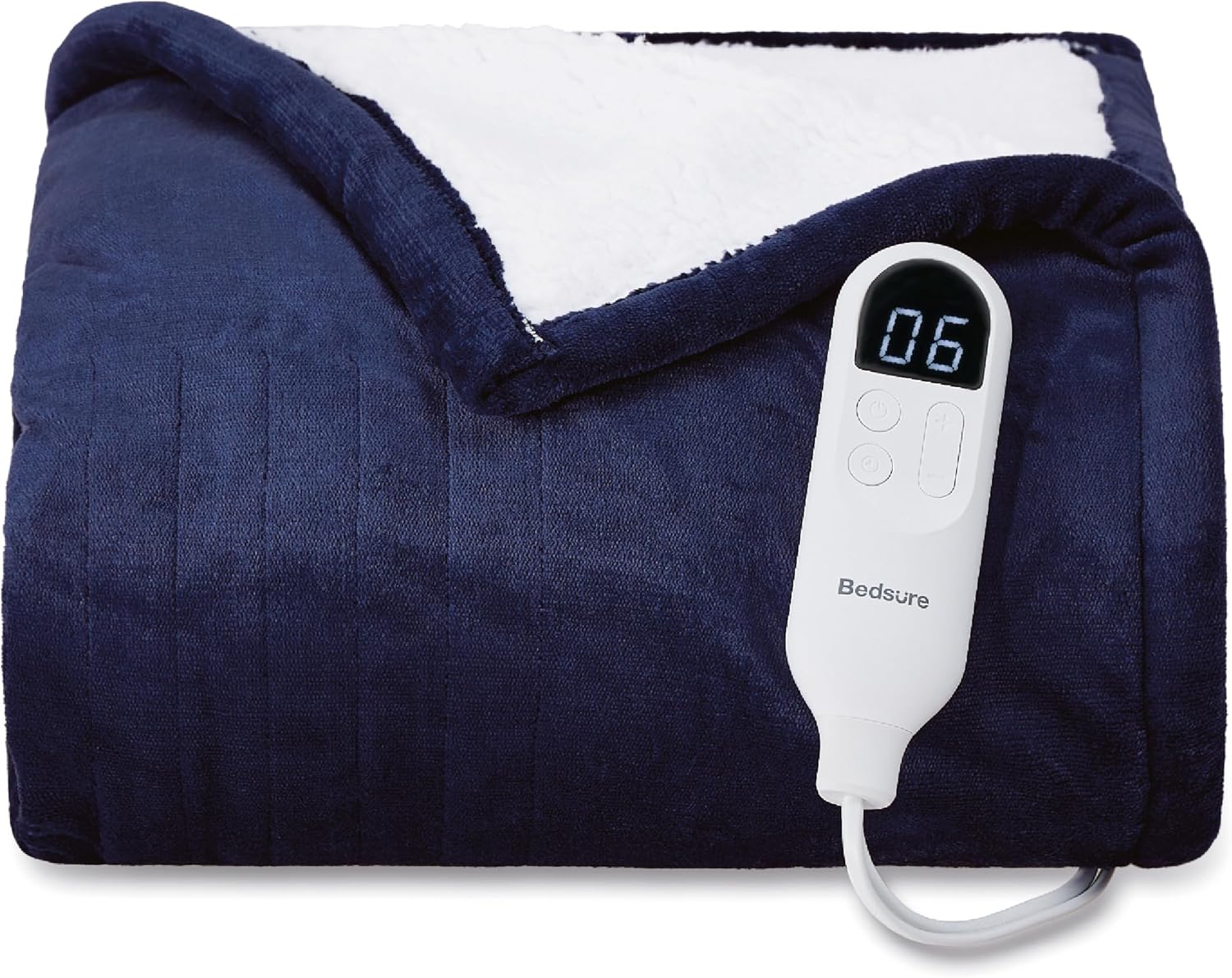
This image displays the main product, showing the blanket and its connected controller, illustrating the ease of setup.
5. Operating Instructions
Your Bedsure Heated Blanket features an intuitive digital controller for easy operation:
- Power On/Off: Press the power button on the controller to turn the blanket on or off.
- Adjust Heating Levels: Use the '+' and '-' buttons to cycle through 6 heating levels. The digital display will show the selected level (01-06).
- Set Timer: Press the timer button to select from 4 time settings (1, 2, 3, or 4 hours). The blanket will automatically shut off after the selected duration. The default auto shut-off is 3 hours.
- Fast Heating: The blanket is designed for fast and consistent heating, providing warmth quickly after activation.
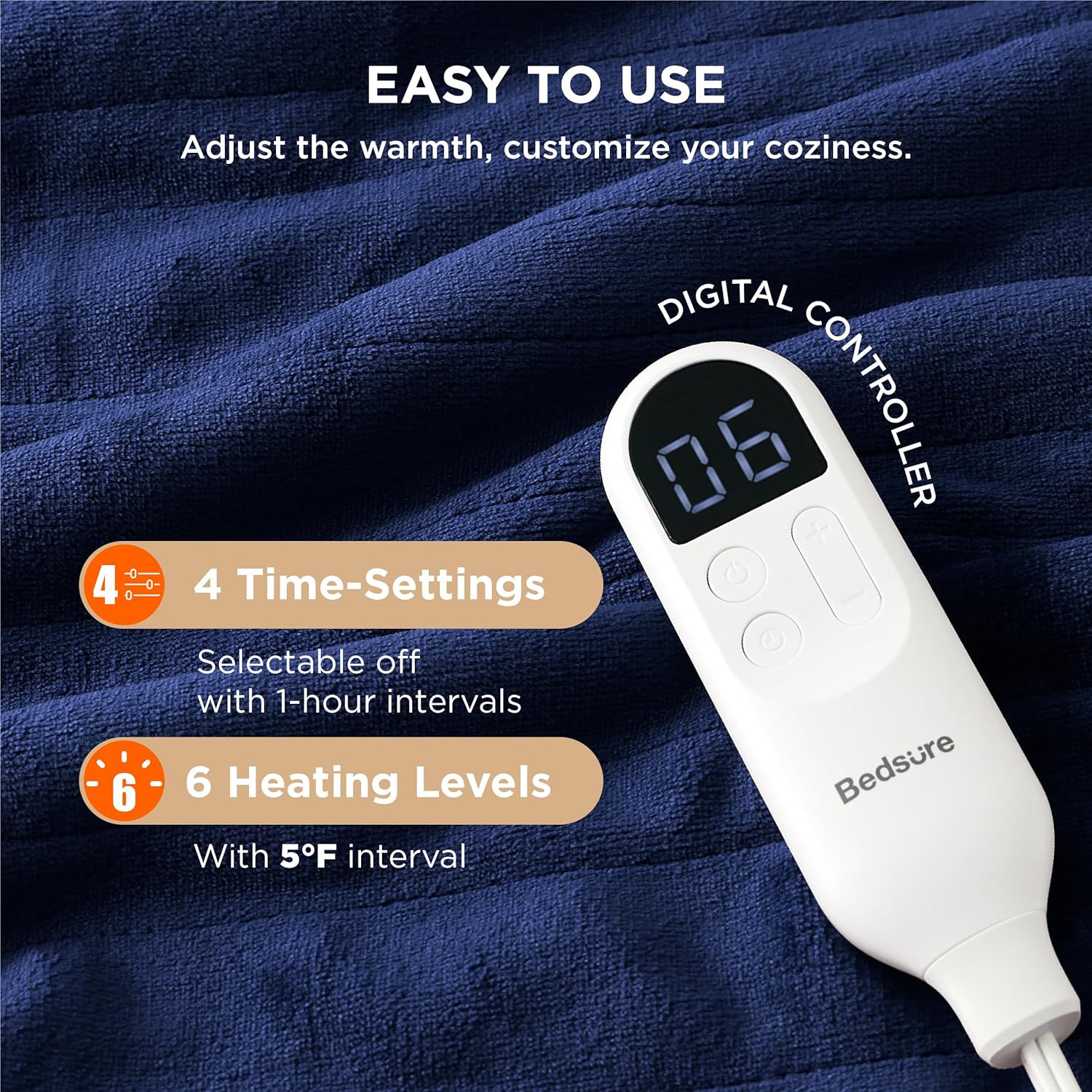
This image provides a clear view of the digital controller, highlighting the buttons for adjusting heating levels and setting the timer, with the current heat level displayed.
This video from Bedsure Essentials offers additional information regarding the blanket's heating capabilities and considerations for choosing the appropriate size.
6. Maintenance & Care
Proper care will extend the life of your Bedsure Heated Blanket. The blanket is machine washable, but follow these instructions carefully:
- Disconnect: Always ensure the power cord is unplugged from the wall outlet and the controller is detached from the blanket before washing.
- Washing: Machine wash on a gentle cycle with cold water. Do not bleach.
- Drying: Tumble dry on low heat or air dry. Do not iron or dry clean. Ensure the blanket is completely dry before reconnecting the controller or storing.
- Storage: Store the blanket in a cool, dry place, loosely folded.
This video from Bedsure Essentials provides a visual guide on how to properly care for and wash your heated blanket, ensuring its longevity and performance.
7. Troubleshooting
If you encounter any issues with your Bedsure Heated Blanket, please refer to the following common solutions:
- Blanket Not Heating: Ensure the power cord is securely plugged into both the wall outlet and the blanket's connector. Check if the outlet is functional.
- Controller Not Responding: Unplug the blanket from the wall outlet for a few minutes, then reconnect it. This may reset the controller.
- Uneven Heating: Ensure the blanket is spread out flat and not folded or bunched, which can impede heat distribution.
- Automatic Shut-Off: The blanket has a built-in 3-hour auto shut-off feature. If it turns off unexpectedly, it may be due to this safety function. Simply restart it if desired.
If problems persist after attempting these steps, please contact Bedsure customer support for further assistance.
8. Specifications
| Feature | Detail |
|---|---|
| Material | Polyester (220 GSM flannel, 200 GSM sherpa) |
| Color | 03 - Pageant Blue |
| Brand | Bedsure |
| Special Feature | 3 Hours Auto-Off, 4 Time Settings, 6 Heating Levels, Super Soft |
| Product Dimensions | 60"L x 50"W |
| Item Weight | 3.28 Pounds |
| Product Care Instructions | Machine Wash |
| Model Name | BS-TH01-S |
| Manufacturer | Bedshe |
| ASIN | B0C4GWG58C |
This image provides a visual guide to the different sizes available for Bedsure Heated Blankets, including the Throw size (50"x60") and larger options, helping users select the best fit for their needs.
9. Warranty & Support
For any questions, concerns, or support regarding your Bedsure Heated Blanket, please contact Bedsure customer service. Refer to the product packaging or the official Bedsure website for the most current contact information and warranty details.


