
Introduction
Welcome to the user manual for your Back Bay Audio FirstClass 70 Active Noise Canceling Wireless Earbuds. These earbuds are designed to provide a high-quality audio experience with advanced noise cancellation features. This manual will guide you through the setup, operation, and maintenance of your new device.

Image: Back Bay Audio FirstClass 70 Earbuds and Charging Case
What's in the Box
Your Back Bay Audio FirstClass 70 package includes the following items:
- FirstClass 70 Wireless Earbuds
- Wireless Charging Case
- USB-C Charging Cable
- Multiple Sizes of Eartips
- User Manual
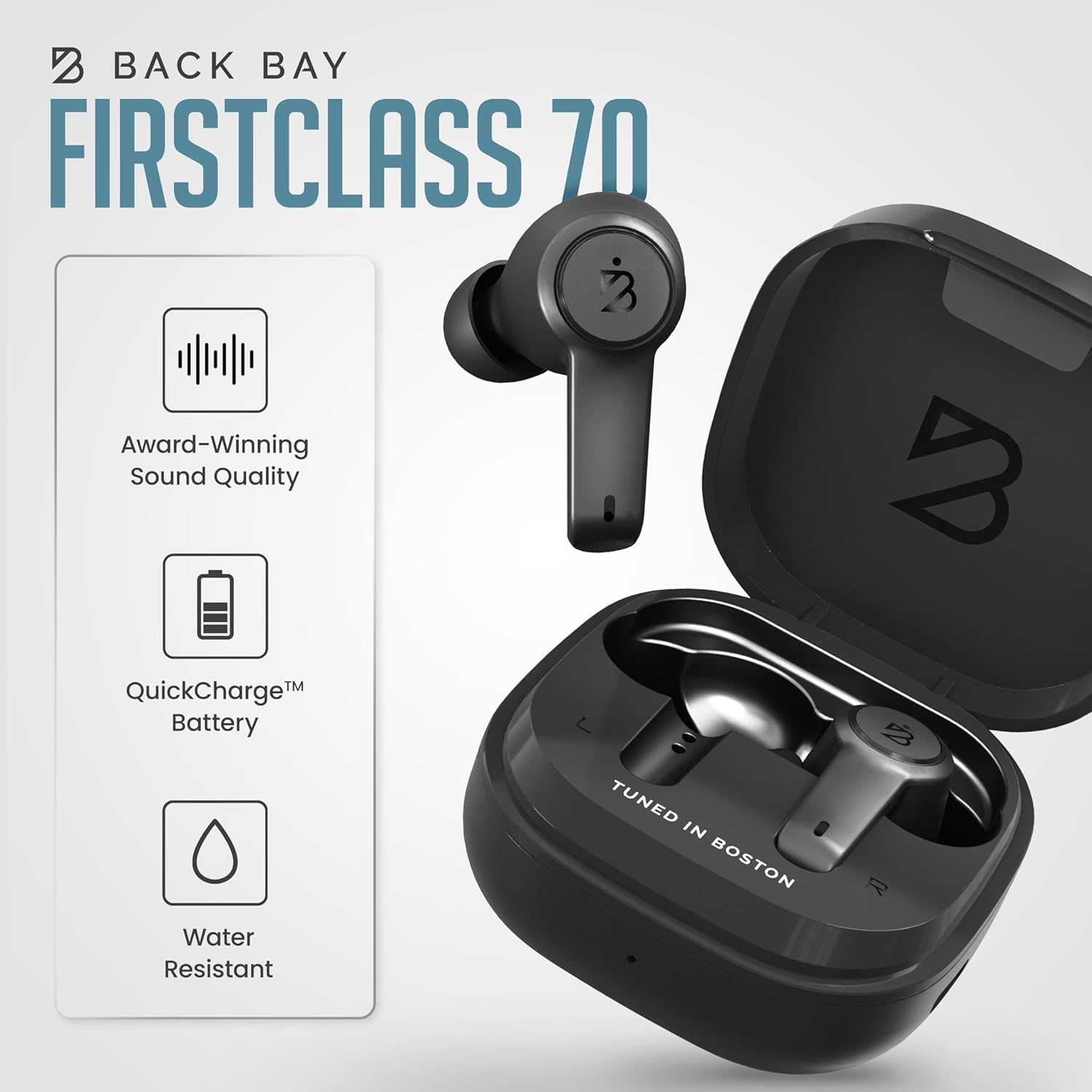
Image: Back Bay Audio FirstClass 70 box contents including earbuds, case, and accessories
Setup
1. Charging the Earbuds and Case
Before first use, fully charge your earbuds and charging case. Place the earbuds into the charging case. Connect the provided USB-C charging cable to the charging port on the case and plug the other end into a compatible USB power source.
A 10-minute charge provides approximately 1 hour of music playback. A fully charged case can provide up to 22 hours of music playback. Each earbud can play for 5.5 hours continuously without Active Noise Cancellation (ANC).

Image: Back Bay Audio FirstClass 70 charging case with earbuds, illustrating fast charging capabilities.
2. Bluetooth Pairing
- Ensure the earbuds are in the charging case and the case lid is open.
- On your device (smartphone, tablet, computer), enable Bluetooth.
- Select "FirstClass 70" from the list of available Bluetooth devices.
- Once connected, you will hear an audio prompt confirming successful pairing.
The earbuds will automatically connect to the last paired device when removed from the case.
Operating Instructions
The FirstClass 70 earbuds feature touch controls for easy management of audio and calls.
Touch Controls
| Action | Left Earbud | Right Earbud |
|---|---|---|
| One Tap | Volume Down | Volume Up |
| Double-tap | Pause/Play | Pause/Play |
| Triple-tap | Voice Assistant | Bass Mode On/Off |
| Hold 3 Sec | Noise Cancelling On/Off | Next Song |
| Hold 10 Sec | Power On/Off | Power On/Off |
Audio Modes
- Active Noise Cancellation (ANC): These earbuds utilize AI to cancel up to 98% of ambient noise, ideal for environments with constant background sounds like planes, trains, or traffic.
- Transparency Mode: Switch to Transparency Mode to disable noise cancellation and allow ambient sounds to pass through, enabling you to hear your surroundings clearly without removing the earbuds.
- Sound Modes (Signature & Bass): Easily switch between the award-winning "Signature Sound" for balanced audio and a new "Bass Mode" for an immersive audio experience with enhanced low frequencies. All sound profiles are tuned in Boston.

Image: A man on an airplane wearing Back Bay Audio FirstClass 70 earbuds, demonstrating the Active Noise Cancellation feature.

Image: A woman wearing Back Bay Audio FirstClass 70 earbuds, indicating the use of Transparency Mode to hear her surroundings.

Image: A graphic illustrating the two distinct sound modes available on the FirstClass 70 earbuds: Signature Mode and Boosted Bass Mode.
Calls
With dual microphones, you can take hands-free phone calls on the go. The Bluetooth connection remains strong during any call, ensuring clear communication.
Maintenance
Safety Information
- Ensure earbuds are dry before being inserted into the charging case to prevent damage.
- Avoid prolonged exposure to high volume levels to prevent possible hearing damage.
- Be aware of your surroundings when using these headphones, especially in situations requiring attention.
Cleaning and Care
The earbuds are water resistant. To clean, gently wipe the earbuds and charging case with a soft, dry cloth. Do not use harsh chemicals or abrasive materials. Ensure all components are dry before storing or charging.

Image: Back Bay Audio FirstClass 70 earbuds with water droplets, illustrating their water-resistant design.
Troubleshooting
Common Issues and Solutions
- No Sound/Connectivity Issues:
- Ensure earbuds are charged.
- Verify Bluetooth is enabled on your device and the earbuds are selected.
- Try unpairing and re-pairing the earbuds.
- Restart your audio source device.
- Earbuds Not Charging:
- Check that the charging cable is securely connected to both the case and the power source.
- Ensure the charging case itself has power.
- Clean the charging contacts on both the earbuds and inside the case.
- Noise Cancellation Not Working Effectively:
- Ensure ANC is enabled via the touch controls (Hold Left Earbud for 3 seconds).
- Confirm you are using the correct size eartips for a proper seal in your ear.
Specifications
| Feature | Detail |
|---|---|
| Model Name | FirstClass 70 |
| Connectivity Technology | Wireless (Bluetooth 5.2) |
| Bluetooth Range | 33 Feet |
| Noise Control | Active Noise Cancellation |
| Control Method | Touch |
| Water Resistance Level | Water Resistant |
| Battery Life (Earbuds) | 5.5 hours (without ANC) |
| Battery Life (with Case) | Up to 22 hours |
| Quick Charge | 10 mins charging = 60 mins music |
| Microphones | Dual Microphones for Clear Calls |
| Material | Premium ABS Plastic |
| Item Weight | 0.141 ounces (per earbud) |
| Product Dimensions | 2.9 x 1.8 x 1.1 inches (case) |
Warranty and Support
For warranty information and customer support, please refer to the documentation included in your product packaging or visit the official Back Bay Audio website.

