Introduction
This manual provides detailed instructions for the installation, operation, and maintenance of your EKAT 9-inch Android Car Radio. Please read this manual thoroughly before using the product to ensure proper function and safety. This device is designed for Ford Escape and Kuga models from 2013 to 2019.
Safety Information
- Ensure the vehicle is turned off and the battery is disconnected before installation to prevent electrical short circuits.
- Professional installation is recommended for optimal performance and safety.
- Do not operate the device in a way that distracts you from driving. Always prioritize road safety.
- Avoid exposing the device to extreme temperatures, direct sunlight for prolonged periods, or moisture.
- This unit is not compatible with vehicles equipped with a SO.NY Amplifier. Verify your car's audio system before installation.
Package Contents
Verify that all items listed below are included in your package:
- EKAT 9-inch Android Car Radio Unit
- Accessories (Mounting brackets, trim pieces)
- Camera Input Cable
- RCA Cable Set
- Original USB Cable
- Radio Antenna
- GPS Antenna
- Canbus Decoder
- Microphone (MIC)
- AHD Backup Camera
- 2x USB Cables
- Installation Tool Kit
- Power Cable Harness

Image: All components included in the EKAT Android Car Radio package, including the main unit, cables, antennas, camera, and tools.
Compatibility
This EKAT car radio is designed for specific Ford Escape and Kuga models. Please ensure your vehicle matches the following criteria:
- Compatible Models: Ford Escape Kuga 2013, 2014, 2015, 2016, 2017, 2018, 2019.
- Important Note: This unit is not compatible with vehicles equipped with a SO.NY Amplifier. Please check your car's audio system configuration before proceeding with installation.

Image: Visual guide demonstrating compatible and incompatible dashboard configurations for Ford Escape Kuga models, specifically highlighting the incompatibility with SO.NY amplifier systems.

Image: Comparison showing the vehicle's dashboard before and after the installation of the EKAT 9-inch Android Car Radio, illustrating the integrated appearance.
Installation Guide
The EKAT Android Car Radio is designed for plug-and-play installation in compatible Ford Escape Kuga models. While the process is straightforward, professional installation is recommended.
General Installation Steps
- Preparation: Turn off the vehicle and disconnect the car battery to prevent electrical damage.
- Remove Old Unit: Carefully remove the existing car stereo and dashboard trim using the provided installation tools.
- Connect Wiring Harness: Connect the new power cable harness, RCA cables, USB cables, radio antenna, and GPS antenna to the corresponding ports on the EKAT unit and your vehicle's wiring.
- Install Backup Camera (Optional): Follow the specific instructions below for connecting the AHD backup camera.
- Mount New Unit: Secure the EKAT car radio into the dashboard opening.
- Reconnect Battery: Reconnect the car battery.
- Test Functionality: Turn on the vehicle and test all functions of the new car radio, including audio, touch screen, GPS, Bluetooth, and camera.
- Reassemble: Reinstall any removed trim pieces.
Backup Camera Connection
The AHD backup camera enhances safety by providing a clear view when reversing. Ensure the reversing input is connected, even if the camera is not immediately used.
- Red Cable (1): Connect this cable to the positive (+) pole of your car's reversing light cable.
- Black Cable (2): Connect this cable to the negative (-) pole of your car's reversing light cable.
- Extension Cables (3 & 4): The other two red extension cables do not need to be connected for standard operation.

Image: Detailed wiring diagram for connecting the AHD backup camera, illustrating connections to the car radio and the vehicle's reversing light circuit.

Image: Illustrates the AHD backup camera view on the car radio screen, along with icons for WiFi hotspot connectivity and EQ audio settings.
Steering Wheel Control Setup
After connecting the Canbus decoder, you need to configure it correctly for the steering wheel control function to work. The procedure is as follows:
- Access the system settings on the car radio.
- Navigate to Factory Settings.
- Enter the password: 000000.
- Select Protocol Settings.
- Choose the correct vehicle protocol, typically labeled as "Raise + [year and model of your car]".
- Once configured, your steering wheel buttons should function with the car radio.

Image: A visual guide showing the car radio interface and a steering wheel, with text overlay explaining the steps to configure steering wheel controls through the system's factory settings.
Operating Instructions
Your EKAT Android Car Radio offers a wide range of features for an enhanced driving experience. This section details how to use its primary functions.
System Overview
The unit runs on the latest Android 11 system with a 4-core CPU, 2GB RAM, and 32GB ROM, providing a responsive and customizable user experience. The 9-inch HD touch screen is protected by 2.5D tempered glass.
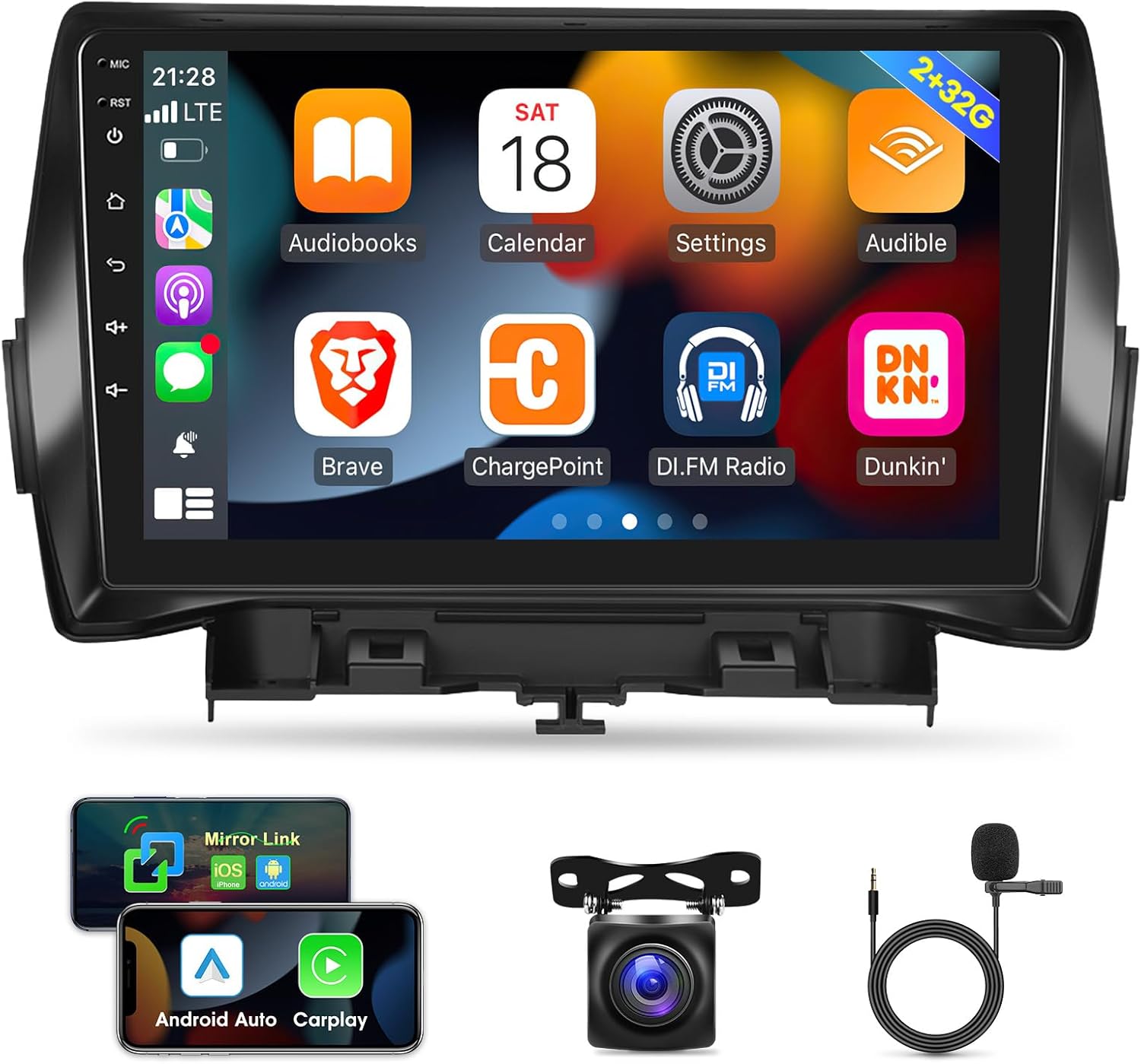
Image: The main screen of the EKAT Android Car Radio displaying a grid of application icons, including navigation, audio, and settings.
Wired & Wireless CarPlay / Android Auto
Integrate your smartphone seamlessly using the built-in Wireless/Wired CarPlay or Android Auto function (via the Zlink APP). This allows you to access navigation, make calls, send messages, and control music directly from the car radio screen. Voice assistants like Siri can be used for hands-free operation.
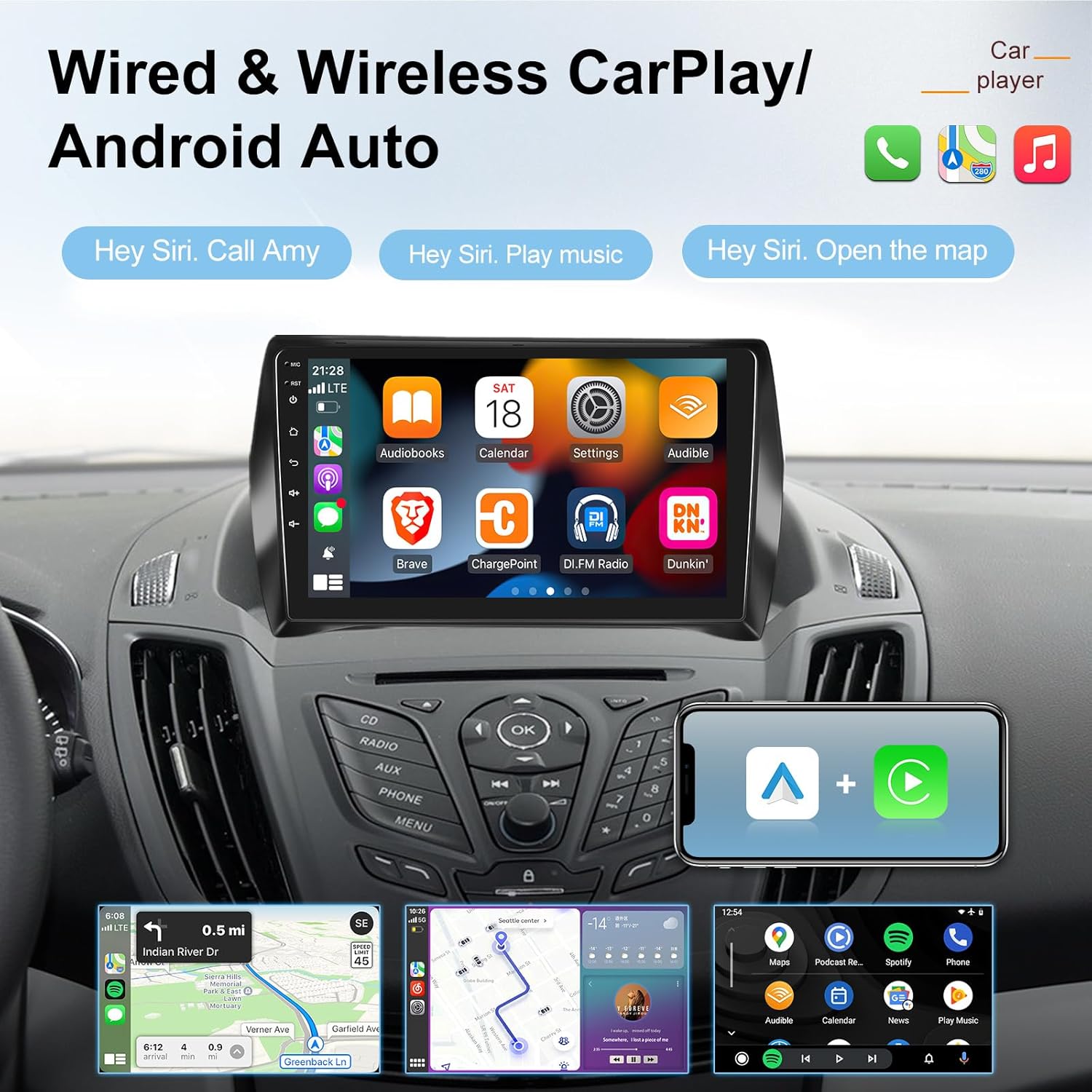
Image: The car radio screen showing both Apple CarPlay and Android Auto interfaces, with examples of voice commands for calling, playing music, and opening maps.
Mirror Link Function
The Mirror Link feature allows you to sync your smartphone's screen to the car radio display. This is compatible with most Android and iOS phones. For iOS devices, operation is limited to the iPhone itself. For Android devices, two-way operation is supported (control from both phone and car radio).

Image: The car radio screen displaying a mirrored smartphone interface, highlighting the Mirror Link feature and the 9-inch, 2.5D tempered glass, 1080P touch screen specifications.
Wi-Fi Hotspot Internet
Connect to the internet via Wi-Fi hotspot to browse online, download apps from the APP Store, and access various online services directly from your car radio.

Image: The car radio screen displaying various internet-enabled applications and a smartphone showing Wi-Fi hotspot settings, indicating internet connectivity.
GPS Navigation
Utilize the integrated GPS navigation system with online and offline map support to guide you to your destination. The system provides clear directions and real-time traffic information (with internet connection).
Bluetooth Connectivity
Pair your smartphone via Bluetooth for hands-free calling and audio streaming. The system supports phonebook synchronization for easy access to your contacts.
FM RDS Radio
Tune into your favorite FM radio stations. The RDS (Radio Data System) feature provides additional information such as station name, song title, and traffic broadcasts where available.
Multimedia Playback
Enjoy 1080P HD video playback and various audio formats. The unit supports dual USB input for media files.
Split Screen Function
The split-screen feature allows you to run two applications simultaneously, such as navigation and music playback, for enhanced multitasking.
EQ Audio Settings
Customize your audio experience with the built-in Equalizer (EQ) settings. Adjust bass, treble, and other audio parameters to match your preferences.

Image: A collage showing the car radio screen displaying the AHD backup camera view, Bluetooth pairing interface, GPS navigation map, and steering wheel control functionality.

Image: Demonstrates the FM RDS Radio interface, the split-screen functionality showing two apps side-by-side, and the steering wheel control integration with the car radio.
Troubleshooting
If you encounter issues with your EKAT Android Car Radio, refer to the following common solutions:
- No Power:
- Check all power connections to ensure they are securely plugged in.
- Verify the vehicle's fuse for the car stereo is not blown.
- Ensure the car battery is properly connected and charged.
- No Sound:
- Check speaker wire connections.
- Ensure the volume is not muted or set to minimum.
- Verify audio output settings in the system menu.
- Touch Screen Unresponsive:
- Perform a soft reset of the unit (refer to the device's reset button, if available, or power cycle the vehicle).
- Ensure the screen is clean and free from debris.
- GPS Not Working / Inaccurate:
- Ensure the GPS antenna is properly connected and has a clear view of the sky.
- Check GPS settings in the system menu.
- Verify map data is up to date.
- Bluetooth Connection Issues:
- Ensure Bluetooth is enabled on both the car radio and your smartphone.
- Delete previous pairings and attempt to re-pair the devices.
- Move the smartphone closer to the car radio.
- Steering Wheel Controls Not Functioning:
- Re-check the Canbus decoder connection.
- Follow the "Steering Wheel Control Setup" instructions to ensure correct protocol settings.
If problems persist, please contact EKAT customer support for assistance.
Specifications
| Operating System | Android 11 |
| CPU | 4-core |
| RAM | 2GB |
| ROM | 32GB |
| Display Size | 9 Inches |
| Screen Type | HD Touch Screen with 2.5D Tempered Glass |
| Video Playback | 1080P HD |
| Connectivity | Bluetooth, USB (Dual Input), Wi-Fi |
| Navigation | GPS (Online & Offline Maps) |
| Special Features | CarPlay (Wired & Wireless), Android Auto (Wired & Wireless), Mirror Link, Split Screen, FM RDS Radio, EQ Audio, AHD Backup Camera Support, Steering Wheel Control |
| Item Weight | 5.04 pounds |
| Package Dimensions | 17.05 x 13.58 x 5.63 inches |
Warranty and Support
EKAT is committed to providing excellent customer service and support for your product.
- Technical Support: We offer 7 days a week, 24 hours a day technical support to assist with any installation or operation questions.
- Money-Back Service: Enjoy a 30-day money-back guarantee from the date of purchase.
- Product Warranty: The product comes with 24 months of after-sales support, covering manufacturing defects and operational issues.
For any inquiries or assistance, please contact EKAT customer service.

Image: A graphic summarizing EKAT's customer support offerings, including 24/7 technical assistance, a 30-day money-back service, and a 2-year after-sales support period.