
Introduction
The Lumos Firefly Smart Bike Light System is designed to enhance your cycling visibility and safety. This innovative system integrates synchronized front and rear LED lights, turn signals, and automatic brake lights to help you communicate your intentions to other road users. Each Firefly light features red, white, and yellow LEDs, allowing them to function as versatile front, rear, or turn signal indicators. The system offers easy customization through the Lumos app and convenient magnetic mounting for quick attachment and removal. With IPX7 waterproofing and wireless charging capabilities, the Firefly lights are built for reliable performance in various conditions.
Key Features
- Synchronized Flashing: Enhances visibility and safety by creating a larger visual footprint, making it easier for drivers to gauge your size and distance.
- Turn Signals & Automatic Brake Lights: Activate turn signals using a Lumos Remote (sold separately) or a smart device. Integrated brake lights (activated via Lumos Remote) alert drivers behind you to deceleration, helping prevent collisions.
- Flexible Configuration: Each Firefly light contains red, white, and yellow LEDs, allowing them to function as front, rear, or turn signal lights. Settings and control configurations can be easily adjusted via the Lumos app.
- Magnetic Mounting & Wireless Charging: Secure magnetic attachment allows for quick installation and removal. Lights can be charged wirelessly using any standard Qi wireless charger, including MagSafe compatible devices.
- Durable & Long Battery Life: IPX7 waterproof rating ensures reliable performance in all weather conditions. Enjoy up to 35 hours of runtime in battery saver mode, minimizing charging concerns for extended rides.
Setup
1. Unpacking and Initial Charge
Carefully unpack all components. Before first use, fully charge your Firefly lights. The lights support wireless charging with any standard Qi wireless charger (charger sold separately).
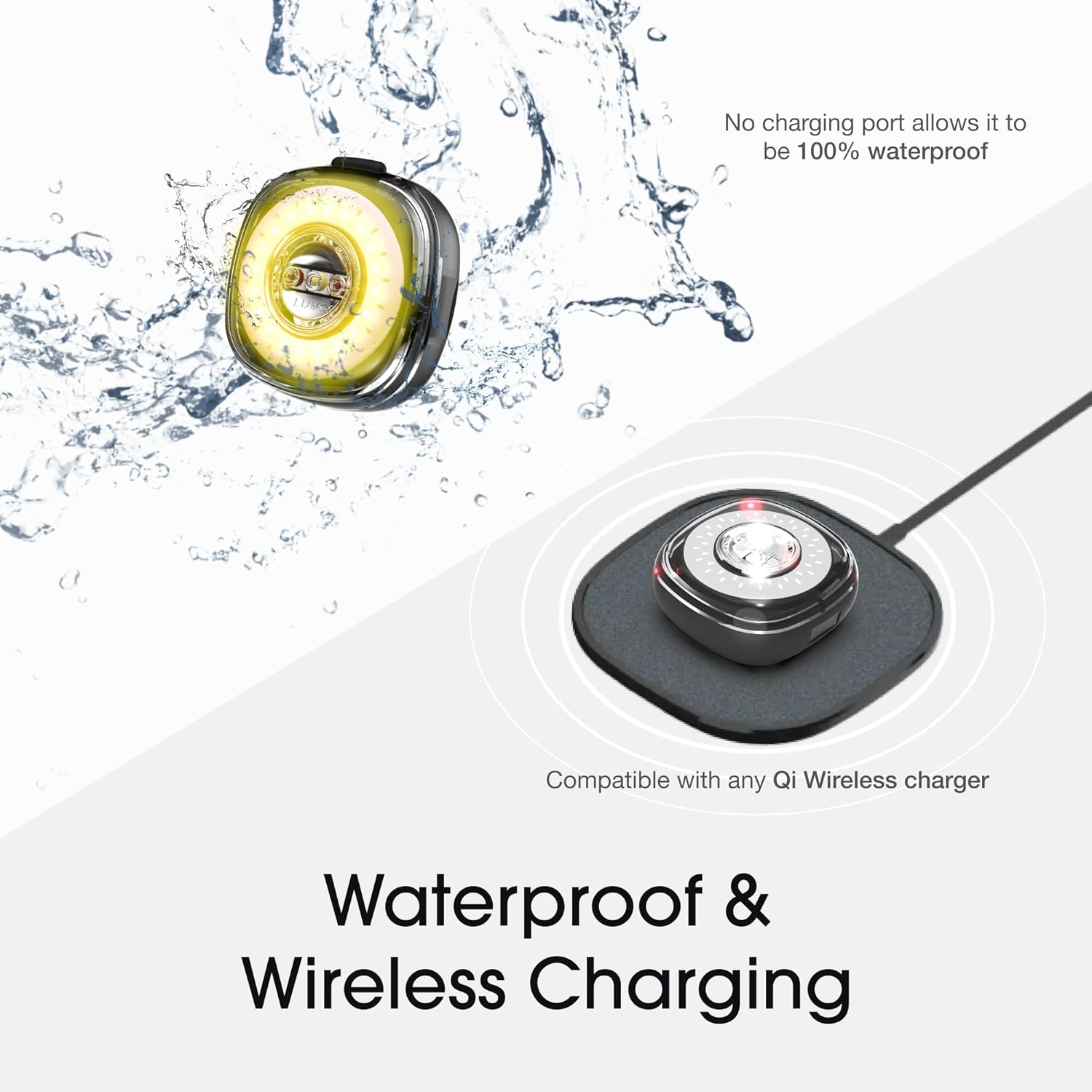
Image: Lumos Firefly light demonstrating wireless charging and IPX7 waterproofing.
2. Mounting the Lights
The Firefly lights feature a magnetic mounting system for secure and quick attachment. Use the provided universal mounts, silicone straps, and clips to attach the lights to your bicycle. The lights can be mounted on handlebars, seat posts, or other suitable locations.

Image: Diagram illustrating the Firefly light components and magnetic mounting.

Image: Demonstrating magnetic mounting of a Firefly light onto a bicycle.
3. App Connection
Download the Lumos app from your device's app store. Follow the in-app instructions to pair your Firefly lights via Bluetooth. The app allows for customization of light patterns, brightness, and other settings.
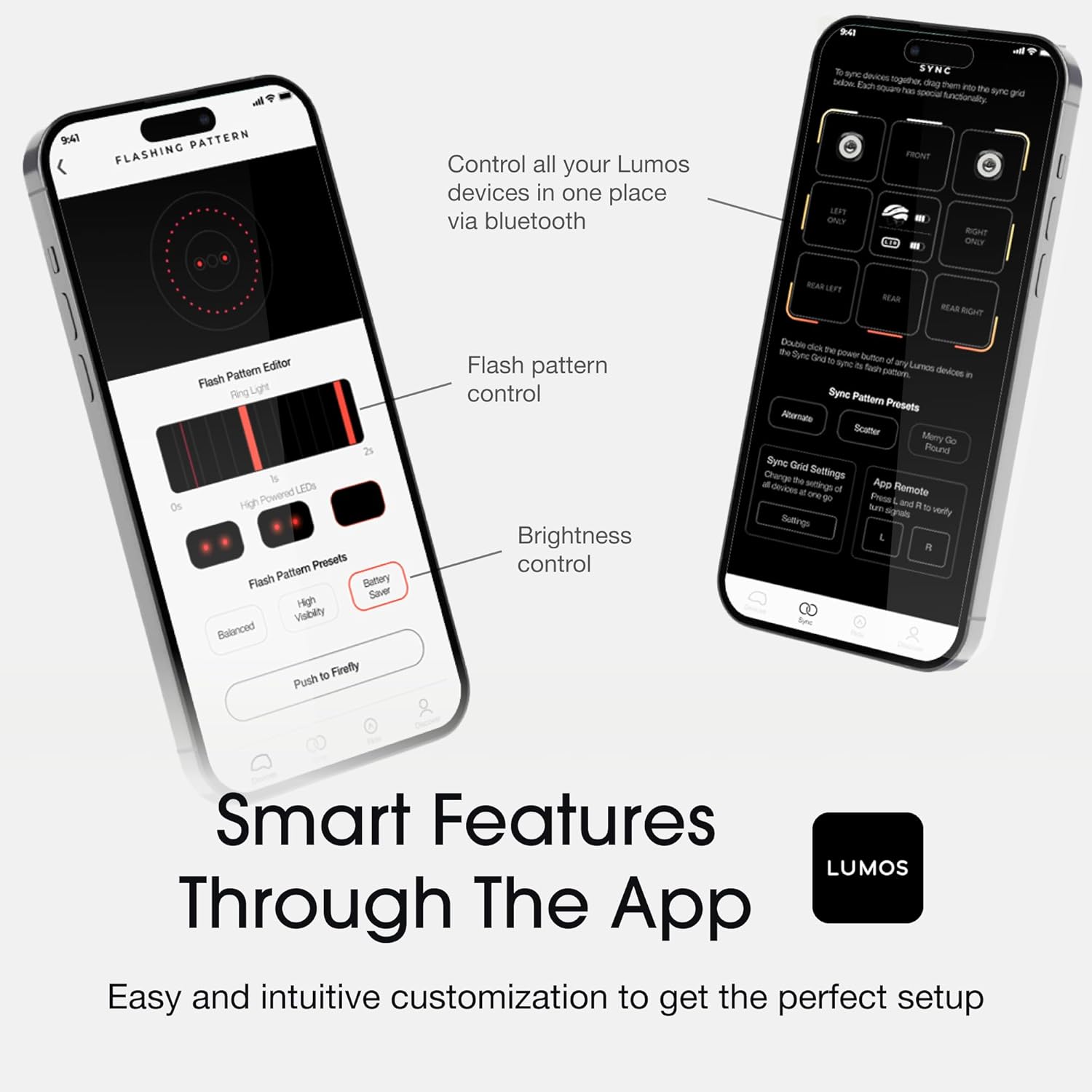
Image: Lumos app interface for controlling Firefly light settings.
Operating Instructions
1. Power On/Off
Press and hold the multi-function power button on each Firefly light to turn it on or off. The lights will typically remember their last used setting.
2. Light Modes and Patterns
The Firefly lights can function as front lights (white), rear lights (red), or turn signals (yellow). Use the Lumos app to select desired light patterns and brightness levels. The synchronized flashing feature enhances overall visibility.

Image: Lumos Firefly lights functioning as front, rear, and turn signals.
3. Turn Signals and Brake Lights
To activate turn signals or automatic brake lights, a Lumos Remote (sold separately) is required. Pair the remote with your Firefly lights via the Lumos app. The remote allows you to signal turns, and the integrated accelerometer in the lights (when paired with the remote) will detect deceleration and activate brake lights automatically.

Image: Cyclist demonstrating turn signal functionality with Firefly lights.
4. Visibility
The Lumos Firefly system provides 290-degree visibility, significantly increasing your presence on the road, especially during night rides.
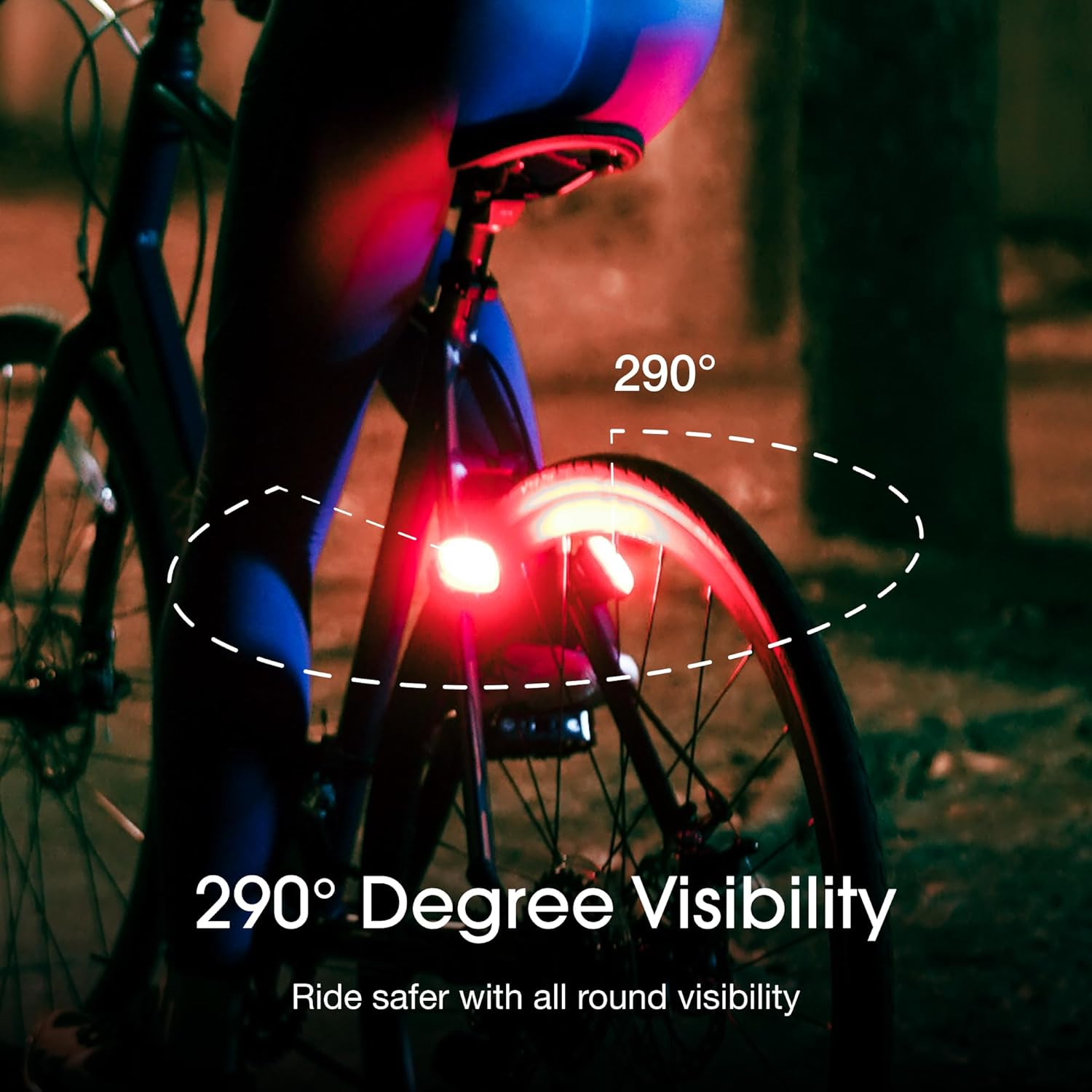
Image: Illustrating 290-degree visibility provided by Firefly lights.
Maintenance
1. Charging
Recharge the Firefly lights regularly to ensure optimal performance. Use a standard Qi wireless charger. A full charge provides up to 35 hours of runtime in battery saver mode.
2. Cleaning
Wipe the lights with a soft, damp cloth. Avoid using abrasive cleaners or solvents that could damage the casing or LEDs. The IPX7 waterproof rating means the lights are resistant to water immersion up to 1 meter for 30 minutes, but they should be dried thoroughly after exposure to water.
3. Storage
Store the lights in a cool, dry place when not in use. For long-term storage, ensure the lights are partially charged (around 50%) to preserve battery health.
Troubleshooting
- Lights not turning on: Ensure the lights are fully charged. Press and hold the power button for a few seconds.
- Lights not pairing with app: Make sure Bluetooth is enabled on your smart device and the lights are within range. Restart the app and the lights, then try pairing again.
- Turn signals/brake lights not working: Verify that a Lumos Remote is properly paired and functioning. Check app settings for correct configuration.
- Short battery life: Ensure the lights are fully charged. Check the selected brightness and pattern settings in the app, as higher brightness or complex patterns consume more power.
- Magnetic mount not holding securely: Ensure the mounting surface is clean and free of debris. Check that the universal mount is correctly installed and the light is fully seated on the magnetic base.
Specifications
| Feature | Specification |
|---|---|
| Brand | Lumos |
| Model | Firefly |
| Light Colors | Red, White, Yellow |
| Power Source | Battery Powered |
| Water Resistance | IPX7 (Waterproof) |
| Weight | 0.36 kg (for the system, individual light weight not specified) |
| Mounting Type | Handlebar Mount (Magnetic) |
| Settings Count | 5 (Configurable via app) |
| Battery Life | Up to 35 hours (in battery saver mode) |
| Material | Polycarbonate, Plastic |
| Included Components | Lumos Firefly x 4, Universal Mount x 4, Silicone Strap x 4, Low Profile Pad x 4, Seat Post Pad x 4, Clip x 8, User Guide x 4, Sticker x 4, Velcro Strap x 4. (Wireless charger not included.) |

Image: Overview of included components with the Lumos Firefly system.
Warranty Information
Lumos products typically come with a standard manufacturer's warranty covering defects in materials and workmanship. Please refer to the official Lumos website or the warranty card included with your product for specific terms, conditions, and duration of the warranty. Keep your proof of purchase for warranty claims.
Support
For further assistance, technical support, or to explore additional accessories, please visit the official Lumos website or contact their customer service. You can also find more information and products on the Lumos Brand Store on Amazon.


