
Introduction
This manual provides detailed instructions for the installation, operation, and maintenance of your Roinvou 4+128G Car Radio. Please read this manual thoroughly before using the product to ensure proper function and safety.
What's in the Box
The package includes the following components:
- Toyota Vios Yaris Car Stereo
- 1 x Power Cable
- 1 x RCA Harness
- 1 x Radio Antenna
- 1 x Radio Adapter Cable
- 1 x GPS Antenna
- 1 x AHD Backup Camera
- 1 x External Microphone
- 1 x Rear Camera Input Cable
- 2 x USB Cable
- 1 x Installation Tool
- User Manual
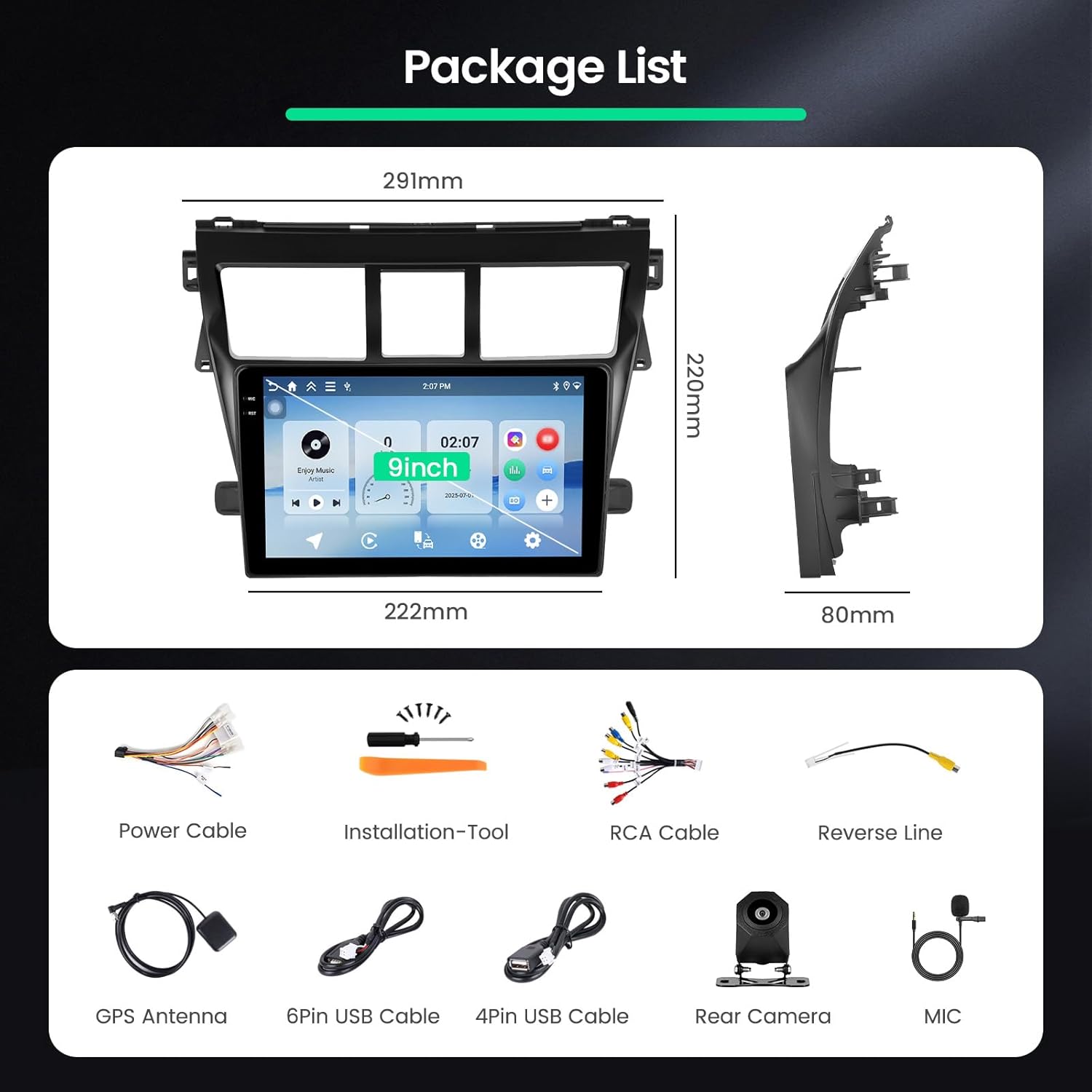
Image: Overview of the Roinvou car radio package contents, including the main unit, various cables, GPS antenna, backup camera, microphone, and installation tools.
Video: "What's in the Box?" - A detailed unboxing video showing all components included with the Roinvou car radio.
Setup
Vehicle Compatibility
This car radio stereo is designed for Toyota Yaris Vios models from 2007 to 2012. It does not support original cars with large screens or Bose sound systems. If you have any questions regarding compatibility or wiring, please contact customer support.

Image: Depicts the Roinvou car radio installed in a Toyota Yaris Vios dashboard, showing the "After" state compared to various "Before" original dashboard configurations, indicating compatibility.
Wiring Connections
Proper wiring is crucial for the functionality of your car radio. Refer to the diagrams below for connecting the power, RCA, and other cables.

Image: Detailed diagram showing the various wiring ports on the back of the car stereo unit, including power, camera input, USB, RCA harness, GPS antenna, and radio antenna connections.
Backup Camera Wiring
The backup camera provides a clear, wide-angle view for safer parking and reversing. Connect the camera according to the diagram:

Image: Diagram illustrating the connection of the backup camera to the car stereo, showing the video signal cable and power connections to the reversing lamp.
Operating Instructions
General Settings and UI
The 9-inch In-Cell touchscreen offers a responsive and intuitive user experience with 1280x720 resolution. Navigate menus, adjust settings, and enjoy multimedia content with clear and vibrant visuals. The user-friendly UI supports split-screen functionality, allowing you to multitask, such as using navigation and playing music simultaneously. Multiple UI options are available for customization.
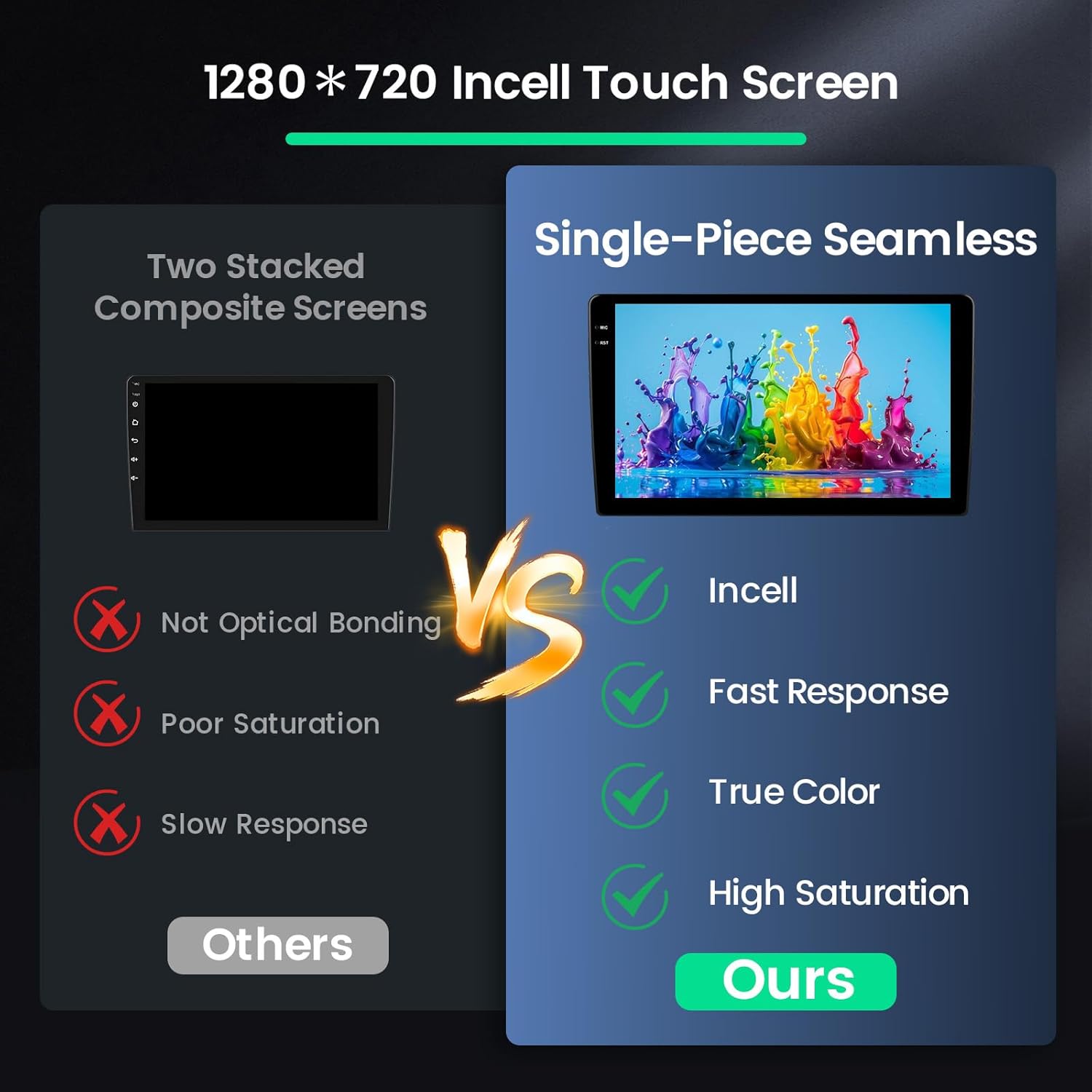
Image: Visual comparison highlighting the benefits of the In-Cell Touch Screen (single-piece seamless, fast response, true color, high saturation) over traditional two-stacked composite screens.

Image: Demonstrates various user interface themes and the split-screen feature, showing different applications running side-by-side on the display.
For visual guidance on various settings and functions, including Language Settings, Time Settings, Wi-Fi Connection, Screen Brightness Adjustment, Touch Calibration, Touch Button Learning, Key Learning, Backcar Source Settings, CAN Settings, Split Screen Settings, Speed Unit Switch, Clear Memory, Steering Wheel Control Learning, UI Theme, Radio Settings, EQ Settings, Bluetooth Connection, CarPlay Connection, and Android Auto Connection, please refer to the comprehensive video below:
Video: "More Features of Our Products" - A detailed video tutorial covering various settings and functions of the car radio.
Steering Wheel Control (SWC)
The car radio is compatible with your vehicle's steering wheel controls, adding convenience for safe driving. Follow the instructions below to configure SWC:
Without CANbus Decoder:
Connect the plugs or steering wheel control wires (Key1/Key2) in the power cable to the corresponding port or wire of your original car. Then, go to 'Steering Wheel Learning' in the settings to activate the button functions.
With CANbus Decoder:
Connect the CANbus before powering on the machine. Then, follow this path: Apps > Settings > Factory settings (1234) > CAN Settings to make SWC work properly. First, select the brand of the CANbus decoder, then select the matching model and year according to the actual situation.

Image: Visual guide for setting up steering wheel controls, showing the interface for learning button functions.
Connectivity Features
Wireless CarPlay & Android Auto
Enjoy seamless integration with your smartphone using Wireless CarPlay and Android Auto. Mirror your iPhone or Android device to access navigation, calls, messages, and music directly on the car radio display.

Image: Illustrates the Wireless CarPlay, Android Auto, and Mirror Link functionalities, showing smartphone apps displayed on the car radio screen.
Video: "Carplay and Android Auto Connection & Other Functions" - A demonstration of connecting and using CarPlay and Android Auto with the car radio, along with other features.
Video: "Carplay & Android Auto & Mirror Link Connection Reference" - A guide on how to connect and utilize CarPlay, Android Auto, and Mirror Link features.
5GHz WiFi and App Support
The unit supports 5GHz WiFi, enabling fast internet access for online applications like YouTube, Netflix, Prime Video, and Spotify.

Image: Shows the car radio display with various streaming and entertainment apps, highlighting 5GHz WiFi connectivity.
Bluetooth 5.0
Bluetooth 5.0 provides stable and fast wireless connections for hands-free calling and audio streaming.
Maintenance
To ensure the longevity and optimal performance of your Roinvou car radio, follow these maintenance guidelines:
- Screen Cleaning: Use a soft, lint-free cloth to gently wipe the touchscreen. Avoid abrasive cleaners or solvents that may damage the display.
- Software Updates: Periodically check for software updates to ensure your system has the latest features and bug fixes. Follow the on-screen instructions for any available updates.
- System Reset: If the system becomes unresponsive, a soft reset can often resolve the issue. Refer to the device settings for reset options.
- Environmental Care: Avoid exposing the unit to extreme temperatures, direct sunlight for prolonged periods, or excessive moisture.
Troubleshooting
If you encounter any issues with your Roinvou car radio, please refer to the following common solutions:
- No Power: Check all power connections. Ensure the power cable is securely connected and the vehicle's fuse is intact.
- No Sound: Verify speaker connections. Check the volume level and EQ settings. Ensure the correct audio source is selected.
- Bluetooth Disconnection: Ensure Bluetooth is enabled on both the car radio and your mobile device. Re-pair the devices if necessary.
- GPS Signal Loss: Ensure the GPS antenna is properly installed and has a clear view of the sky.
- Touchscreen Unresponsive: Perform a touch calibration (refer to the "Operating Instructions" video for guidance).
- System Lag: Clear memory by swiping down from the top of the screen and tapping the "Clean up" option (refer to the "Operating Instructions" video for guidance).
Specifications
| Feature | Detail |
|---|---|
| Brand | Roinvou |
| Model | Roinvou-A7290A3215A4MI2US31-C251 |
| Vehicle Service Type | Car (Toyota Yaris Vios 2007-2012) |
| Screen Size | 9 Inches |
| Resolution | 1280 x 720 (In-Cell Touchscreen) |
| Operating System | Android 15 |
| Processor | 4-core |
| RAM | 4GB |
| Storage | 128GB |
| Connectivity | Bluetooth 5.0, USB, 5GHz Wi-Fi |
| Special Features | Wireless CarPlay, Android Auto, Mirror Link, EQ Settings, FM/RDS, GPS Navigation, UI Display, Split Screen, SWC |
| Supported Satellite Navigation | BeiDou, GLONASS, GPS, Galileo |
Warranty and Support
This product comes with a 1-year warranty. For any questions, missing parts, or assistance, please contact Roinvou customer service. Our professional technical team and customer service team are available to assist you.
You can contact us via Amazon chat or email: roinvouservices@163.com. All messages will be replied to within 24 hours, regardless of holidays.

Image: Provides information on Roinvou customer support, including how to contact the seller via Amazon or email for assistance.


