Introduction
This manual provides comprehensive instructions for the assembly, operation, and maintenance of your Dystler Grey Nightstand with Charging Station. Please read this manual thoroughly before use to ensure proper functionality and safety. This nightstand is designed to enhance your bedroom or living space with its integrated charging capabilities, smart lighting, and convenient storage.
Safety Information
Important Safety Instructions:
- Always follow the assembly instructions carefully.
- Do not exceed the maximum weight recommendation of 20 pounds for the table top to ensure stability and prevent accidents.
- Ensure all electrical connections are secure and comply with local electrical codes.
- Keep liquids away from electrical components, including the charging station and LED lights.
- Do not attempt to modify or disassemble the electrical components. Contact qualified personnel for repairs.
- Keep small parts and packaging materials away from children to prevent choking hazards.
- Place the nightstand on a flat, stable surface to prevent tipping.
Product Overview
The Dystler Grey Nightstand is a multi-functional furniture piece featuring modern design and smart technology. It includes integrated LED lighting, a wireless charging pad, and USB charging ports, alongside ample storage.
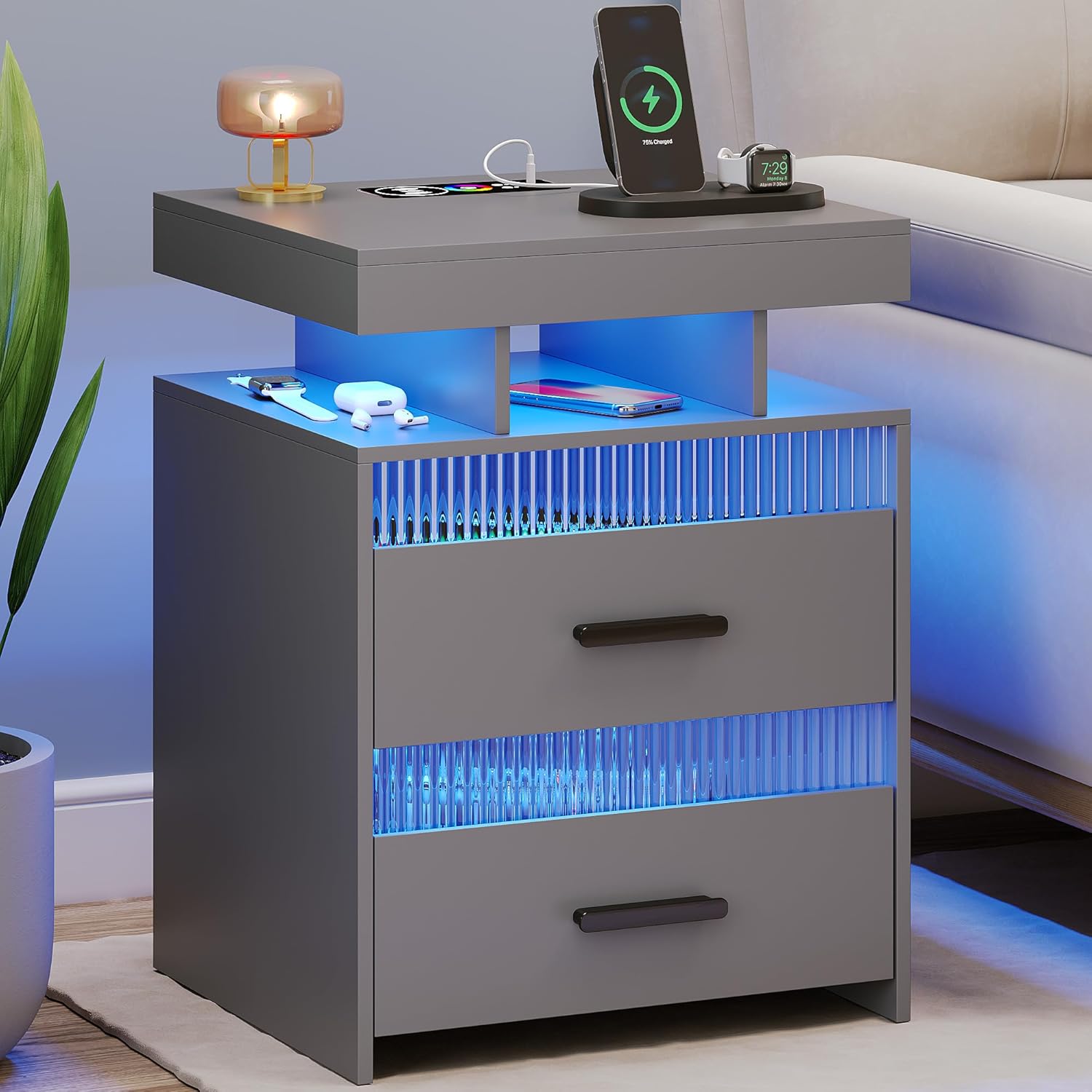
Figure 1: Front view of the Dystler Grey Nightstand, showcasing its blue LED lighting, wireless charging pad, and overall design.
Key Features:
- Integrated LED Lighting: Offers 20 dimmable colors with adjustable brightness (10% to 100%).
- Human Sensor Design: Automatically illuminates when a person is detected within 2-3 meters, and turns off when they leave.
- Wireless Charging Station: Conveniently charge compatible devices by placing them on the designated area.
- USB Charging Ports: Includes both standard USB and Type-C ports for wired charging.
- Ample Storage: Features two large storage drawers with quality sliding tracks and three open shelves.
- Durable Construction: Made from wood and engineered wood with stylish metal handles and transparent acrylic accents.
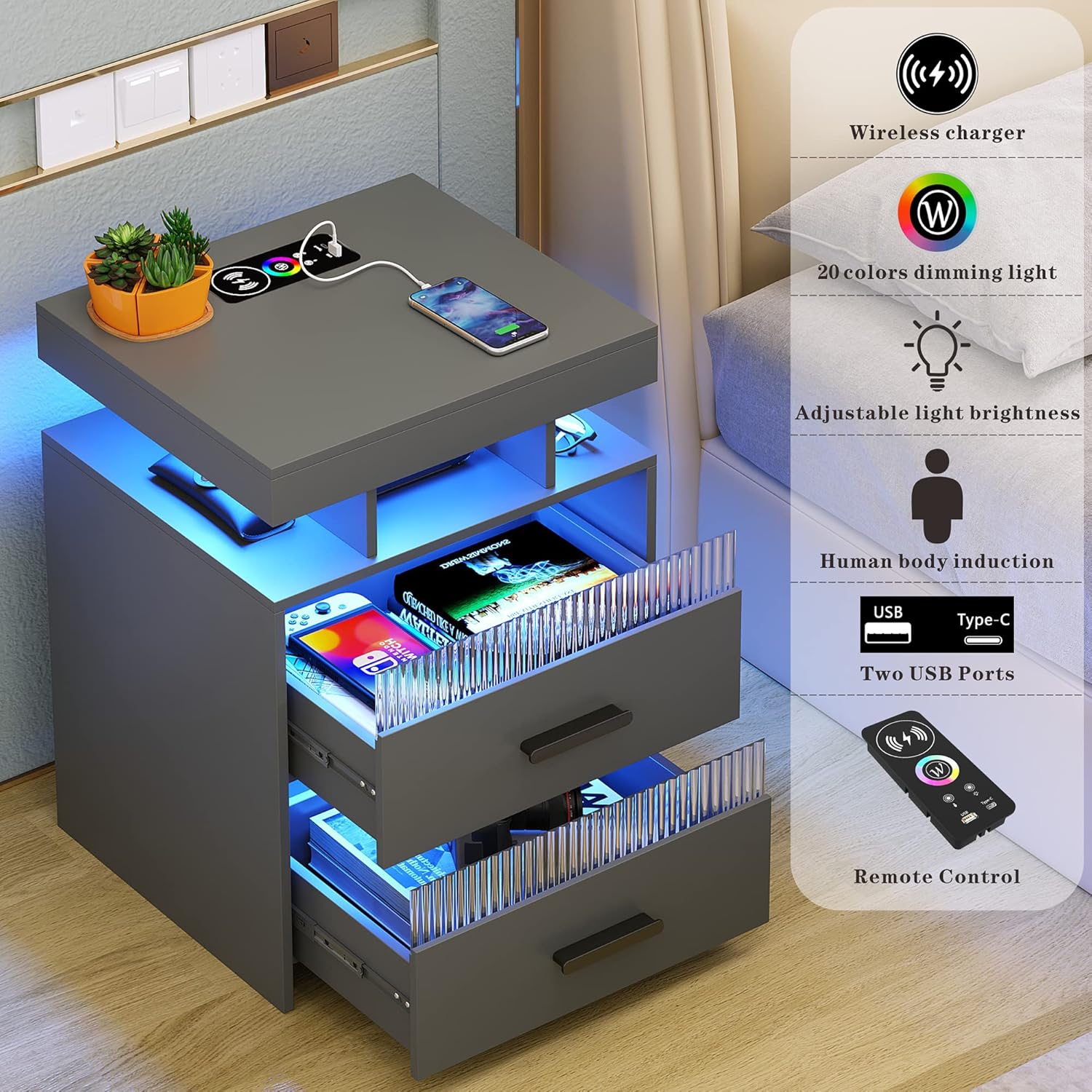
Figure 2: Overview of the nightstand's smart features, including charging capabilities and lighting controls.

Figure 3: The nightstand demonstrating its wireless charging feature and the spacious storage drawers.
Setup and Assembly
Your Dystler Nightstand requires assembly. Please ensure all parts are present before beginning. Refer to the included assembly guide for detailed, step-by-step instructions. It is recommended to assemble the unit on a soft, clean surface to prevent scratches.
Before You Begin:
- Unpack all components and verify against the parts list in your assembly guide.
- Gather necessary tools (typically a screwdriver and possibly a hammer, as specified in the assembly guide).
- Ensure you have adequate space for assembly.
Electrical Connection:
Once assembled, connect the power cord from the nightstand to a standard electrical outlet. Ensure the outlet is easily accessible.
Operating Instructions
LED Lighting Control:
The LED lights can be controlled manually or automatically via the human sensor.
- Manual Control: Use the included remote control to adjust light color (20 options) and brightness (10%-100%). Refer to the remote control diagram in your assembly guide for button functions.
- Human Sensor Mode: The nightstand features a 360° human body induction sensor. When activated, the lights will automatically turn on when a person is detected within 2-3 meters and turn off when no presence is detected. This feature can be enabled/disabled via the remote control.

Figure 4: Demonstration of the human body induction feature, where the light activates upon detecting presence.

Figure 5: Visual representation of the 20 dimmable color options and brightness adjustment for the LED lighting.
Charging Station:
- Wireless Charging: Place your Qi-compatible device directly on the designated wireless charging pad on the top surface of the nightstand. Ensure the device is centered for optimal charging. A charging indicator (if present on your device) will confirm charging status.
- USB Charging: Connect your device's charging cable to either the standard USB port or the Type-C USB port located on the top surface.
Maintenance
Regular maintenance will help prolong the life and appearance of your Dystler Nightstand.
- Cleaning: Wipe surfaces with a soft, damp cloth. Avoid abrasive cleaners or harsh chemicals that may damage the finish or electronic components.
- Dusting: Regularly dust the nightstand, especially around the LED lights and charging ports, to prevent dust buildup.
- Drawer Maintenance: The drawers feature quality sliding tracks. If drawers become stiff, apply a small amount of silicone lubricant to the tracks.
- Electrical Components: Ensure all cables are free from kinks or damage. Do not attempt to clean electrical ports with liquids.
Troubleshooting
| Problem | Possible Cause | Solution |
|---|---|---|
| LED lights do not turn on. |
|
|
| Wireless charging not working. |
|
|
| USB ports not charging. |
|
|
| Human sensor not responding. |
|
|
Specifications
| Feature | Detail |
|---|---|
| Brand | Dystler |
| Model Number | 001 |
| Color | Grey |
| Product Dimensions (L x W x H) | 39.98 x 44.98 x 59.99 cm (15.74 x 17.71 x 23.62 inches) |
| Item Weight | 15.42 kg (34 lbs) |
| Material | Wood, Engineered Wood (Top) |
| Special Features | Charging Station (Wireless, USB, Type-C), Storage, LED Light (20 colors, dimmable), Human Sensor |
| Maximum Weight Recommendation (Table Top) | 20 pounds (9.07 kg) |
| Number of Drawers | 2 |
| Number of Shelves | 3 |

Figure 6: Detailed dimensions of the Dystler Nightstand.

Figure 7: Detailed view of key components and features of the nightstand.
Warranty and Support
Dystler is committed to providing high-quality products. For warranty information, product support, or to report any issues, please contact Dystler customer service through the retailer where the product was purchased or visit the official Dystler website. Please have your model number (001) and purchase date ready when contacting support.
For the most up-to-date contact information, please refer to the packaging or the retailer's website.


