
Introduction
This manual provides detailed instructions for the YESKAMO DQ201 2K Solar PTZ Outdoor Security Camera. This wireless camera features 2K resolution, 360° pan and 120° tilt capabilities, IP66 weatherproofing, color night vision, PIR human detection, and two-way audio. Designed for continuous operation, it is powered by a built-in battery and an included solar panel. Please read this manual thoroughly before installation and use to ensure proper operation and safety.
Package Contents
Please check the package for the following items:
- 1 x YESKAMO DQ201 Outdoor Surveillance Camera (with built-in battery)
- 1 x USB-C Charging Cable (1m)
- 1 x Solar Panel
- 1 x USB-C Solar Cable (3m)
- 1 x Mounting Bracket
- 1 x User Manual
- 1 x Screw Set
- 2 x Fixing Stickers
Product Overview
The YESKAMO DQ201 camera is designed for comprehensive outdoor surveillance, offering a range of features for enhanced security.

The camera connected to the solar panel for continuous power, ensuring 365 days of uninterrupted operation.

Illustrates the 360° horizontal and 120° vertical rotation capabilities, providing a wide view without blind spots.
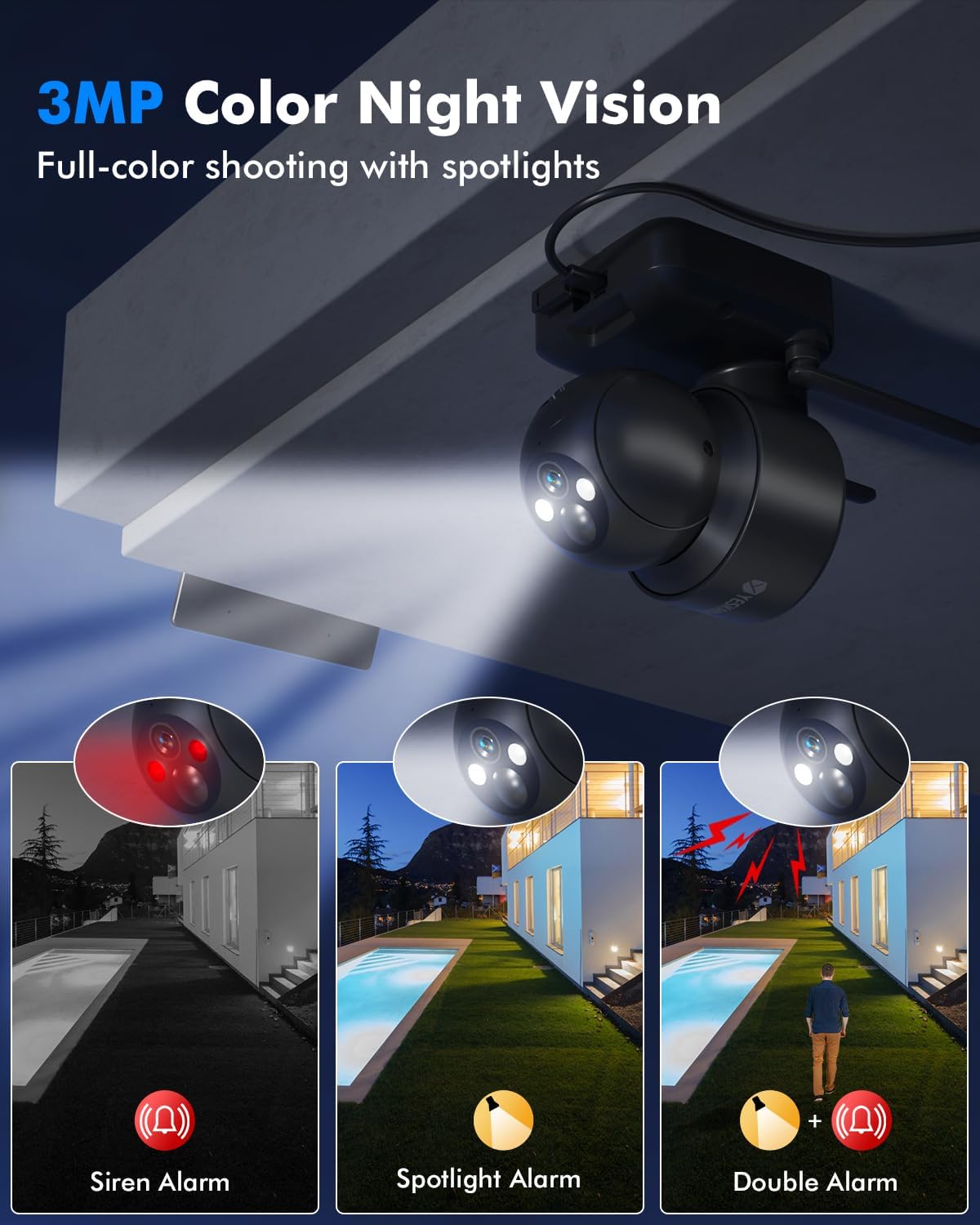
Shows the camera's spotlights enabling full-color night vision and the siren alarm function for deterrence.
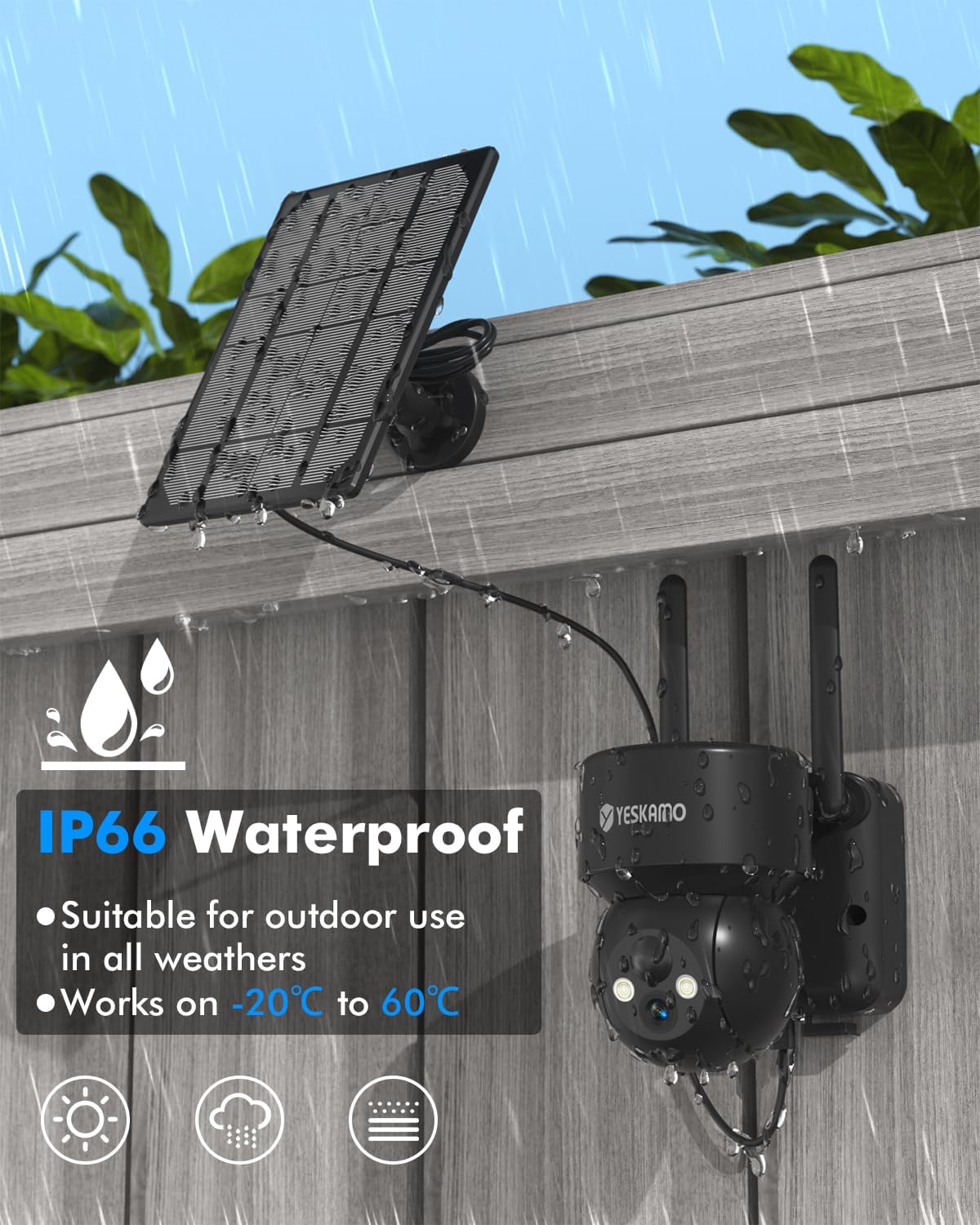
Demonstrates the camera's IP66 weather resistance, suitable for all weather conditions.
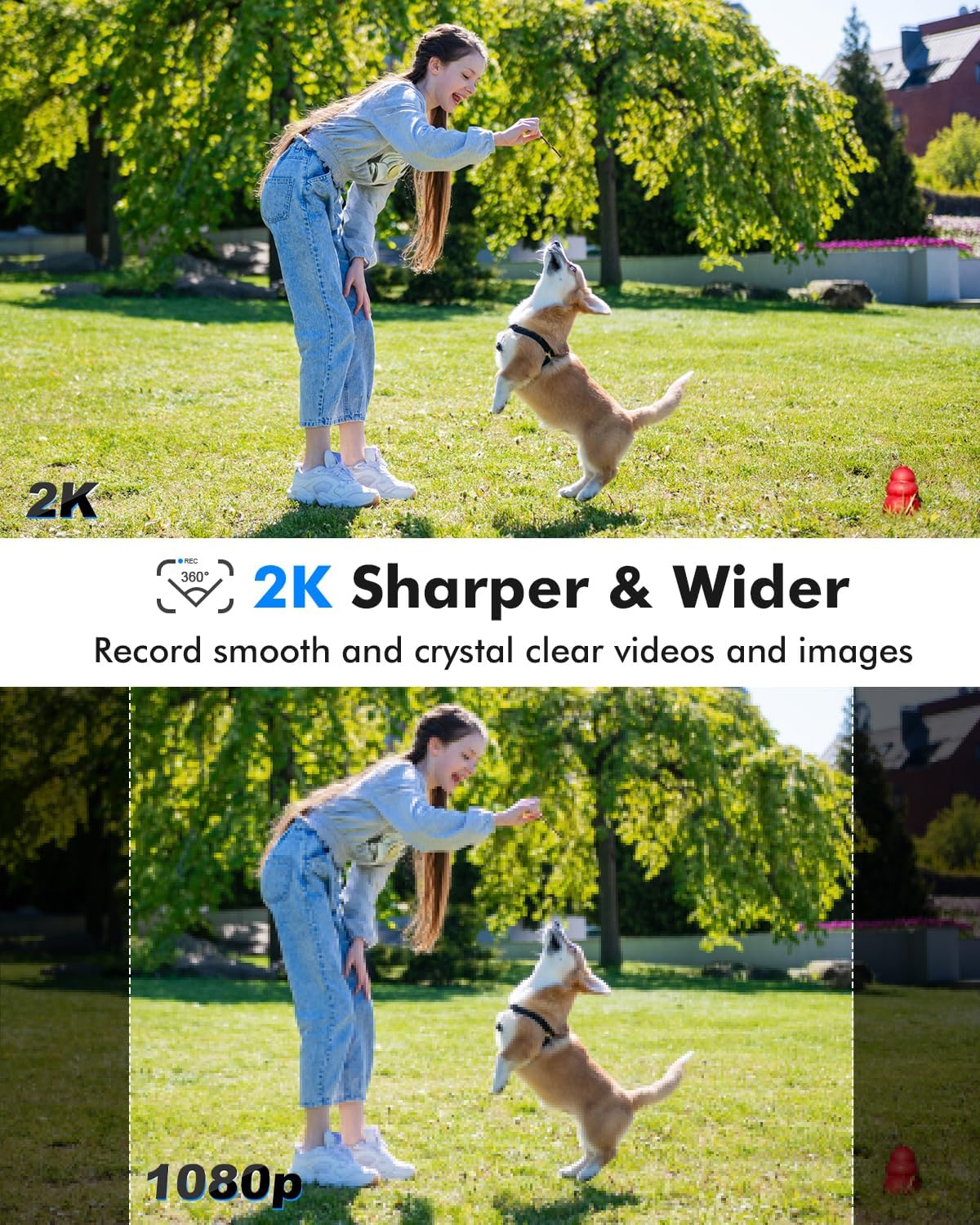
Compares 2K resolution clarity with 1080p, highlighting sharper details and wider view for crystal clear videos.

Visualizes the PIR human detection feature, distinguishing people from vehicles to reduce false alarms.

Depicts the two-way audio function, allowing real-time communication through the mobile application.
Setup
1. App Installation
Download the official YESKAMO app from the App Store (iOS) or Google Play Store (Android). Follow the on-screen instructions to create an account and log in.
2. Camera Charging and Solar Panel Connection
- Before initial use, fully charge the camera's built-in battery using the provided USB-C charging cable and a 5V/2A power adapter (not included).
- Connect the solar panel to the camera using the 3m USB-C solar cable. Ensure the connection is secure and the solar panel is positioned in direct sunlight for optimal charging.
3. Mounting the Camera and Solar Panel
- Choose a suitable outdoor location for the camera, ensuring a clear view and strong Wi-Fi signal.
- Use the provided mounting bracket and screw set to securely attach the camera to a wall or ceiling.
- Mount the solar panel in an area that receives maximum direct sunlight throughout the day. Adjust its angle for optimal sun exposure.
4. Wi-Fi Connection
- Power on the camera.
- Open the YESKAMO app and follow the prompts to add a new device.
- Select your 2.4 GHz Wi-Fi network and enter the password. The camera does not support 5 GHz Wi-Fi.
- Scan the QR code displayed on your phone with the camera lens. A voice prompt will confirm successful connection.
Operating Instructions
1. Live View
Access the live video feed of your camera through the app. You can view real-time footage from anywhere with an internet connection.
2. Pan, Tilt, and Digital Zoom
Use the controls within the app to remotely rotate the camera horizontally (360°) and vertically (120°). Pinch to zoom in or out digitally (5x digital zoom) on the live feed or recorded footage.
3. Two-Way Audio
Tap the microphone icon in the app to speak through the camera's built-in speaker. The integrated microphone with noise reduction allows you to hear audio from the camera's location.
4. Motion Detection Settings
Configure PIR (Passive Infrared) motion detection sensitivity in the app. The camera uses AI to intelligently detect people, pets, and vehicles, reducing false alarms. Set detection zones and alert schedules as needed.
5. Night Vision Modes
The camera supports both color and black & white night vision. When human motion is detected in low light, the camera's white spotlights can automatically activate to provide full-color night vision up to 30 meters.
6. Recording and Playback
The camera records video upon motion detection. Access recorded events through the app's playback feature. Recordings can be stored locally on a MicroSD card or in the cloud.
7. Storage Options
- MicroSD Card: Insert a MicroSD card (up to 128GB, not included) into the camera's slot for local storage of encrypted recordings.
- Cloud Storage: The camera offers secure cloud storage with data encryption protection. A 7-day free trial may be available.
8. Alarm Functions
When motion is detected, the camera can trigger an audible siren and activate its spotlights to deter intruders. You will also receive instant notifications on your mobile device.
Maintenance
1. Cleaning
Periodically clean the camera lens and solar panel with a soft, damp cloth to ensure optimal performance. Avoid using harsh chemicals or abrasive materials.
2. Battery Care
Ensure the solar panel is free from obstructions and dirt to maximize charging efficiency. In prolonged periods of low sunlight, you may need to manually charge the camera using the USB-C cable.
3. Firmware Updates
Check the app regularly for available firmware updates. Keeping your camera's firmware up-to-date ensures optimal performance, security, and access to new features.
Troubleshooting
- Camera not connecting to Wi-Fi: Ensure your Wi-Fi network is 2.4 GHz. Check Wi-Fi signal strength at the camera's location. Restart your router and the camera.
- Poor image quality: Clean the camera lens. Ensure there are no obstructions. Check your internet connection speed.
- Motion detection not working or too many false alarms: Adjust the PIR sensitivity settings in the app. Ensure detection zones are correctly configured.
- Battery not charging: Verify the solar panel is clean and receiving direct sunlight. Check the solar cable connection. Manually charge the camera via USB-C to confirm battery function.
- Two-way audio issues: Ensure microphone and speaker permissions are enabled for the app on your phone. Check volume settings.
For further assistance, please refer to the in-app help section or contact YESKAMO customer support.
Specifications
| Feature | Specification |
|---|---|
| Model Number | DQ201 |
| Resolution | 2K (1440p), 3 Megapixels Effective |
| Connectivity | Wireless (2.4 GHz Wi-Fi) |
| Power Source | Solar Powered, Battery Powered (1 Lithium-polymer battery included, 15,000 mAh) |
| Pan/Tilt Angle | 360° Horizontal, 120° Vertical |
| Digital Zoom | 5x |
| Night Vision | Color and Black & White with Smart Switching, 30m Range |
| Motion Detection | PIR & AI Human Detection |
| Audio | Two-Way Audio with Noise Reduction |
| Storage | MicroSD (up to 128GB), Cloud Storage |
| Weather Resistance | IP66 |
| Operating Temperature | -20°C to 60°C |
| Control Method | Mobile Application (Android & iOS) |
| Mounting Type | Wall and Ceiling Mount (Screw-in) |
| Dimensions (Package) | 20.9 x 14.6 x 14.4 cm; 950 grams |
Warranty and Support
For warranty information, technical support, or service inquiries, please refer to the official YESKAMO website or contact their customer service directly. Keep your purchase receipt for warranty claims.


