
1. Introduction
This manual provides detailed instructions for the installation, operation, and maintenance of your Aiwit 1080p Solar Wireless Security Camera. Please read this manual thoroughly before using the product to ensure proper function and safety. This camera is designed for indoor/outdoor surveillance, featuring AI human detection, night vision, two-way audio, and cloud storage capabilities.
2. Package Contents
Verify that all components are present in the package:
- Aiwit 1080p Solar Wireless Security Camera
- Solar Panel
- Mounting Bracket and Screws
- USB Charging Cable
- User Manual (this document)

Image: The Aiwit 1080p Solar Wireless Security Camera and its retail packaging, showing the camera unit, solar panel, and box.
3. Setup and Installation
3.1 Initial Charging
Before first use, fully charge the camera's built-in 6000mAh battery using the provided USB cable. Connect the USB cable to the camera's charging port and a standard 5V USB power adapter (not included). The charging indicator light will show the charging status.
3.2 App Installation and Account Creation
Download the "Aiwit" app from your smartphone's app store (iOS or Android). Follow the on-screen instructions to create an account and log in.
3.3 Camera Pairing
- Open the Aiwit app and tap the "+" icon to add a new device.
- Select your camera model from the list.
- Power on the camera. Ensure your smartphone is connected to a 2.4GHz Wi-Fi network. 5GHz networks are not supported.
- Follow the app's instructions to connect the camera to your Wi-Fi network. This typically involves scanning a QR code displayed on your phone with the camera's lens.
- Once connected, name your camera and complete the setup process.
3.4 Mounting the Camera and Solar Panel
The camera and solar panel are designed for wall mounting. Choose a location that provides optimal sunlight exposure for the solar panel and a clear view for the camera. Ensure the camera is within range of your 2.4GHz Wi-Fi network.
- Use the provided mounting bracket and screws to securely attach the camera to a wall or suitable surface.
- Mount the solar panel in a location that receives direct sunlight for several hours daily to ensure continuous charging.
- Connect the solar panel cable to the camera's charging port.

Image: The Aiwit solar security camera mounted on an exterior wall, with its solar panel positioned to capture sunlight. A smartphone displays the live view from the camera.
4. Operation
4.1 Live View
Open the Aiwit app and select your camera to access the live video feed. You can view real-time footage from anywhere with an internet connection.
4.2 Two-Way Audio
The camera supports two-way audio communication. In the live view, tap the microphone icon to speak through the camera's speaker. Tap the speaker icon to hear audio from the camera's surroundings.
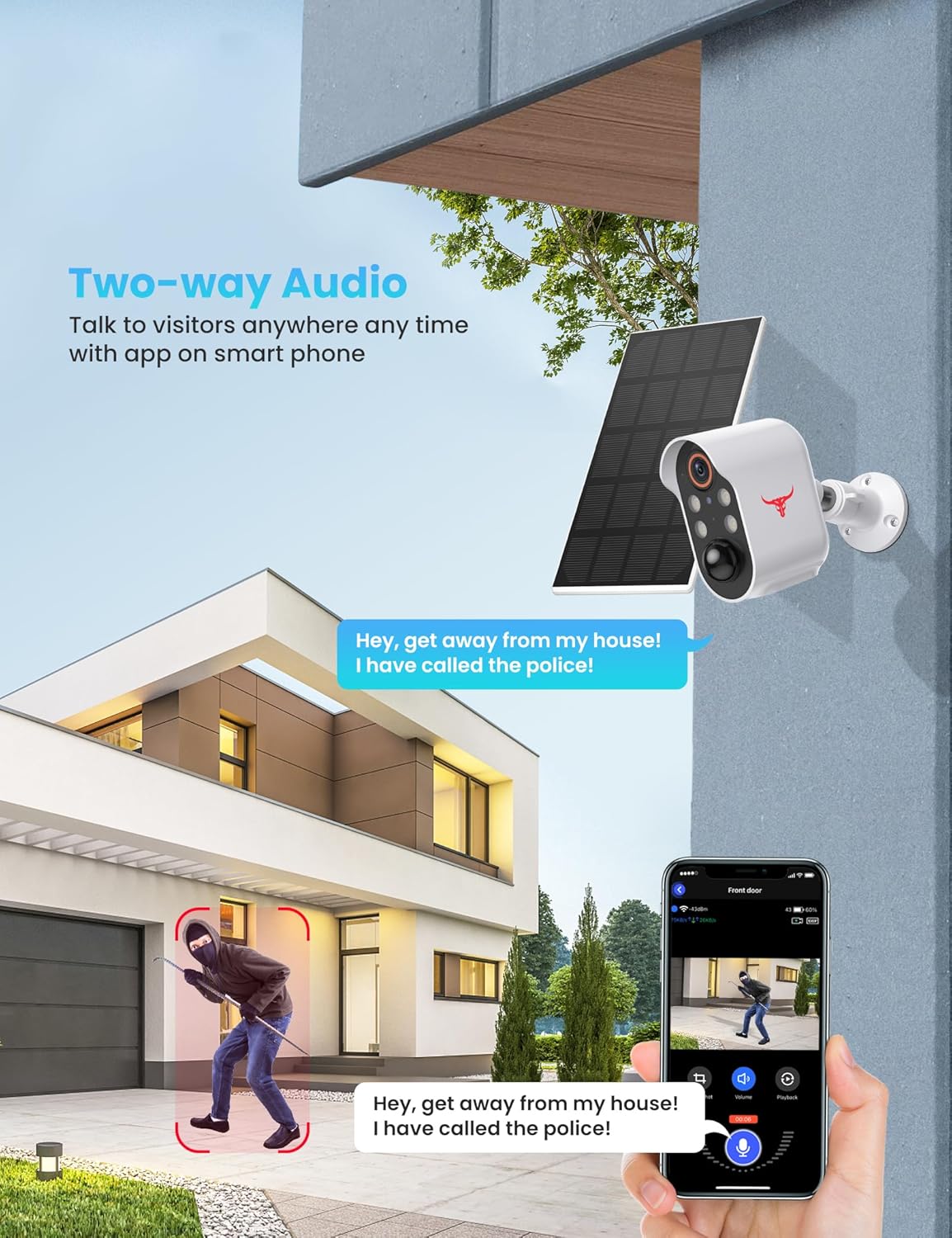
Image: A person at a door communicating with someone via the Aiwit camera's two-way audio feature, shown on a smartphone screen.
4.3 AI Human Detection and Alerts
The camera utilizes advanced AI technology to distinguish human motion from other movements (e.g., animals, vehicles). When human motion is detected, you will receive real-time alerts on your smartphone. You can adjust sensitivity settings within the app.

Image: The AI human detection feature in action, showing the camera identifying a person while ignoring a pet, with a notification appearing on a smartphone.
4.4 Night Vision
The camera is equipped with infrared (IR) night vision and color night vision capabilities. In low-light conditions, the camera automatically switches to night vision mode, providing clear surveillance footage. Color night vision provides more detailed and colorful images when ambient light is available.

Image: A comparison showing the difference between color night vision (left) and infrared night vision (right) from the Aiwit camera, illustrating improved detail and color in the former.
4.5 Cloud Storage
The camera supports AES-128 encrypted cloud storage for recorded videos. A subscription plan (sold separately) is required to save, review, and share recorded events. A 30-day free trial is typically included with your purchase. This feature allows you to access your footage securely from anywhere.

Image: The cloud storage feature, showing a smartphone app interface with a calendar and thumbnails of recorded events, indicating secure storage and easy access to footage.
4.6 Multi-User Sharing
You can grant access to your camera's live view and recorded footage to family members or trusted individuals through the Aiwit app, allowing for simultaneous remote viewing.
4.7 Official Product Video
Video: An official product video demonstrating the features and installation of the Aiwit 1080p Solar Wireless Security Camera, including solar charging, AI human detection, weather resistance, two-way audio, night vision, and cloud storage.
5. Maintenance
5.1 Weather Resistance
The camera boasts an IP65 dustproof and waterproof rating, ensuring reliable operation in various weather conditions, including rain, snow, and dust. Its operating temperature range is 14°F to 140°F (-10°C to 60°C).

Image: The Aiwit camera and solar panel shown enduring various weather conditions like rain, snow, heat, and dust, highlighting its IP65 weather resistance.
5.2 Battery Care
The integrated solar panel continuously charges the 6000mAh rechargeable battery. For optimal performance, ensure the solar panel is positioned to receive maximum direct sunlight. If the camera is installed in a location with limited sunlight, occasional manual charging via USB may be required.
6. Troubleshooting
| Problem | Possible Cause | Solution |
|---|---|---|
| Camera not connecting to Wi-Fi | Incorrect Wi-Fi password; Camera too far from router; Only 2.4GHz Wi-Fi supported. | Verify Wi-Fi password. Move camera closer to router. Ensure your router is broadcasting a 2.4GHz network and your phone is connected to it during setup. |
| Battery not charging sufficiently | Solar panel not receiving enough direct sunlight; Panel obstructed; Extreme weather conditions. | Reposition the solar panel for maximum direct sunlight exposure. Clear any obstructions. If prolonged cloudy weather, manually charge the camera via USB. |
| Frequent disconnections | Weak Wi-Fi signal; Network interference. | Improve Wi-Fi signal strength (e.g., use a Wi-Fi extender, move router). Ensure no other devices are causing interference. Restart camera and router. |
| No motion alerts | Motion detection disabled; Sensitivity too low; App notifications blocked. | Check motion detection settings in the Aiwit app. Increase sensitivity if necessary. Ensure app notifications are enabled in your phone's settings. |
| Two-way audio issues | Microphone/speaker muted in app; Network latency. | Ensure microphone and speaker icons are active in the live view. Check internet connection speed. |
7. Specifications
| Feature | Detail |
|---|---|
| Model Number | 1 |
| Video Capture Resolution | 1080p Full HD |
| Connectivity Technology | Wireless (2.4GHz Wi-Fi) |
| Power Source | Solar Powered, 6000mAh Rechargeable Battery |
| Special Features | AI Human Detection, Night Vision (Color/IR), Two-Way Audio, Cloud Storage |
| Indoor/Outdoor Usage | Outdoor |
| International Protection Rating | IP65 (Dustproof and Waterproof) |
| Operating Temperature | 14°F to 140°F (-10°C to 60°C) |
| Item Dimensions (L x W x H) | 2.87 x 1.7 x 3.4 inches |
| Item Weight | 1.21 pounds |
8. Warranty and Support
For warranty information and technical support, please refer to the official Aiwit website or contact their customer service directly. Keep your purchase receipt as proof of purchase for warranty claims.
Manufacturer: Aiwit


