
1. Introduction
The SHIMANO Steps Ebike Head Unit SC-EM800 is a compact and innovative control system designed for e-mountain bikes. This head unit provides essential information about your SHIMANO STEPS eBike system, including assist modes and battery status, through a clear LCD/LED display. It integrates seamlessly into your e-Mountain Bike setup, offering a low-profile design suitable for rugged terrains and demanding environments. The SC-EM800 supports wireless communication via E-TUBE PROJECT for customization and firmware updates.
2. Setup
2.1 Unpacking
Carefully remove all components from the packaging. The package should contain the eBike Head Unit.
2.2 Mounting the Head Unit
The SC-EM800 is designed for handlebar mounting. Ensure the mounting bracket is securely fastened to your handlebar. The unit is compatible with 30 mm rise handlebars. Position the head unit for optimal visibility and access to its buttons.
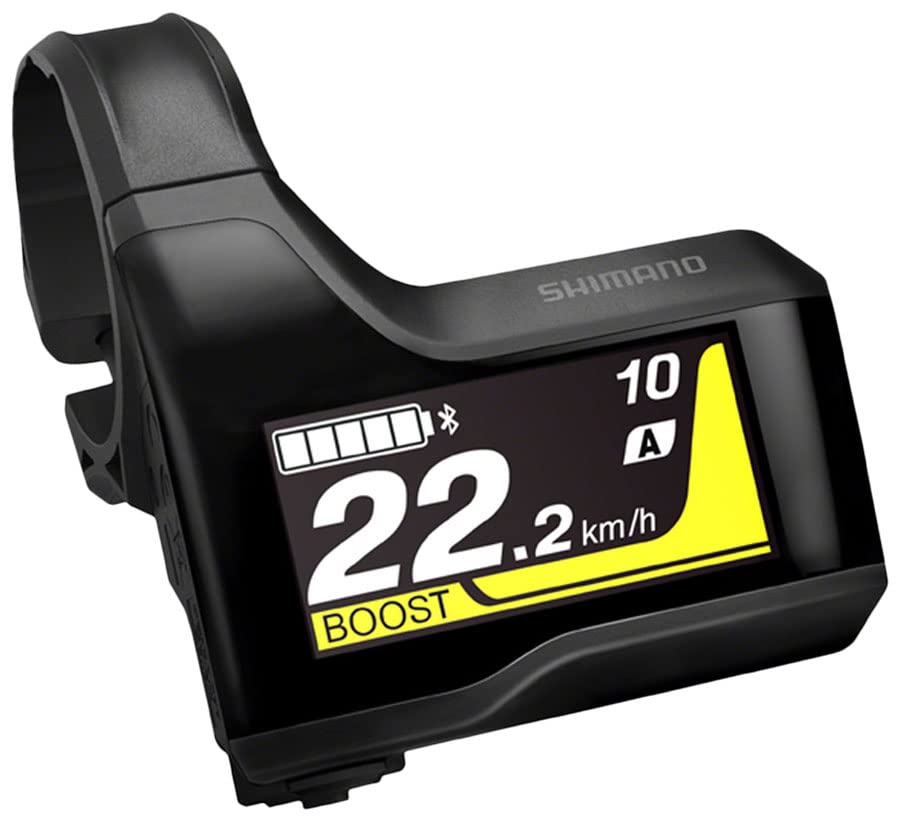
This image shows the SHIMANO Steps Ebike Head Unit SC-EM800 installed on a bicycle handlebar, demonstrating its compact and low-profile design.
2.3 Wiring Connection
Connect the head unit to your eBike system using the removable SD300-type electric wire. Ensure the connection is firm and secure. The removable wire simplifies installation and maintenance.
2.4 Initial Power-On
Once mounted and connected, power on your eBike system. The SC-EM800's LCD/LED display should illuminate, indicating a successful connection. Follow any on-screen prompts for initial setup.
3. Operating Instructions
3.1 Basic Functions
The head unit is operated using its integrated buttons. Refer to the on-screen interface for navigation. Typically, buttons allow you to cycle through display screens, change assist modes, and access settings.
3.2 Assist Mode Selection
The SC-EM800 allows you to select and customize assist profiles. Use the buttons to navigate to the assist mode selection screen. For advanced customization of assist levels and rider profiles, utilize the E-TUBE PROJECT app on a compatible smartphone or tablet.
3.3 Display Information
The display provides real-time information about your eBike system, including:
- Current assist mode
- Battery status
- Speed (if connected to a speed sensor)
- Cadence (if connected to a cadence sensor)
- GPS data (if connected to a GPS sensor)
3.4 Wireless Connectivity
The SC-EM800 supports E-TUBE PROJECT wireless communication. This allows you to connect the head unit to a smartphone or tablet for:
- Rider customization (e.g., adjusting assist characteristics)
- Firmware updates
- System diagnostics
Ensure your device has the E-TUBE PROJECT app installed and Bluetooth is enabled for connection.
4. Maintenance
4.1 Cleaning
Clean the head unit regularly with a soft, damp cloth. Avoid using harsh chemicals or abrasive materials that could damage the display or casing. Ensure the unit is dry before operation.
4.2 Firmware Updates
Periodically check for firmware updates via the E-TUBE PROJECT app. Keeping the firmware updated ensures optimal performance and access to the latest features.
4.3 Inspection
Regularly inspect the mounting and wiring connections for any signs of wear or damage. Ensure all connections remain secure.
5. Troubleshooting
- Display Not Turning On: Check the eBike system's main power. Ensure all wiring connections to the head unit are secure.
- No Data Displayed: Verify that all sensors (speed, cadence, GPS) are correctly installed and connected to the eBike system. Check for any error messages on the display.
- Connectivity Issues (E-TUBE PROJECT): Ensure Bluetooth is enabled on your smartphone/tablet and the head unit. Restart both devices and try connecting again. Make sure the E-TUBE PROJECT app is up to date.
- Incorrect Assist Mode: Use the head unit buttons or the E-TUBE PROJECT app to re-select or customize your desired assist profile.
For persistent issues or complex problems, please contact SHIMANO customer support or consult an authorized SHIMANO dealer.
6. Specifications
| Feature | Specification |
|---|---|
| Brand | SHIMANO |
| Model Name | STEPS SC-EM800 Head Unit |
| Product Dimensions | 7"L x 5"W x 2"H |
| Item Weight | 3.68 ounces |
| Display Type | LCD, LED |
| Sensor Type Compatibility | Speed Sensor, Cadence Sensor, GPS Sensor |
| Connectivity Technology | ANT, E-TUBE PROJECT Wireless |
| International Protection Rating | IP54 |
| Mounting Type | Handlebar Mount |
| Human Interface Input | Buttons |
| UPC | 192790153216 |
| Material | Multi |
7. Warranty Information
The SHIMANO Steps Ebike Head Unit SC-EM800 comes with a Limited Warranty. For detailed terms and conditions of the warranty, please refer to the official SHIMANO warranty documentation provided with your purchase or visit the official SHIMANO website.
8. Support
For additional support, technical assistance, or to find an authorized service center, please visit the official SHIMANO website or contact SHIMANO customer service. You can also visit the SHIMANO Store on Amazon for product information and resources.