
Introduction
This manual provides instructions for the setup, operation, maintenance, and troubleshooting of your UnionSine 16TB Desktop External Hard Drive, Model HD3511. Please read this manual carefully before using the device to ensure proper functionality and data security.
Package Contents
Verify that all items are present in the package:
- UnionSine 16TB Desktop External Hard Drive (HD3511)
- USB-C to USB-C Cable
- USB-C to USB-A Cable
- AC Power Adapter
- User Manual (this document)
Setup Guide
Follow these steps to connect your external hard drive to your device.
1. Connect the Power Supply
Connect the AC power adapter to the hard drive's DC IN port and then plug it into a power outlet.
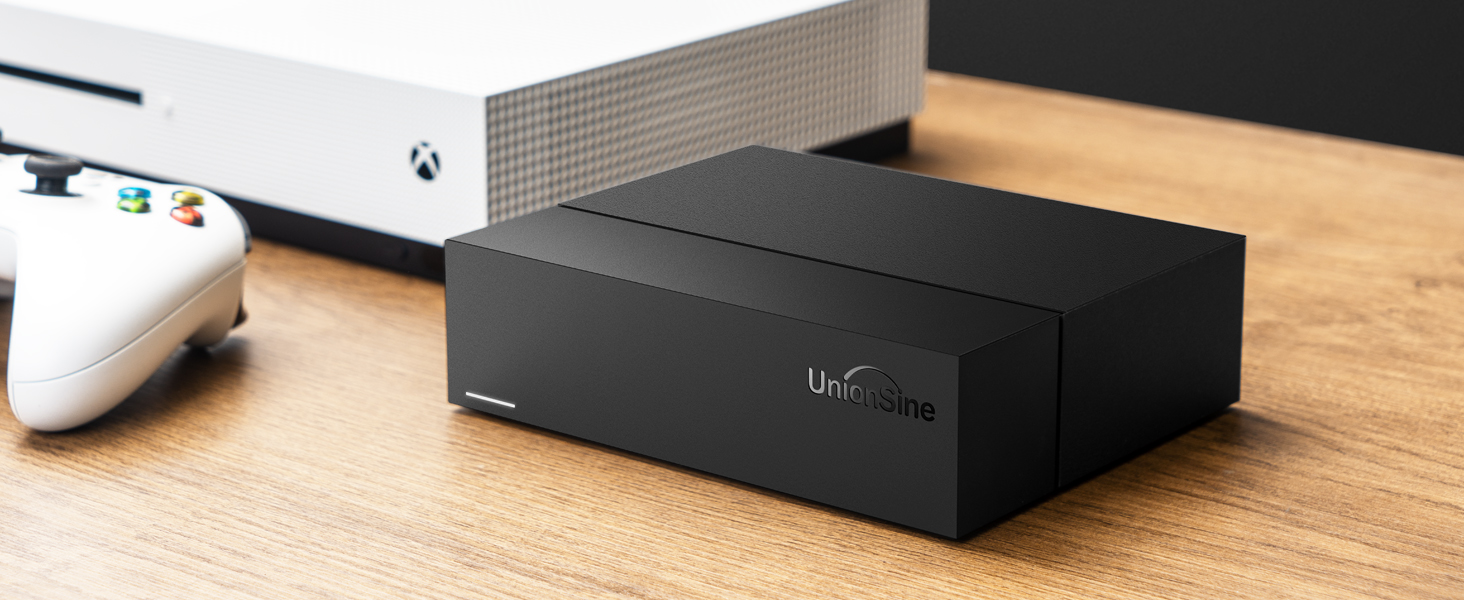
Image: Power and USB connections to the external hard drive.
2. Connect to Your Device
Use the provided USB 3.2 Gen2 Type-C cable (or USB-C to USB-A cable) to connect the hard drive to your computer, TV, PS4, Xbox One, or other compatible device. Ensure the cable is securely connected to both the hard drive and your device's USB port.

Image: Connection guide for the external hard drive.
3. Device Recognition
The external hard drive should be recognized by your operating system (Windows, macOS, Linux, Android) or gaming console within seconds. For some devices like TVs, you may need to select the correct input source (e.g., 'USB Mode') using the TV remote.
4. Initial Formatting (If Required)
The drive comes pre-formatted for general compatibility. However, if your operating system prompts you about potential errors or if you wish to optimize it for a specific system (e.g., exFAT for cross-platform use, NTFS for Windows, HFS+ for macOS), you may choose to reformat the drive. Warning: Reformatting will erase all data on the drive. Back up any important data before proceeding.
Operating Instructions
Data Transfer
The UnionSine HD3511 supports USB 3.2 Gen2, offering high-speed data transfer rates of up to 130MB/s-270MB/s for both reading and writing. To achieve optimal speeds, ensure your device's USB port also supports USB 3.2 Gen2 and use the provided USB-C to USB-C cable.

Image: USB 3.2 Gen2 Type-C port for high-speed data transfer.
Compatibility
This external hard drive is compatible with a wide range of devices and operating systems:
- Operating Systems: Windows, macOS, Linux, Android
- Devices: PC, Mac, Desktop computers, PS4, Xbox One, Smart TVs

Image: External hard drive used as media storage with a desktop setup.
File Management
Once connected, the drive will appear as an external storage device. You can drag and drop files, use backup software, or manage files through your operating system's file explorer. For optimal performance, avoid disconnecting the drive during active data transfer.
Maintenance
Physical Placement
The hard drive features a horizontal design for enhanced stability and to prevent accidental tipping. Place the drive on a flat, stable surface to ensure reliable operation and data security.

Image: Horizontal design for stability.
Heat Dissipation
The device incorporates a back cutout design to facilitate heat dissipation during operation. Ensure that the vents are not obstructed to maintain optimal operating temperature and prolong the life of the hard drive.

Image: Back cutout design for heat dissipation.
General Care
- Keep the drive away from liquids and excessive moisture.
- Avoid dropping or subjecting the drive to strong impacts.
- Do not expose the drive to extreme temperatures or direct sunlight.
- Clean the exterior with a soft, dry cloth. Do not use harsh chemicals.
Troubleshooting
| Problem | Possible Cause | Solution |
|---|---|---|
| Drive not recognized by device |
|
|
| Slow data transfer speeds |
|
|
| Clicking or loud noise from drive |
|
|
| Errors during initial connection/formatting |
|
|
Specifications
| Feature | Detail |
|---|---|
| Model Number | HD3511 |
| Digital Storage Capacity | 16 TB |
| Hard Disk Interface | USB 3.2 Gen2 (Type-C) |
| Connectivity Technology | USB |
| Hard Disk Form Factor | 3.5 Inches |
| Hard Disk Description | Mechanical Hard Disk |
| Hard Disk Rotational Speed | 7200 RPM |
| Read Speed | Up to 270 MB/s |
| Write Speed | Up to 270 MB/s |
| Compatible Devices | Desktop, PC, Mac, PS4, Xbox One, TV, Android |
| Operating Systems | Windows, macOS, Linux |
| Product Dimensions | 16 x 13 x 4 cm (6.3 x 5.1 x 1.6 inches) |
| Item Weight | 1.38 kg (3.04 lbs) |
| Enclosure Material | Polycarbonate |
| Color | Black |
Warranty Information
The UnionSine HD3511 Desktop External Hard Drive comes with a two-year warranty. This warranty covers technical malfunctions and ensures free replacement services within the warranty period. Please retain your proof of purchase for warranty claims.
Customer Support
For technical assistance, warranty claims, or any questions regarding your UnionSine product, please contact our customer support:
- Website: www.unionsine.com
- Manufacturer Contact: unionsine-ca
Please have your model number (HD3511) and proof of purchase ready when contacting support.

