
1Mii CB-M25BT
1Mii ML201 Bluetooth 5.1 Receiver User Manual
Model: CB-M25BT
Introduction
The 1Mii ML201 Bluetooth 5.1 Receiver is designed to upgrade your non-Bluetooth wired audio systems, such as home stereos, powered speakers, and car stereos, with wireless Bluetooth capabilities. This device allows you to stream high-fidelity music wirelessly from your smartphone, tablet, or other Bluetooth-enabled devices, providing a seamless audio experience without the need for physical cables.
Featuring Bluetooth 5.1 technology, the ML201 ensures a stable and efficient connection. It includes a unique Bass Mode for enhanced audio, supports dual device pairing, and offers up to 12 hours of playtime on a single charge. Its compact design and versatile 3.5mm AUX and RCA output options make it widely compatible with various audio setups.

The 1Mii ML201 allows you to upgrade your existing wired stereo system to support wireless music streaming from your smart devices.
Package Contents
Please check the box for the following items:
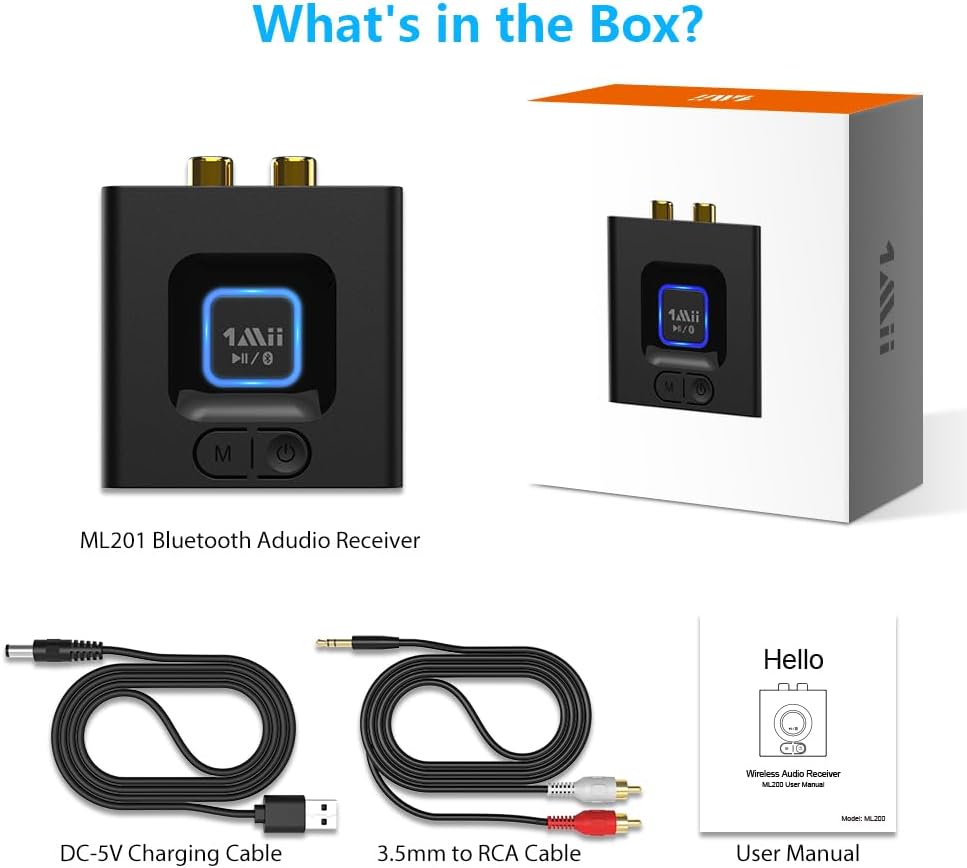
- 1 x 1Mii ML201 Bluetooth Receiver
- 1 x DC-5V Charging Cable (USB-A to DC barrel)
- 1 x 3.5mm to RCA Audio Cable
- 1 x User Manual

All components included in the 1Mii ML201 Bluetooth Receiver package.
Product Overview
Components and Ports
The 1Mii ML201 Bluetooth Receiver features a compact design with essential ports and controls for easy operation.
- Power Button: Used to turn the device on/off.
- 'M' Button: Toggles between Normal Mode and Bass Mode.
- 3.5mm OUT Port: For connecting to audio devices via a 3.5mm AUX cable.
- RCA OUT Ports (Red/White): For connecting to audio devices via an RCA cable.
- DC 5V Port: For power input using the provided charging cable.

Detailed view of the 1Mii ML201 Bluetooth Receiver's ports and controls.
Compatibility
The ML201 is widely compatible with various audio devices and systems, including:
- Home Stereo Systems
- Powered Speakers
- Wired Headphones
- Amplifiers
- Car Stereos
It supports wireless streaming from smartphones, tablets, laptops, and other Bluetooth-enabled devices.

The 1Mii ML201 offers broad compatibility with a range of audio input and output devices.
Setup Instructions
Follow these steps to set up your 1Mii ML201 Bluetooth Receiver:
- Connect the Audio Cable: Connect the ML201 to your non-Bluetooth audio system (e.g., home stereo, powered speakers) using either the 3.5mm audio cable or the RCA audio cable provided. Ensure the cable is securely plugged into the corresponding output port on the ML201 (3.5mm OUT or RCA OUT) and the input port on your audio system.
- Power On: Connect the DC-5V charging cable to the ML201's DC 5V port and plug the USB-A end into a USB power adapter (not included) or a USB port on your audio system/computer. The device will power on automatically or can be turned on by pressing the Power button.
- Pair with Your Device:
- Turn on Bluetooth on your smartphone, tablet, or other audio source device.
- Search for Bluetooth devices and select "ML201" from the list.
- Once paired, the indicator light on the ML201 will show a stable blue light, indicating a successful connection.
- Play Music: Open your favorite music application on your paired device and begin playing audio. The sound will now be streamed wirelessly to your connected audio system.

Simple three-step process: Plug, Pair, Play.
Operating Instructions
Bass Mode
The ML201 features a dedicated Bass Mode to enhance your audio experience with deeper bass. To activate or deactivate Bass Mode, simply press the 'M' button on the device. The indicator light will change color to confirm the mode change (e.g., blue for Normal Mode, green for Bass Mode).

Switch between Normal and Bass modes using the 'M' button for an enhanced audio experience.
Dual Device Pairing
The ML201 supports simultaneous connection with two Bluetooth devices (e.g., two smartphones or a smartphone and a tablet). This allows you to switch between music sources without needing to disconnect and re-pair. To use dual pairing:
- Pair the first device with the ML201 as described in the Setup section.
- Once the first device is connected, activate Bluetooth on the second device and search for "ML201" to pair.
- Both devices will now be connected. To switch music playback, simply pause the music on the currently playing device and start playing on the other device. The ML201 will automatically switch the audio source.
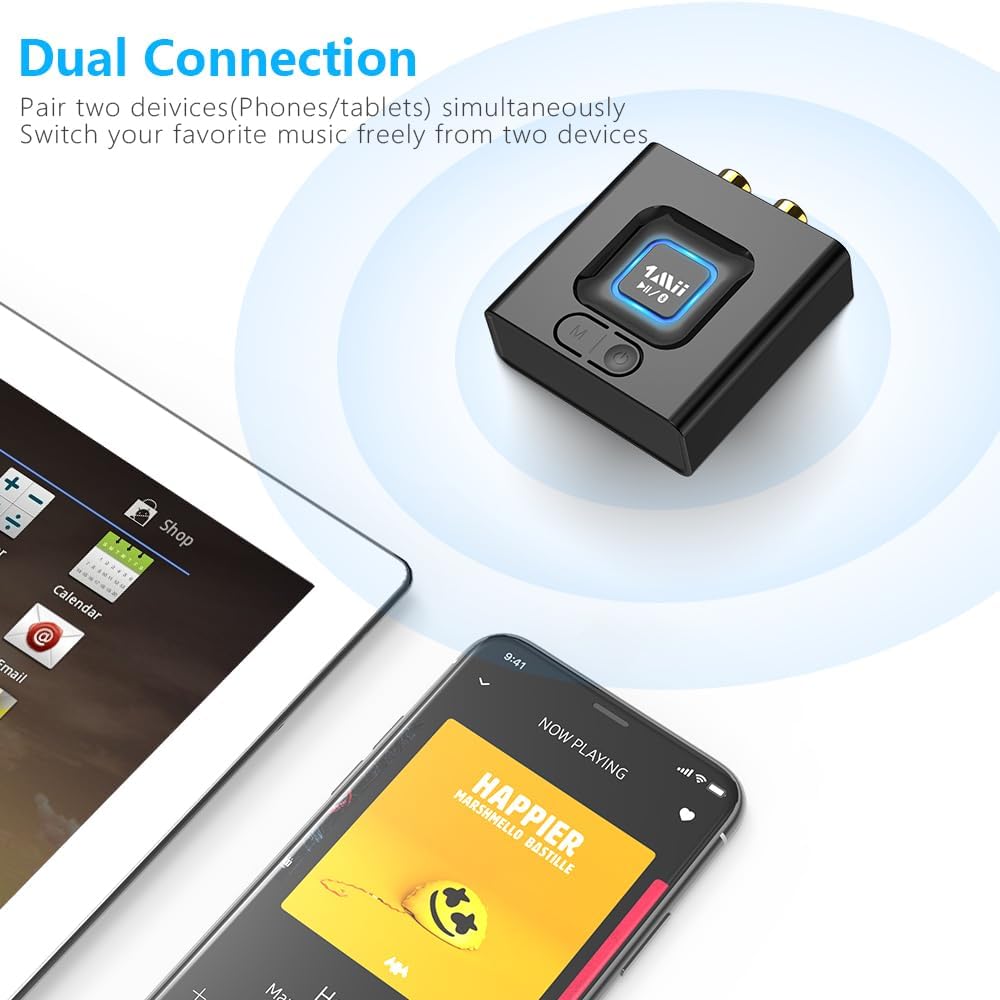
Connect two devices simultaneously and switch between them for seamless music streaming.
Battery Life and Charging
The 1Mii ML201 provides up to 12 hours of continuous playtime on a full charge. It can also operate while charging, ensuring uninterrupted music enjoyment. A full charge typically takes approximately 2.5 hours.
Enjoy extended playtime or continuous use while charging.
Troubleshooting
If you encounter issues with your 1Mii ML201, please refer to the following common solutions:
- No Sound:
- Ensure the ML201 is properly connected to your audio system's input ports (AUX or RCA).
- Check the volume levels on both the ML201 (if applicable, though it's a receiver) and your audio system, as well as your source device.
- Verify that the ML201 is successfully paired with your source device. Try re-pairing if necessary.
- Confirm that your audio system is set to the correct input source (e.g., AUX, Line In).
- Cannot Pair/Connect:
- Make sure the ML201 is powered on and within range (up to 50-70ft indoors without obstacles).
- Turn off Bluetooth on your source device and turn it back on.
- Clear the Bluetooth pairing history on your source device and try searching for "ML201" again.
- If multiple Bluetooth devices are nearby, temporarily disable Bluetooth on other devices to avoid interference.
- Sound Quality Issues (Distortion, Static):
- Ensure the audio cables are securely connected and not damaged.
- Move the ML201 closer to your source device to improve signal strength.
- Avoid placing the ML201 near sources of strong electromagnetic interference (e.g., Wi-Fi routers, microwaves).
- Test with a different audio source device or audio cable to isolate the problem.
- Device Not Charging:
- Ensure the charging cable is properly connected to the ML201 and the power source.
- Try a different USB power adapter or USB port.
- Check if the charging cable is damaged.
Specifications
| Feature | Specification |
|---|---|
| Model Number | CB-M25BT |
| Bluetooth Version | 5.1 |
| Connectivity Technology | Bluetooth |
| Audio Output | 3.5mm AUX, RCA |
| Power Source | DC 5V |
| Battery Type | Lithium Polymer (included) |
| Playtime | Up to 12 hours |
| Item Weight | 4.2 ounces (approx. 119g) |
| Material | Acrylonitrile Butadiene Styrene (ABS) |
| Special Features | 12hrs Playtime, Bass Mode, Bluetooth 5.1, Plug and Play |
Maintenance and Care
To ensure the longevity and optimal performance of your 1Mii ML201 Bluetooth Receiver, please follow these guidelines:
- Cleaning: Use a soft, dry cloth to clean the device. Do not use liquid cleaners or aerosol sprays.
- Storage: Store the device in a cool, dry place away from direct sunlight and extreme temperatures.
- Handling: Avoid dropping the device or subjecting it to strong impacts.
- Water Exposure: Keep the device away from water and moisture. It is not waterproof.
- Power: Use only the provided charging cable and a compatible DC 5V power source.
Warranty and Support
For warranty information or technical support, please contact 1Mii customer service. Details can typically be found on the official 1Mii website or through the retailer where the product was purchased. Please retain your proof of purchase for warranty claims.
Manufacturer: 1Mii
For further assistance, visit the 1Mii official support page or contact their customer service team directly.
Related documentsCB-M25BT


Ask a question about this manual
Ask about setup, troubleshooting, compatibility, parts, safety, or missing instructions. Manuals+ will review the question and use this page’s manual context to help answer it.