
Introduction
This manual provides essential instructions for the safe assembly, operation, and maintenance of your Keter Premier Apex 759 Outdoor Garden Shed. Please read all instructions carefully before beginning assembly and retain this manual for future reference.

Image: The Keter Premier Apex 759 Outdoor Garden Shed, showcasing its grey exterior, black double doors, and apex roof design.
Important Safety Information
Failure to follow these safety instructions may result in injury or damage to the product.
- Assembly Required: This product requires assembly. Ensure all components are present and undamaged before starting.
- Tool Safety: Keep all sharp tools and small components out of reach of children during assembly.
- Personal Protective Equipment: Wear appropriate gloves when handling shed components to prevent cuts or scrapes.
- Overloading Hazard: Do not overload the shed with excessive weight or items that exceed its structural capacity to prevent tipping or collapse.
- Level Surface: Assemble the shed on a firm, level surface to ensure stability and proper door alignment.
Setup and Assembly
The Keter Premier Apex 759 shed is designed for straightforward assembly. It is recommended that two adults perform the assembly.
- Unpack and Inspect: Carefully unpack all parts and verify against the parts list (not provided in this document, refer to packaging). Ensure no components are missing or damaged.
- Prepare the Site: Choose a flat, level, and stable area for the shed. Clear any debris or obstacles.
- Assemble the Base: Follow the manufacturer's instructions to assemble the floor panel. The shed features a robust floor panel designed to support various items.
- Construct Walls: Attach the wall panels according to the provided diagrams, ensuring they are securely interlocked. The shed features double-wall construction for enhanced durability.
- Install Doors and Window: Mount the double doors and the integrated window. Ensure doors operate smoothly and the locking mechanism functions correctly.
- Attach Roof: Securely install the apex roof panels. The roof is designed for durability and includes integrated ventilation.

Image: A family utilizing the Keter Premier Apex 759 shed for storing garden tools, bicycles, and other outdoor equipment, demonstrating its practical use after assembly.

Image: A close-up view of the robust floor panel of the Keter Premier Apex 759 shed, showing a lawnmower wheel resting on it, highlighting its strength and suitability for heavy items.
Operating Your Keter Premier Apex 759 Shed
The shed is designed for convenient and secure outdoor storage.
- Door Operation: The shed features double doors for easy access. Open and close them gently to prevent wear.
- Security: The doors are equipped with a locking mechanism (padlock not included) to secure your stored items.
- Natural Lighting: An integrated window provides natural light inside the shed.
- Ventilation: The roof includes integrated ventilation to help reduce condensation and maintain air circulation.
- Storage Capacity: Utilize the spacious interior for garden tools, equipment, bicycles, and other outdoor items. Consider Keter shelving kits (sold separately) for optimized organization.
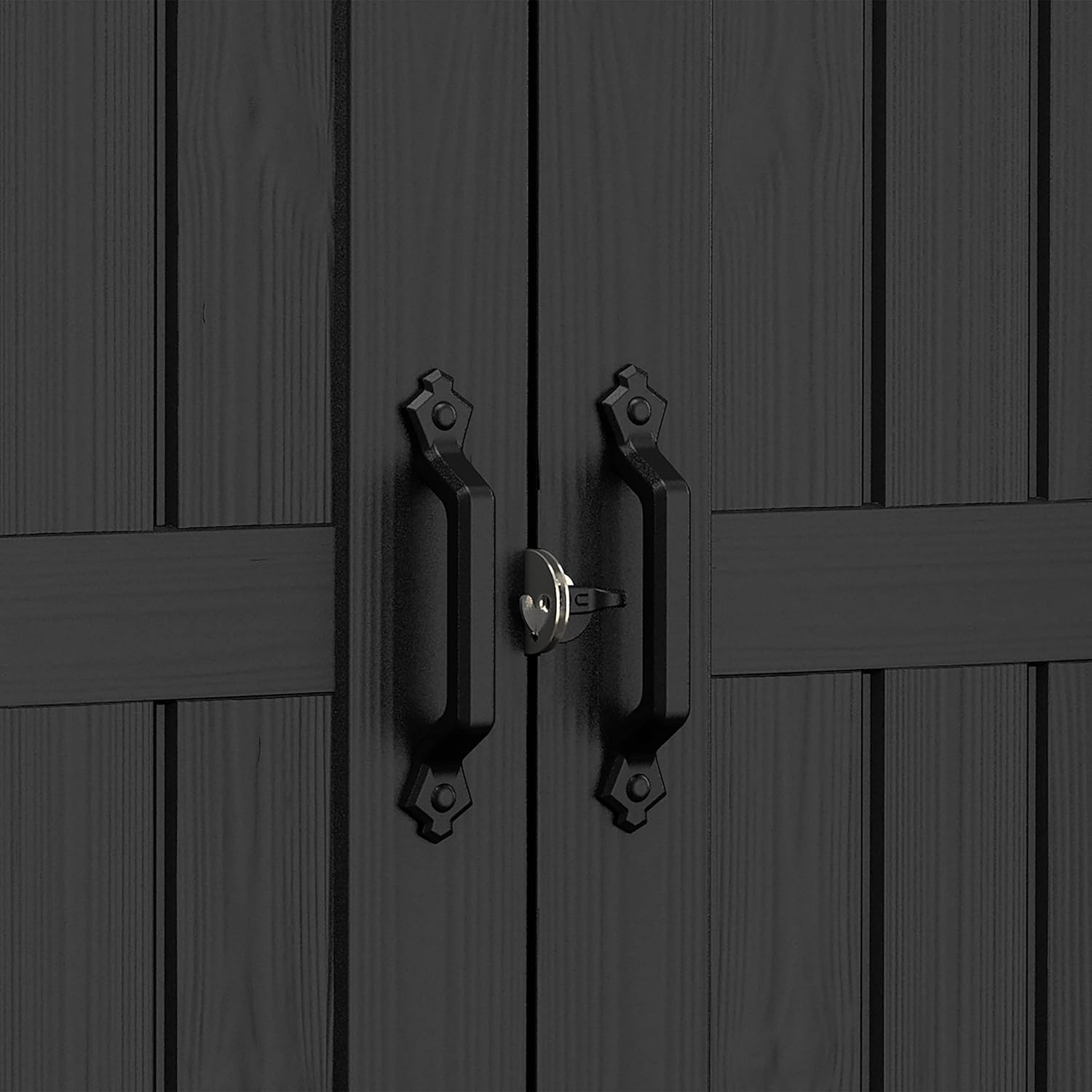
Image: A close-up of the robust door handles and integrated locking mechanism on the Keter Premier Apex 759 shed, designed for secure storage.

Image: The interior of the Keter Premier Apex 759 shed, demonstrating ample storage space for various garden tools, a bicycle, and other items, with optional shelving kits installed for organization.
Maintenance
The Keter Premier Apex 759 shed is constructed from durable, weather-resistant resin, designed to be low-maintenance and fade-resistant.
- Cleaning: Clean the shed periodically with mild soap and water. Avoid abrasive cleaners or harsh chemicals that could damage the resin.
- Inspection: Regularly inspect the shed for any signs of damage, loose fasteners, or blockages in the ventilation system. Address any issues promptly.
- No Painting Required: The resin material is fade-resistant and does not require painting.
- Weather Resistance: The shed is designed to withstand various weather conditions, offering protection for your stored items.

Image: A detailed view of the Keter Premier Apex 759 shed's wall panel, highlighting the durable, weather-resistant resin material with a wood-like texture.
Troubleshooting
If you encounter any issues with your Keter Premier Apex 759 shed, consider the following:
- Door Alignment: If doors do not close properly, check that the shed is on a level surface and that all wall panels are securely connected.
- Water Leakage: Ensure all roof panels are correctly installed and sealed. Check for any cracks or damage to the panels.
- Missing Parts: If parts were missing during assembly, contact Keter customer support with your product model number and purchase details.
Product Specifications

Image: A technical diagram illustrating the external and internal dimensions of the Keter Premier Apex 759 shed, including height, width, and depth measurements for the overall structure, doors, and window.
| Feature | Detail |
|---|---|
| Brand | Keter |
| Model Number | 255235 |
| Exterior Dimensions (L x W x H) | 229 x 223 x 252 cm (approx. 90.2 x 87.8 x 99.2 inches) |
| Interior Dimensions (L x W x H) | 201 x 201 x 236 cm (approx. 79.1 x 79.1 x 92.9 inches) |
| Product Dimensions (Overall) | 287 x 228 x 252 cm (approx. 113 x 89.8 x 99.2 inches) |
| Item Weight | 59 Kilograms (approx. 130 lbs) |
| Material | Durable Resin (Wood Resin effect) |
| Color | Grey |
| Water Resistance Level | Waterproof |
| Style | Premier Apex |
Warranty and Support
Specific warranty details are typically provided with your purchase documentation. For any product inquiries, missing parts, or support, please contact Keter customer service directly. Ensure you have your model number (255235) and proof of purchase available.
Information regarding spare parts availability is not provided in the product details. Please contact Keter support for further assistance.


