

Introduction
This manual provides essential instructions for the safe and efficient use of your Nimble Champ Lite Portable Charger. This compact 5200mAh power bank is designed for fast charging of various electronic devices, featuring both USB-C and USB-A ports. Please read this manual thoroughly before operating the device.
Setup
Package Contents
- Nimble Champ Lite Portable Charger (5200mAh)
- USB-A to USB-C Cable
- User Manual (this document)
Initial Charging of the Power Bank
Before first use, fully charge your Nimble Champ Lite portable charger. Connect the included USB-A to USB-C cable to the power bank's USB-C port and a compatible USB power adapter (not included). The LED indicators will illuminate to show the charging status.

Image: The Nimble Champ Lite portable charger connected via its USB-C port for recharging. Four LED lights indicate the battery level, and a power button is visible. The image also highlights the 5200mAh capacity and indicates a full recharge time of 1.5 hours.
Understanding LED Indicators
The power bank features four LED indicators to display the remaining battery capacity:
- 1 LED: 0-25% charged
- 2 LEDs: 26-50% charged
- 3 LEDs: 51-75% charged
- 4 LEDs: 76-100% charged
Operating Instructions
Charging Your Devices
The Nimble Champ Lite portable charger is equipped with both a USB-C port (input/output) and a USB-A port (output) to charge your devices. It supports fast charging up to 15W.
- Connect your device's charging cable to either the USB-C or USB-A output port on the power bank.
- Connect the other end of the cable to your device.
- The power bank will automatically begin charging your device. If not, press the power button once to initiate charging.
- The LED indicators will show the power bank's remaining charge during the charging process.
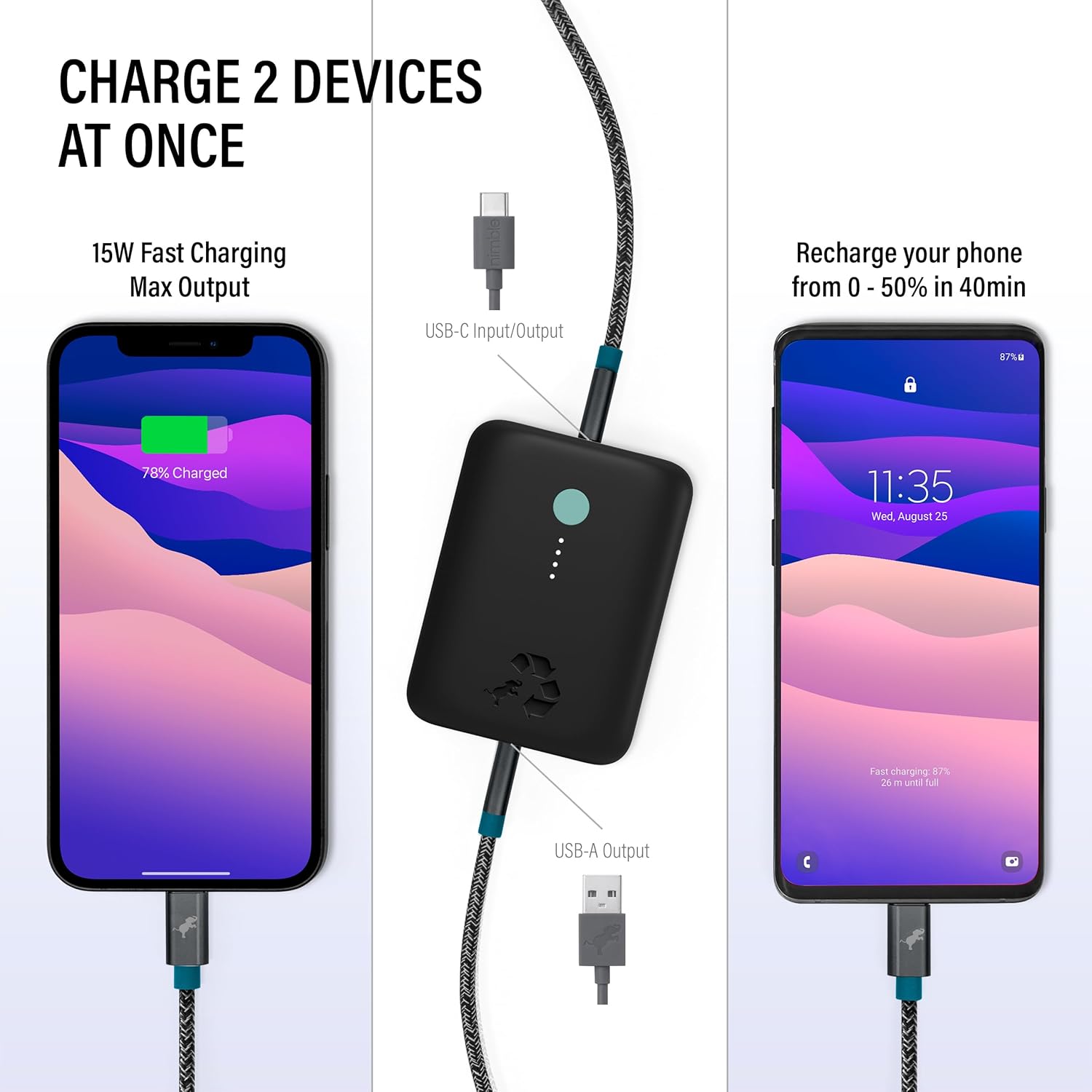
Image: The Nimble Champ Lite portable charger connected to two smartphones, demonstrating its ability to charge two devices concurrently using its USB-C and USB-A output ports. One phone shows 78% charge, and the other is recharging from 0-50% in 40 minutes.
Pass-Through Charging
The Nimble Champ Lite supports pass-through charging, allowing you to charge your device while simultaneously recharging the power bank itself. Simply connect the power bank to a power source via its USB-C input, and then connect your device to one of the power bank's output ports.
Image: The Nimble Champ Lite portable charger connected via its USB-C port for recharging, while simultaneously charging an external device. This illustrates the pass-through charging capability.
Universal Compatibility
This power bank is compatible with a wide range of devices, including smartphones, tablets, smartwatches, headphones, and more.

Image: A visual representation of the Nimble Champ Lite's universal compatibility, showing it can charge various devices such as iPhones, iPads, AirPods, Apple Watches, Samsung phones, Google devices, cameras, gaming devices, headphones, wearables, e-readers, and speakers.
Maintenance
Care and Storage
- Keep the power bank away from extreme temperatures, direct sunlight, and moisture.
- Avoid dropping or subjecting the device to strong impacts.
- Clean the exterior with a soft, dry cloth. Do not use harsh chemicals or abrasive materials.
- For long-term storage, charge the power bank to approximately 50% every three months to preserve battery health.
Recycling
The Nimble Champ Lite is made from certified recycled plastic and aluminum. When the product reaches the end of its life, please utilize the included prepaid mailer bag to responsibly recycle your battery bank at no cost, or dispose of it according to local electronic waste regulations.

Image: The Nimble Champ Lite portable charger, emphasizing its sustainable design with text indicating 72% certified recycled plastic and average CO2e savings per unit. Various sustainability certifications are also displayed.
Troubleshooting
| Problem | Possible Cause | Solution |
|---|---|---|
| Power bank not charging | Loose cable connection, faulty cable/adapter, power bank fully discharged. | Ensure cables are securely connected. Try a different charging cable or power adapter. Allow the power bank to charge for a longer period if completely depleted. |
| Device not charging from power bank | Power bank is off, low battery, incompatible cable, device fully charged. | Press the power button on the power bank. Check LED indicators for battery level. Ensure your device's charging cable is functional and correctly connected. Verify the device requires charging. |
| Slow charging | Using a non-fast charging cable, device drawing less power, multiple devices charging. | Use a high-quality, fast-charging compatible cable. Ensure your device supports fast charging. Charging two devices simultaneously may reduce individual charging speeds. |
| LED indicators not working | Power bank is off, internal issue. | Press the power button. If the issue persists, contact customer support. |
Specifications
| Feature | Detail |
|---|---|
| Model Number | NB-CPC-5K-BLK |
| Battery Capacity | 5200 Milliamp Hours |
| Product Dimensions | 3 x 2.2 x 0.99 inches |
| Item Weight | 8.1 ounces |
| Connector Type | USB Type A, USB Type C |
| Special Features | Auto Shut-Off, Portable, Travel, Pocket Size, Lightweight, Eco Print, LED Indicator Lights, USB A and C Ports, Fast Charging, Slim |
| Manufacturer | Nimble |
| Date First Available | May 4, 2023 |
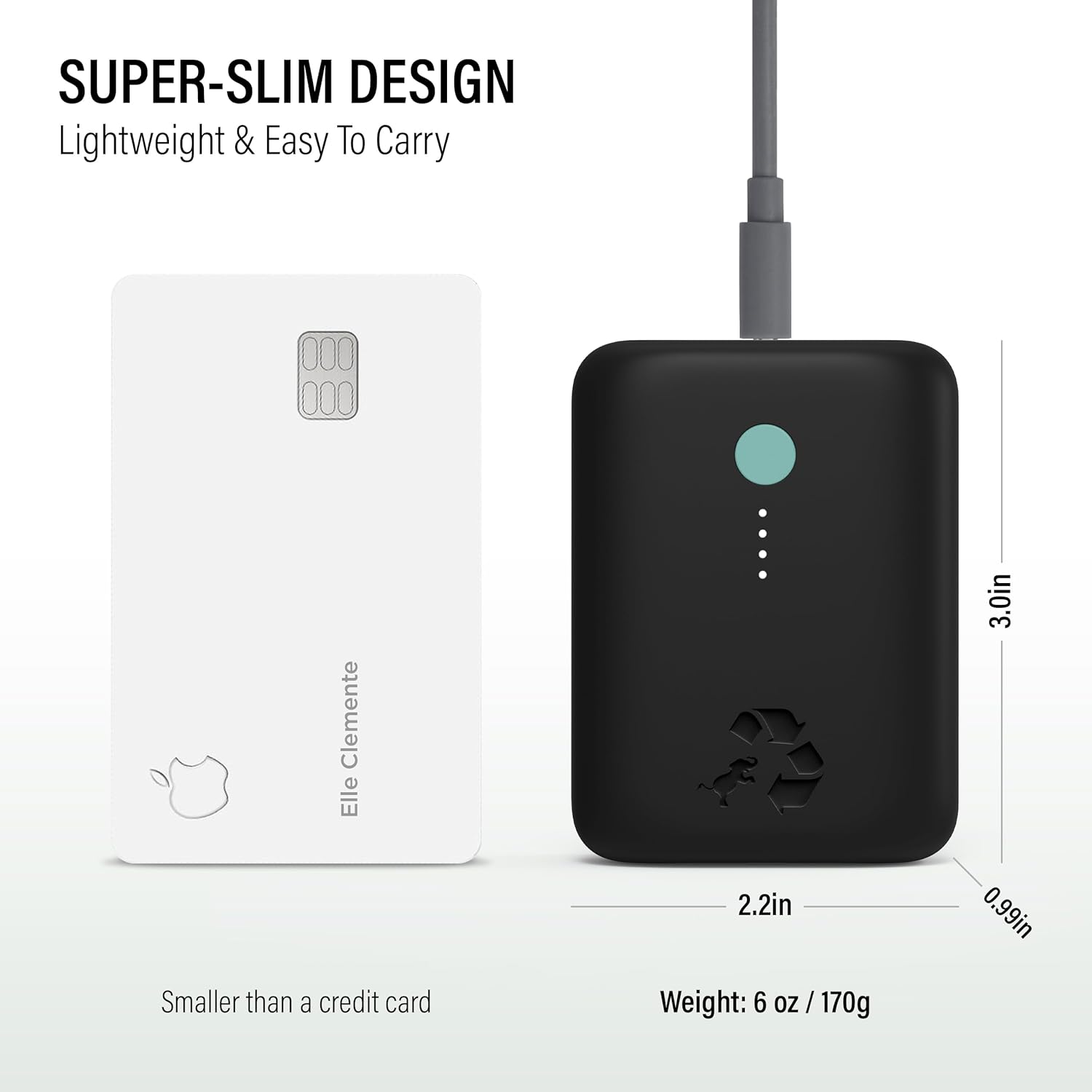
Image: The Nimble Champ Lite portable charger shown next to a credit card to illustrate its compact size. Dimensions (3.0in x 2.2in x 0.99in) and weight (6 oz / 170g) are also indicated.
Warranty Information
The Nimble Champ Lite Portable Charger comes with a manufacturer's warranty. For detailed information regarding warranty coverage, terms, and conditions, please refer to the warranty card included with your product packaging or visit the official Nimble website.
Support
For further assistance, technical support, or to view frequently asked questions, please visit the official Nimble website:
