
PTHTECHUS S80K
PTHTECHUS Smart Watch for Kids User Manual
Model: S80K | Brand: PTHTECHUS
1. Introduction
This manual provides detailed instructions for the setup, operation, and maintenance of your PTHTECHUS Smart Watch for Kids. This smartwatch is designed to offer a range of features including communication, fitness tracking, and health monitoring, making it a versatile companion for daily activities.

Image: The PTHTECHUS Smart Watch, showcasing its main display with various health and activity metrics.
2. What's in the Box
Please verify that all items are present in the package:
- 1 x PTHTECHUS Smart Watch
- 1 x Charging Cable
- 1 x User's Manual
3. Setup Guide
3.1 Charging the Device
Before first use, fully charge your smartwatch. Connect the magnetic charging cable to the charging points on the back of the watch and plug the USB end into a compatible power adapter (not included) or a computer's USB port.

Image: The smartwatch's charging interface and the magnetic charging cable.
3.2 App Installation and Pairing
To unlock the full functionality of your smartwatch, download and install the 'CO-FIT' app on your smartphone. The app is compatible with Android 4.4 and above, and iOS 8.0 and above. Once installed, open the app and follow the on-screen instructions to pair your smartwatch via Bluetooth. Ensure Bluetooth is enabled on your phone.
3.3 Customizing Watch Faces
Your smartwatch offers over 120 pre-designed watch face styles. You can also personalize your watch by uploading your own photos of family, friends, or pets through the CO-FIT app to create custom dials.
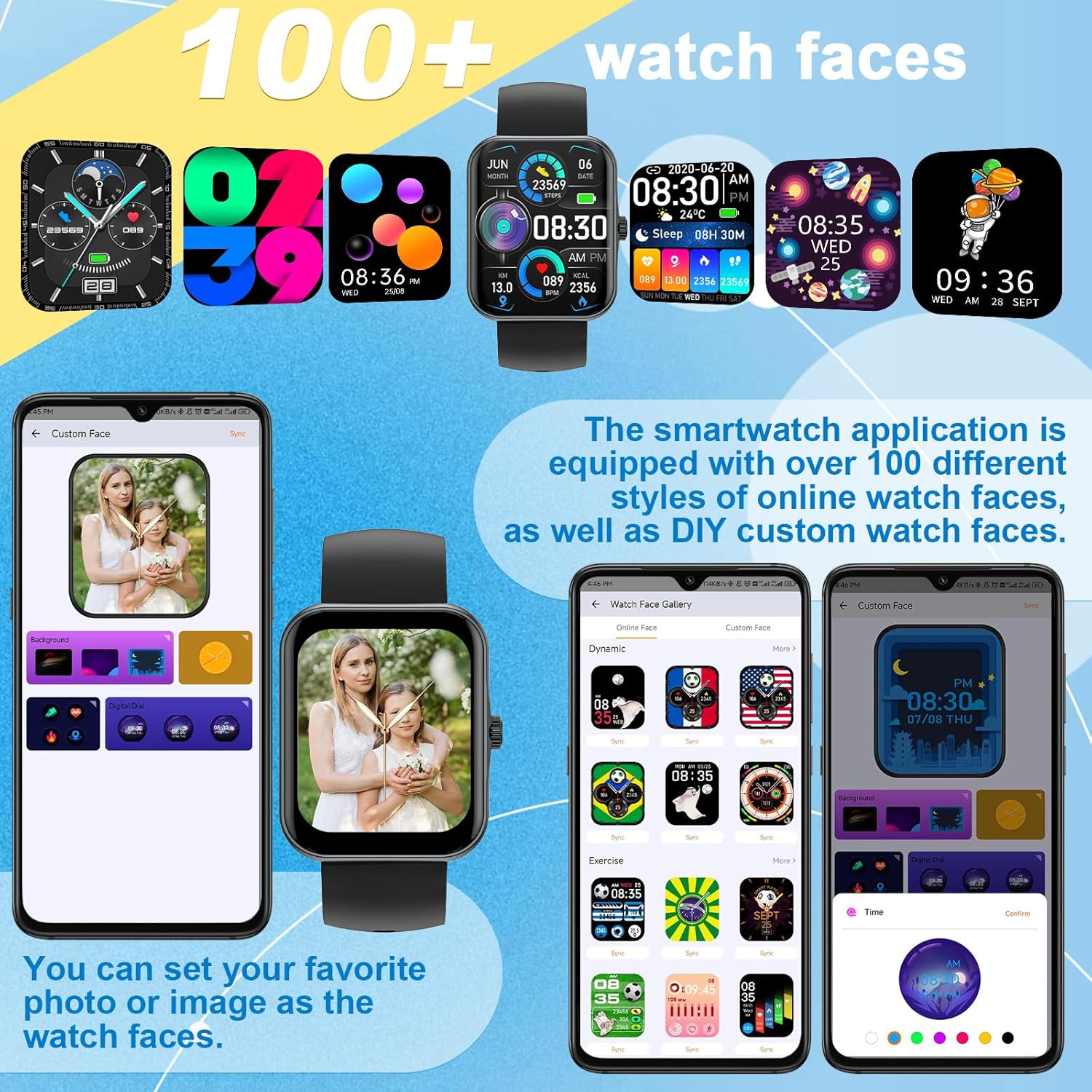
Image: Examples of the diverse watch faces and custom dial options.
4. Operating Instructions
4.1 Phone Calls and Notifications
Once connected to your phone via Bluetooth, you can make and answer calls directly from your smartwatch. The built-in microphone and speaker allow for hands-free communication. You can also view call history and synchronize contacts. The watch receives SMS and APP notifications (e.g., WhatsApp, Facebook, Instagram), but replying to messages is not supported.

Image: Demonstrating the smartwatch's call answering feature.
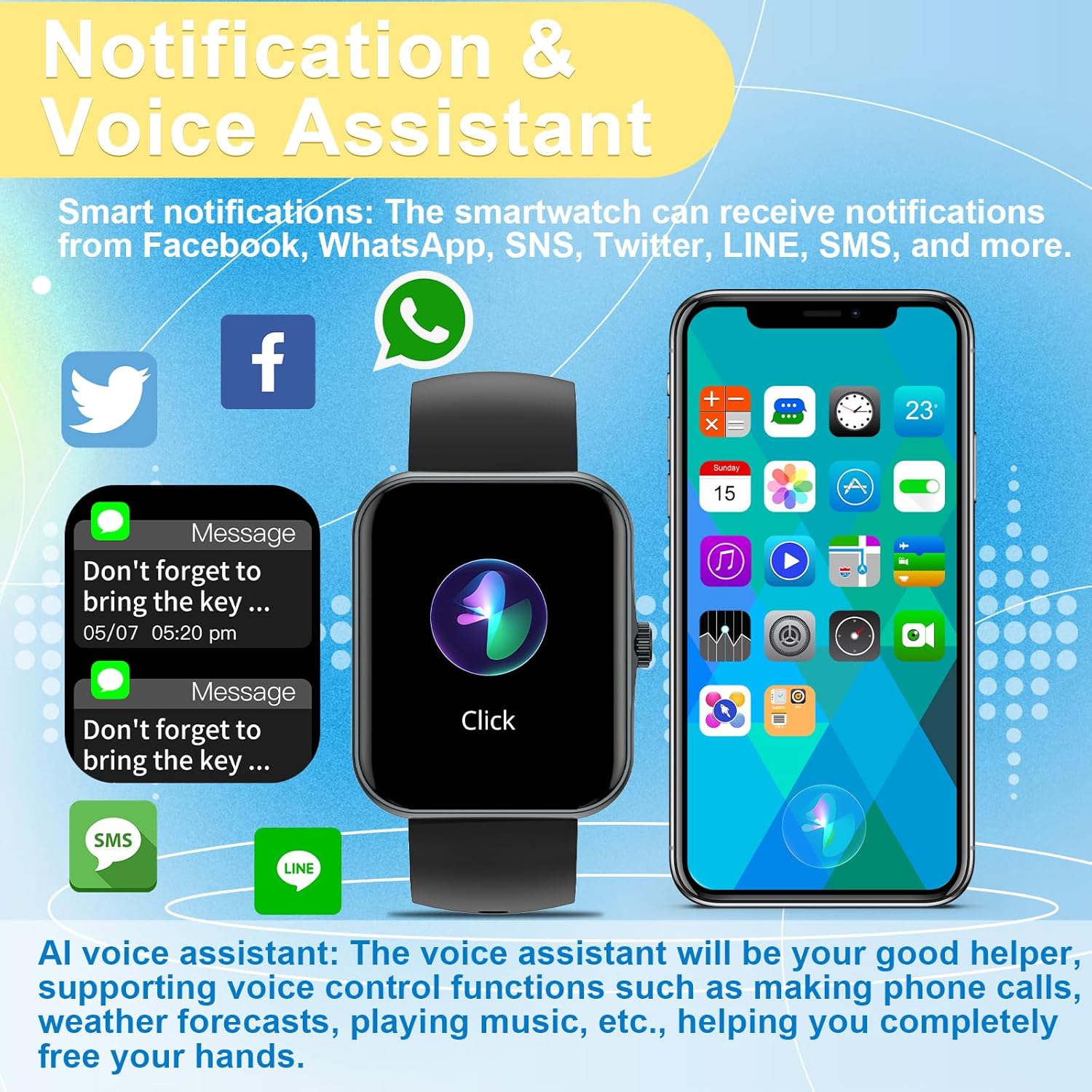
Image: Smart notifications and AI voice assistant interface on the watch.
4.2 Voice Assistant (Siri)
The integrated AI voice assistant allows for voice control functions such as making calls, checking weather forecasts, and playing music, providing a hands-free experience.
4.3 Music and Camera Control
Control your phone's music playback directly from your smartwatch. You can also use the watch as a remote control for your phone's camera, making it easier to capture photos.

Image: Music control functionality on the smartwatch.
4.4 Sports Modes and Activity Tracking
The watch supports 37 different sports modes, including mountaineering, running, cycling, and yoga. It accurately records daily activities such as steps, distance, and calorie consumption, helping you track your fitness progress.

Image: Overview of the 37 available sport modes.
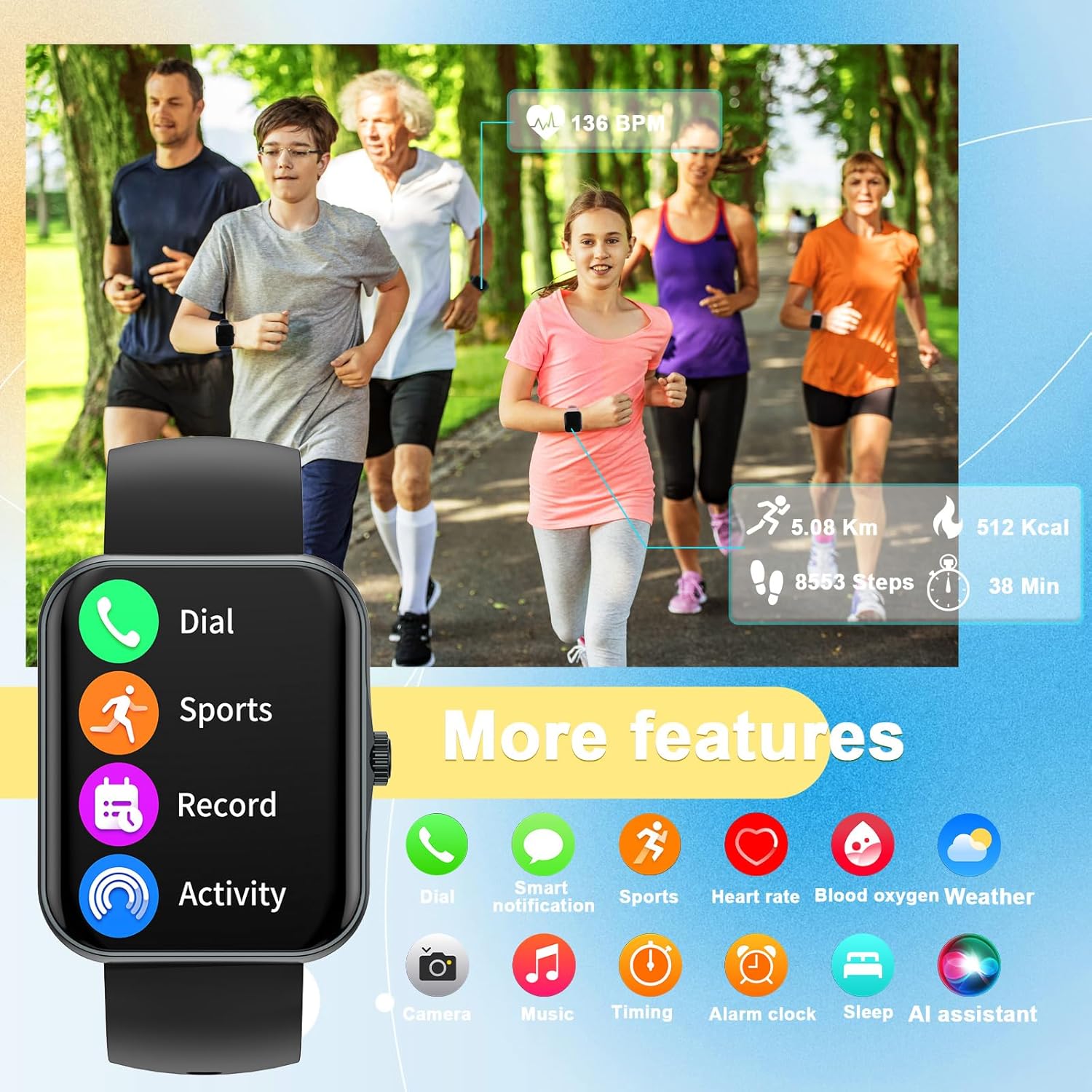
Image: The smartwatch's interface showing various features including dial, sports, record, activity, heart rate, blood oxygen, weather, camera, music, timing, alarm, sleep, and AI assistant.
4.5 Health Monitoring
The smartwatch provides 24-hour health monitoring, including heart rate, blood oxygen saturation (SpO2), and sleep tracking. It offers comprehensive sleep quality analysis to help develop healthier sleep habits. Note: This data is for reference only and cannot be used for medical diagnosis or treatment.
4.6 Weather Display
View real-time weather information directly on your smartwatch when connected to your phone.
5. Maintenance
5.1 Cleaning
Regularly clean your smartwatch and strap with a soft, dry cloth. If necessary, use a slightly damp cloth and then dry thoroughly. Avoid harsh chemicals or abrasive materials.
5.2 Battery Care
To prolong battery life, avoid fully discharging the watch frequently. Charge it when the battery level is low. Store the watch in a cool, dry place when not in use for extended periods.
5.3 Water Resistance
Important: This smartwatch is NOT waterproof. Avoid exposing it to water, including showering, swimming, or heavy rain, as this can cause irreparable damage.
6. Troubleshooting
- Watch not turning on: Ensure the watch is fully charged. Connect it to the charger and wait a few minutes before attempting to power it on.
- Unable to pair with phone:
- Ensure Bluetooth is enabled on your phone.
- Make sure the watch is within the Bluetooth range of your phone.
- Restart both the watch and your phone.
- Check the CO-FIT app for pairing instructions and ensure the app has necessary permissions.
- Inaccurate health data: Ensure the watch is worn snugly on your wrist, not too tight or too loose. Clean the sensor on the back of the watch. Remember that health data is for reference and not medical use.
- Notifications not received:
- Verify that the watch is connected to your phone via Bluetooth.
- Check notification settings within the CO-FIT app and your phone's system settings to ensure app notifications are enabled for the smartwatch.
- Short battery life: Reduce screen brightness, limit frequent screen wake-ups, and disable unnecessary features if not in use.
7. Specifications
| Feature | Detail |
|---|---|
| Model Name | S80K |
| Brand | PTHTECHUS |
| Screen Size | 1.83 Inches |
| Product Dimensions | 8.66 x 1.57 x 0.79 inches |
| Item Weight | 1.76 ounces (50 Grams) |
| Operating System | AsteroidOS |
| Connectivity Technology | Bluetooth |
| Battery | 1 Lithium Polymer (included) |
| Special Features | Activity Tracker, Phone Call, Oxymeter (SpO2), Notifications, Heart Rate Monitor |
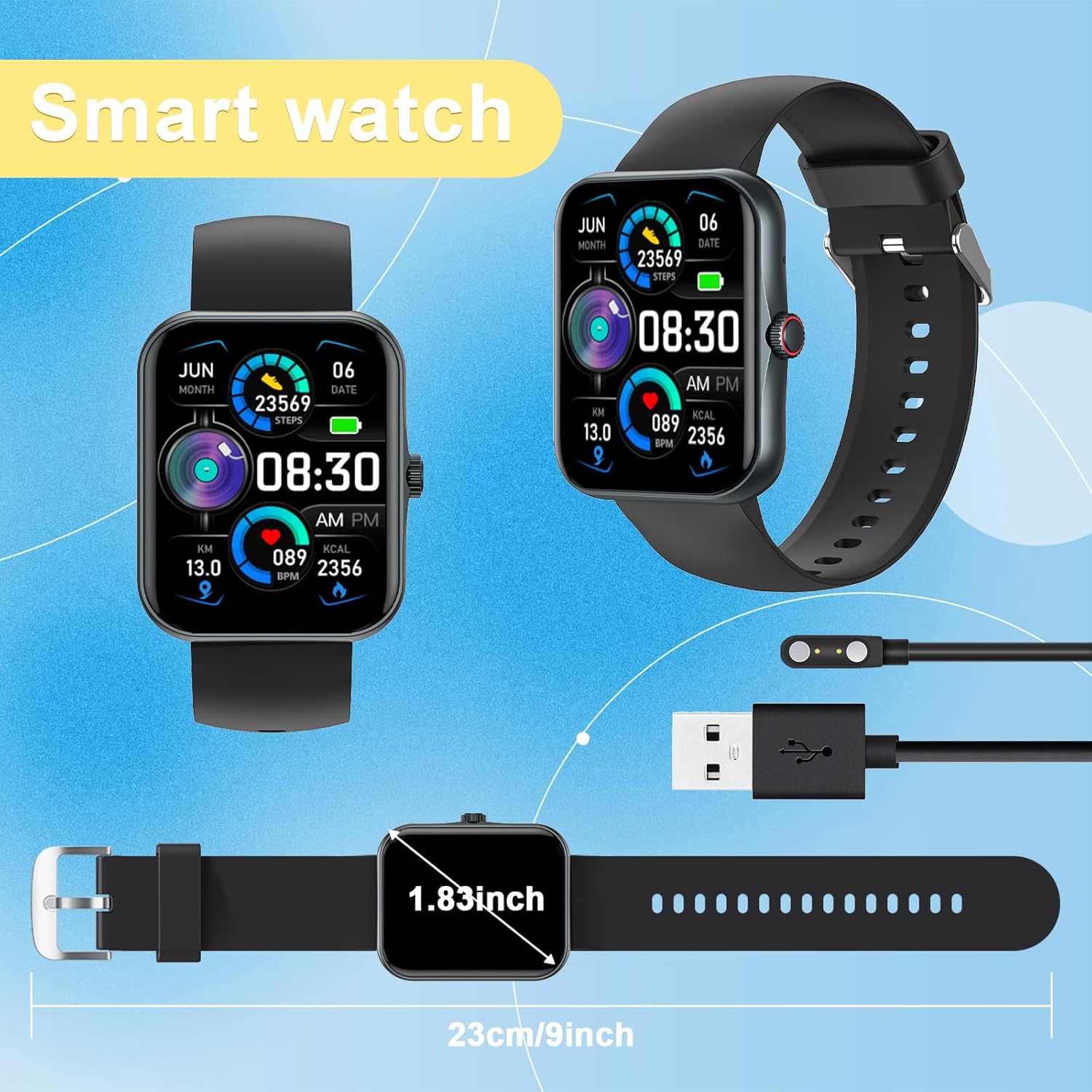
Image: Physical dimensions of the smartwatch.
8. Warranty and Support
Your PTHTECHUS Smart Watch is covered by a manufacturer's warranty. For detailed warranty information, technical support, or service inquiries, please refer to the contact information provided in your product packaging or visit the official PTHTECHUS website. Please retain your proof of purchase for warranty claims.
Related documentsS80K


Ask a question about this manual
Ask about setup, troubleshooting, compatibility, parts, safety, or missing instructions. Manuals+ will review the question and use this page’s manual context to help answer it.