
Uhome UDZ1-120P
Uhome 120 Pints Dehumidifier User Manual
Model: UDZ1-120P
Introduction
Thank you for choosing the Uhome 120 Pints Dehumidifier. This appliance is designed to efficiently remove excess moisture from your indoor environment, improving air quality and comfort. With a capacity to remove up to 120 pints of moisture per day, it is suitable for areas up to 6000 square feet, including basements, homes, and large rooms. This manual provides essential information for safe operation, installation, maintenance, and troubleshooting. Please read it thoroughly before using the dehumidifier.

The Uhome 120 Pints Dehumidifier is designed for spaces up to 6000 sq. ft., offering a humidity setting range of 30% to 80%.
Safety Information
Always follow basic safety precautions when using electrical appliances to reduce the risk of fire, electric shock, and injury.
- Read all instructions before using the appliance.
- Ensure the power supply matches the voltage requirements of the dehumidifier.
- Do not operate the dehumidifier with a damaged cord or plug.
- Keep the appliance away from heat sources and direct sunlight.
- Do not block air inlets or outlets.
- Always unplug the unit before cleaning or performing any maintenance.
- This appliance is for household use only.
Product Overview
The Uhome dehumidifier features a sleek design with user-friendly controls and convenient mobility.

Front view of the Uhome 120 Pints Dehumidifier.
Key Features:
- High Capacity: Removes up to 120 pints of moisture per day, suitable for areas up to 6000 sq. ft.
- Adjustable Humidity: Set desired humidity from 80% to 30%.
- Quiet Operation: Operates at a low noise level of 42dB.
- Flexible Draining: Includes a 5L (1.32 Gal) water tank for manual draining and a 23.6-inch drain hose for continuous drainage.
- Smart Functions: Automatic shut-off when tank is full, auto defrost, and auto restart after power supply interruption.
- Easy Mobility: Equipped with 360° rotatable wheels and a built-in handle for easy movement.
Setup
- Unpacking: Carefully remove the dehumidifier from its packaging. Retain packaging for future storage or transport.
- Initial Placement: Place the unit in an upright position on a flat, stable surface.

Important Notice: Allow the unit to sit in an upright position for at least 24 hours before plugging it in. This allows the refrigerant to settle.
- Location: Position the dehumidifier in the desired area, ensuring adequate space around the unit for proper airflow (at least 8 inches from walls or furniture). It is ideal for basements, laundry rooms, living rooms, and bathrooms.
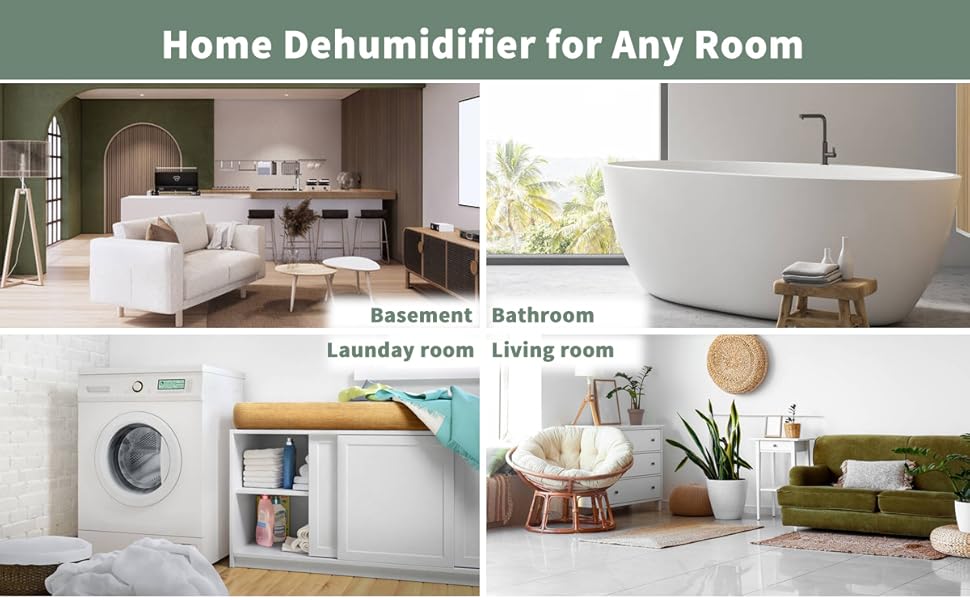
The Uhome dehumidifier is suitable for various rooms in your home.
- Power Connection: Plug the power cord into a grounded electrical outlet.
Operating Instructions
Control Panel:
The dehumidifier features a digital control panel for easy operation. (Specific button functions are typically detailed in the physical manual, but general functions include Power, Mode, Humidity Setting, Timer).
Operating Modes:

The dehumidifier offers Automatic and Continuous operating modes.
- Automatic Mode (Auto): In this mode, the dehumidifier will automatically stop working when the set humidity level is reached. It will restart if the humidity rises above the target. Note: To protect the compressor, the panel humidity sensing has a differential of 5% above and below the set point.
- Continuous Mode: The unit will continuously dehumidify without stopping, regardless of the humidity level. This mode is useful for very damp environments or for continuous operation.
Setting Desired Humidity:
Use the humidity setting controls (usually up/down arrows) to adjust the desired humidity level between 30% and 80%. The unit will operate until the ambient humidity reaches this set point.
Draining Options:

The dehumidifier supports both manual and automatic drainage.
- Manual Drain (Water Tank):
The dehumidifier collects water in a 5L (1.32 Gallon) internal water tank. When the tank is full, the unit will automatically shut down, the tank indicator light will turn red, and an audible beep will sound to prevent overflow. To empty, carefully remove the tank using its handle and pour out the collected water. Reinsert the tank securely.
- Automatic Drain (Continuous Drainage):
For continuous operation without manual emptying, connect the included 23.6-inch drain hose to the continuous drain port on the back of the unit. Ensure the hose is sloped downwards to allow gravity drainage into a suitable floor drain or larger container. The hose must not be bent or kinked to ensure proper water flow.
Smart Functions:

The dehumidifier is equipped with convenient smart functions.
- Auto Shut Off: The unit will automatically shut off when the water bucket is full to prevent overflow.
- Auto Defrost: If frost builds up on the evaporator coils, the compressor will cycle off and the fan will continue to run until the frost disappears. This prevents damage and maintains efficiency.
- Auto Restart: In case of a power outage, the dehumidifier will automatically restart with the previous settings once power is restored.
Maintenance
Regular maintenance ensures optimal performance and extends the lifespan of your dehumidifier. Always unplug the unit before cleaning.
- Cleaning the Water Tank:
Empty and clean the water tank regularly to prevent mold and mildew growth. Use mild soap and warm water, then rinse thoroughly. Allow the tank to air dry completely before reinserting.
- Cleaning the Air Filter:
The air filter should be cleaned every two weeks or more frequently depending on usage and air quality. Remove the filter (location typically on the back or side), wash it with warm, soapy water, rinse, and let it air dry completely before reinstalling.
- Unit Exterior Cleaning:
Wipe the exterior of the unit with a soft, damp cloth. Do not use harsh chemicals or abrasive cleaners.
- Storage:
Before storing the dehumidifier for an extended period, ensure the water tank is empty and clean. Use the inside drying button (if available) to dry out the internal components for at least 30 minutes. Store the unit upright in a dry, cool place, preferably in its original packaging.
Troubleshooting
Refer to the table below for common issues and their solutions. If the problem persists, contact customer support.
| Problem | Possible Cause | Solution |
|---|---|---|
| Dehumidifier does not turn on. | No power, power cord loose, water tank full or not properly inserted. | Check power connection, ensure tank is empty and correctly seated. |
| Unit runs but does not dehumidify. | Air filter clogged, room temperature too low, humidity setting too high. | Clean air filter, ensure room temperature is above 41°F (5°C), lower humidity setting. |
| "P1" error code (Icing). | Evaporator coils are iced over, often due to low ambient temperature. | Turn off the unit and restart. If the issue persists, ensure the room temperature is within the operating range. The unit has an auto-defrost function. |
| Unit generates heat. | This is normal operation for dehumidifiers as they process air. | This is expected. Consider running the unit during cooler parts of the day if heat is a concern. |
| Unit is noisy. | Normal operating sound, unit not on a level surface, fan obstruction. | Ensure unit is on a level surface. Check for obstructions around air inlets/outlets. (Note: 42dB is considered quiet for a dehumidifier). |
Specifications
Technical specifications for the Uhome 120 Pints Dehumidifier.

Dimensions of the Uhome 120 Pints Dehumidifier.
| Feature | Detail |
|---|---|
| Model Number | UDZ1-120P |
| Dehumidification Capacity | 120 Pints/Day (under 95°F, 95%RH condition) |
| Coverage Area | Up to 6000 Sq. Ft. |
| Humidity Setting Range | 30% - 80% |
| Water Tank Capacity | 5 Liters (1.32 Gallons) |
| Noise Level | 42dB |
| Product Dimensions (DxWxH) | 9.45"D x 13.5"W x 20.16"H |
| Item Weight | 33 Pounds |
| Wattage | 380 watts |
| Included Components | Dehumidifier, Drain Hose (23.6 in.) |
Warranty and Customer Support
Uhome stands behind its products with comprehensive support.
- Warranty: The Uhome 120 Pints Dehumidifier comes with a 12-month warranty from the date of purchase.
- Technical Support: Enjoy life-free technical support for your product.
- Contact Us: If you have any questions or require assistance, please do not hesitate to contact Uhome customer service. We aim to respond to all inquiries within 24 hours. (Specific contact information like email or phone number is usually provided in the physical manual or on the product's official website.)
Related documentsUDZ1-120P


Ask a question about this manual
Ask about setup, troubleshooting, compatibility, parts, safety, or missing instructions. Manuals+ will review the question and use this page’s manual context to help answer it.