
1. Introduction
This manual provides detailed instructions for the installation, operation, and maintenance of your HCALORY Heater Switch and Remote Control. This product is designed for use with 12V and 24V universal voltage models, offering convenient control over your vehicle's heating system. Please read this manual thoroughly before use to ensure proper function and safety.
2. Package Contents
Verify that all items are present in the package:
- 1 x LCD Monitor (Heater Switch)
- 1 x Remote Control

Image: The HCALORY Heater Switch (LCD monitor) and its accompanying remote control. The switch features a digital display and control knob, while the remote has power and temperature adjustment buttons.
3. Specifications
| Feature | Specification |
|---|---|
| Brand | HCALORY |
| Model | 6a0LoH8oL |
| Operating Voltage | 12V - 24V Universal |
| Material | Plastic |
| Color | Black |
| Operation Mode | Automatic |
| Display | LCD Digital Panel |
| Control Method | Manual (Knob) / Remote Control |
| Mounting Type | Wall Mount (Typical for automotive dashboards) |
4. Safety Information
- Ensure the vehicle's power is disconnected before installation to prevent electrical shock or damage.
- Verify that the operating voltage of your heater system matches the 12V-24V universal voltage range of this switch.
- Do not expose the device to excessive moisture or extreme temperatures.
- If you are unsure about the installation process, consult a qualified automotive technician.
- Keep the remote control away from children.
5. Setup and Installation
The HCALORY Heater Switch is designed for integration into existing 12V or 24V vehicle heating systems. Installation typically involves connecting the switch to the heater unit and power source. Due to variations in vehicle wiring, professional installation is recommended.
5.1 Wiring Connection
The switch features a screw-type connector for secure wiring. Refer to your vehicle's heater wiring diagram and the heater unit's instructions for specific connection points.
- Identify the power input, heater control signal, and ground wires for your heater system.
- Connect the corresponding wires from the HCALORY switch to your heater system. Ensure correct polarity.
- Secure all connections firmly using the screw terminals.
- Mount the LCD monitor in a suitable location within your vehicle, such as the dashboard, ensuring it is easily accessible and visible.
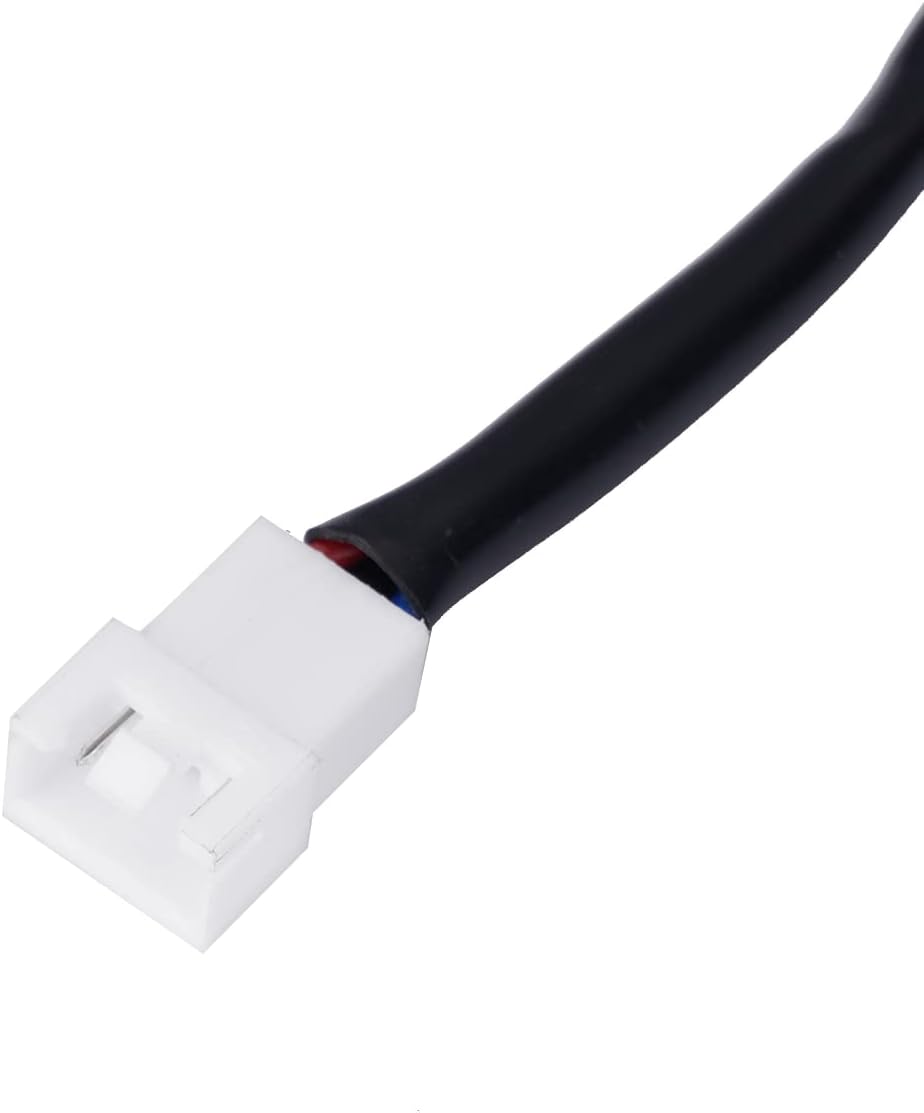
Image: A close-up view of the white connector on the HCALORY Heater Switch, showing the individual wire terminals for electrical connection.
6. Operating Instructions
The heater switch can be operated via the integrated LCD panel and control knob, or using the provided remote control.
6.1 LCD Panel Operation

Image: A detailed view of the HCALORY Heater Switch's LCD panel, displaying various settings and an adjustment knob. A table below the image outlines functions like pump oil volume setting, temperature control conversion, display method, auto/manual mode, timing function, time setting, remote control code, query machine status, fault display, and language selection.
- Power On/Off: Use the dedicated power button or knob press function (if available) to turn the heater system on or off.
- Temperature Adjustment: The LCD display allows temperature control within a range of 8-36°C. Use the adjustment knob to set the desired temperature. The display shows the current temperature and operational status.
- Gear/Temperature Control Conversion: Switch between gear-based and temperature-based control modes.
- Pump Oil Volume Setting: Adjust the automatic pump oil volume as needed.
- Auto/Manual Mode: Select between automatic and manual operation modes.
- Timing Function: Utilize the timing function for scheduled operation.
- Language Selection: The display supports Chinese (C), English (E), and Russian (R). Refer to the menu for changing language settings.
- Fault Display: The LCD will show fault codes if an issue is detected. Refer to the Troubleshooting section for common fault codes.
6.2 Remote Control Operation

Image: The HCALORY remote control with its buttons labeled ON/OFF, plus (+), and minus (-). The image also shows a summary of LCD screen functions, including gear adjustment, temperature control, auto-start switch, pump oil mode, and off button.
- ON/OFF Button: Press to turn the heater system on or off.
- '+' Button: Increases the temperature setting or adjusts other parameters upwards.
- '-' Button: Decreases the temperature setting or adjusts other parameters downwards.
- The remote control has an effective range of approximately 50 meters.
7. Maintenance
- Cleaning: Wipe the LCD monitor and remote control with a soft, dry cloth. Do not use abrasive cleaners or solvents.
- Battery Replacement (Remote Control): If the remote control's range decreases or it stops responding, replace its battery. Refer to the remote's casing for battery type and replacement instructions.
- Connections: Periodically check all wiring connections to ensure they remain secure.
8. Troubleshooting
This section addresses common issues you might encounter with your HCALORY Heater Switch.
| Problem | Possible Cause | Solution |
|---|---|---|
| LCD display is blank | No power supply; Loose connection; Blown fuse. | Check power source; Verify wiring connections; Inspect vehicle's fuse box. |
| Heater not responding to switch | Incorrect wiring; Heater unit malfunction; Switch malfunction. | Recheck wiring against diagram; Test heater unit independently; Contact support if switch is faulty. |
| Remote control not working | Dead battery; Out of range; Interference. | Replace remote battery; Move closer to the switch; Reduce potential interference sources. |
| Display shows a fault code | System error detected. | Note the fault code and refer to the heater unit's manual or contact HCALORY support for specific code interpretations. |
9. Warranty and Support
HCALORY products are manufactured to high-quality standards. For warranty information, technical support, or service inquiries, please refer to the warranty card included with your purchase or visit the official HCALORY website. Keep your purchase receipt as proof of purchase.