
1. Product Overview
The DKARDU M12 Float Switch is a liquid level sensor designed to detect the water level in a tank. It can be used to activate or deactivate a pump, indicator, alarm, or other connected device based on the liquid level. Constructed from durable PP material, it offers high sensitivity and resistance to acids and alkalis. This package includes 6 M12 Float Switches.
Key Features:
- Purpose: Senses liquid levels to control pumps, indicators, or alarms.
- High Quality Material: PP material ensures durability and resistance to various chemicals.
- Electrical Specifications: Max switch power 10W, max switching voltage DC 100V, max switching current 0.5A, max breakdown voltage DC 220V, max carry current 1.0A.
- Wide Application: Suitable for hydroponics, saltwater and freshwater tanks, gardening, aquariums, pet bowls, and filtration systems.
Important Note: Ensure your project does not contain mercury before using this device.
2. Specifications

Image: Detailed specifications of the DKARDU M12 Float Switch, including power, voltage, current, temperature range, and cable length.
- Switch Power (Max): 10W
- Switching Voltage (Max): DC 100V
- Switching Current (Max): 0.5A
- Max Breakdown Voltage: DC 220V
- Max Carry Current: 1.0A
- Contact Resistance: 100mΩ
- Temperature Rating: -30°C to +125°C
- Screw Diameter: M12 (12mm)
- Material: Polypropylene (PP)
- Contact Material: Stainless Steel
- Contact Type: Normally Open
- Mounting Type: Side Mount
- Cable Length: 34cm
- International Protection Rating: IP65
3. Setup and Installation
The M12 Float Switch is designed for side-mount installation. The screw diameter is M12 (12mm). Ensure the mounting hole is appropriately sized for a secure fit. The switch features a duckbill design for wide applicability and a thickened seal ring for anti-oxidation and secure sealing. The high-quality wire is anti-acid, anti-alkali, anti-fungal, and resistant to high temperatures and various oils.

Image: Technical drawing showing the dimensions of the M12 Float Switch, including overall length, float length, and height.

Image: Close-up views highlighting the duckbill design, high-quality wire, and seal ring design of the float switch.
Adjusting Float Direction:
The float switch can be configured for normally open or normally closed operation by reversing the float direction. This allows the switch to either activate when the liquid level rises or falls.
- Carefully remove the circlip using pliers.
- Switch the float to the desired orientation.
- Reinstall the circlip securely.
Note: The factory default is normally closed (floating up disconnects, falling closes).
Video: This video demonstrates the float switch's operation, including how to reverse the float direction to change between normally closed and normally open states. It also shows an application scenario with a warning light.
4. Operating Principles
The float switch operates based on the liquid level. When the liquid level rises, the float moves upwards. When the liquid level falls, the float moves downwards. This movement changes the state of the internal switch, either closing or opening a circuit.
Normally Closed Operation (Factory Default):
- When the float is down (low liquid level), the circuit is closed, allowing current to flow (e.g., activating a pump to fill the tank).
- When the float is up (high liquid level), the circuit is open, stopping current flow (e.g., deactivating a pump when the tank is full).
Normally Open Operation (Reversed Float):
- When the float is down (low liquid level), the circuit is open.
- When the float is up (high liquid level), the circuit is closed (e.g., activating an alarm when the liquid reaches a high level).

Image: Diagram illustrating the float switch in both off (float down) and on (float up) positions, showing the corresponding circuit states with a battery and light bulb.

Image: Diagram showing the floating switch circuit disconnected when the water level is low and turned on when the water level rises, controlling a water supply.
5. Applications
The DKARDU M12 Float Switch is versatile and can be used in a variety of liquid level control applications, including:
- Hydroponics systems
- Saltwater and freshwater aquariums
- Fish tanks and pet bowls
- Gardening irrigation systems
- Water pump control
- Filtration systems
- Aquaculture ponds
- Household water tanks
- Swimming pools
- Industrial water towers
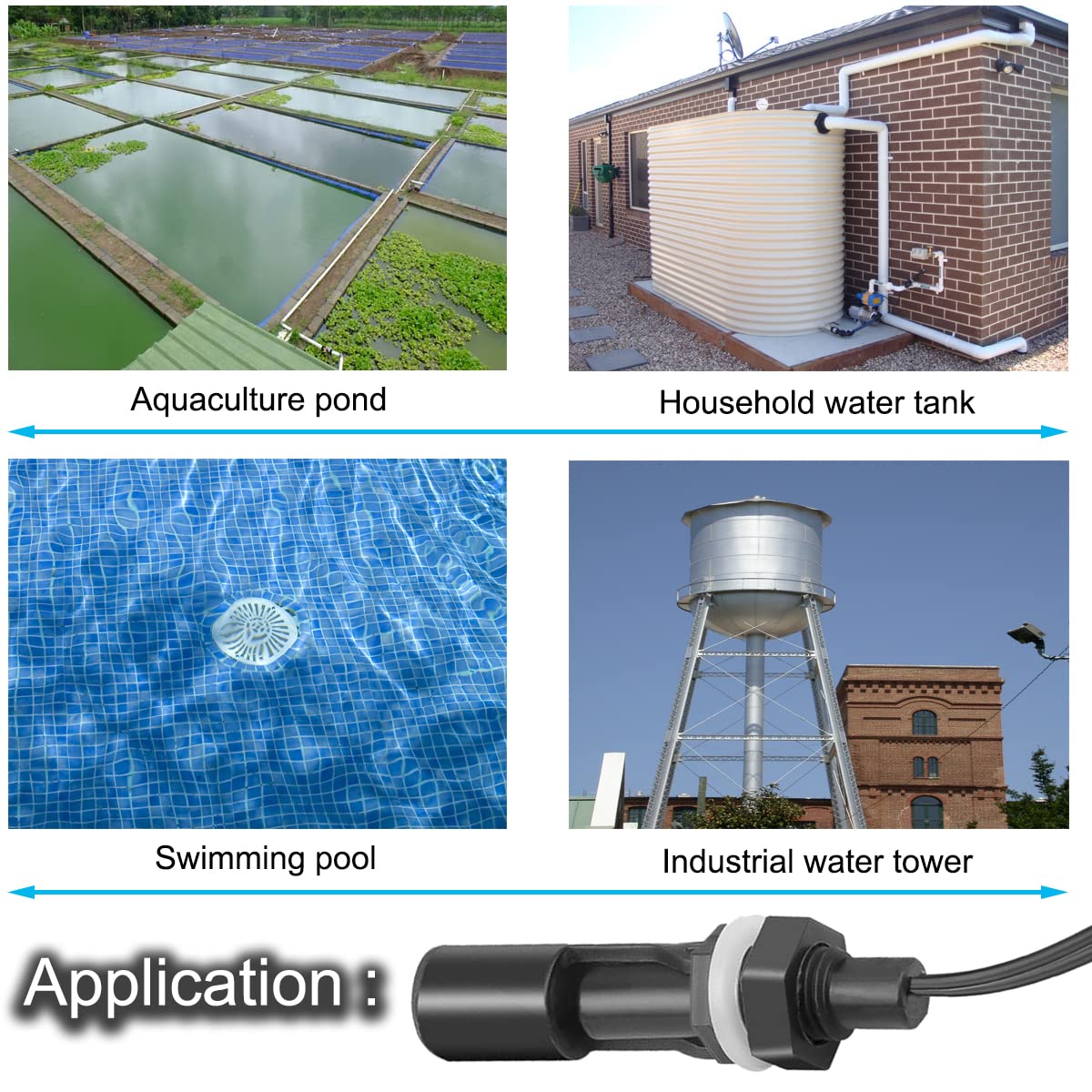
Image: Collage showing various application scenarios for the float switch, including aquaculture ponds, household water tanks, swimming pools, and industrial water towers.
6. Maintenance
To ensure optimal performance and longevity of your float switch, consider the following maintenance guidelines:
- Regular Cleaning: Periodically inspect the float and stem for any buildup of debris, algae, or mineral deposits. Clean gently with a soft cloth and mild soap if necessary. Avoid abrasive cleaners.
- Check Connections: Ensure all electrical connections are secure and free from corrosion.
- Inspect for Damage: Regularly check the float switch for any signs of physical damage, cracks, or wear. Replace the unit if damage is observed.
7. Troubleshooting
If your DKARDU M12 Float Switch is not operating as expected, consider these troubleshooting steps:
- No Activation/Deactivation:
- Verify that the float is moving freely and is not obstructed by debris or tank walls.
- Check all electrical connections for proper wiring and secure contact.
- Confirm that the power supply to the connected device (pump, alarm) is functional.
- Ensure the float direction is set correctly for your desired normally open or normally closed operation.
- Intermittent Operation:
- Clean the float and stem to remove any potential sticking points.
- Check for loose wiring or intermittent power supply issues.
- Leakage:
- Ensure the M12 screw connection and seal ring are properly tightened and seated.
- Inspect the unit for any manufacturing defects or damage that could cause leaks.
8. Safety Information
Please observe the following safety precautions when installing and operating the DKARDU M12 Float Switch:
- Electrical Safety: Always disconnect power to the circuit before installing, inspecting, or performing any maintenance on the float switch or connected devices. Improper wiring can lead to electrical shock or fire.
- Mercury Warning: This product is not designed for use in systems containing mercury. Ensure your application is mercury-free.
- Voltage and Current Limits: Do not exceed the maximum specified switching power (10W), switching voltage (DC 100V), switching current (0.5A), breakdown voltage (DC 220V), or carry current (1.0A). Overloading the switch can cause damage or create a safety hazard.
- Proper Installation: Install the float switch securely according to the instructions to prevent accidental dislodgement or malfunction.
- Children and Pets: Keep the device and its wiring out of reach of children and pets to prevent accidental injury or damage.
9. Warranty and Support
Specific warranty details are not provided with this product data. For warranty information, technical support, or assistance with your DKARDU M12 Float Switch, please contact the manufacturer directly or refer to the product packaging for contact details.