
1. Important Safety Information
Please read all safety instructions carefully before using your television. Keep this manual for future reference.
- Do not block ventilation openings. Ensure adequate space around the TV for proper airflow.
- Do not place the TV near heat sources or in direct sunlight.
- Protect the power cord from being walked on or pinched.
- Only use attachments/accessories specified by the manufacturer.
- Unplug the TV during lightning storms or when unused for long periods.
- Refer all servicing to qualified service personnel.
2. What's in the Box
Verify that all components are present in the packaging:
- 1 TV Unit
- 1 Remote Control
- 2 Table Top Stands
- 1 Wall Mount Bracket
- 2 AAA Batteries
- 1 User Manual
- 1 Warranty Card
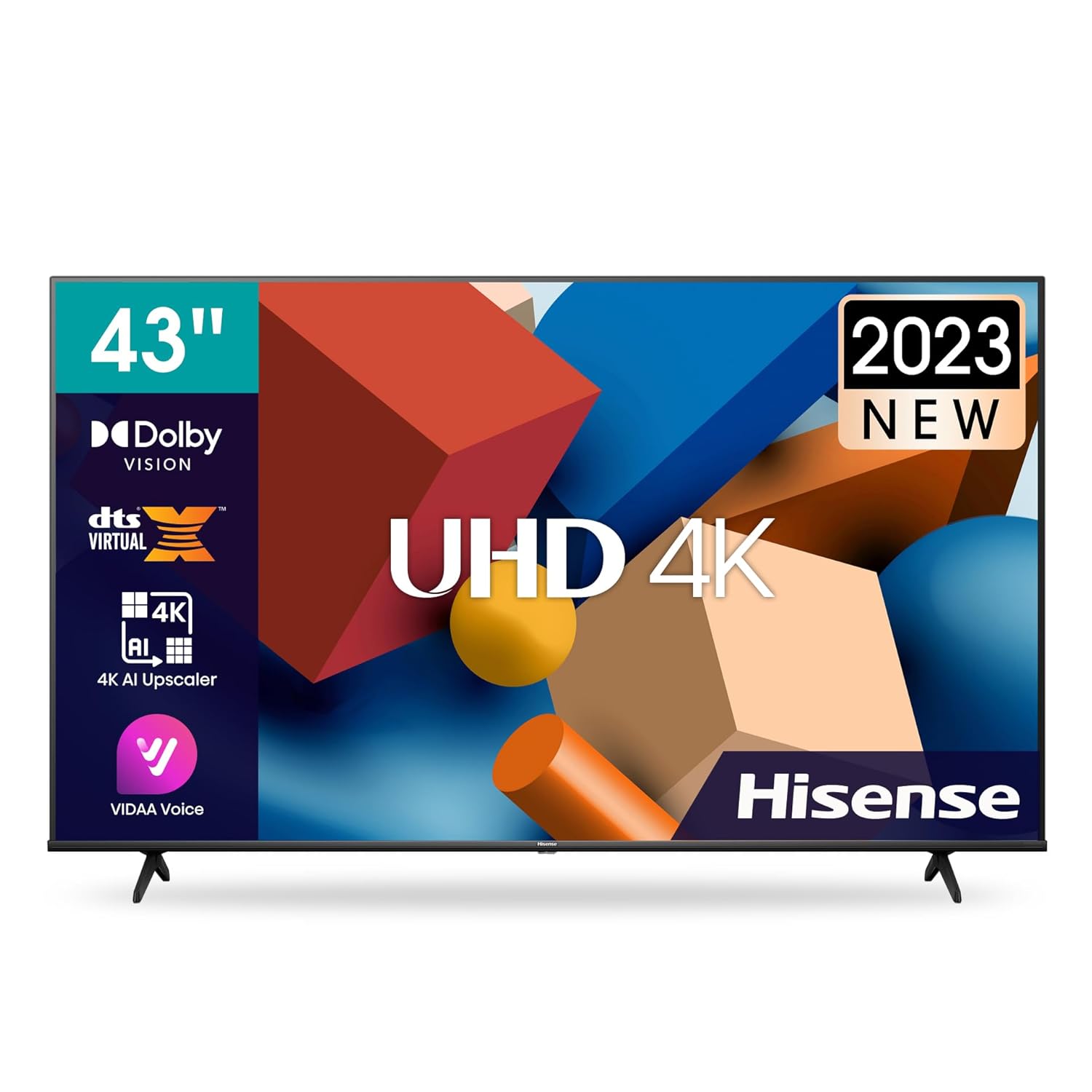
Image: Hisense 43A6K 4K Ultra HD Smart LED Google TV, front view.
3. Setup
3.1 Attaching the Stand or Wall Mounting
Your Hisense 43A6K TV can be set up using the included table-top stands or mounted on a wall using the provided wall mount bracket. Ensure the TV is placed on a stable, level surface if using the stands, or securely mounted to a suitable wall structure.
3.2 Connecting Peripherals
The TV offers various connectivity options:
- HDMI Ports: 3 HDMI ports (including 1 eARC compatible) are available for connecting set-top boxes, Blu-Ray players, and gaming consoles.
- USB Ports: 2 USB ports are provided for connecting hard drives and other USB devices.
- Wireless Connectivity: Dual-band Wi-Fi and Bluetooth 5.1 are integrated for network access and connecting wireless accessories.
- Other Inputs: Includes 3.5mm Audio, Ethernet, and AV Input.
4. Operating Your TV
4.1 Powering On/Off
Connect the power cord to a suitable electrical outlet. Press the power button on the remote control or on the TV to turn it on or off.
4.2 Initial Setup and Smart Features (Google TV)
Upon first power-on, the TV will guide you through the initial setup process for Google TV. This includes connecting to Wi-Fi, logging into your Google account, and setting up preferences. Google TV provides access to:
- Watchlist: Organize your favorite shows and movies.
- Google Assistant: Use voice commands for control and search.
- Chromecast, Miracast, DLNA, Airplay: Stream content from compatible devices.
- Supported Apps: Access popular streaming services like Netflix, YouTube, Prime Video, Hotstar, SonyLiv, Hungama, JioCinema, Zee5, Eros Now.
Video: Overview of Google TV features and interface on Hisense TVs.
4.3 Display Settings
The Hisense 43A6K features a 4K Ultra HD (3840x2160) display with a 10-bit panel, supporting 1 Billion Colours. Key display technologies include:
- High Refresh Rate: 120 High Refresh Rate for smoother motion.
- ALLM VRR: Auto Low Latency Mode and Variable Refresh Rate are supported for enhanced gaming.
- HDR Support: Decoding of Dolby Vision, HDR10, and HLG for improved contrast and color.
- MEMC: Motion Estimation, Motion Compensation for smoother video playback.
Video: Demonstrating the display quality and features of the Hisense A6K series TV.
4.4 Audio Settings
The TV is equipped with 24 Watts audio output and supports Dolby Atmos and Dolby Digital for an immersive sound experience. Audio output mode is Surround.
4.5 Remote Control
The included remote control features a voice assistant for hands-free operation and dedicated buttons for quick access to Prime Video, Netflix, and YouTube.
5. Maintenance
To ensure the longevity and optimal performance of your Hisense TV, follow these maintenance guidelines:
- Cleaning the Screen: Gently wipe the screen with a soft, lint-free cloth. For stubborn marks, lightly dampen the cloth with water or a specialized screen cleaner. Avoid harsh chemicals.
- Cleaning the Body: Use a soft, dry cloth to clean the TV's frame and stand.
- Ventilation: Ensure the ventilation openings on the back of the TV are not obstructed to prevent overheating.
- Software Updates: Periodically check for and install software updates to ensure your TV has the latest features and security enhancements.
6. Troubleshooting
If you encounter issues with your TV, refer to the following common solutions:
| Problem | Possible Solution |
|---|---|
| No Power | Check if the power cord is securely connected to both the TV and the power outlet. Ensure the power outlet is functional. |
| No Picture, but Sound is Present | Verify the correct input source is selected. Check cable connections to external devices. |
| No Sound, but Picture is Present | Check the volume level and ensure the TV is not muted. Verify audio cable connections. |
| Remote Control Not Working | Replace the AAA batteries in the remote. Ensure there are no obstructions between the remote and the TV's IR sensor. |
| Poor Picture Quality | Adjust picture settings (brightness, contrast, sharpness). Ensure the input source is providing a high-quality signal. |
7. Specifications
| Feature | Detail |
|---|---|
| Brand | Hisense |
| Model | 43A6K |
| Model Year | 2023 |
| Screen Size | 43 Inches (108 cm) |
| Resolution | 4K Ultra HD (3840x2160 Pixels) |
| Refresh Rate | 120 High Refresh Rate (ALLM VRR Supported) |
| Display Technology | LED, 10 bit Panel, 1 Billion Colours, MEMC |
| HDR Support | Dolby Vision, HDR10, HLG |
| Operating System | Google TV |
| Sound Output | 24 Watts, Dolby Atmos, Dolby Digital |
| Connectivity | 3 HDMI (eARC), 2 USB, Dual-band Wi-Fi, Bluetooth 5.1, Ethernet, 3.5mm Audio, AV Input |
| Memory Storage | 16 GB |
| RAM | 2 GB |
| Product Dimensions (LxWxH) | 96.3 x 22.2 x 60.8 cm |
| Item Weight | 7.4 kg |

Image: Hisense 43A6K 4K Ultra HD Smart LED Google TV with key dimensions.
8. Warranty and Support
The Hisense 43A6K TV comes with a 2-year warranty provided by the manufacturer from the date of purchase. For any support or service inquiries, please contact Hisense customer service.
- Manufacturer: DIXON TECHNOLOGY (INDIA) LIMITEDSHED
- Importer: Hisense India Private Limited, 009-010, Ground Floor, IHDP Business Park, Sector 127, Noida, Uttar Pradesh - 201301
- Contact: +91 800 266 1969, india@hisense.com
Video: An overview of the Hisense A6K series TV features and design.
Video: Amazon product video highlighting key aspects of the Hisense A6K TV.


